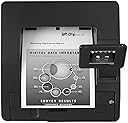
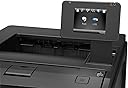
Update: Oct 1, 2014 I have access to 2 printers of this model: One at home and one in office. I played my home network computer, exploring the Network Sharing Files. I did not realized that my share network HP printer was affected. It printed in-queue only but no physical printing. After 2 days of investigating, I gave-up and call HP support. I talked to Anthony, a software engineer in HP Global Support Dept. located in Texas. In few minutes, I'm back in action. For that specific case alone, I received follow-up phone call and more emails from that Dept. asking my satisfaction level about their assistance. Wow... I did not expect how excellent HP support service. ---------------------------------------------------------------------------------------------------------------------- This printer is a replacement of 8 years old HP LaserJet stand alone printer. For its price and performance, it is almost a perfect device. My tech skills level, is barely above average. The printer comes with CD installation disk, 1 piece of paper with multiple language instructions, power cord, aluminum like cheap USB cable which is poor signal conductor to me, teaser toner cartridge good for 500 to 600 prints, and made in Mexico. It will be installed as a network sharing printer for 2 PC desktops using Windows 7 (both 64 bits), 1 PC using XP, and 1 wireless Laptop using Windows 7 (64 bits). I did the following preparations: 1) delete the old HP printer setup in 4 machines, 2) Reboot all 4 machines, 3) Make sure all 4 machines are "On", and 4) Make sure the router is "ON". There are only 3 printer installation options available namely: a) USB, b) Cable network, c) Apple IOS system install. First, I put the installation CD in the Network (host) PC. I follow the screen instructions and choose Network installation by wire. I also choose able to see "Update on-line". Then I created a necessary HP account for ePrint. Second, I inserted the CD in another Win7 PC as Network installation by wire. Immediately, the 2nd PC was able to see said printer. Again, choose "update on-line" and I log-in to ePrint newly created account. Third, I inserted the CD to XP machine and it see the printer instantly, choose network wire install, choose update on-line, and I log-in to ePrint new account. Network printer wire-installation for 3 machines is done and working in less than 30 minutes. By mistake, I inserted the install CD in the laptop which it system aborted the installation. I repeated the install 3 times and was system aborted 3 times too. No manual instruction help available that comes in the box. I played the "Control Panel" or "Devices and Printers" and discovered that said printer is wirelessly ready for installation which I did. It allowed me to choose HP but the specific model is not available. Then I choose "have disk", inserted, and was system aborted. Redo above steps, choose HP, and choose model M4345 MFP PCL6 (the "4" series). Then the installation options available were 1.) HP M4345 MFP PCL6; or 2.) "http///: 192. 168...on-line". By elimination process, I choose the on-line but did not work. Then choose the other and the installation was completed. In short, this is a tricky wireless installation technique which I did not able to install a specific printer model I have. There is only one thing I do not like: Manual duplex. Amazon ads says it is an automatic duplex - which is WRONG. In my case, it does NOT do automatic duplex printing both in desktops and laptop machines. Other than that, I highly recommend such printer. There are so many features in this printer that exceeds my expectations namely: strong wireless signal printing, quick print, wake-up instantly, long distance email printing direct from house to office (I have not tried this option yet), direct USB storage printing, intelligent small screen monitor not dependent on any PC (it can swing any angle but strongly attach),90% heavy as the old one it replaced but around 70% cheaper.