📈 Elevate Your Office Game with the HP Officejet 6500A Plus!
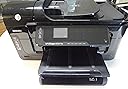
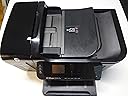
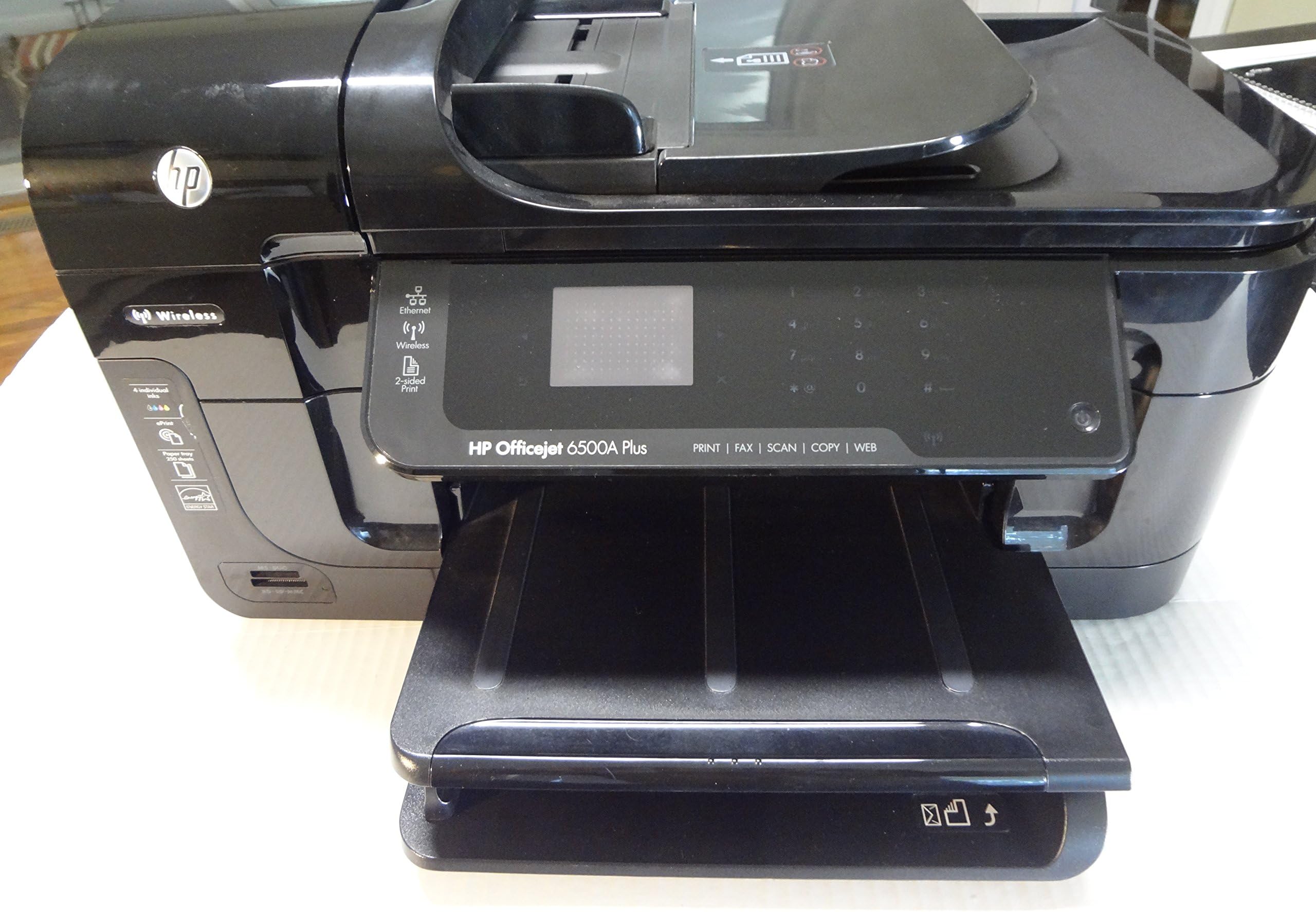
The HP Officejet 6500A Plus e-All-in-One is a versatile inkjet printer designed for the modern professional. With capabilities for printing, scanning, copying, and faxing, it delivers high-quality color and black-and-white prints at impressive speeds. Its wireless connectivity and compatibility with smartphones and PCs make it an essential tool for any workspace.
| Maximum Print Resolution Black and White | 4800 dpi |
| Maximum print Resolution Color | 4800 x 4800 dpi |
| Wattage | 36.6 watts |
| Is Electric | Yes |
| Power Consumption | 36.6 Watts |
| Maximum Copy Resolution Color | 4800 x 1200 dpi |
| Ink Color | Black, Cyan, Magenta, Yellow |
| Resolution | 4800 x 1200 |
| Maximum Copies Per Run | 35 |
| Processor Count | 1 |
| Control Method | Touch |
| Print media | Glossy photo paper |
| Scanner Type | Photo, Sheetfed |
| Maximum Copy Speed Black and White | 32 ppm |
| Compatible Devices | Smartphones, PC, Laptops |
| Printer Type | Inkjet |
| Additional Features | Copying, scanning, Fax |
| Printer Output Type | Color |
| Item Weight | 18.15 Pounds |
| Paper Size | 8.5 x 11 inches |
| Maximum Sheet Capacity | 35 |
| Media Size Maximum | 8.5 x 11 inch |
| B&W Pages per Minute | 32 ppm |
| Color Pages per Minute | 31 ppm |
| Total USB 2.0 Ports | 1 |
| Total Usb Ports | 1 |
| Hardware Connectivity | Ethernet |
| Number of Ethernet Ports | 1 |
| Connectivity Technology | Wireless;USB |
| Duplex | Yes |
| Dual-sided printing | Yes |
| Color Depth | 24 bpp |
| Color | Black |
R**K
Fast, Flexible All-In-One Printer
I've been using this printer for a few weeks now, and so far I've been really impressed. If I had to boil my review down to just one word, that word would be "flexible". This thing has great built-in options... there's a whole lot it can do, and do pretty well, considering its modest price point.PROS:Wireless printing is a breeze to set up. HP's ePrint and Google's CloudPrint services take an extra step or two, but are still painless to set up and use and offer even more printing range. I frequently print things from the coffee shop or office to read or file when I get home. For those that have iOS devices, printing from the iPhone and iPad works like a charm right out of the box.Two sided printing and the auto document feeder are huge convenience items for printing and scanning multi-page documents. Scan to your PC over the network, or directly to a memory card in the built-in reader. Likewise, it's easy to print photos and documents from memory cards.Printer apps, which can be installed and used from HP's ePrint Center or the printer's touch screen are a cool new feature - allowing you to print from Google Docs, new sources, and other other online services directly from the printer. Apps, while cool, are kind of a hat trick - at least for my usage patterns, since I find I can often more easily print most of the same content offered by Print Apps from other devices.Printing is fast and quality is good on the normal setting. For quick 1-2 page jobs, it easily beats the workgroup color laser I use at the office, which has a similar 20-35ppm speed rating. I've also printed on a variety of paper types, including laser voucher checks, and all seemed to be handled pretty well by the feeder.Those of you who bought HP printers from a few years ago might remember that the driver and companion software used to be really "heavy". For windows machines, tons of superfluous programs and monitors used to load at start up and stay in memory by default. Updates were frequent and required hundreds of MB of downloads and slow, clunky installs. I'm really happy to say this is no longer the case. The default install for this printer sets you up with light, lithe printer drivers that stay out of your way when you don't need them. Extra software and memory-resident scanning functions are available for you to install only if and when you want them.CONS:I haven't found much to complain about. Compared to the features I've really enjoyed, my criticisms are mostly issues of nuance.The small, resistive-type touch screen is not always the easiest to operate. It hasn't given me too much trouble but I could imagine people with large fingers or poor eyesight getting frustrated.The printer looks great overall, but virtually all of its removable parts and casings are made of shiny, brittle plastic. Some parts feel cheap and breakable, probably because they are. The small duplexer component that is inserted in the back of the printer on assembly seemed so light and fragile that I was actually worried about breaking it while snapping it into place. However, I think this is pretty much to be expected in this price category and, I'm happy to say, that none of these seemingly fragile pieces have yielded to the casual bumps and bangs I've accidentally given them here and there while this printer has seen daily use.Finally, the paper tray has a listed capacity of 250 pages but it seems like it's actually only comfortable with much less, like 100 or 150 pages. If you're printing anywhere near this unit's 7000 page per month duty rating, you can expect to be adding paper to it a whole lot.
D**N
Awful printer, even worse tech support from HP
HP has experienced a precipitous fall from its former position as a technology leader to a company that now seems to have lost its way -- a view that seems to be shared by the stock market. The OfficeJet 6500A Plus appears to epitomize the company's inability to produce a quality product and to adequately support it when it fails.A few days after setting up the unit, the screen display offered the unhelpful message "Ink System Failure." As it turns out, this message is about as helpful in diagnosing the problem, let alone providing a solution, as the infamous "check engine" light on a car. Although HP provides a 250-page manual (on the CD), nowhere in those 250 pages is there any specific information about this issue or how to resolve it. After having spent 2+ hours on the phone with HP tech support, they finally agreed to replace the unit, but only after taking three days to "verify" the date of purchase from Amazon. I was required to provide a credit card number so HP could charge me about $200 if I didn't return the defective unit, but I was told that I would have 15 days to do that. It took amost two weeks before the replacement arrived. What was sent was a refurbished unit (even though I had purchased a new one that turned out to be defective). More importantly, THE REFURBISHED REPLACEMENT TURNED OUT TO HAVE EXACTLY THE SAME "INK SYSTEM FAILURE" PROBLEM! The package also included a warning that if I didn't ship the original unit back to HP within three business days (not the 15 that I had been told), I would be charged. The unit has now been shipped back, and I'll see whether or not HP hits my credit card.I spent another hour or so on the phone with HP trying to get the replacement to work, and have now given up. That unit will be thrown in the trash for pickup this week. AND I WILL NEVER BUY ANOTHER PRINTER FROM HP AGAIN, and have instructed my company's purchasing director to implement that policy forthwith.There are a lot better choices on the market -- you might look at the Epson Artisan 725 or 730. We bought one of these recently and have had extremely good luck with it.
J**A
Very Poor Quality Print Head, the rest awesome printer/scanner/copier and fax
UPDATE! I have had this printer for about 5 years now, and I have had to replace the print head twice. They only last about 2 years worry free. The one at my house just completely stop working, it would flash some error message on the display and locked up. Nothing you do will fix that, I unplugged the power, hit the start button, etc.and nothing works. I suspect the print head is bad on it too. Very disappointed about that. Other that that I used to love it, but very poor quality print heads.The Good:This is a great machine for the money. It does everything I need it to do. Print, copy and scan. I don't use the fax feature simple because I don't have a dedicated line and we have other fax machines in the office. The copier and scanner can be operated right there from the touch screen on the machine. The touch screen works really well. Printer is lightning fast after the initial head warm up. According to the specs, you can get a lot of pages out of one regular black ink cartridge, and I plan on purchasing the XL, which almost doubles the number of prints you can make. It has a built in Wi-Fi, you don't even need cables if you have Wi-fi set up. I bought one for my office and one for my house. The one at home I have set up with the wi-fi and it works really well.The bad:The set up was a little bit difficult, it can be a bit tricky, specially if you are not extremely good at computers. But in the end I got it installed just fine. The size: even though, the size is indicated in the specs, I did not expect it to be this large. It does look a little bit odd on my desk. And finally, the warm up period, if you have not used it for a while, it takes it a while (maybe 30 to 45 seconds) to start printing or copying.
Trustpilot
3 weeks ago
2 weeks ago