Buy anything from 5,000+ international stores. One checkout price. No surprise fees. Join 2M+ shoppers on Desertcart.
Desertcart purchases this item on your behalf and handles shipping, customs, and support to Seychelles.
💾 Power up your productivity with storage that’s smart, silent, and seriously spacious!
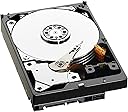
The WD Green 4TB Desktop Hard Drive (WD40EZRX) combines a massive 4TB capacity with a 3.5-inch form factor and SATA 6 Gb/s interface for fast, reliable data storage. Featuring IntelliPower technology, it balances spin speed and caching to reduce power consumption by up to 40%, while IntelliSeek optimizes seek speeds to minimize noise and vibration. With a 64MB cache and transfer rates up to 150 MB/s, it delivers solid performance ideal for desktop storage needs. Its whisper-quiet acoustics and 2-year warranty make it a dependable choice for professionals seeking eco-friendly, high-capacity storage.


| ASIN | B00EHBEUZO |
| Additional Features | Portable |
| Best Sellers Rank | #152 in Internal Hard Drives |
| Brand | Western Digital |
| Built-In Media | Hard Drive |
| Cache Memory Installed Size | 64 |
| Color | Green |
| Compatible Devices | Desktop |
| Connectivity Technology | SATA |
| Customer Package Type | Standard Packaging |
| Customer Reviews | 4.3 out of 5 stars 4,218 Reviews |
| Data Transfer Rate | 6 Gigabits Per Second |
| Digital Storage Capacity | 4000 GB |
| Enclosure Material | Aluminum/Glass |
| Form Factor | 3.5-inch |
| Global Trade Identification Number | 00430014000121, 00718037778457, 00809185313840, 04054842257425 |
| Hard Disk Description | Mechanical Hard Disk |
| Hard Disk Form Factor | 3.5 Inches |
| Hard Disk Interface | Serial ATA-600 |
| Hard Disk Rotational Speed | 10000 RPM |
| Hard-Drive Size | 4 TB |
| Hardware Connectivity | SATA 6.0 Gb/s |
| Hardware Platform | PC |
| Installation Type | Internal Hard Drive |
| Item Part Number | WD40EZRX |
| Item Weight | 680 Grams |
| Manufacturer | Western Digital |
| Media Speed | 100 MB/s |
| Mfr Part Number | WD40EZRX |
| Model Name | Green |
| Model Number | WD40EZRX |
| Number of Items | 1 |
| Read Speed | 150 Megabytes Per Second |
| Special Feature | Portable |
| Specific Uses For Product | Personal |
| UPC | 809185313840 430014000121 718037778457 804066533164 |
| Unit Count | 1.0 Count |
O**U
Great drive for those who understand the specs
I purchased two of these drives in September 2011, and I could not be happier with them. I have great luck overall with Western Digital disks, and these drives are no exception. One was purchased here on Amazon, and another was purchased at a local electronics shop. Both have not given me any problems. The rotational speed of the drive is, for some, a limiting factor in its deployment settings. I have both disks installed in an old 2003-era Power Mac G4 tower, connected to two Sonnet TSATA PCI cards, and when formatted correctly, work very well and recognize their full capacity in my setup. Due to the space limitations of the older Apple Partition Map (APM) formatting scheme, they must be configured as GPT (GUID Partition Table) and therefore cannot be used to boot the computer, even though the Sonnet SATA cards do support booting to connected drives. I use smaller SATA disks (2TB and under) for booting purposes since they can be properly formatted using APM. Running in OS X 10.5.8, the drives recognize all 2.7TB of formatted capacity, and do a very admirable job of acting as my data repository. If I recall correctly, RAID is not recommended with this model 'Green' drive due to the power saving logic, so I use a program to copy, every 6 hours, from the primary storage disk, to the other. This has the added benefit of avoiding filesystem corruption if one drive starts to go south. Luckily, that is not the case. Performance for copying over 1TB of data from the old SATA disk to the WD 3TB green drive seemed pretty close to the 1.5Gbps interface speed of the SATA card, which was simply amazing on this old G4 tower. I don't regularly access the machine, and most file transfer is done over my home network, so the disks aren't used as primary storage. The speed, though, is not noticeably slower than the other 7200RPM SATA disks (one Seagate 1TB and one Hitachi 2TB) I have installed in the machine. This phenomenon is likely due to the SATA 1.5Gbps interface of the card being the primary bottleneck, not the rotational speed of any of the disks involved. I have not run any quantitative speed testing on any of the disks as I have not noticed any issues with performance in my current setup. I am very happy with these disks and their compatibility with my old, creaking setup. I feel good knowing that if the G4 tower ever goes south, I can readily move them into a Mac Pro tower with ease. I was skeptical that investing in a SATA setup for my old machine would be worth the cost. I now believe that for its purpose as a local network storage device, and not as a daily use machine, these drives are probably among the best for this kind of setup regardless of the platform you'll be deploying on (assuming your setup with work with 3TB disks). One note is that (as of early November 2011) the prices of the 3TB Green drives have more than doubled since I purchased them, likely due to flooding in Thailand where most hard disks are produced these days. It may seem vulgar or insensitive to discuss storage pricing when so many peoples' lives are devastated by this horrible disaster, but this is a product review, so I mention it with as much context as I can. I could not personally justify a purchase at the current price level, but if you need 3TB of storage in one disk mechanism, I believe you can acquire this drive with confidence assuming the cost does not prevent you from doing so.
B**A
Great, cheap drive for a Raid Array or Solo Use
I have a total of seven of these drives between 6 on a raid array on one PC and one as a data drive (non raid) in another PC. They are slower at RPM speed than some other drives, at 5400 RPM so if you are someone who "needs" a 7200 RPM drive then you do not need this. They are however the CHEAPEST, MOST RELIABLE CHEAP drive out there. Unlike some brands who will sell you a 5400rpm drive for this, or the various drawbacks from externals, this drive is inexpensive, not annoying in its "green" power management (or needing to have it shut off) and its fast, I get good speed in my 6gb/sec Sata3 port, and overall think its great that for this price, I get a drive with a 3 year warranty, reasonably fast transfer rates despite a lower RPM (RPM is not everything apparently) and its a Western Digital (and not lower on quality) for the price. Western Digital have been reliable drives for me, for many years. I have some going back as far as 8 years old and still running (that does not mean one has never died) but it's not common. It's more common that the storage size becomes too small for me and gets it shelved than the drive fails. I am optimistic by the early performance of these Caviar Greens that I will continue to use these for a 3tb drive. For 2tb drives I prefer the Caviar Black (which is not made in 3tb size). I was apprehensive to go to another brand, so chose WD's lower line rather than risk a brand who has not performed well for me for years. Five stars are for the value, and the fact it delivers. I would like to see a 7200rpm 3tb from WD someday come around, such as a Caviar Black 3tb, but until they do, I am happy to buy these, despite I usually buy the Blacks (I do need bigger than 2tb occasionally) or like for my raid array which runs 6 3tb caviar greens, wanted the array to be bigger then 6 2tb blacks would achieve. Buy this drive with a clean conscience, it will work for you, and work well. I never have had a DOA from WD, I am sure it happens, but I have 6 pcs, and for that to never have happened, is great. WD! Caviar! and this time GREEN ain't that bad. In fact for its price, you cannot beat it.
P**S
Designed to fail within about 3 years
I bought a Western Digital Green Caviar drive in March 2011 and it's failing as of Sept 2014. I think it was failing for a long time as every time I tried to use it for memory swap space, programs on my computer would start crashing. Yet it always passed all the drive tests that SeaTools could perform. Finally, things started getting extra bad in a virtual machine I was running on it, and SeaTools finally said it reported self test failure. Lasting only 3 years (or more likely 1 or 2 before it started having problems) is not too good compared to other drives I've owned. But that's just one drive, right? Unfortunately not. After more research, I discovered that these green drives are famous for parking their heads after 8 seconds of no read/write requests. Normally when a drive is on, its heads (used to read and write data) float over the spinning platters of the disk. When the heads park, they sit on something (a plastic pad in this case) and I think the scraping against the plastic gradually wears out the heads. I've read they can be parked anywhere from 250 thousand to 1.25 million times before the damage leads to read/write errors, although I suspect you will start seeing read/write retries causing slower performance earlier on. Using a windows utility called SpeedFan to read the "SMART attributes" on my failing drive, I found that the "Load Cycle Count" attribute had a "Raw" value of 000000080E92 hex, which converts to 528018 decimal, meaning the heads had been parked 528k times. That's enough to potentially destroy them, and I wasn't even using the drive as my main. The drive was used to perform backups 3 times a day and I occasionally ran virtual machines on it that wouldn't fit on my main drive, and it had the swap file on it from time to time. So these drives ship with a ridiculously-low 8 second timeout for parking the heads to save power, and obviously many home users (like me) will burn through the maximum number of head parkings in 3 or fewer years, so Western Digital gets to sell more drives. I've read other reviews say they tried to replace the failed drives under 2 or 3-year warranty and Western Digital sees the "Load Cycle Count" is high and tells the user they used the drive outside its intended purpose so they won't honor the warranty. Nice scam. I had hoped this might be a learning experience for Western Digital, but this new 4TB drive I just received has the same, destructive, 8-second timeout setting. If you google, you'll find a wdidle3.exe utility that can be used to increase the timeout to a more reasonable time, say 5 minutes. Recent versions of the "Ultimate boot CD" include the wdidle3 utility on a bootable CD, and if you're running Unix, you can also use idle3-tools. Any of these tools can also disable the timeout, but some have said disabling it on new drives makes them very slow or even emit a high pitched sound. I'm guessing WD caught on to people buying these low-cost green drives, disabling the timeout, then using them in server raid arrays instead of paying the high price of a server hard drive, so they purposely slow down the drive if you disable the timeout and also seem to slow it down to a lesser extent if you increase the timeout to 5 mins. I used idle3-tools myself after booting off an Ubuntu 10.10 CD I had around. I also tried Ubuntu 8 but idle3-tools would not build. Download idle3-tools using Ubuntu's web browser, open the download in archive manager, and extract to your Documents directory. Open a Terminal, change directory (cd) to where you extracted idle3-tools, then run 'make'. It will show warnings but should not show errors. Next, run 'parted' then 'print devices' then 'quit'. You should be able to identify the drive you want to set in the output of 'print devices'. To check the idle timeout value on your drive, run './idle3ctl -g105 /dev/sdb' but replace /dev/sdb with the name of the drive in the 'print devices' list. To set a five minute idle timeout, use './idle3ctl -s 138'. './idle3ctl -s 255' sets the maximum idle timeout, which is about 63 minutes. That's one advantage of using this tool instead of wdidle3 - you can set a timeout longer than 5 minutes. But 5 mins should be plenty. Even if it parked every 5 minutes exactly, 24 hours a day, it would only rack up 57k parks a year. It's pretty much impossible that your drive would constantly get accessed exactly once every 5.001 minutes and then be left idle for 5 minutes and repeat that process forever, unless you purposely designed something to do that. I've bought a number of these green drives for backups because I love the idea of having a drive that saves some power by parking the heads (Windows sleep disk on idle doesn't work reliably), but shipping the drives with an 8-second idle timeout with no warning to the customer not to use the drive for anything other than infrequent backups and not providing people with an any easy option to change the idle timeout is really scummy of Western Digital. Even their wdidle3 utility has big warnings not to use it with green drives, even though it works. It seems clear to me they want these drives to go bad for most people within 1-5 years depending on how the drive is used, and too many people will think that's just how long drives tend to last and buy another one. These drives were introduced in 2009 (or earlier?) so they've had at least 5 years to change things, but they still default to the 8 second idle timeout. Also, another one-star reviewer said these drives don't report any error when they start having problems reading data, which means even if you run periodic backups, you may be backing up corrupt data over an older good copy, and that's an absolutely irresponsible design choice. If you use SpeedFan to look at the SMART attributes and see a value above 0 in the Raw column of "Multi Zone Error Rate", the other reviewer said that's an indication of the silent read errors. My failing drive had a value of 8. I'm pretty sure reading corrupt data without error is what caused the virtual machines I was running on the failing drive to experience random problems and crashes. I've been using WD drives for years and have been pretty happy with them, but with their irresponsible error handling and scummy designed-to-fail default settings that haven't changed in at least 5 years, I'm going to look for another brand next time.
R**D
Fast, Quiet and Spacious!
This is my 3rd WD Green drive and by far the largest and fastest out of the 3. When I built my HTPC I put in a 1.5tb Sata II Green drive and quickly ran out of space so I added another Sata II 2tb Green drive. They have been running without incident for a little over 2 years 24/7. Copying from drive to drive with Sata II I am averaging about 50-60MB/s with bursting up to 100MB/s. This is with large movie files, smaller files like MP3's and also transferring to/from my boot drive which is a very fast SSD. When those drives were getting close to full I decided that I would get the biggest drives available and probably phase the smaller drives out. Enter the WD30EZRX. It was $5 more for the Sata III version of the 3tb drives so I figured I would give it a shot even though I was not expecting it to be any faster than my older drives. The box arrived quickly and was packaged in Amazon's *Frustration Free* packaging. Being it was an OEM drive there was not a SATA cable included but this didn't matter as I had a spare. I opened up my HTPC and plugged the drive into my SATA III port and gave it power. Upon boot it was immediately noticed by the PC. Once in windows I formatted the drive as GPT and it has been working great ever since. Please note that unless you have an EFI Bios you must format at GPT or your PC will not recognize the full 3TB. Surprisingly this drive is much faster than the older Green drives I have. Copying to and from the SSD and the older drives in my machine I average about 100MB/s with up to 150MB/s bursts compared to the 60MB/s of the older drives. It is quite noticable when copying around large files so the speed increase is a nice bonus! This drive has now been running 24/7 for a little over a month and it is still going strong. I have owned many WD drives in the last 25 years and they have been rock solid so I will be sure to modify this review if I have any trouble. I highly recommend this drive and will be buying a few more in the coming months!
R**.
Great drive if you have all chip updates and some tech skills
Great drive but you may need some techie skills to get it to be seen on an older motherboard. Im not a techie, so I cant really explain like they would. I bought the drive (didn't know I needed to reaserch it!). delivered quick. Put it in my dell optiplex 960 computer, it didnt see it. OK, so I put it inside my external hard drive enclosure and hooked it up via usb 3.0, still computer couldn't not detect it. So of course I flipped out thinking I got ripped, but before i screamed at the seller i googled how to install 3 TB hard drive. well it turns out both older systems and enclosures wont detect it. So you need to make sure you have the newest intel chipsets, and you have to do some stuff in disk manager. And if you want to use it as an external, you need a enclosure that reads over 3 TB. And I think from my reading no matter what you cant use on older systems as a boottable drive (you can, but not if you have it set as a 3TB drive, in order to use it as a bootable drive the computer will set it as smaller than 2 TB. in older systems to get all of the 3 TB it must be used as storage/back up, which im doing anyway. So my point is I believe most somewhat older systems have no problems with a 2 TB drive, but a 3 TB will either read as a 2 TB, or a 760 gb or not at all unless you do some techie work. So my suggestion is if you don't want to do the extra work get a 2 TB hard drive, or google and read about "installing a 3 TB hard drive, system doesn't detect 3 TB hard drive" etc. and watch a couple of you tube videos. Do the research before you assume you have a DOA drive. For older systems it is not simply install and it works.
S**S
Only 3 out of 4 worked from first order
I ordered four 3TB models to make a 9TB RAID 5 array. I noticed early on that one of the drives was of a different batch than the rest. They all had the same model of WD30EZRX but had different sub-model numbers and serial schemes. One was a sub model of 00D8PB0 made in Malaysia while three were of the 22D8PB0 submodel made in Thailand. The one from a different batch had a serial number starting with "WMC4...." while the other three were from "WCC4...". The RAID worked fine for a couple hours then I started experiencing extremely slow write speeds while migrating my data over (nearly 2TB at the moment). On investigation, the Intel monitoring software said a SMART event was being reported. Long story short, the one drive from a different batch was essentially dead and would even hang the system on boot. I've already started the replacement process with Amazon, but this is quite inconvenient and is delaying getting a system online (in Amazon's defense, it is coming next day). I can only hope this doesn't become the norm for these drives over their life. Their performance is decent individually and the price per TB is pretty good. I usually buy WD drives and don't have a problem. Will update and give back a star if the next one arrives and actually works (hopefully from the same batch as the other three). On a side note, I am a bit peeved that ordering four at the same time they didn't come from the same batch to start with which is ideal for RAIDs. Edit: Amazon performed flawlessly with the exchange. The new drive was of the Thailand batch like the other three that were working and has performed great since installation. I did the WDIDLE3 disable on these and they work perfectly in my RAID 5. Before disabling the Intellipark feature I would get a momentary lag when opening a directory on the RAID when it hasn't bee used for a while. No longer an issue. So, that's 4 out of 5 dives working for me, so I'll give back that fourth star. Amazon will take care of you if the drive fails, but it is an annoyance to have to deal with. It's the first WD drive I've ever had be pretty much DOA (out of dozens). Time will tell how they hold up long term, but that's why I use RAID.
J**I
Newer models of EZRX, not for WDIDLE3.exe /D, BEWARE
BEWARE OF USING WDIDLE3.EXE ON NEWER EZRX HARD DRIVES! This drive is excellent, I've always used Western Digital hard drives simply because they are very reliable and unlike SeaGate, they last way longer, and in the event of failure WD hard drives give you signs of failure giving you time to backup or transfer files before they are completely dead. Back to the warning about newer EZRX hard drives, It's well known by now that Green drives have the parking problem and many people will attempt to disable the head parking, which by default is every 8 seconds. This is ridiculous and if left alone will wear off your hard drive and be prone to issues in the future. First of all, I'm using this hard drive as a secondary drive, as I use a SSD as primary for Windows 8.1. I ran /D to disable parking on this hard drive and I noticed very slow transfer rates, I first thought it was a defective drive but I decided to change it to /S300 and see what happened, needless to say transfer rates were back up again and the drive was as fast as it was supposed to be. While head parking was disabled, I noticed that it was taking too long to load images in a folder I have, where most images are 3840 × 2160, loading times were between 2-3 seconds for each image, which is crazy. Once I set /S300 images were loading in a fraction of a second. Other than that, I recommend this hard drive, if you're looking for a high capacity HDD.
F**T
If you need 6 TB buy this one
Red or green it doesn't matter they both are reliable although I would rather work with green because its cheaper, does the same things as red, and reduces power consumption by 40% which is huge if you leave your computer on for hours an days without shutting it off. I stopped using hard drives as my bootable drive two years ago once I upgraded to SSD so I don't need a hard drive for performance anymore I use it now as data drives as a home to transfer my huge media files to and it works very well for that purpose. I bought two of these so far and one them is installed in but the other one hasn't been installed yet because I haven't had the time yet to do it but I can't wait to add that one in. I am planning on getting two more in the next few months so that my computer has a total of 24 TBs to draw from. I use some really big media files and I can use 2-3 TBs very quickly and these hard drives handle that very well. I was so glad when I first found out a year ago that 6 TBs would be on the market in 2014 and I got my first one last month. I can't wait for the 8 TBs ones to come out. I used to use external hard drives but I no longer need them once I upgraded my computer two years back and was able to add in at least a total of 6-8 hard drives in my computer. I can just put everything on these plus the externals usually failed on me in no time and stopped working under a year. They just weren't reliable like these internals are. Get these hard drives guys and you won't regret.
B**T
Leise, geringer Stromverbrauch, ausreichend schnell
Sendung hat etwas länger gedauert als sonst (5 Tage), es war aber auch Ostern, somit verständlich. Die vorhergesagte Lieferzeit wurde aber eingehalten. Zur HDD: Dies ist meine 3. WD Green und bei jeder neuen HDD gibt es mehr Platz (habe nun 1.5 , 3 & 5 TB) und es wird jedesmal leiser. Die 5TB hört man wirklich fast nicht mehr. Das hängt auch damit zusammen, dass die U/min reduziert werden. Die meisten tagtäglichen Anwendungen brauchen keine 7200U/min. Fazit: Für jemanden, der keine extremen Anwendungen hat (z.B. Videoschnitt könnte ich mir vorstellen), super Platte. Leise, geringer Stromverbrauch, preiswert.
G**O
Western Digital series Green es garantía de calidad
Buen producto a muy buen precio. Éste se usó de reemplazo para uno de la misma marca y serie Green de 3Tb. que duró funcionando sin parar durante casi 13 años. Espero dure también muchos años.
B**N
Gran relación CALIDAD-PRECIO
Siguiendo su linea Western Digital nos trae este disco HDD de gran capacidad a un precio inmejorable. -Muy rápido (SATA III) y silencioso (5400 rpm... recomiendo activar opciones de ahorro para que se apague o reduzca su actividad cuando no se usa) --IMPORTANTE-- Al formatear discos duros de esta capacidad poner siempre GPT frente a MBR ya que es el nuevo estándar para este tipo de discos y a la hora de sacar todos los Gigas posibles esta es la forma de hacerlo. Para ello enchufarlo a ser posible con SATA III siempre que se pueda es RAPIDÍSIMO, ir a Panel de Control/Herramientas Administrativas/Administración de Equipos/Administración de Discos, una vez aquí buscar el nuevo disco aparecerá sin formato, click derecho formatear, seleccionar las opciones aquí seleccionar GPT y listo, asegurarse de marcar la partición como activa para que el disco nos aparezca en el explorador de Windows (botón derecho sobre el disco en el administrador y buscar esta opción) Al principio no sabía por qué no me aparecía en el explorador fue por que al formatearlo le puse una letra que no era la siguiente a los discos duros que ya tenía (le puse letra L para designarlo) se ve que por esa razón no aparecía cambié la letra a la siguiente disponible (que en mi caso era E) y todo solucionado. Si vas a utilizar el disco para un sistema operativo nuevo recomiendo el Formato Normal no vaya a ser que haya un sector malo y nos fastidie en un futuro aunque esto sería rarísimo; si va a ser para archivos y almacenamiento ya que el disco es nuevo, un formato rápido bastará. Yo siempre utilizo el normal por si acaso, el rápido borra el normal borra y escanea, eso depende de cada uno. Formateado se te queda en 2.72TB no está nada mal. Gran disco duro cumple con creces. Lo recomiendo 100% El envío de AMAZON inmejorable como siempre. Recordad que viene solamente el HDD es un OEM (sin instrucciones y sin nada) Es decir el cable SATA no está incluido. Un cordial saludo.
A**L
Best second drive you can buy!
I have several of these drives, they are awesome, fast and power efficient and they work well in yachts! They are designed for handling huge amounts of data but not for intensive heavy file I/O operations, therefore, brilliant as a second drive in your PC for your music or film library. For intense spooling, virtual memory, thousands of successive read/writes etc (ie your drive C in Windows), you should be buying the Western Digital BLACK. As with ALL 4TB drives, if you want to boot your PC from it and you want it to be 4TB (and not 2 x 2TB drives), you will need to be an IT guru to achieve this and have Win 64/64 bit motherboard/UEFI bios etc. For some reason, Amazon as a supplier cannot package and ship 'bare chassis equipment' (ie something that does not come in a manufacturers box), I never received mine and although I cannot fault Amazons after sales, we both wasted a huge amount of time and money trying to resolve the issue and in the end I got my money back.
A**E
Ok
Ottimo prodotto, conoscevo già la linea "green". Disco con ottima capacità di storage che mi permette di starmene tranquillo per un po' di tempo; va a sostituire un corrispettivo da 3Tb, non ho avuto problemi ne di sostituzione ne di caricamento dati. Quando il sistema va in lettura c'è un certo ritarto ma credo dipenda dalla capienza del disco. Costo / Tb in rialzo rispetto ad un acquisto analogo di qualche mese fa' (sempre su Amazon) ma ancora conveniente. Imballo un po spartano; a differenza delle volte scorse il disco era in un contenitore plastico trasparente con, stampate, bolle che simulavano il pluriball, libero in una scatola molto più grande con altri articoli. Funziona tutto e questo è quello che conta. Spedizione Amazon velocissima as usual...
Trustpilot
1 month ago
1 day ago