Desertcart purchases this item on your behalf and handles shipping, customs, and support to Seychelles.
🎥 Elevate your video calls—because your presence deserves the spotlight!
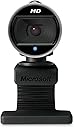
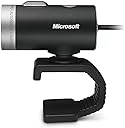
The Microsoft LifeCam Cinema delivers smooth 720p HD video with TrueColor face tracking and a high-precision glass lens, paired with a built-in noise-cancelling microphone for crystal-clear audio. Its 360° rotation and automatic light correction ensure you look professional from every angle and lighting condition. Compatible with Windows and Mac via USB, this sleek webcam is designed for seamless video conferencing on Teams, Zoom, and more.


| Antenna Location | video calling, conferencing, and streaming |
| Asin | B009CPC6QA |
| Battery Average Life | 5 years |
| Best Sellers Rank | #375 in Webcams |
| Brand | Microsoft |
| Built In Media | Carrying Case, USB Cable, User Manual |
| Camcorder Type | Video Camera |
| Color | Black |
| Compatible Devices | Personal Computer |
| Connectivity Technology | USB |
| Customer Reviews | 4.4 4.4 out of 5 stars (1,055) 4.4 out of 5 stars |
| Display Resolution Maximum | HD |
| Effective Still Resolution | 5 mp |
| Effective Video Resolution | 1280 pixels |
| Eu Spare Part Availability Duration | 3 years |
| Exposure Control Type | Automatic |
| File Format | JPEG |
| Flash Memory Speed Class | C10 |
| Flash Memory Type | Memory Stick |
| Flash Memory Uhs Speed Class | No flash memory card slot |
| Flash Memory Video Speed Class | V60 |
| Focus Type | Auto Focus |
| Form Factor | Compact |
| Image Aspect Ratio | 16:9 |
| Image Capture Speed | 30 frames_per_second |
| Image Stabilization | Digital |
| Item Dimensions D X W X H | 2.2"D x 1.81"W x 1.58"H |
| Item Weight | 3.36 ounces |
| Lens Type | Prime |
| Manufacturer | Microsoft Input |
| Maximum Aperture | 1 f_stop |
| Maximum Focal Length | 3.7 millimeters |
| Minimum Aperture | 1 millimeters |
| Minimum Focal Length | 1.6 |
| Model Name | H5D-00013 |
| Model Number | H5D-00013 |
| Number Of Batteries | 1 Lithium Ion batteries required. |
| Operating System | Microsoft Windows (10, 8.1, 8, 7) |
| Optical Zoom | 100 x |
| Screen Size | 3 inches |
| Sensor Type | CMOS |
| Shooting Modes | Automatic |
| Special Feature | Low Light |
| Style Name | sleek |
| Supported Audio Format | AAC, MP3, PCM |
| Supported Image Format | JPEG |
| Unit Count | 1 Count |
| Upc | 012304320074 885370428520 041114073368 012300210768 |
| Video Capture Format | MP4 |
| Video Resolution | 720p |
| Viewing Angle | 360 degrees |
| Warranty Description | 3-year limited hardware warranty |
| Water Resistance Level | Not Water Resistant |
| White Balance Settings | Auto |
| Zoom | Optical |
User
Works like a champ
I picked up this webcam for two reasons - first I wanted to do video Skype calls with my mother who lives out of state. Secondly I wanted to use it in a 3D laser scanner project I had going on. This webcam works great for both of my applications. The setup was very easy (run the install disc, up and running in 10 minutes). From the webcam controls you can take still pictures, capture audio and video as well. From the side bar menu you can change the camera resolution ( I run it at 1280 x 720 with no problems) adjust the mic volume, switch between auto focus and manual focus, and adjust the brightness. I find the auto focus to be good, although sometimes it will refocus for no reason I can determine. There are also many "effects" you can add to the video picture, but those are worthless to me. The cord is plenty long for my needs, and I really like the webcam stand. The stand lets me mount it almost anywhere, on almost anything. I find the video image at the highest settings to be good. I'd buy this webcam again.
User
Excellent Crisp Live Chat Broadcasting with Setting / VERY LIMITED ability to Take Pic and Clips!
In Windows 7 and older platforms this webcam could do several things:1. Live Chat with Control Panel Settings2. Take Pictures with Control Panel Settings from your Desktop3. Record Videos with Control Panel Settings from your DektopIn Windows 8.1 it can only do #1, however, it does so excellently.It CAN NOT do #2 or #3 in Windows 8.1, and if you contact customer servicefor Microsoft support, as of May 20th, 2015, they admit this is a problem.However, I am able to use my Logitech and my Creative Live Webcams to do #2 and #3,so I will keep my Microsoft LifeCam Cinema HD for Live Chat, aka #1, because the image qualityis so crisp and beautiful and excellent in Live Chat, aka #1.If you are desperate to take a pic or record a video, and you have Windows 8.1, I have foundthat if you go to your apps section and right click on the screen, and hit change cam untilyou are randomly accessing your LifeCam Cinema HD, you are able to snap pics and record videosthere, however, you ARE NOT ABLE TO ACCESS YOUR CONTROL PANEL TO ADJUST SETTINGSAND LIGHTING ETC. This is so sad because this webcam, on past platforms, it absolutely phenomenal.I hope that they get this problem fixed.So if you are a you tuber, and want to record excellent videos, I would recommend doing some research onfinding a photo and video taking camera that really does it all and has the compatibility that you are looking for.Have an awesome day.And once again I cannot emphasize enough the beauty of this camera when used in Live Chatting Broadcasts.Thank you. :)
User
So Great I Bought It Twice
I got this web cam after my other LifeCam Cinima started acting funny... After two years with that web cam, it began to randomly shut off during video calls but work fine if only using the mic while playing a game online. I really liked the design and functionality of that one and sense I got that other one second hand, I decided to buy the same thing and try to take better care of it from the get go.My suspicion was because of the nature of its previous owner(s) the wire in the back had been tugged and loosened weakening some important bits inside. I also noticed the device getting quite hot during calls so I think some of the parts that were broken had to do with the power. It was probably not regulating power anymore and would shut itself down or overload.I've only had this new one for a week or so but everything seems fine and I definitely notice it running at a cooler temperature so I feel like if I don't put strain on that wire, I should have a perfectly good cam for quite some time.Pros:- Great webcam in its price range- Great video quality for 720 p and 30 fps (in optimal light conditions)- Great design- Great functionality- Clear sound quality- Works well in relatively low light (computer screen light)- Nice rubber bendy stand so as to not scratch my screen and never fall- Doesn't require any manual software instillation on Windows 7 (Automatically detects and quickly installs basic drivers)Cons:- Faulty relative- Wire in the back needs tender loving care- Image becomes laggy and blocky in very low lightOverall:You won't be shooting movies with this but its a great webcam for video chat and voice broadcasting. Could be the best in its price range.
User
Great value for the options provided
Bought this camera with the sole intention of using it at home hooked directly to the PC. Man does it deliver very high quality video and picture clarity. Almost like the first time you ever turned on an HD TV and saw the crispness of the picture. For the price I think it is an excellent buy.The only "minor" thing I've noticed is the clarity of the sound that comes over my speaker set. Could be the setting that I have for listening to music isn't the best for SKYPE. It sounds "hollow" but that is fine.Once I plugged it in, my Vista 64bit was trying to download the software. I said wait til later. No Problem. Out of the box was great. I had already loaded SKYPE in prep for this but I had to enable the mic on the camera. Video worked but mic was not "on" by default. I think I also changed screen size too.Loading the software about a week later was painless also. My kids love those styles. We don't use them much. I think I'm going to trying sending a video email and see how that works. A small test of course to my non SKYPE contacts.Great camera and low price = happy customer!
User
Overhyped - but still a nice webcam
When I unboxed it I was surprised at how small it is: about 2.5" long. The "foot" part flexes, so you can bend the T part back and it perches very nicely on top of my monitor. The microphone is... well, a tiny microphone - I won't be using it as I have a boom-arm mounted Behringer running through a TubeAmp which sounds about 100x better. Picture quality: I bought this because it supposedly had good low light quality - and it does in a weird fashion. I have a 100 watt bulb lighting my room, so it is a bit dim. The webcam picks up me and the room just fine, and the image actually isn't dark, so that part works. But there must be some micro-vibrations or digital interpolation or something, because pixels are constantly changing values slightly all over the screen - looks a little like static on a TV. When the picture is shrunk this noise goes away almost entirely, but I feel like at full screen HD the camera is straining too hard. For me that's okay, because I mainly want a facecam in one corner of the video; but for some this might be distracting, and the noise might have a negative effect on any video-calls you make, with all those unneeded screen updates. The final thing that struck me is the cord length - about 5.5 feet; my PC sits under my desk to one side, to help eliminate fan noise, and the top of my monitor is about 4 feet above it, so the cord is pretty tight as it wraps around my desk.Software installation was simple under Windows 8.1 - I plugged it in and it downloaded the drivers. I tried the LifeCam software and it worked okay with Skype, but isn't really flexible enough. Instead I downloaded DeskCam (free) and it works like a charm - a resizable image on top of all your windows that can be moved around to where you want it. LifeCam + CamDesk = very nice FaceCam for making videos. You can also go full screen with it, which is where I noticed the screen noise. All things said, it did meet my needs nicely - I just don't think it lives up fully to the advertised claims.
User
Nice little camera, works with Windows 10, good quality, easy to install, and can't beat the price.
I purchased this for my son, he likes it, he uses it all the time with his friends on Skype, he was able to connect it and load it right up without any issues on Windows 10. The quality of the video picture is good enough for a teenager using it to chat with his friends it's 720p. Can't complain it does what it says it will do and it shipped quickly, had it in like a day or two. So I was happy with that.
User
Nice, No-Nonsense Webcam
Bought this for my decidedly non-technically-savvy mother so she can Skype with her grandson. Surprisingly nice performance, both picture and sound, even given modest internet connection speeds. It's smaller than I expected, simple to get working, and easy to hang just about anywhere -- on your monitor, edge of the desk, edge of a bookcase, etc.I'll admit that I'm no expert on webcams; I'm mostly comparing this to the little pinhole cameras that come with cheap laptops. That said, I really don't know how this could work much better, given the limitations of her hardware and internet connection.The only minor complaint is that sometimes the cam will hunt for focus, and she's not sure why. (My guess is it's something she's doing, or not doing, and not the cam's fault.)Well worth the purchase price.
User
A Studio Webcast Camera, a very good one...
The Microsoft LifeCam Cinema is a excellent starter camera for those aspiring to do small room webcasts, or Skyping sessions. The 720p resolution, and the TrueColor features make this camera stand out beyond most other brands and types in the 720p range. The Ups for this camera is that once you plug it into your computer (PC/MAC) it works. Albeit the Driver Installation on a Windows PC will automatically detect/download/install the correct drivers. And you can seemlessly start working with it immediately.The bad news is if you have more than One LifeCam (Studio/Cinema) on the same machine you will quickly discover you can't run two at the same time. You will have to trial and error your situation if you choose to use more than One Microsoft LifeCam per machine.I use TeleStream WireCast (4.3) and I still have trouble using a Studio and Cinema camera at the same time. Partly because these types of Webcams will utilize your USB Bus Bandwidth, so a solution to this problem is to add an additional USB Bus by a new USB PCI/PCI-Express expansion.Now in most end-user cases, you probably will only need one camera. If you like the LifeCam and want to use more than one at a time, you will find yourself in a lucky or unlucky category. The Lucky ones, have computers with high end USB Controllers (therefore CAN use more than one LifeCam) most don't have that luck.The Mic on this camera is awesome, it captures my webcasting voice from distances and close up volcume control automatically.The Auto Focus is very stable when attempting close ups to electrical components. You can control the focus, and use Digital Zoom as well.All in All, a good USB HD Web Cam
User
Top
Super gut
User
satisfecho con la camara web
me parece una camara web completa y estoy stisfecho con la entrega, tube problemas con los drivers pero fue actualizar y listo. la entrega fue muy rapida a pesar de venir de EEUU
User
Five Stars
very good. It works well
User
Muito bom o acabamento
Excelente produto, é plug-and-play não precisa se preocupar com nada. Ótima imagem, e captação do som excelente. É bem pequena, do tamanho de uma rolha de garrafa de vinho. Recomendo o produto.
User
MICROSOFT CAMERA
RECEIVED CAMERA
Trustpilot
2 weeks ago
2 weeks ago