Desertcart purchases this item on your behalf and handles shipping, customs, and support to Seychelles.
🔥 Stay cool, game hard, and glow up your setup!
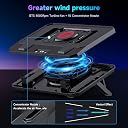
The IETS GT300 Double Blower Laptop Cooling Pad is engineered for 14-17 inch gaming laptops, featuring a unique sealing rubber ring and triple-speed blowers that deliver superior cooling performance. Equipped with dual dust filters, it prevents dust buildup while its adjustable ergonomic stand protects your posture. Customize your vibe with seven-color LED lighting and optimize airflow with three fan speeds, making it the ultimate cooling solution for demanding professionals and gamers alike.


| ASIN | B07WVK2ZZ9 |
| Best Sellers Rank | #689 in Computers & Accessories ( See Top 100 in Computers & Accessories ) #19 in Laptop Cooling Pads |
| Brand | IETS |
| Color | GT300UB |
| Cooling Method | Air |
| Customer Reviews | 4.4 out of 5 stars 2,223 Reviews |
| Enclosure Material | Rubber |
| Item Dimensions L x W x H | 15.75"L x 13.7"W x 1.97"H |
| Item Weight | 1600 g |
| Manufacturer | IETS |
| Material | Rubber |
| Mfr Part Number | GT300 |
| Model Number | GT300 |
| Number of Fans | 3 |
| Number of Items | 1 |
| Product Dimensions | 15.75"L x 13.7"W x 1.97"H |
| UPC | 778716876959 778716876980 782940394530 |
J**S
Fits my 17.3" laptop, and keeps it chilled during heavy gaming sessions, totally WORTH IT!
My laptop is mainly used for Photo & Video Editing, small 3d Rendering, Animation, and some gaming, i deal with lots of thermal throttling from After Effects, Premier, Photoshop, Illustrator while rendering and editing. Now they ALL work much faster and smoother since upgrading. Its done a lot for my workflow and even more for extending my laptops life. This cooler has 3 different speed settings, adjustable LED lights that will flow throw multiple colors. You can cycle through them to find your favorite color and keep it there instead of Breathing LED function. You can turn the LEDs off by press and holding the LED button for 3 seconds. It has adjustable pegs that lock the laptop into place, so it doesn't slide off the cooler. I use this on a 17.3" Laptop that has a I7-8750h and GTX 1060 graphics card. The difference in in editing was one thing but it also turbo charged my gaming performance. For me was like night and day. Very noticeable difference in the FPS. Which has finally enabled me to take advantage of the 144hz screen the laptop came with. I love playing Star Fighter Assault in Star Wars Battlefront 2, and have been making dudes cry ever since i upgraded :-) I think the price tag for it is fair, considering the overall performance and how unique and effective it is. No other cooler forces the air into laptop chassis like this IETS does. The sealing "O-Ring" was a genius idea, and works great! It doesn't let any air escape out the sides, so NO LOST COOLING! Also the larger O-Ring was to easy install. Now for its only inescapable flaw, when you have the cooler on max setting, it is loud, nowhere near as loud as the PS4, but its certainly audible. I'm personally not bothered by the sound it emits, but i know that's a bigger deal for other people. The best way i can give you an example is the stock PS4 cooler, I'd say its roughly 20 - 30% more quiet than the PS4 under heavy load. So instead of it being a Boeing Jet engine, its more like small Cessna plane lol. My Laptops health is very important to me, so as far as concerned this cooler is a necessity. I know it cost more than the average $15-$30 junk from eBay, but unlike those you're actually getting your monies worth with this.
B**D
Absolutely worth the price and easily triple the performance of my other cooling pads
I'd like to start with my model, an HP Omen DC-1054NR. I7-9750H, 1660 Ti (NOT the Max-Q version), 16GB Ram, swapped their nvme drive for an Inland 1TB nvme with faster read/write speeds. I also swapped the stock thermal paste with Therma Grizzly Conductonaut liquid metal (not something I'd recommend for beginners). It's a little over a year old, I'd purchased it brand new. I ran it with no cooling pad for about a month, but the temps were starting to make me nervous (hitting 99 C on CPU and about 94 C on GPU). I added a Cooler Master NotePal X-lite II, and saw about a 3 degree drop. Still a little hot and the CPU decided to push back up to that temperature and I got better performance but still had terrible heat. So next I added the liquid metal which saw a few changes - it took longer to get up to high temps, and it also gave me a considerable boost in performance - but I still kept hitting high temperatures. I spent months tweaking settings, undervolting, making sure everything was perfect, reapplied thermal paste, literally everything I could think of, and couldn't get it to stay below 90 C while I was playing demanding games. I tried multiple other cooling pads to no avail, until finally, I see this model. At a high price point, I ordered it thinking it was going to be another flop, but lo and behold, it seems I've finally found a match. The rubber gasket combined with an actual blower with a little oomph behind it, combined with the flares to prevent the hot air exhaust going into the intake (which is filtered!) seems to have been the magic elixir that's allowed me to not only significantly increase my performance but also keep my temps in a healthy range. I don't really care about the lights, and it definitely produces some noise, nor is it really a pad for sitting in your lap - this is built to give you the equivalent of a set of case fans and get you closer to desktop performance. If you can afford it, buy a cheaper cooling pad for gaming on the go, but keep this monster for desktop use. I haven't been this satisfied with a hardware purchase since first moving over to NVME drives. I wear headphones and no one can hear the fan through the microphone so it doesn't bother me at all, but might if that's a major concern for you. Best cooling system you can buy for a gaming laptop though, and it's worth the rather ridiculous price point.
G**B
Noisy but Cool
I purchased this to pair with my new nitro5 17” gaming laptop. I have owned it for a month at the time I’m writing this. It really performs excellent when it comes to actually cooling. Without the pad the laptop easily runs 10 C* hotter even idle. It’s design is by far the best I have seen in the last decade of cooling pads. By having the rubber seal and the two fans pushing air more efficiently through I see my temperatures have less fluctuations and the internal fans for cpu and gpu work less. And as an added bonus the pad having dust filters is really nice it just makes overall care and maintenance much easier and I feel like I’m able to take better care of my laptop. The biggest down side is noise this thing is pretty loud and that’s to be expected considering the top speed is 4500 rpm. Depending on your room temperature I would say you can get away with speed 2 if noise is an issue. I play with and without earphones and it doesn’t bother me personally but I could see it might bother someone else in the room if you’re sharing space. Also it is a made in China product and already one of the fans is starting to ramp up in speed randomly at times, which I suppose concerns me a little but I feel like that’s why I bought it. I bought this pad so I could cool my laptop and ultimately increase the longevity of the components in the laptop. So if running the pad on high for long stretches of time while gaming is putting more strain on the cooling pad and not the laptop then I’d say that’s worth it. I’d rather spend money on replacing a fan in the pad if it burns out compared to trying to fix an internal fan in the laptop. With that said I hope it lasts. Regardless I’d still only look for and buy a cooling pad with this design. It is by far the superior way that I have seen of actually cooling down laptops. Of course this only works on laptops with vents under the laptop that pull air from the bottom and exhaust out the top and sides. So this doesn’t really work on MacBooks, however, you could not use the rubber ring which might be a good way of cooling that style of laptop. My laptop is definitely enjoying this cooling pad and has so far lived up to my standards only time will tell if it can last from my constant gaming sessions.
O**D
Completely blown away by temperature improvement, love how adjustable the pad itself is
The last laptop cooling pad I had was the Cooler Master NotePal X3. It didn't help even half as much as this pad has. I've got an MSI Apache Pro GE72 that can play most games on medium or high settings. But, depending on the game and settings, this can shoot the temperatures (especially the CPU temps) very high. I recently attempted to play a game I've had for a while and the temps of both CPU and GPU shot into the high 80s/low 90s (Celsius). While laptops are designed to withstand hotter temps than desktops, I wasn't comfortable playing a game for long periods with those temps. Which meant I couldn't play it. I'd recently refunded a new game specifically because of this issue. I was expecting to see slight to moderate improvement. If this laptop pad had gotten the temps down into the 70s, I'd have been pleased. It didn't. It dropped them all the way down to 48C-51C. That's a *massive* improvement. I even turned up the graphics and changed the Shift Mode out of Green Mode (Green Mode being a mode in the MSI Dragon utility meant to help reduce temperatures at the cost of performance). No change. I mean, I've seen those temps just messing around in my browser, never while playing a game (even a game that isn't heavy on resources like Stardew Valley). Now, as other reviews have mentioned, the rubber gasket that comes pre-installed is for 15" laptops. It comes with a larger 17" one and the pad has a larger spot for installing that gasket. It's extremely easy to install (it's basically just pushing the rubber ring into an indent that has four spots where the ring hooks under tabs - none of which involves the strugglebus). My laptop has two vent areas, a very large one in the middle and a very small one at the back and to the side, so the pad only hits the middle one. I can move the laptop off-center so the small vent could (maybe) be over the fans, but since my laptop has feet, the smaller vent isn't blocked and additional cooling isn't needed. That said, my laptop (due to the feet) does not sit flush with the pad. So I can feel some air escaping. Despite that, the cooling is fantastic. Obviously, this pad would only work if you've got intake vents on the bottom of your laptop. The pad comes with these little "dampers" to fit over the pad's vents for if your laptop has vents at the back (mine does). They are horizontal with the pad and just block airflow between the laptop's exhaust vents and the pad's intake vents. The dampers are just black, thin cardboard/paper, so I imagine them getting damaged over time, especially if you move your laptop a lot. But it's still a nice touch and you could easily rig something more permanent or replace the dampers easily. There are also plastic hooks in the front designed to fit over the front of the laptop to help keep it in place. I initially was disappointed because they didn't reach (my laptop is quite thick), but these tabs are actually very adjustable. They adjust up/down and there are additional slots they can be fitted into so you can move your laptop forward/backward on the pad. They are also just straight up removable. So the hooks fit just fine once I realized that.. And the last adjustable thing are the legs. Very, very adjustable when it comes to height and tilt. As for lights, I didn't care. I'm not buying this for lights but to keep my laptop from degrading and breaking due to high temps. But, as another review mentioned, there's not seven solid colors. There are three: blue, green, and fuschia. There is also a color-change light that runs through all the colors and then some (sea-green, orange, yellow, white, light pink, etc). The lights can also just be turned off while running the fans. Speaking of fans, they're decently noisy, regardless of speed. It doesn't bother me because I play music while gaming, but I can see it being annoying to some. But totally worth it, in my opinion. That said, the lowest speed is barely noticeable while playing a video through a DOSS Soundbox speaker. Lastly, as everyone else has mentioned, this pad isn't for your lap. It's not designed for it and it's relatively heavy (for a pad).
K**R
Excellent device.
The design caught my eye, and reviews suggested the product was worth the money. In my opinion, its performance is excellent. On my Dell Precision laptop with an RTX 4000 graphics card, gaming temperatures dropped by 50–59°F—which, I think, is an impressive result for a non-gaming laptop. There are some downsides, though: it doesn't prevent the processor from heating up to 212°F, though I don't think that's the cooler's fault. I also wish there were a way to adjust the RGB lighting. Otherwise, it's great.
C**T
Hands down, THE BEST Laptop Cooler design on the market (18 month review)
I have had numerous laptop cooling pads for my laptops, most of which were for a Desktop setup (not in your lap). I have done massive amounts of research (stupid amounts) on what is available and even older models that aren't made anymore. This is THE BEST option for laptop cooling out there, conceptually, and in execution, so long as you have air INLETS in the bottom of your laptop (most gaming laptops do). For others looking for functional requirements: - Air INLET is in the rear; so air goes through the filter before entering your laptop - Air passes through the inlet chamber post-filters which is shared between the fans/inlets (good to prevent one fan weakening/air flow differentials) - It then hits the turbine style fans and passes through the small outlet into the bottom of the laptop, speeding it up - Air EXHAUST is through your laptop's exhaust fan vents - KEY FEATURE not mentioned: in the box there are two semi-stiff plastic flaps with glue on one side. These flaps go on the cooler facing backwards to separate hot exhaust air from the inlets direction below and behind your laptop's rear fan exhaust vents - The rubber seal is well constructed and works perfectly to seal the bottom of the laptop so only air coming through the cooler fans and filters is ingested - Noise & Vibration: minimal noise and vibration from the fans. Speed 1 = almost inaudible; Speed 2 = audible but quieter than your laptop's fan at full power; Speed 3 = As loud as your laptop's fan at full power (my fans are loud though) Three Neutral/Negative points: - Because of the design, running your laptop with the cooler OFF is not a good idea for anything more than idling. Your laptop's fans will have to work harder than designed to pull in air and that isn't good for long term reliability - The rear stand legs are not wide at all. This is good in some applications, but means you have 2, 1" square points supporting the laptop - The side width of the cooler is more than necessary. It's only an inch or so on each side beyond my 15" laptop, but it takes up more space than it has to I have been using this for almost 18 months now and it is still going strong. I just did a full cleaning (standard filter washed monthly) and was shocked how much dust I was able to blow out of the fans with compressed air. The fan noise is now AT LEAST half of what it was before cleaning, so I recommend cleaning the fans out with highly compressed air every 3-6 months. I couldn't recommend this more IF you have the proper fan/vent/inlet setup. Most performance laptops do. It's amazing it took this long for someone to come up with this design as it is vastly superior to all other options on the market if your goal is max external cooling for long-term reliability
L**E
A tale of two laptops
TL;DR - This cooler performed better than the flat-fan style coolers for an MSI and ASUS laptop. I got this for my son for Christmas who has an ASUS TUF FX504. I myself received an AFMAT version of this same style and I own a MSI GV62 8RE. My son also received an AICHESON 5-fan cooling pad as well for christmas and I previously had a HAVIT 3-fan style cooling pad. I ran a few tests against these different cooling pads (basically comparing the AFMAT/IETS style to the HAVIT/AICHESON style). The MSI laptop compared the AFMAT to the HAVIT, while the ASUS compared the IETS to the AICHESON. The tests run were Unigine benchmarks using phoronix-test-suite: 1 - No cooling fan 2 - The HAVIT or AICHESON 3 - The AFMAT/IETS on setting 0* 4 - The AFMAT/IETS on setting 3 The AFMAT/IETS models have "3" modes on the front, 1, 2 and 3 but there is also a setting where 1-3 are *not* lit, I call this "0" as the fan still sounds like it's going but very very slowly, it's also the most silent operation where 3 gets really loud. Looking at the temperature profiles of the laptop after the above benchmarks this is the summary of what I found. The HAVIT, AICHESON, AFMAT and IETS produced almost identical profiles with the AFMAT/IETS on setting "0". This profile was very slightly lower than the laptop with no cooler, indicating all of them did work a little but only about 3-4 degrees. The Max temperatures for all tests produced the same results for each laptop (The ASUS maxed around 89 and the MSI around 97) but the Low's changed and the average temp throughout the benchmarks was lower. The AFMAT/IETS on setting 3, making it sound like a Jet is flying over my house (slight exaggeration... slight), produced significantly better lows and averages. One thing I noticed, interestingly, was the GPU benefited the most from the cooling. The GPU temperature for both laptops stayed ~10 degrees lower for the entire benchmark over all 3 other tests. Also, once the benchmarks were finished the idle temp returned to a much lower value on setting 3 than all other tests (again ~10 degrees). All this indicated to me this style of laptop cooler really does work if your laptop can produce a good seal on the bottom with intake fans and has a rear-heat exhaust like both the ASUS and the MSI. During gaming sessions, going to setting 3 can be drowned out by the game sounds or headphones and is not distracting, but for general operation I leave them at setting 1 which is still audible but not obnoxiously so. Still giving it 5 stars, it's a cooler and it cools, but the fan noise can't be overstated enough. With two laptops running on setting 3 during game night, my wife says the room sounds like a bunch of old Desktop computers or a server room, but even on Setting 0/1 this cooler performs the same as other pad-style coolers with only a marginal sound increase.
C**H
Good but terrible too
I need a gaming laptop cooler. The market is severely limited to silent fan laptop cooler marketing that push too little air to be remotely effective. I have a HP Omen 17 4k screen, 9880h, 32 gigs cas 16, RTX2080 8 gigs 2 NVMEs so I need a gaming laptop cooler if not better full or hybrid liquid laptop cooler of sorts. NOTHING exists, the best you can find around to cool your gaming laptop is this cooler and direct competitor with essentially same look and features same blowers. This laptop cooler is the closest thing to gaming laptop cooler you can find. My laptop regardless of the situation still goes really high in temps and likely cause to throttle down to the point of too hot for fingers touch on keyboard. The biggest issue hence 3 stars instead of 5 is that HP Omen have 2 exhausts in the back and 1 exhaust on the right, this laptop cooler has 2 air intake in the back. The laptop cooler comes with 2 sticky.... I don't know how to describe it... 2 sticky tongues to help exhaust orient to expel hot air towards top but I assure you, laptop cooler intake too much air while Omen exhaust too much hot air for those sticky tongues to be remotely effective. While in game and after I checked those temps as my fingers were feeling burning sensation on my keyboard, I placed my fingers in the back and those 2 sticky tongues, they do almost nothing which means exhaust hot air mixes with ambient air; hence severely limiting 4000 rpm performance to cool down my laptop. It is clear the manufacturer was aware of people having laptop exhaust in the back at last second but did not bother finding a real solution but cheap plastic sticky tongues. Since this is the best laptop blower out there for gamers, I am more than likely to keep it, yet, I will need to do some mods and separate further more exhausts and intakes proximity. But there is no denying this is still extremely SUB PAR AS IT IS NOT IDEAL FOR HEAVY LOADS AND GAMERS, so beware and understand what you are getting into.
K**K
Perfect, reduced dust, reduces overall temp
Fits perfectly System76 Oryx5 17" laptop. Cleaning the laptop internal fans and vents helps further reduce temperature and improves airflow. Pro: - fits perfectly for my 17" laptop - rubber gasket makes a perfect seal between the laptop and cooling pad. - input air filter removes dust particles. - 2 turbine like maintains a good +ve pressure of cool air. - Perfect for laptops with input air flow at the bottom and output air at the rear and sides. - has a good inclination angle, and can be adjusted easily. Con: - Price is the main factor. - may not be perfect for laptop with no air vents at the bottom. - lights are always on. - it takes up a USB port. And doesn't provide any additional USB hub feature. Good to have these features (add-ons): - fan speed doesn't change with temp. - ability to turn off lights. - USB hub included in the cooling pad. - docking station built into cooling pad. UPDATE: (after 6 months) - Not a perfect dust filter but, it helps reduce dust accumulation drastically. - While gaming it hardly makes difference in temp, eventually thermal throttling of CPU and GPU takes over. - RGB is kinda annoying when you leave it running all night. - fan noise increases with speed, annoying at first, eventually you will ignore it. - Increasing speed doesn't necessarily reduce temp, especially while gaming. I belive it the same on any cooling pad. Update: (after 4years) Reliable, perfect for long-time stationary use. Still running perfectly fine. But over the period I have made following modifications: Disconnected annoying RGB lights. Added thinner filter to existing inlet filter to further reduce dust. Added power bank internally to keep it running on battery. Tip: 1. Reducing ambient temperatures is important, the effectiveness improves if ambient temperatures is low. 2. Adding better filter greatly reduced dust but not to zero, on the contrary, air flow speed reduces. Need to find the right balance between the two.
J**N
Amazing!
I got this laptop cooler for my gaming laptop that had an issue which caused my fps to drop regularly. I didn't know what the problem was but I thought it might have had something to do with the cooling so I bought this. It helped a TON! Not only did it help with the fps stabilization, it also increased my average framerate a lot. Where I could play medium settings on ARK: Survival Evolved before with a lot of issues, I could now play it on the maximum settings without any issues and my fps was better than with the medium settings before. The only downside apart from its high price is the fact that it is really loud. I generally play with my headset on and I can barely hear it on its second setting but on the third I really do notice the sound. I tend to turn it off when I do things apart from gaming to stop the noise. Overall I do think it is a great product and I do advice it if you have some issues that might come from your (lack of) cooling.
R**Z
Muy satisfecho.
Es un ventilador muy funcional y de buena calidad. Baja la temperatura de la laptop en segundos, de acuerdo al nivel de velocidad que se le ponga. Solo tiene dos cosas malas: Las luces que no se pueden apagar y a veces distraen mucho, y el ruido que hace. No es silencioso. Muy recomendable si no se tienen en cuenta esos dos detalles. Por lo demás, muy satisfecho. El envío llegó un día antes de lo prometido.
G**B
👌
Real good usually my laptop hears up to 70-80 now it's 40-60 and since theres a air filter it won't cause future problems
B**Z
Works brilliantly
What to say..... mmmm, well.., i think to sum it up briefly its BLOODY BRILLIANT.. Aesthetically its very smart. Seemingly well built from believe it or not, reasonably decent plastics with some aluminium part. Im Moderately Impressed and thats high praise from me.. Holds the laptop very securely and creates an awesome seal with a brilliant colling performance.. My old cooling stand got the cpu trlemps to 50/52c.. The Iets GT3000 gets it down to 43/47c at room temp... CONSISTANTLY AND CONTINUALLY.. (see pic) It allows for great positioning of the laptop. The noise maybe a concern for some, but i dont mind the reassuring sound of the back pressured blower.. By the way... Laptop in the photos/vids didnt come with the cooling stand.. Price... hmmm, ok its not the cheapest option.. BUT.., If your standing £2k's worth of laptop on something you want to be sure its going to protect it from heat and maximise performance... AND THIS DOES. So is it worth its price!! Your damned straight it is. . As long as the fans are not cheapo's i can envisage this lasting well and a long time. The LED light cycling is perfectly fine. Very smooth and nice colours.. The button feel and functions are crisp and sharp, with a solid feel on sound to them when depressed.. CONS.. Only 2.. I would have liked to see a spare rubber seal for each of the 2 sizes being included instead of just 1 of each... Or is that me nitt-picking.. Could be considered loud with its noise level but i find it acceptable. My laptop shown on it is 17.3 which i mainly use for high level gaming so need additional heat conveyance, which this does well. Will be happy to answer any other questions..
Trustpilot
1 month ago
1 month ago