Desertcart purchases this item on your behalf and handles shipping, customs, and support to Seychelles.
🚀 Stay connected, stay ahead—Nighthawk MR1100 powers your digital life anywhere, anytime.
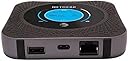
The Netgear Nighthawk MR1100 is a renewed, unlocked 4G LTE mobile hotspot router featuring dual-band Wi-Fi capable of supporting up to 20 devices simultaneously. It boasts a robust 5040 mAh battery for up to 24 hours of use, a 1 Gbps Ethernet port for high-speed wired connections, and advanced security protocols including WPA2. Compatible with AT&T GSM networks and multiple voltage inputs (100-240V), it offers versatile connectivity with USB-C and dual TS-9 antenna ports, making it ideal for professionals seeking reliable, high-performance mobile internet on the go.
| ASIN | B07QHMCYDT |
| Antenna Location | Gaming |
| Best Sellers Rank | #921 in Amazon Renewed ( See Top 100 in Amazon Renewed ) #146 in Computer Routers #282 in Renewed Computers & Accessories |
| Brand | NETGEAR |
| Built-In Media | Ethernet Port, USB-C Port, Dual TS-9 External 3G/4G Antennas Connectors |
| Color | Steel Gray |
| Compatible Devices | Gaming Console |
| Connectivity Protocol | Ethernet, Wi-Fi |
| Connectivity Technology | Ethernet, USB |
| Control Method | App |
| Coverage | Up to 20 devices, dual-band Wi-Fi |
| Customer Reviews | 4.0 out of 5 stars 1,471 Reviews |
| Data Transfer Rate | 150 megabits_per_second |
| Frequency | 2.4 GHz |
| Frequency Band Class | Dual-Band |
| Item Dimensions L x W x H | 14.75"L x 11.25"W x 0.5"H |
| Item Weight | 8.48 ounces |
| LAN Port Bandwidth | 1 Gbps |
| Manufacturer | Netgear |
| Maximum Upstream Data Transfer Rate | 150 megabits_per_second |
| Mfr Part Number | MR1100 |
| Model Name | Netgear Nighthawk M1 |
| Model Number | Nighthawk M1 MR1100 |
| Number of Items | 1 |
| Number of Ports | 2 |
| Operating System | RouterOS |
| Other Special Features of the Product | QoS |
| Router Firewall Security Level | Advanced |
| Router Network Type | hybrid |
| Security Protocol | WPA2 (at least) |
| Special Feature | QoS |
| UPC | 723548472541 |
| Unit Count | 1 Count |
| Voltage | 100240 volts |
| Warranty Description | 90 days limited warranty |
| Wi-Fi Generation | Wi-Fi 4 |
| Wireless Communication Standard | 2.4 GHz Radio Frequency |
| Wireless Compability | 2.4 GHz Radio Frequency |
K**R
Works better than my WE826 w/Cat6 Modem
First Impression: Got this to replace a broken WE826 with a Quectel EP06 modem. I am using this as a primary ISP device for rural internet access(best you can get is DSL at the property). This device does not have near the features and settings that the WE826 has, which uses OpenWRT firmware, but I do not need TTL, QoS, VPN, or any of the other advanced features. If I do need any of those features then I can use the M1 as a passthrough modem and hook up a router with DDWRT or OpenWRT. With the same external antenna and cable as the WE826 was using, I am getting about a 25-50% increase in speeds with the M1, even though the RSSI signal is showing about 10 dB higher than the WE826 was. I do not know if the device is actually unlocked as I am using it with a 3rd party seller of AT&T SIMs. It did come with an unlock code sticker on the box though. The device I received is model MR1100-2A1NAS, which is definitely one of the AT&T versions. My Setup: The M1 modem is acting as the modem and router, however I am not using the built in wifi because I have a wifi mesh setup. So I have plugged the M1's ethernet port into one of the Mesh APs which provides wifi to end devices and extended coverage to additional mesh repeaters. Cellular Equipment: -Nomad Internet Blue SIM, 3rd party seller of ATT Unlimited Data plan(no throttling or data limit from what I've experienced so far) -Netgear Nighthawk M1 (MR1100-2A1NAS ) -TS9 to SMA adapter cable -2x 30ft 5D-FB cables for MIMO antenna connection -Proxicast 4G / LTE Cross-Polarized (MIMO) 7-10 dBi High-Gain Fixed-Mount Panel Antenna I am about 5 miles from the cell tower without a clear line of site(mostly trees in the way). The antenna is mounted ~20 ft in the air on the side of a home. Advantages: -Easy setup -The iOS app is really useful -Ethernet connection advertised as 500Mbps (WE826 limited to 100Mbps) -Has both 2.4GHz and 5GHz wifi built in (WE826 has 2.4GHz only) -Has battery to use as hotspot on the go -Built in Screen is a nice touch Disadvantages: -If plugged in charging while under heavy load, the battery heats up to the point where this device is notorious for bulging batteries and can overheat the device itself even. Since I am using this for a primary ISP at home, I just took the battery out and leave it plugged in. I changed out the adapter it came with(5v, 1A) for a larger one(5V, 2.5A) since the device won't be able to pull from the battery for heavy peak loads. -No advanced features like those that come with OpenWRT based routers. So no TTL, QoS, VPN, LTE band locking out of the box. Although you can use telnet to enable LTE band locking. -TS9 connectors are not ideal for external antenna connections. I get that they went with this type due to the smaller size, but still not ideal. Overall, if you don't need the features of a OpentWRT router, this thing is solid.
S**J
I'll Stand By This Hotspot
I have been using the MR-1100 for four years. I liked it so much I purchased a second one. The only issue I have ever had with either unit is the battery died (can't last forever). I purchased two new after market batties and all was well. To the individuals that says it overheats and shuts off. If you are in a scorching environment (your car or outside) and especially if your unit is exposed, it will go into battery overheat mode and subsequently stop broadcasting until it cools down. Easy fix is don't leave your unit exposed to the unbearable heat. To the individuals that complain about changing the SSID or password, it can be done. Just download the Netgear Mobile app and connect your phone to the unit. From there you can make all the changes you would like.
J**4
Great hotspot, bad seller.
So I ordered this renewed from Chubbiestec which I do not recommend. The hotspot itself was not unlocked though it did come with a code on the box. It continuously turned itself on and off, the signal was horrible and it could barely load a page when online using it. It also came with a generic charger which exacerbated the problems as this hotspot requires a certain amount of power to function properly. I returned and ordered from a different seller AndrewElectronicsRYA, used-very good and it's working perfectly just like it should. The hotspot itself is a great product, I have one I bought previously from ebay that is going strong after several years of continuous use. But do not buy this from Chubbiestec as I had to go through amazon to get my refund processed after it sat there returned for 5 days. Definitely give the hotspot a try, it's great if you buy it new or from a reputable seller :)
J**L
Netgear Nighthawk MR1100: GREAT Value!
As described, worked well. great value.
J**N
Takes some sleuthing to set up for Cricket Wireless
Thanks to my fellow Amazon shoppers, I finally have this up & running! The question & answers & Reviews on this product really helped. Although some had no issues using right out of the box for Cricket (since they are on the AT&T network), I could not get on the network until I followed another user’s recommendation of setting up a new APN. The seller included those instructions for “non-AT&T” users (I’m giving them 5 stars for tech support just for including this instruction as it was critical info) but Cricket wouldn’t work for me until I did this step. Settings can be found on the Cricket website but here is a screenshot of what I used. Also, once I got on WiFi, I could not get my work computer to function-kept getting a DNS server error-but I googled the users manual for this product & learned you can connect via a c-type to USB cable (which is the same cable you use to charge, just remove the plug in adapter) & that did the trick. I know it’s easy to dunk on tech support but Cricket has not been able to help-they couldn’t even provide basic troubleshooting. My work tech support was not able to help with my issue of not being able to connect my work computer either. You will likely have to be your own tech support for this. I work tech adjacent but am by no means technical so I think with some effort, others can get this going as well. So far, performance has been fine, but read other reviews about battery issues. It has heated up & I plan to remove the battery & use the charging cord to power it & keep battery for back up.
E**N
Nighthawk
I would give it 5 stars if setup was easier or at least some instructions were provided. I purchased this to use as a modem to feed a router. After 3 days, I was about to return it and then, I found a YouTube video on how to set it up as a modem for a router. The app that's supposed to work with it doesn't support the router. So, you have to uses the web browser to set it up. Also, it was listed as used in good condition. Based on the scratches it's more like acceptable condition. But, it works and that's the main thing. Also, for some reason, it will only connect to weak T-Mobile networks. Even though there's a att tower 1\4 mile away.
C**.
Most importantly it’s unlocked and working
It arrived and didn’t come on right away. I put it to charge (charge and adapter was included) for 1hr came back the bar on the side wss about 25%. Dropped in my GSM sim, used my phone to log into the wifi, name and password was on the screen. Went into the admin config, put in the unlock code thst was stick on the front and, it worked. Minor scratches but fully functional for me. Love the screen. Working good so far
L**A
internet box
works well. needed
Trustpilot
2 weeks ago
2 weeks ago