Desertcart purchases this item on your behalf and handles shipping, customs, and support to Seychelles.
🚗 Elevate your drive with 4K clarity and smart security — because your car deserves the best!
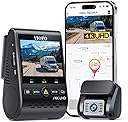
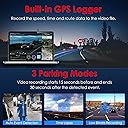
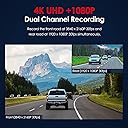
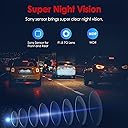
The VIOFO A129 Pro Duo is a premium dual-channel dash cam featuring an 8MP 4K front camera and 1080P rear camera, equipped with advanced night vision, WDR, and buffered parking mode. It offers dual-band WiFi for fast video transfer, built-in GPS for precise tracking, and a sleek, compact design that mounts discreetly behind your rearview mirror. Ideal for professionals seeking top-tier video evidence and peace of mind on every drive.


| ASIN | B07RXQJ148 |
| Auto Part Orientation | Drivers Side |
| Auto Part Position | Front Center, Rear Center |
| Battery Cell Type | Lithium Metal |
| Best Sellers Rank | #28,810 in Electronics ( See Top 100 in Electronics ) #414 in Car On-Dash Mounted Cameras |
| Brand | VIOFO |
| Built-In Media | Front Camera x 1, Rear Camera x1, Rear Camera Cable (6M) x1, Car charger x1, Mini USB Cable x1, GPS Module (Base) x1, Edge Removal Tool x1, 3M Sticker x 4 , Static Stickers x1 |
| Color | Black |
| Compatible Devices | Smartphone |
| Compatible with Vehicle Type | Car |
| Connectivity Technology | Wi-Fi |
| Control Method | App |
| Customer Reviews | 4.1 out of 5 stars 2,914 Reviews |
| Display Type | LCD |
| Field Of View | 140 degrees |
| Flash Memory Supported Size Maximum | 512 GB |
| Flash Memory Type | SD |
| Frame Rate | 30 FPS |
| Item Dimensions D x W x H | 1.62"D x 2"W x 3.25"H |
| Manufacturer | VIOFO |
| Maximum Aperture | 1.6 f_stop |
| Memory Slots Available | 1 |
| Memory Storage Capacity | 256 GB |
| Mfr Part Number | A129PRO |
| Model Name | A129 Pro Duo |
| Model Number | A129 Pro Duo |
| Mounting Type | Adhesive installation |
| Number of Items | 20 |
| Optical Sensor Technology | CMOS |
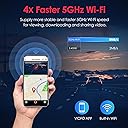
| Other Special Features of the Product | →4K resolution →5GHz Wi-Fi for Video downloading →Dual Recording 4K+1080P →Built-in GPS for tacking the route |
| Real Angle of View | 140 degrees |
| Screen Size | 2 |
| Special Feature | →4K resolution →5GHz Wi-Fi for Video downloading →Dual Recording 4K+1080P →Built-in GPS for tacking the route Special Feature →4K resolution →5GHz Wi-Fi for Video downloading →Dual Recording 4K+1080P →Built-in GPS for tacking the route See more |
| Supported Standards | MP4 |
| Unit Count | 1 Count |
| Vehicle Service Type | Car |
| Video Capture Resolution | 4K + FHD, 2K 60fps + FHD |
S**Y
UPDATE: Was able to fix the issues.
UPDATE: the review below is outdated. I was able to fix the issues and will elaborate more under the original review. ORIGINAL REVIEW: The video feed and audio are really top notch, but that does not matter when it doesn't record what you need it to. I bought this in 2020 and have been using it since. Day 1 it had some undesirable quirks (strange loop recording during parking mode, things that kind of didn't matter) but I've noticed over the years that when I hit the button to record an incident it only records the back camera... and today I finally ran into an accident that I needed the footage for. Only to find that it started recording several minutes AFTER I pressed the button to save the recording. This camera is talked about all over as being the best of the best, but my experience could not be worse unless the thing straight up never turned on to begin with. I do not recommend this camera. NEW REVIEW: I bought a few other dash cams to replace this one and all of them sucked so bad lol. Sooo I thought to myself, what can I do to get this one to work? The quirks with the recording and the fact that it happened slowly overtime made me wonder if it was a firmware or software issue on the device. I uninstalled it from my windshield and brought it inside. I am NOT a techy person, but my spouse is...thankfully. It took a good amount of effort and time but they were able to update the firmware/software on the dash cam. It also required that we entirely reformat the SD card we had inside, including changing it to exFAT vs FAT32. After doing so, it's now cooperating and so far has been recording front and back footage well. I actually bought a second one for our new car, so... I would recommend IF you have a tech person in your life to help you out. If you are dumb when it comes to tech def don't buy this lol
J**H
Tried several dash cams and this one is my pick!
After trying several different dash cams I decided to keep this one because it checks all the boxes for the features I was looking for. - 4K resolution for the front camera - The footage looks great and it’s easy to make out details like license plate numbers compared to lower resolution 1080/HD cameras. - Separate rear camera that is powered by the front camera - I wanted a rear camera both to capture what’s going behind me (in case somebody rear ends me, etc.) and also to provide even wider coverage while the car is parked. I didn’t want to have to run separate power cables for the rear camera. With this setup there is just a single USB cable that runs from the front camera to the rear camera to provide power and also receive the video signal from the rear camera. - Parking mode that will start recording when motion is detected while parked - I like the security that parking mode provides in case you come back to your car and something uncool has happened while you were parked. Some cameras either don’t have this option or have it but will only record when the camera detects an actual impact to the car. The Viofo camera allows you to select from several trigger events including impact, motion detection, even constant recording at a lower frame rate (such as 1 frame per second constant recording). I have mine set on motion detection and it works great. Anytime any motion is detected within the frame the camera will start recording. - Easy review and transfer of video on cell phone - The front camera does have a screen on it that is convenient for the initial setup of the camera to make sure you have the front and rear cameras positioned in a way that gives the view you want. You can also review the recorded video on the screen, but it’s a lot easier to simply connect your phone to the camera via wifi and review the clips on your phone screen. You can also easily save the clips to your phone so you don’t really ever need to remove the memory card from the camera. The app on the phone can also be used to change all the various configuration settings in a much easier interface than what you’ll find on the camera screen. As a bonus you can quickly turn the camera wifi on and off with a physical button on the camera. I simply leave the wifi off and only turn it on when I need it. - Hardwiring kit that will cut off the camera power if needed to prevent car battery from getting too low - The hardwiring kit is NOT included, but you can pick it up on Amazon at a decent price. The kit includes a little interface box that allows you to select between 4 different voltage cutoff settings so you won’t come back to a dead battery from your camera recording in parking mode. - Design that allows mounting without obstructing the view out the windshield - Some of the other cameras I tried used more of a “landscape” orientation with a wide camera body and the lens on one side. When I put these cameras behind my rearview mirror they tended to stick out just enough that I could see them in my field of view while driving. The Viofo camera uses a “portrait” layout where the camera body is taller rather than wider. The lens is at the bottom of the body so you can stick the camera at almost the very top edge of your windshield. I have mine positioned so the camera mounting tape is actually attached to the black dot area at the top of the windshield with just the lens section protruding down into the clear glass area. The entire camera fits behind my rear view mirror and is completely out of view while I’m driving. This also gives the camera a factory look from outside the car and doesn’t look like some aftermarket item is just stuck on the windshield in the middle of the clear area. PRO TIP: Make sure that you mount the camera so it is within the swiping path of your windshield wipers, otherwise you won’t get anything on video if it’s raining. In the box you get the front and rear cameras, a power cable with cigarette lighter/12 volt socket adapter (you won’t use this if you buy the hardwiring kit), the cable to connect the two cameras together, a mini USB to USB-A cable you can use to connect the camera to your computer (you likely won’t use this either), some stick on clips you can use to route the wiring, a small pry tool that might come in handy when routing the cables in your car, some extra mounting tape pads, and a microSD card adapter for your computer. Things you’ll need that aren’t included: - MicroSD card - You’ll need this to use the camera. A high endurance one is recommended since those cards are designed to be constantly overwritten as happens with dash cams. - Viofo hardwiring kit - You don’t absolutely need this, but without it you won’t be able to use parking mode and your installation will likely look like amateur hour. I consider this a necessity. - Add a circuit / fuse taps - You’ll need two of these to go along with the hardwiring kit. Just get the kind that use whatever fuse type your car uses. You’ll connect one to a constant power source in the fuse box and the other to a switched power source in the fuse box. Overall highly recommended setup. Does everything more expensive setups do and actually does some things better.
F**R
Good video quality and features, marginal reliability, good customer service
Long-term review: I have had this dual dashcam setup for over two years. Installation: This was not difficult, but it did take a bit of patience and imagination to route the wiring neatly from the front camera to the rear camera. Video: I really like having the feature of simultaneous front and rear video streams. On one occasion, another vehicle nearly broadsided my vehicle, and capturing both streams made it more clear how close it was, and whose fault it was. Video quality is good overall, both day and night, although there have been some cases where I had trouble reading license plates even on individual video frames. Firmware: The update process is easy. You just format the memory card, download the binary file, and copy it onto the card. The one thing I didn't like was that it required a custom executable (provided by the vendor) to properly format the card. Reliability: The camera worked well most of the time, with occasional but rare unexplained gaps in video coverage. After a little over two years, the front camera unit failed (no response to applied power), and I found out only when I failed to capture an accident that happened right in front me. Customer service: I have owned and used Viofo dashcams in all my household's vehicles for over 8 years. One reason I buy them is performance, and the other is customer service. In this case, my failed unit was past the warranty, but Viofo still backed their product by providing me a replacement front camera at a reasonable cost. This avoids wastefully buying an entire new system, and it is a very reasonable approach. I deducted one star due to the failure described above, but I do strongly recommend Viofo dashcams, especially the dual type.
K**I
Wifi doesn't work at ALL, GPS does not set clock, it uses Mini-USB connectors
I just bought an A129 Pro Duo to replace a Mini0906 (that thing was NOT one of the best cams like dashcamtalk claimed, but was a complete turd). === Let's get the negatives out of the way: On the A129 Pro Duo, the wifi feature is not broadcasting. I have tried 2.4GHz, 5GHz auto, and 5GHz forced to channel 40, and 5GHz forced to channel 36, and forced to 161; the SSID is never broadcast. As the MAC is not listed on the device (SHAME ON YOU, VIOFO!), I checked for new APs without an SSID and toggled wifi on and off, and no new MACs showed up, so it appears wifi is totally nonfunctional. It is otherwise a fantastic unit and I will be updating the review after I test night recording. I'm docking four stars as one of the reasons I bought this unit was wifi connectivity, and yet, I will be forced to pull the microsd card and use dashcamviewer to review footage. WTF, VIOFO? Fix the firmware please. Docking four stars for this. Also, Mini USB connectors? Why not USB-C? WTF? If you had used USB-C I could have prewired my car before the camera arrived. No volume setting for that infernal beep? Only On/OFF? I want the beep, I just don't want it to be eardrum-piercingly and nerve-gratingly loud. Do us a solid and give us a volume control for the beep, please, even if it's just "LOUD - MEDIUM - SOFT - OFF" And, why not a full kit which includes the hardwire kit, bluetooth remote and polarizing filters for both the front and rear cameras? OK, so with all the negatives that garnered a 1-star rating (only because I could not rate it zero) out of the way: === Positives 1. IT HAS A SCREEN! I skipped the Thinkware U1000 because even though it's objectively a better product, I wanted an integrated screen in case WiFi fails 2. DAY, FRONT Video quality is GREAT - at least in daylight (I will update this review over time). 3. It is easy to install 4. I like that there is a prewiring kit and a customizable parking mode (again, I will update this over time) 5. I like the visual recording, wifi, and mic LED indicators so I can check without having to wake up the screen 6. THANK YOU for implementing a screen timeout/"screen saver" feature. With most dashcams with screens, I need to manually turn the screen on and off. It's nice being able to tap a button and check status and let it time out and turn off on its own 7. I like that it's low profile and will not interfere with the visor as much as other models do. 8. I like the faint LED in the GPS mount; with the camera pulled off the mount, I can see that the GPS mount is receiving power 9. I like that WiFi can theoretically be toggled on/off with the overlay button (I say theoretically because WiFI actually doesn't work at all) 10. === Suggested improvements: * Switch over to all USB-C connectors * Support 1TB+ MicroSD cards * Allow your app to read MicroSD cards (since wifi doesn't work at all) * Implement a more active cooling scheme (phase changing heat pipe + maybe a fan) * Cloud recording/storage/vehicle tracker/locator connectivity: Cloud connectivity? (I'd subscribe for $5 to $10/month if you would archive 30+ days of coverage and allow easy merging/exporting from the cloud - this would be a nice recurring revenue stream for you) * Car locator feature (easy with GPS + cloud connectivity), with live view * Android Auto/Carplay integration to use rear channel as rearview mirror in infotainment for those of us who drive vehicles with useless back windows (sportscars, trucks, etc.) * a full kit which includes the hardwire kit, bluetooth remote and polarizing filters for both the front and rear cameras? * 3 channel support * higher quality sensors both front and rear <---<< * flip screen or android auto plugin to display either channel, use rear channel as supplemental rearview mirror view === Update day 2: I haven't recorded any footage for a review/sample video yet; I have been playing with parking mode settings and H.265 vs. H.264 and when I used H.265 and let parking mode run overnight and retrieved it in the morning, the camera was so hot it felt scalding - it hadn't been in the sun yet and the car interior was still cool. I did not have my IR thermometer handy so I did not actually measure it but I'd guess it was 70c at the very least. I was nervous letting it run in my Stinger so I disabled H.265 and reduced the video bitrate from maximum to high. Resolution maximum, WDR enabled, bitrate Maximum, EV = 0, rural/light suburban roads: Reviewing day footage on 4K screen w/Dashcam Viewer, I can easily read license plates of cars I am following. It is very difficult to find any frames where license tags of oncoming cars are readable. However, nighttime capture of registration tags are not readable. There is much blooming which of course obscures much of the scene. Rear channel, 1080p: Reviewing night footage, WDR enabled, bitrate Maximum, EV = 0, rural/light suburban roads: License tags of oncoming and following cars unreadable. Rear camera underexposed, difficult to make out detail on rural roads, cannot read following vehicles' plates (expected). Basically, meets expectations, provides some protection. == Exchange VIOFO want me to send the camera in for exchange. If it comes to that I'll do an Amazon exchange, returning the replacement box with the old camera since I had already installed the cables and tossed the package in recycling. I was hoping they'd come back with "Oh the firmware is buggy and here's an update" :-( On the bright side they respond fairly quickly. === Corrections to previous complaint: Time DOES appear to update automagically via GPS. === Update: === I received a replacement - I submitted a support ticket and they made the exhange super easy, with advance shipment of the dashcam. I am pleased to report that the wifi features work on the replacement camera. I am happy with the unit so far. The high temperature does concern me a bit though. === Update 15 months later: === Unit is under the extended warranty (I had to register it because the original came DOA). I was previously very happy with it but now the camera is freezing when powered through the integrated USB port. When powered through the GPS module/mount it functions fine - NO freezing, but the unit runs hotter and drains the battery quickly when powered through the GPS mount (this is a common problem discussed on messageboards, mentioned in a couple reviews here, etc.). Well, they tried to blame the USB cord (uh, no, I am using the hardwire kit), or the SD card (I already indicated I write/read tested the SD card using both Windows and Linux, so the SD card is not the problem), or parking mode (No, I will NOT turn off parking mode, as that is THE feature which prompted me to select this product). As such, all the way down to 1 star because their customer service has declined and they're obnoxiously patronizing with their canned responses. === Another update, a few days later === I just learned they are off for Chinese new year. With that in mind, I can only conclude they took the time to try to lend some support during the holiday so I am restoring my original rating of the product, and I humbly apologize to Viofo for my jumping to conclusions.
J**N
Great Dashcam at first, then started dying 11 months later
I first bought this dash cam in early August 2021. The unit I received would not transmit a Wi-Fi SSID, so I was unable to connect it to my iPhone. I contacted VIOFO support and they had me send the camera back to Amazon, which I did. Amazon then sent me a replacement camera 2 weeks later. The Wi-Fi on the replacement camera worked great. Fast-forward to July 2022, when one after another, things started going wrong. First, the Wi-Fi died on THIS unit as well (it too stopped transmitting the SSID). Next, the display stopped showing the live view (it would only show a black screen with the word "VIOFO" in the center, yet the camera was still recording). Lastly, it stopped recording the rear camera view altogether. Resetting the camera, updating the firmware and checking all the connections made no difference. I would love to give this camera more than a 1-star review, because when it worked, it worked great. The video quality of the front and rear cameras were very clear and sharp. The Parking Mode worked great as well (I also installed Viofo's hardwire kit). But for things to start going wrong after less than one year? I'm extremely disappointed. I've seen other reviews here saying their camera's Wi-Fi stopped working as well, among other things. I'm very glad I purchased a 3-year warranty with Asurion (since the original 1-year warranty had just expired) and I just filed a claim with them to get a replacement (which will be my SECOND replacement). But unless they've started making these dash cams more reliable over the past year, I cannot recommend this dash cam. UPDATE 09/02/2022 I filed a claim with Asurion for this camera on 08/30/2022. They asked me to send it back to them. They received it yesterday morning. And just THIS morning, they contacted me saying it can't be repaired and that they're reimbursing me for the purchase price of the camera. Looks like I'm now in the market for a new Dashcam, from a DIFFERENT manufacturer.
C**C
True 4K clarity caught a highway hit-and-run from a distance!
I bought the VIOFO A129 Pro Duo expecting reliable day-to-day security footage for my own commute, but it proved its worth tenfold in a way I completely didn't expect! 🎬 The Real-World Test (Caught a Highway Hit & Run) please keep in mind the quality of video on here is a screen recording of a recording (so i could show zooming in mid video) and uploaded to Amazon. It deteriorates the quality. I was driving down the highway when a vehicle ahead of me, coming my way, swerved and smashed right into a mailbox on the side of the road in front of a house, then kept right on going. The incident happened a good ways down the road from me, so I wasn't entirely sure if my camera would catch any usable detail from that far back while in motion. When I pulled over, I was blown away by how easy and clear everything was. I connected to the camera via the built-in Wi-Fi and downloaded the clip directly to my phone on the spot. no need to pull the SD card or wait to get home to a computer. Because this camera shoots in genuine 4K UHD, the video resolution is crisp enough that I was able to zoom in on the video right on my phone screen without the image turning into a pixelated blur. I captured: A crystal-clear video clip of the impact happening from a distance while driving. High-definition, zoomed-in pictures clearly showing the vehicle, model, and license plate. I pulled up to the house, handed over the high-quality photos and video proof directly to the homeowners, and gave them everything they needed for the police and insurance. They were beyond grateful, and it completely validated investing in a true 4K dash cam. 💡 Key Takeaways & Performance Breakdown True 4K Resolution: The image quality is exceptional. Even at high speeds and from a distance, license plates and vehicle details remain sharp enough to zoom in on after the fact. Instant Phone Transfers: Being able to save high-res clips straight to my smartphone via the app saved time and allowed me to help the homeowners immediately. Dual-Camera Peace of Mind: The front and rear combo ensures total coverage on the highway and around town. Solid Motion Stability: Handles highway speeds and vehicle motion smoothly without introducing motion blur to distant objects. 📝 Final Verdict Dash cams are something you hope you never need, but when you do, cheap video resolution won't cut it. The VIOFO A129 Pro Duo proved that true 4K resolution and fast mobile downloads make all the difference when it counts. 10/10 Highly recommended!
J**.
Does the basics well. The fancier features are problematic.
The basic functionality of this dash cam is great. If you're comfortable doing car stereo installations, or similar projects, installation of this camera system is not too difficult. I did install the hardwire kit so the camera will continue to record when the car isn't running. I highly recommend you do the same if your car spends anytime parked outdoors in suburban or urban areas (as most cars do). The camera records at a high quality (4K in front, HD in back) and can log your speed and location. 4K resolution increases the likelihood that you can get a license plate number from your footage. GPS is crucial if you ever need to present video evidence in court as a judge may not accept the video if you cannot prove the location of where it was recorded. As long as you use the highest memory card possible (256gb) you can record many hours of video before the camera begins to write over the oldest footage. The app (iOS) also works well to review footage and change settings on the camera. The camera also records audio from inside the car. This could be invaluable if you ever have a not so positive encounter with law enforcement at a traffic stop. You know that you have an audio recording and you don't necessarily have to risk agitating the officer by shoving a cell phone camera in his face. The problems I have with the camera deal with the "specialty" features. First off the is the g-force sensor. This is is suppose to detect sudden movement while driving such as a collision and automatically lock the video beginning fifteen seconds before the movement and thirty seconds afterward so that it will not be overwritten. Even on the lowest sensitivity, the camera almost constantly is registering sudden movement while driving. Even after a short trip, I have a very large number of "locked" videos due to the g-force sensor triggering. These videos have to be manually deleted. Otherwise they will just sit there, taking up space on the memory card. Parking mode has a similar issue. The most advertised feature in parking mode is the event recording where the camera will automatically record an event if it detects motion. Once again, even on the lowest sensitivity it is recording events almost constantly (birds, wind, leaves, rain, shadows... anything), and all of these events end up locked. So you also have to manually delete these files along with the files triggered by the g-force sensor or risk filling up your memory card with meaningless files that will not auto-delete. The g-force sensor is also supposed to work in parking mode so it will trigger an event if somebody were to hit your car in a parking lot or something along those lines. However, I have no idea how well it works because the motion sensing is so oversensitive I have no way of knowing if it's the motion or the g-force sensor triggering an event. Unless you park in a garage, this mode is essentially useless. Needless to say, I have disabled the g-force sensor while driving and I use time lapse mode while parked (g-force sensor does not work at all in time lapse mode). Overall, I would recommend this camera to anyone that doesn't care about the special features not really working. The price is about the best you will find for a 4K camera that records front and back (1080 in the back). I am undecided if I would purchase again. I am disappointed with the features that don't work well, and would probably explore other brands/models to see if there's anything out there that can actually do everything it claims it can do. But for now, I am glad to have a camera set up that is recording high quality footage while driving.
S**Q
Reliable quality
Crisp images and videos. Having a dash cam is in must nowadays with all the types of reckless drivers. The sensor in this one is actually high-quality, unlike the rest of the cheap dash cams you’ll come across. This one lives up to its expectations and after buying so many different cheaper dash cams, I settled on this one after I found it to be reliable. Not to mention the large amount of storage SD card will accept the Wi-Fi feature is also useful for viewing footage on my phone. I also keep an SD card adapter that way I can take out the SD card and check the footage on my phone or laptop if I need to hardwiring, it is probably not a bad idea so that you can capture parking incidents as well while the car is off.
A**J
Value for money Dash Cam
The front cam is excellent and does the job well. For the rear cam the exposure needs to be adjusted if you have a window tint
D**.
The best 4K dashcam in the market
I have been using my GoPro Hero 8 as my dashcam for many years, however, it gets too hot and turn itself off many times during the summer. Then I decided to get a solid and reasonable price dashcam instead. I have reviewed several dashcams online, and finally decided to get VIOFO 4k Duo from Amazon. First, it's under my budget of $300 (honestly I don't think $800 BV is worth it) Secondly, it's 4K and the quality is one of the best after few reviews over the years. Third the App is easy to use and there are lots of tutorial video online about this one, it's easy to learn and easy to operate. However, I quoted a price for dashcam installation in my Ford Ranger, the bodyshop I used to visit, asks for $300 for the whole process. After viewing several DIY videos on YouTube, I decided to do it myself. The good thing about Ford Ranger, it has a USB slot right behind the rear mirror, I could connect the dashcam using a short power cable, which is the same type of GoPro Hero 4. It only took about one-hour and I saved $300 easily! I tested it several times, the video quality is really good, especially under 4K, I could save the video directly from my iPhone and edit the video on the phone. I would say it's a really good deal if you are thinking about the protect your valuable car and win the claim after the accident. I would recommend it to others. Please note, don't hide your cable near the airbags as I shown in one of the pictures. I accident did it first and one mechanic told me that it would create more damage to the driver when the airbag pops out. So always hide the cable through the bottom section of the door frame.
I**L
Works very well
This front and rear camera along with the gps module are easy to install. The cables are of good quality and the power adapter fits in the cigarette lighter. The quality of video both front and rear are very good.
S**I
Parking mode!
Bought this with the hardwire kit, polarising lens and 256GB Samsung SD card. Works like a charm. Parking mode is what I needed this for. After lots of research, this is definitely the best high end dashcam at affordable price range. Worth every dollar
N**R
ماواجهتني اي مشاكل بس في اصدارات اقوى
Trustpilot
1 day ago
2 weeks ago