


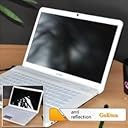
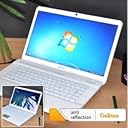

15.6" Anti-glare Screen Protector for Laptop Notebook 15.6 Inch (345mm * 194mm)
Product ID: 16557145
✨Anti-fingerprint & anti-glare matte finish
🌞25% UV light reduction
🛡️4H hardness scratch resistance
🖥️ See Clearly, Work Confidently – Protect Your Screen Like a Pro!
This 15.6-inch anti-glare screen protector is engineered from premium Japan PET material, offering 4H hardness scratch resistance and a matte finish that reduces glare and fingerprints. It blocks over 25% of UV and 9% of infrared light, easing eye strain during extended laptop use. The electrostatic adsorption design ensures quick, bubble-free installation without sticky residue, making it an essential upgrade for professionals seeking durable, clear, and comfortable screen protection.
| ASIN | B007WO589U |
| Best Sellers Rank | #3,855 in Digital Camera Screen Protectors |
| Customer Reviews | 3.8 3.8 out of 5 stars (1,051) |
| Date First Available | July 5, 2011 |
| Is Discontinued By Manufacturer | No |
| Item Weight | 2.4 ounces |
| Item model number | S-BYHM-110 |
| Manufacturer | Goliton |
| Product Dimensions | 15.71 x 9.72 x 0.24 inches |
R**E
Works well.
Installation left a few bubbles but the glare is gone. Makes my laptop much easier to see so it can be used in more places.
W**T
Awesome
My laptop is fully functional now in all conditions I use it for, while eliminating the strain on my eyes caused by glare. Did its job perfectly!
D**E
Dell XPS 9530 model
taking a shot with the potential of losing $10, i decided to buy this and see if it can help with the glare off my beautiful screen. Sure enough, it does offer a decent amount of anti glare PLUS it keeps the finger prints from showing up so bad. Oh and dont worry, the touch screen works just fine. One thing to note, the size of this screen protector JUST fits the touchscreen portion of the screen. The bezel part of the screen is not covered so i'm assuming this will bother people. Its more noticeable when the laptop is off. It is a bit of a pain to put on, to help aid it, i used 3 rubber bands, and lined them up with the Top, Bottom & left side of the screen. This helped guide and maintain the installation. I also sprayed some water into the air several times to help eliminate dust particles (i was told this helps, i dont know for sure but why not try it, water is free!) Of course i have 1 little dust bunny caught but luckily its near the top corner and its NONE view-able while the screen is on! Good luck!
A**.
Don't Buy.
The screen is just about impossible to apply on the relatively compact screen of a laptop. Once applied I found that the sharpness and clarity of my screen was reduced. Definitely not worth purchasing.
V**X
anti glare screen protector
It works great as designed, the install is super easy. I would definitely recommend it to anyone who needs it.
L**N
Works with some issues.
This item does remove the glare but putting it on you screen was no easy task. When I ordered it I was thinking it worked like a window cling. It actually has a very sticky back. Couldn't get all the bubbles out and got a few little dust particles under it. Just be prepared before you try and attach it to your computer.
S**O
Awesome Product!
I powered off my laptop and sat it in the direct sunlight to clean off every speck of dust (used enclosed cloths and some spray I had). I peeled the backing off as I laid it in place. It went on like a dream with no bubbles! It cuts the glare so well that I can sit on my back porch in bright sun and still see well, with very little background reflection. Not for selfie lovers! :)
M**S
Works but frustrating
I give this product 2 stars just because it does reduce glare by a substantial amount especially if you have a touchscreen.also due to it being flat not shiny it makes finger prints less noticeable. However the down side is that this product is extremely frustrating to install I have installed hundreds of screen protectors before, and none have given me as much trouble as this one. First of all this screen protector is exactly 15.6 inches which doesn't give you any wiggle room when centering it on your screen resulting in a slightly off center screen protector. Second this screen protector has a tendency to attract dust resulting in a painstakingly long application time due to the dust causing air bubbles. It took me almost one hour to get this on and it still has seven or eight air bubbles. In the end this product is extremely frustrating to if not impossible to install perfectly but it does reduce glare substantially. My advice would be to not get this product search for one that won't attract dust.
J**J
Habe aufgrund des Preises erstmal lange überlegen müssen, ob ich die Folie wirklich ausprobieren möchte. Da ich eine ähnliche aber bereits für mein Smartphone verwende und mir die verschiedenen Vorteile einer solchen Folie (Schutz vor Schmutz und Kratzern, keine störenden Spiegelungen) wirklich zusagen, habe ich mir einfach mal eine bestellt und möchte euch meine Erfahrungen damit gerne mitteilen. Erstmal: Die Größe der Displays und somit der Folie ist genormt. Man kann die Folie also bei jedem Laptop mit 15,6" und 16:9 Bildschirmformat problemlos verwenden. Bei meinem Acer Aspire V5 571G hat die Folie auch wirklich mm genau gepasst und der gewünschte Effekt wird erzielt. Vorher konnte ich selbst in Innenräumen teilweise nicht ordentlich arbeiten, weil die Spiegelungen so stark ausgeprägt waren. Mit der Folie jetzt absolut kein Problem mehr. Auch nicht unter direkter Sonneneinstrahlung. Ein bisschen problematisch ist natürlich immer das Anbringen der Folie. Daran sind hier ja - wie man anhand der Bewertungen sieht - auch bereits einige Leute gescheitert. Man sollte das Display vorher wirklich gründlich reinigen und sich die Zeit nehmen und die Folie langsam und vorsichtig nach und nach abziehen und mit dem beiliegenden Plastikstück oder beispielsweise einer Kreditkarte glattziehen. Man sollte wirklich akribisch dabei vorgehen. Das kleinste Staubkörnchen kann eine Blase in der Folie bilden. Ich habe mein Display erstmal mit Spezialreiniger gesäubert und bin dann nochmal mit dem beiliegenden Mikrofasertuch drüber gegangen und habe die Folie wie beschreiben angewendet. Das ist mir auch fast vollkommen blasenfrei gelungen. Lediglich an der Ecke oben Links konnten sich kleine Staubpartikel festsetzen. Sonst könnte man aber meinen, dass das Display schon immer so gewesen wäre und da gar keine Folie drauf wäre - so gut sitzt sie! Die paar Bläschen sind zudem nur bei dunklen Bildbereichen sichtbar. Bei hellen Fenstern wie dem Browser Hintergrund merkt man gar nichts davon. Fazit: Bin sehr begeistert. Sofern man sich das Auftragen zutraut und sich nicht völlig doof anstellt, klappt das auch sehr gut. Und das Ergebnis lohnt sich auf jeden Fall!
R**.
Estaba cansado de la gran cantidad de reflejos que tenía en la pantalla de mi portátil, así que decidí probar con este producto. Hay que tener en cuenta que es muy complicado de colocar perfectamente y sin burbujas, el mayor problema es que se te meta una mota de polvo y quede después una burbuja en ella. Para evitar esto, hay que limpiar bien la pantalla antes, y hacerlo en un sitio donde no haya mucho polvo. El resultado, desde mi punto de vista, es magnífico. Los reflejos en la pantalla se han reducido notablemente, sin que la calidad de la imagen se haya visto afectada, la nitidez es la misma que antes de colocar el protector. Producto muy recomendable.
D**4
Sono una persona estremamente pignola, quindi per poter applicare la pellicola antiriflesso in questione ho deciso di smontare completamente il monitor del mio Asus (per me è una cosa elementare da fare, capisco che ad altri questa operazione possa sembrare inutile, laboriosa e complicata, ma volevo ottenere un risultato perfetto, ho raggiunto il risultato che mi ero prefissato e questo mi basta e mi avanza). In sequenza ho svolto questi passaggi: 1) Ho fatto una pulizia generale della stanza e del piano di lavoro con l'aspirapolvere; 2) Ho smontato il monitor del notebook e l'ho ripulito per bene da eventuale sporcizia; 3) Ho ripulito per bene il piano di lavoro con uno spray antistatico (un comune mangia polvere) ed un panno cattura polvere; 4) Senza togliere le protezioni della pellicola, l'ho centrata per bene appiccicando 4 strisce di nastro isolante sul bordo con le linguette per la rimozione delle protezioni facendo aderire il nastro al relativo bordo del monitor (in modo da poterla applicare come se fosse la pagina di un quaderno); sotto al monitor invece ho messo la scatolina che conteneva la pellicola dopo averla ripulita per bene; 5) Ho ripulito alla perfezione il monitor con i piccoli panni in dotazione; 6) Ho passato un'abbondante quantità di spray antistatico sul piano di lavoro, spargendo il tutto in modo da lasciare la superficie completamente umida e ho posto sul piano di lavoro la scatolina con sopra il monitor per evitare che questo si potesse bagnare; 7) Ho tolto eventuali impurità o residui di polvere dal monitor con l'apposito adesivo fornito nella confezione; 8) Ho staccato i primi 3/4 cm di pellicola protettiva dalla pellicola antiriflesso con l'apposita linguetta posta sul bordo e chiudendo quest'ultima a libro sul monitor (grazie al nastro isolante che la teneva puntellata sul bordo) l'ho fatta aderire per un paio di centimetri; 9) Man mano che la pellicola anti riflesso aderiva senza bolle da polvere, procedevo a rimuovere la pellicola protettiva (sembra una cavolata, ma rimuoverla man mano che la pellicola aderisce aiuta perché questa caricandosi elettrostaticamente attira su di sé i residui di polvere). I risultati ottenuti li potete vedere nelle foto; tra le mille sfighe nella vita capita di avere nella propria camera da letto l’illuminazione proprio dietro la scrivania. Ho postato la foto di ciò che si vede con il display di un mio vecchio notebook Siemens a schermo lucido, sembra uno specchio. Alcune foto non rendono l’idea del risultato finale. Non ho sgranature dovute all’antiriflesso e finalmente ho una forte attenuazione delle luci alle mie spalle; non posso dare giudizi su eventuali pregi/difetti che ha su schermi touch screen perché il mio Asus non è touch. Per ciò che mi riguarda, per quanto sono pignolo, la qualità della pellicola e dell’antiriflesso non si discute. La confezione che mi è arrivata conteneva, oltre alla pellicola, una striscia adesiva per rimuovere impurità e residui di polvere sulla superficie trattata; inoltre erano presenti due piccoli pannetti per pulire il monitor (uno asciutto e uno umido). Leggendo alcune recensioni temevo che l’effetto antiriflesso di questa pellicola non fosse sufficientemente soddisfacente, ad applicazione ultimata posso invece confermare che fa il suo lavoro in modo eccellente, ho avuto modo di compararla con un monitor esterno che l’antiriflesso lo aveva di serie. Ovviamente sono da comprendere anche tutte le persone che si lamentano per le difficoltà avute durante l’applicazione, ci vuole destrezza e un’attenzione maniacale, ma stiamo parlando di una pellicola da 15.6” non di una pellicola per smartphone da 5”. La prossima volta dobbiamo essere tutti più attenti nella scelta del notebook acquistandone uno che ha il display antiriflesso di serie. Per me è una pellicola promossa a pieni voti!!!
H**N
I cut out a part of this to put on my car head unit, works perfect
M**S
Does the job just as described. reduces glare but doesn't affect eh quality of your display and works extremely well with touch screen laptops/monitors. it provides a nicer and softer feel to your fingertips when swiping on your monitor. comes with all the things you need to apply and went on really easily. It was easy to remove trapped dust with some cellotape, no marks were left on the sticky side of the screen protector when I had to do this, unlike other screen protectors where the sticky adhesive can either come off or smudge when you use the cellotape method. TIP: If like me you have a touchscreen monitor/laptop, your actual screen size will be slightly larger than the display area to allow swiping in from the edge. I would suggest getting a size larger than your actual screen and cut it to the size you need it, this way you'll get full coverage.
Trustpilot
2 weeks ago
2 weeks ago