Buy anything from 5,000+ international stores. One checkout price. No surprise fees. Join 2M+ shoppers on Desertcart.
Desertcart purchases this item on your behalf and handles shipping, customs, and support to Seychelles.
🚀 Upgrade to the SSD that makes your system feel like lightning—because speed is the new status.
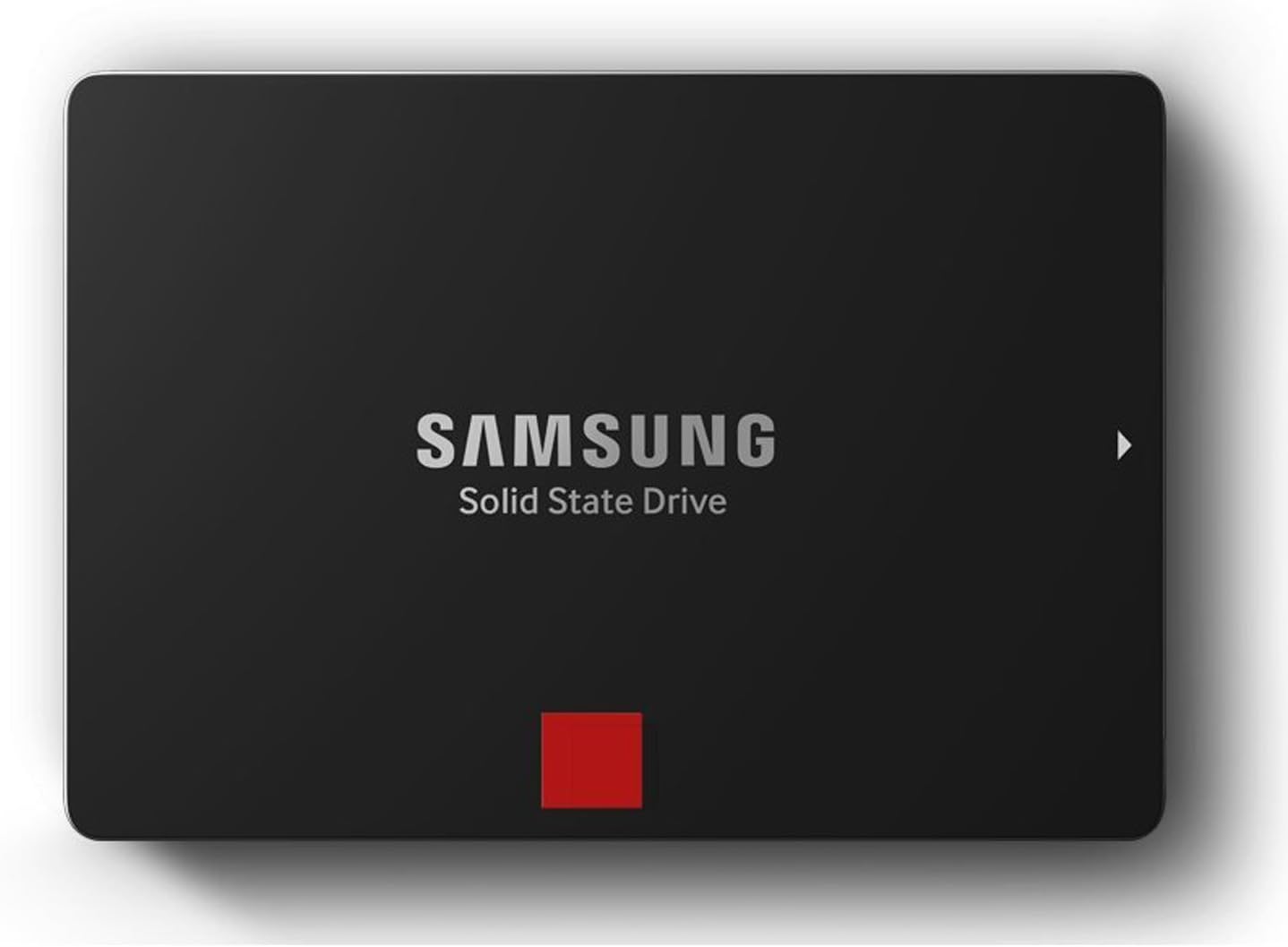
The Samsung 850 PRO 512GB SATA III SSD delivers industry-leading sequential read/write speeds up to 550/520 MB/s and up to 100,000 IOPS random performance. Featuring AES 256-bit encryption, a robust 10-year warranty, and Samsung’s 5th-gen 3-Core MEX controller, it’s engineered for gamers, creatives, and professionals demanding ultra-fast, reliable storage with energy-efficient design.


| ASIN | B00LF10KTO |
| Additional Features | Samsung SSD Magician Software| Samsung Data Migration Software |
| Best Sellers Rank | #442 in Internal Solid State Drives |
| Brand | Samsung |
| Built-In Media | 2.5-Inch SATA III (6GB/s) SSD & User Manual |
| Cache Memory Installed Size | 1 |
| Color | Black |
| Compatible Devices | Desktop |
| Connectivity Technology | SATA |
| Customer Reviews | 4.6 4.6 out of 5 stars (8,953) |
| Digital Storage Capacity | 512 GB |
| Enclosure Material | Electronic components |
| Form Factor | 2.5-inch |
| Global Trade Identification Number | 00880608626464, 00887276057491, 04053162525795, 06954268116178, 08806086264648 |
| Hard Disk Description | Solid State Drive |
| Hard Disk Form Factor | 2.5 Inches |
| Hard Disk Interface | Serial ATA |
| Hard-Drive Size | 512 GB |
| Hardware Connectivity | SATA 6.0 Gb/s |
| Installation Type | Screw In |
| Item Weight | 0.07 Kilograms |
| Manufacturer | Samsung Electronics |
| Media Speed | 520 Megabytes Per Second |
| Model Name | 850 Pro |
| Model Number | MZ-7KE512BW |
| Number of Items | 1 |
| Read Speed | 540 Megabytes Per Second |
| Specific Uses For Product | Gaming |
| UPC | 644535535592 714547219978 797045621115 887276036298 667562730730 771591310167 887276057491 801940122223 771591292630 803983045583 803983041042 880608626464 804892190197 782386505873 809394437771 723856187083 |
| Warranty Description | 10 Years/300TBW |
R**N
The fastest hard drive ive ever looked upon.
I bought this hard drive to replace a Western Digital Black for extreme gaming. I play old games and new games, so this review will be detailed. My system setup consists of an i7 4770k CPU, Asus Sabertooth z87 MB, 32 GB G.Skill RAM @ 2400mhz, and of course, the Samsung 850 Pro. My tests will include games, system and programs, music and video, and a benchmark tool. 1. Games - When it comes to gaming, having an SSD dramatically decreased load times for most newer games. Old games are not really affected due to how little data most of them need to load from the hard drive in today's standards. The biggest improvement came with Star Citizen. SC is still in super alpha, so nothing is optimized and load times are outrageous. Were outrageous. It used to take me nearly 2 minutes to load into hangar, now with the 850 pro, its less than 30 seconds. Other games such as Planetside 2, Mad Max, Homeworld etc have also vastly improved loading times. And its not just load times that are improved. In some games such as GTA San Andreas you can move into a new area faster than the hard drive can load things like building textures and pedestrians. The SSD solves this, no more do things just pop into existence beside you. Skyrim also has a bit of this problem too if you use a mod to give you a fast ride. Overall in the gaming department, this is really where the SSD shines to me. 2. System and Software - Windows startup time is also another area that shines brightly with an SSD. Traditional hard drive takes 1 minute or more to boot, sometimes 45 seconds if you got a good drive and a fresh install of windows. With the 850 pro, my fully loaded Windows 10 Pro OS can boot up in 22 seconds. That's with no password and such. 22 seconds from power button to mouse moving on desktop. The system tray icons at the bottom right of the desktop used to take 2 or 3 minutes for all of them to load up after arriving to the desktop, now with the 850 pro they all pop up simultaneously and instantly. My web browser, Firefox, used to take about 2 or 3 seconds to load up after clicking, now before my ear can even register the second click of the mouse, the browser is fully loaded and ready to go. I have also noticed greatly increased performance in Microsoft office programs, especially excel and power point. Then came the real software test. WinRar. As a winrar test i packed up 10 GB of music to test speeds. It took less than a minute to package up (compress) the 10 GB using the Best compression method, where as on a traditional hard drive your looking at 30 to 45 minutes of waiting maybe even more since i used the best method. Unpackaging (decompression) was instantaneous at the click of the mouse. Every thing i do is like a flash of light. 3. Music and Movies - Not much to say here other than transfer speeds are high, but i wouldn't keep music or movies on an SSD, they don't play better or sound better, but they do take up limited space and put wear and tear on the drive. Best to leave them on the traditional hard drive. 4. Benchmark - I have included a screenshot of the benchmarking program i used to test this hard drive. As you can see all test results exceed the specifications of this hard drive. I could to many different tests using many different settings but i stuck with the default and most used one. Construction - The SSD's construction is very nice. It is very strong and solid, but also very light almost like paper. It is very smooth and slim and should fit nearly anywhere you want to put it. Also the sata and power connectors are stiff and strong. Software - The samsung magician software that is paired with the hard drive is also very nice. It shows the health and total data written to the hard drive, can change windows options to better suit the SSD and its needs, encryption, the works. The only thing is that Rapid Mode does not work for windows 10 yet but Samsung says they are working hard on it, it has something to do with the new way windows 10 manages memory. Conclusion - Overall, this is the greatest hard drive Ive ever seen. Its super fast, super strong, has great software, and is backed up by a monster 10 year warranty. I looked forward to many years of extreme gaming with this SSD. I would highly haft to recommend this SSD to everyone. It is a truly great product made by a great company from a great nation. You wont be disappointed with this SSD. If you found this review helpful, please like it!
R**Y
The Fastest Samsung Drive I've Yet Used
What you want to know is this: is this SSD faster than the 850 EVO? When dealing with SSD's, does any appreciable difference in speed occur, since they are all so fast, anyway? The fact is this: I've been using Samsung SSD's of varying varieties for years, and when I recently replaced my Samsung 840EVO with this one (on my boot drive), the speed notice WAS undeniably different. Yes, I still has those couple of seconds of booting time after the POST routine finished, but instead of programs loading, they almost felt like they were POPPING, this thing is so fast. For example, when I log into Windows 10, I would get that slight lag time as the desktop loaded. Now, admittedly, we are dealing with very small time differences here, because my 840 IS fast. But when I put this thing in, when I logged in, the screen just POPPED open, almost like there was no load time. None of this is a scientific description, but it is the absolute experience I've had with this new type of memory that Samsung is using in the 850 PRO. It is still pretty pricey, so I've gone with the 250Gb version for my boot disk, and then run my other, larger Samsung 840's and traditional drives as secondary drives. And it is true that I am using this in a system that I built myself with only superior parts (motherboard, RAM, video, etc.), but there is absolutely no question to the answer you are looking for if you are investigating this drive: YES, it IS faster than the previous drives that Samsung put out (and still sells). Is it worth the price? Hard to say. First, is what type of computer user are you? What types of programs do you typically run? And what type of system do you have? For example, if the bottleneck is in another part of the system, you may not get the most bang for your buck by spending the extra on this PRO version. But if you have a modern, well-specified computer, you will notice a speed difference. I certainly did. And now comes the wait until the 850 PRO prices come down, because what you really want is something like this, but in 4Tb or larger. It will be a few years before we see such storage, and at reasonable prices, but this drive clearly shows it is coming. For now, if you are dealing with a desktop, consider my strategy of using it as the boot disk with all your programs installed, and other, less expensive drives for storage. If this is for a laptop, you have to ask yourself if your laptop is new enough and powerful enough (RAM, processor, video system, etc.) to warrant the extra expense. All SSD drives are fast, and generally, scream past the traditional spin platter drives we all grew up with. But there IS a difference in how the memory in an SSD is constructed (read the Samsung material here on Amazon to understand the difference in this particular type of configuration), and then, of course, there is the often-overlooked factor of the controller attached to the disk, which also has an impact on speed. Of all the Samsung drives I've purchased, this is the best, and fastest. Its a superb drive that is a window into the future of SSD drives. The holidays are coming soon, so you might watch it for temporary price drops. I cannot justify (or afford) the price of these in their largest size, but for a boot drive of 250Gb, I get most all the benefits for just a little over $100. This is a five-star product.
M**7
Excelente producto, si nunca han tenido un SDD (Disco de estado sólido), verán una inmensa diferencia en la carga de programas, de juegos e inicio de Windows, en mi caso cargo Win7 en 12 segundos (desde que ves el logotipo de Windows hasta el Escritorio). El software propietario Magician te ayuda a configurar diferentes escenarios como rendimiento, seguridad, balance; también configura parámetros de Windows automáticamente para optimizar la relación RAM/Espacio de disco, reduce el tamaño de 'memoria virtual' (espacio de disco usado) cuando tienes 4-8 o más Gb en RAM y utiliza una porción de la RAM que no se usa como cache intermedio que acelera aún más las cargas de lectura/escritura. AVISO Se han reportado ALGUNOS casos en donde después de actualizar el FIRMWARE a través de Magician, el SDD presenta problemas o baja de rendimiento. Mi recomendación es que ignoren dicha actualización hasta tener una versión más estable, por lo demás el software funciona bastante bien.
S**.
Good upgrade for iMacs and Macbook Pro from HDD to SSD ... iMac mid 2011 reboots in less than 20 seconds with the SSD , against more than 75 seconds with HDD .
J**L
I currently own the Samsung 830 256GB SSD, and after coming to the upper limits of its storage, it was time to expand (only had 4GB remaining!). First choice was the 850 Pro, with its higher IOPS range, reflected by Samsung's 10 year warranty guarantee. Physically, the 850 Pro is not as good looking as the 830, which had a brushed aluminium finish. The chrome trim remains however, so at least it will look unified once installed into the system. I was disappointed with the package given the price; the 850 Pro comes with no SATA cable, or SATA to USB cable, unlike the 830 - only the Samsung Magician CD (which would probably be more up-to-date on the Samsung website), and installation instructions. It would be nice to see at least one SATA cable packaged with Samsung SSDs, for newcomers etc - and just to save the expense of buying an extra cable. Coming onto installation, it was very simple; but my installation of Windows is strategically split into two - one partition for Windows, and another for Programs, which is a habit from my XP days, but also makes modifications to storage very easy. Using this method, it ensures that I do not modify or damage anything to do with Windows. Subsequently, I cloned the Programs (E:) partition to the 850 Pro, using Macrium Reflect, and then expanded the partition to the full storage capacity using AOEMI Partition Assistant. The drive letters were then re-ordered for Windows, with the 850 Pro taking up the Programs (E:) position from the 830. A reboot was all that was needed, Windows did not flinch at all, and I re-consolidated the extra space on the 830 to the Windows partition. So now I have one SSD for Windows, and another for Programs. The performance of the drive is very good; using Samsung Magician to run a performance test, the read speed clocked in at 564MB/s, while the write speed clocked in at 518MB/s. Obviously this a brand new drive, but even with constant use, the 850 Pro should hold up really well, given my past experience with the 830, which still reads/writes at 540/378 respectively, even after 2.5 years, where I have written 8TB in total. The CAD programs I depend on can get quite hefty in size (with multiple plugins, add-ons etc), and I have no doubt that the 850 Pro is up to the challenge, especially with RAPID Mode (present also on the 840 series) which is dependent on RAM size and speed - but bear in mind that it is more akin to a tuned version of Windows SuperFetch. Samsung are beginning to come into a league of their own with storage solutions, and with its performance, reliability, and relatively decent price ranges, it is not a surprise. I have no hesitation in recommending this speedy drive.
S**R
Wow amazing - what a performance !!! My system configuration is as follows : Processor - Intel i7-2600K 3.4GHz RAM - 12 GB corsair vengeance dual slot (4+8) HDD1 - Western Digital 320 GB 7200 RPM HDD2- Seagate Barracuda 1TB 7200 RPMB I am using this configuration along with Win 8.1 Pro with Media Center for some time. The addition of Samsung 850 Pro 256 GB to the set gave my system the much awaited rebirth ;). I already had a spare SATA cable and along with that bought the CNCT SSD and HDD Mounting Kit (http://www.amazon.in/gp/product/B00RCMK2MU?psc=1&redirect=true&ref_=oh_aui_detailpage_o02_s00). as it supports adding one more SSD in future. The CD came along with the SSD had the Data Migrations software using which I cloned by OS installed partition to SSD. Everything went smooth and SSD was added as the boot device. With the first boot itself I got awestruck with the performance, the boot times improved from around 5 mins to 1/2 a minute _/\_ The applications opened up as soon as the icon is clicked (editing a photo with ACDSee Pro 8 used to take ages to open, now it is ready with the edit mode as soon as edit option is selected). Everything seems to be super fast with the SSD. Love the Samsung 10year warranty as well.
G**H
Samsung, una buena marca para discos SSD Para ser un producto de importacion, la entrega fue rapida y sin complicaciones, el disco trabaja bien como esperaba, 0 problemas, en Amazon USA habria pagado un extra $650 pesos por la importacion y envio. el unico problema que tuve y ajeno a Amazon MX fue pagar con tarjeta banamex, si piensan pagar con ese banco, esten preparados a que el banco Banamex les retenga 10 dias el dinero, porque supuestamente aparece como doble recargo, hable a soporte banamex y nunca me dieron una explicacion satisfactoria, lean otras reseñas y otros ya han tenido el mismo problema con banamex.
Trustpilot
1 week ago
1 day ago