Buy anything from 5,000+ international stores. One checkout price. No surprise fees. Join 2M+ shoppers on Desertcart.
Desertcart purchases this item on your behalf and handles shipping, customs, and support to Seychelles.
🌐 Upgrade to the future-proof mesh that keeps your whole home connected, secure, and lightning fast!
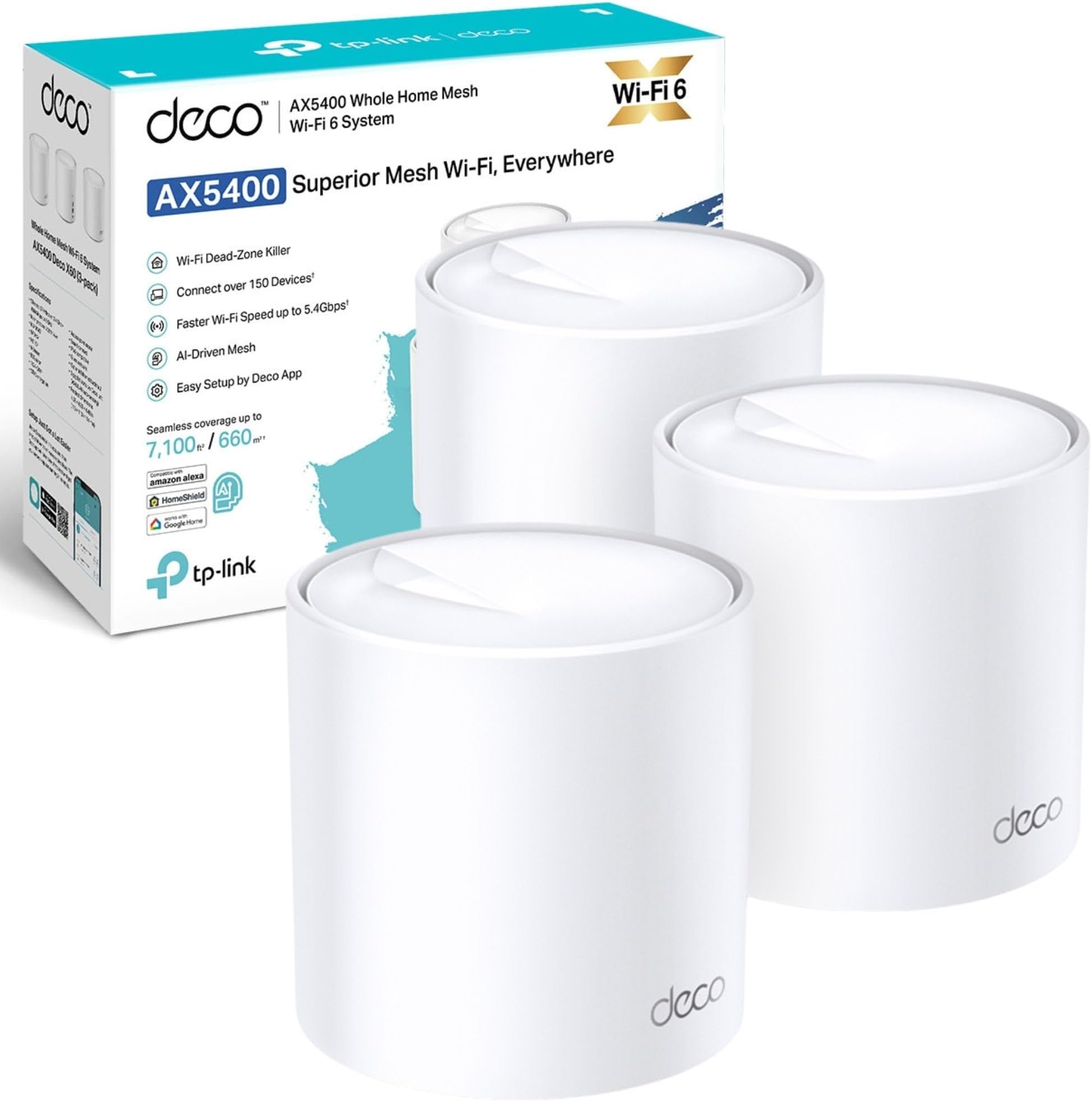
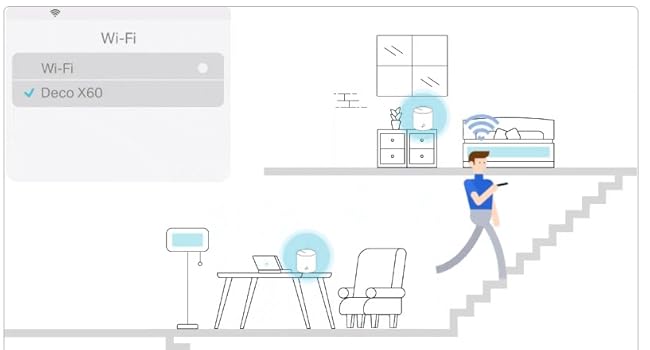
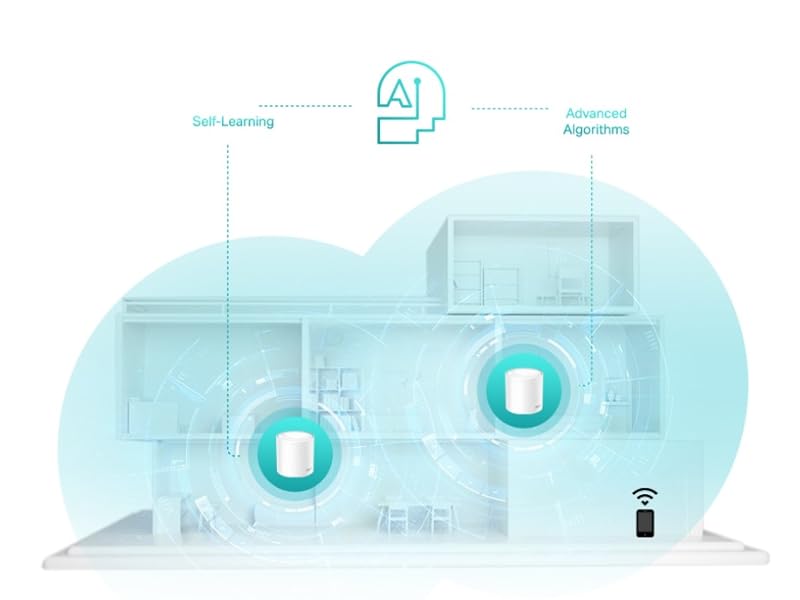
The TP-Link Deco X60 (3-pack) is a WiFi 6 mesh system delivering ultra-fast AX5400 dual-band speeds and expansive coverage up to 7,100 sq ft. Powered by a 1 GHz quad-core CPU and AI-driven mesh technology, it ensures seamless roaming and optimized performance across multiple devices. Featuring TP-Link HomeShield for advanced network security and parental controls, plus easy setup via the Deco app and Alexa compatibility, it’s designed for modern smart homes demanding reliable, high-speed connectivity everywhere.


| ASIN | B08759W2P7 |
| Antenna Location | Home |
| Antenna Type | Fixed |
| Best Sellers Rank | 906 in Computers & Accessories ( See Top 100 in Computers & Accessories ) 7 in Whole Home & Mesh Wi-Fi Systems |
| Box Contents | 1 RJ45 Ethernet cable, 3 Power adapters, Deco X60(3-pack), Quick Installation Guide |
| Brand | TP-Link |
| Brand Name | TP-Link |
| Colour | White |
| Compatible Devices | Laptop, Personal Computer, Smart Television, Smartphone, Tablet |
| Compatible devices | Laptop, Personal Computer, Smart Television, Smartphone, Tablet |
| Connectivity Protocol | Wi-Fi |
| Connectivity Range | 7100 Square Feet |
| Connectivity Technology | Wi-Fi |
| Control Method | App |
| Controller Type | Amazon alexa |
| Country of Origin | China |
| Coverage | whole home |
| Customer Reviews | 4.4 out of 5 stars 638 Reviews |
| Data Transfer Rate | 3000 Megabits Per Second |
| Frequency | 5 GHz |
| Frequency Band Class | Dual-Band |
| Frequency band class | Dual-Band |
| Has Internet Connectivity | Yes |
| Is Modem Compatible | No |
| Item Dimensions L x W x H | 11L x 11W x 1.4H centimetres |
| Item Weight | 2.54 Kilograms |
| LAN Port Bandwidth | 10/100/1000 |
| Manufacturer | TP-Link |
| Manufacturer Part Number | Deco X60(3-pack) |
| Maximum Upstream Data Transfer Rate | 574 Megabits Per Second |
| Model Name | Deco X60 |
| Model Number | Deco X60(3-pack) |
| Model name | Deco X60 |
| Number of Antennas | 3 |
| Number of Ports | 2 |
| Operating System | Linux |
| Other Special Features of the Product | Alexa Compatible |
| Product Warranty | 3 Years |
| Router Network Type | wireless |
| Security Protocol | WPA3 Personal, WPA2 Personnel |
| Smart Home Compatibility | Smart Home Compatible |
| Special feature | Alexa Compatible |
| Unit Count | 1.0 count |
| Wi-Fi Generation | WiFi 6 |
| Wireless Compability | 802.11ax |
| Wireless communication standard | 802.11ax |
M**W
Great solution
So we have a 4 bed house that consists of a 2 story extension, and a man cave in the garden so there are some old school brick cavity walls to get through. Now previously we had TP wifi extenders on 2.4 & 5G. So original Virgin hub plus 2 extenders ment 5 possible networks to switch from, depending on device (wifi plugs only 2.4G) room and signal strength. So a real ball ache if you were moving from room to room, while on a video call it would drop out. So now you know the situation here comes the TP Deco x60..... Quick Google and the Virgin hub is now a router only (4 min). TP Deco App downloaded start setup of the Deco and the network 1st Deco (8 min), connect 3 devices (2 min) set up 2nd Deco (4 min) add 2 devices in kitchen (2 min) walk to the man cave add 2 devices and 2 plugs (5 min), go upstairs add 3rd Deco (3 min) add laptop, printer and 4 other devices (5 min). Wander round testing speeds via the Deco App (5 min).... Added 3 more devices (2 min) now I never had to change network, and signal is great throughout and there is plenty of bandwidth. Units were simple to set up and I'm no techno wizz and managed 3 Decos and 15+ devices in 45 min. The ultimate was when the when the Mrs came home and I added her phone in 30 seconds. None of us have had to swap networks it is seamless signal is great. My only moan would be 2 things... 1st I wish the app would help you find the best spots to put the next Deco. 2nd I wish that it was easier to identify the type of device so I can set up profiles for the kids. So in short easy to set up, single network, great signal strength and bandwidth, and the App is cool. Bought this on black Friday so got a great saving
I**N
Stable ans reliable.
Good router and works well had it for a year and it still works fine. Bought as i wanted better wifi coverage in the house. So I wanted a mesh network setup, this did the job nicely. I have not used it in pure wifi connections to each node as I have cat 5 cables installed in a few places around the house so I use these to connect them all together. Speed is good and I have found I dont have to reboot the network as often as I did with all the other routers I have had as performance seems quite stable over time.
K**H
Ax60 review, so far so good!
1gb internet coming into the house, and a pitiful 80mb internet available in the office with a power line connector, separate network ids and patchy WiFi everywhere. It drove me nuts for about 3 years. I was very skeptical of mesh networks as I would need at least two hops to get to the office. With the main deco unit in the living room on ground floor, booster unit on middle floor hallway, and a final unit in the office on the top floor, I'm getting about 200mb up top now. Thats not amazing, but it's consistently twice as good at least. We also have perfect coverage all over the house for all the other devices which is the business. So basically, these can be used in series to reach far away locations. The speed achieved is pretty good, albeit not amazing. Setup was simple. There is an app, and you do need it to get going unfortunately. But it's actually a really good app and no issues registering an email or anything like that. Stress free. Going to upgrade the pc WiFi card to WiFi 6 next and hoping for another speed boost. Happy days anyway, pricey, but happy with the purchase.
O**9
Blistering and stable performance
I bought these to replace my previous five BT Whole Home Mini mesh WiFi system disks. Virgin have recently upgraded our broadband to 1 GBS and I wanted a WiFi 6 system to make the best use of it. The TP Link Deco units are bigger than the BT Mini disks, cylinder shaped but no more obtrusive and easy to hide. They feel solid and well built, much more so than the BT disks. Installation of the main unit was easy and involved downloading the Deco App onto my Android phone, then following the instructions and plugging in the power and Ethernet cables. The satellite units were equally easy to connect using the Ap. One thing I learned from my BT disks is to initially install mesh satellites in the same room as the master and then move them to their final location - it avoids all sorts of problems. Having changed the SSID and password the system was fully working and picked up all the static WiFi devices in the house. A speed test on the main unit produced a download speed of over 500Mbs to my Android phone and 50Mbs upload - blistering, and at least twice as fast as my previous system. The satellite units tested at 400Mbs down and 45Mbs up. I've gone down from five BT disks to three TP Link cylinders but the signal is far more powerful and covers the whole five bedroom house. The worst coverage area speed tests at 35Mbs down and 30Mbs up which compares well with the best performance I was getting from the BT Mini Disk system. Essentially, the WiFi signal is stable and reliable throughout the house despite using two fewer access points. Video conferencing is stable and playing videos from the internet produces a smooth replay experience. In my experience WiFi 6 on the Deco units produces a smooth no fuss service. The only downside is that the Deco units are not cheap, albeit much cheaper than some of the opposition. Also, I'm not a massive fan of the way the Ap is layed out. TP Link used to be a model of ease and clarity in its control software but finding stuff in the Deco ap is not as easy. It's all there, but not particularly obvious or easy to find. I had to use the (excellent) help system just to find the screen to change the SSID. You should not have to hunt round for important settings or need to press obscure icons. Having said that, the installation routine was easy and worked well and the quirky Ap does not detract from the excellent WiFi 6 performance.
S**Y
Installation couldn't be simpler and no wifi issues so far.
We live in a long bungalow style house with an extension at one end of the house so the solid double skin wall blocks all but the strongest wifi signal. We've tried a number of solutions, the last being 3 separate wifi routers dotted around physically connected to cat 6 cables run through the crawl space under the house. Even then, we would still have wifi issues for some reason and also the way we had them configured the only way it would work was with them all in router mode so we had 3 separate wifi’s that you needed to connect to dependant on where you were I the house to get a solid signal. Don’t ask me why, but that was the only thing that would consistently work. I decided to pick up this mesh system and have never looked back, I only have 2 of the 3 units installed (plus the providers wifi router) and the signal in the house is perfect now with a constant 3-400mgb speed throughout. Looks good and super easy to install, setup and connect to existing network, so glad I decided to go with this system.
S**N
Good wifi solution for outbuildings and outdoors
Did a lot research as needed a setup to give wifi access across multiple buildings and outdoor space. This has replaced an old netgear nighthawk setup which only delivered low bandwidth in some areas. The Deco provides full bandwidth throughout the site now using the 3 pack and an outdoor deco and has given strong coverage indoor and out. Very easy to setup just plug one into the broadband router and setup via the app. Strategic placing of the devices provides a very wide coverage around an acre here. Very impressed.
L**N
As advertised - but Sonos took a bit of fiddling to work
I can second the reviewers who said this was easy to install with a Virgin Broadband router. Log into your Hub, set it to Modem mode, let it do its thing then turn off. Plug in first Deco, follow the instructions off you go. (The first time Deco didn't get the internet, but I think I was hasty with the Router. Turned the Router on/off/on again and all was good). But! Getting my Sonos system to work was a bit more fiddly - Sonos initially seems to get really confused - the app detected that the network settings had changed, but then couldn't connect to anything. Reading the TP link forums it's clear that Sonos players can get confused by the mesh technology. So, - what I did: 1. Turn off the 'satellite' Deco units, - leaving just the main one connected to the router. 2. Turned off all the Sonos players and made sure they were within range of the base unit. 3. Reset the app on my phone. 4. Turned on the Sonos players. At this point, the Sonos app picked everything up quickly, and the TP Link app reported that the Sonos devices had joined the network. 5. Used the settings in the TP Link app to turn off the Mesh technology for the devices (so they don't keep switching around) 6. Turned on the 'satellite' Deco units 7. Moved the Sonos to their normal locations.
M**.
Do not buy these units if on Hyperoptic( FTTH providers unknown), or want customer support!
I bought these units to support the Wifi in my new home when i moved in. Firstly let me tell you that i have had Deco units before, and not had any issues. Since having these units i have been getting devices disconnecting in my network that are on the 2.4Ghz band. My main one is my Harmony hub. Constantly losing connection and not able to re-establish unless adding it back into the Harmony app as a new hub. I mad sure to use only 2.4Ghz band, and turned off beamforming, and QOS and all the other things that are mentioned on the forums. The real trouble started when i moved to my new house. I opted for Hyperoptic as my provider and from their kit i am seeing a full bandwidth when connected to their device via Ethernet. When i added in the Deco instead of the 890Mbps on both download and upload i got 299Mbps download and 891Mbps Upload. I isolated everything else in my network and realised this drop is happening in the Deco. Roll on my TP link support journey (started on 8th October 2023). After getting though the initial support team and on to the advanced support team (took about 3-4 days) I helped in diagnosing the issues with them. Being a telecoms engineer for a third of my life i know a few things about this stuff. They agreed that there was an issue with the unit and after quite a lot of diagnostics(7-8 days worth) suggested that a firmware update was necessary to support my setup (ONT to Deco directly as they are supposed to work) as the transfer on the WAN interface was getting jumbled up when hitting the Deco X60 and causing the reduction in bandwidth (a third of what it is supposed to be). So by now i have lost hours of work, countless arguments in the house with new devices disconnecting on a whim, and Netflix telling us it can't stream on the largest bandwidth we have ever had(due to the jumbling of packets on the WAN) So I went back to TP link support and they said they would replace the units for something with newer hardware. The offers they gave me were for lesser devices with older hardware and less nodes. I complained that they should be offering a newer device seen as i have only owned these devices for a few months. They then said they would offer a 2 pack of the Deco XE75 as a replacement. As you could imagine i bought a 3 pack as my house is over 3 floors with extra rooms so needed the third node to support this. TP-link then offered me an upgrade fee of £135 to go to the Deco XE75 3 pack. I suggested the fact that i have spent countless time diagnosing their faults with them and impacting my work and home life let alone the extra stress this added on with the move to a new home should be taken into account and better price should be offered(plus the fact if i got a 3 pack from Amazon it would only be £110 difference to the 2 pack) After countless pointless delayed email exchanges with support I gave up on the exchange and requested i get a refund as the consumer rights act tells me if an item is defective I can return it. TP Link support refused to refund the items as they are a factory and cannot refund items, even though they can take payments for upgrades!! So they have me stuck between a rock and hard place where the only thing i can do is upgrade to a newer device(with inflated value) and hope it doesn't have the same issue, or push my consumer rights with other authorities to get this looked into. The date is now 13/11/23 and still no resolution after over a month of dealing with TP link support. What you should take from this is TP-LINK CUSTOMER SUPPORT IS DISGUSTING AND COMPLETELY UNSUPPORTIVE TO PEOPLE WITH GENUINE ISSUES THAT CANT BE DEALT WITH BY DIRECT REPLACEMENT!
H**S
Easy to install
The Deco X60 was very easy to install and works very well. It was delivered on schedule as promised. Happy to deal with PCLIVE again
L**S
Excelente producto
Funciona muy bien. Vivo en una casa muy grande con paredes de piedra y es la única solución que me ha funcionado para tener cobertura en todas las estancias. El traslado entre hospots ni se nota. La app es muy completa. Todo perfecto
K**R
Funktioniert
Top, wir beschrieben und versprochen, allerdings erste Zeit wurde die Verbindung immer wieder abgebrochen und der Tourer musste neu gestartet werde . Nach Paar Wochen hat sich normalisiert. Sind gespannt ob es weiterhin einwandfrei laufen wird. Im Großen und Ganzen sind wir zufrieden. Danke!
D**V
Cannot configure without an app.
You are not allowed to configure this devices without running their Android/iOS application (which requires your real email, BTW) at all. And of course it requires access to your location and other privacy nightmare. Personally to me this is absolutely unacceptable.
A**.
Ottimo Mesh Wifi
Ottimo Mesh, installati 6 in Villetta 3 piani. Funziona molto bene
Trustpilot
1 month ago
2 days ago