Desertcart purchases this item on your behalf and handles shipping, customs, and support to Seychelles.
🚀 Elevate your storage game with pro-grade speed and reliability!
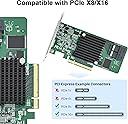
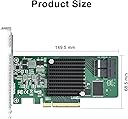
The 10Gtek 12G Internal PCIe SAS/SATA HBA Controller Card, powered by the Broadcom SAS3008 chipset, delivers ultra-fast 12Gbps data transfer speeds via PCIe 3.0 x8 interface. Compatible with LSI 9300-8I, it supports multiple RAID modes (0/1/1E/10) for flexible storage configurations. Equipped with dual MiniSAS SFF-8643 ports, this card is ideal for professional-grade storage setups requiring high throughput and stability. Includes driver CD and low-profile bracket for easy installation.


| ASIN | B07VV91L61 |
| Best Sellers Rank | #4 in Computer Internal SCSI Port Cards |
| Brand | 10Gtek |
| Compatible Devices | Personal Computer, Laptop |
| Customer Reviews | 4.3 out of 5 stars 91 Reviews |
| Hardware Interface | PCI Express 3.0, PCI Express x8 |
| Manufacturer | 10Gtek |
| Mfr Part Number | LSI-3008-8I(EU) |
| Model Number | SAS 9300 8I |
| Number of Items | 1 |
| Number of Packs | 1 |
| Operating System | Various |
| Style | Classic |
| Style Name | Classic |
E**Y
PCIe 4x works
The HBA came in IR mode. I flashed it to IT mode via an EFI bootable USB stick. The benchmark image is for an attached Seagate SAS 20T hdd under linux. You might get better results with 8x but it's certainly usable at 4x. Anyway, I'm happy with this HBA.
M**G
Fast, stable, easy
I’m running this on a Linux host that serves VM’s to the local LAN. The storage for the VM’s is all hosted on this HBA. I have eight SATA disks attached of various sizes, ranging from 1g to 4g and have had no problems with either stability or performance. They run as a JBOD with the file systems on them being a mix of simple disk, mdraid raid 1+0, or ZFS, over the testing I’ve done. The drivers came with the Linux kernel, which made installation pretty easy.
N**3
Only one port over Oculink x4
It appears both ports are not working over Oculink (x4) connection. One yes, two no. Will try to do further testing, which if confirmed will drop another star.
E**C
Had to refresh to IT firmware, but works fine otherwise
Advertised as IT mode, but mine came in IR. Just used instructions found online to flash using sas3flash to 16.00.12.00 and good to go. Added a baby Noctua NF-A4x10 FLX with some zip ties to keep it cool.
M**T
Card appears to be defective.
I should firstly say the card looks new and legit and it was detected no problem. However when I installed TrueNAS and attempted to create a pool of 5 drives it seemed as if two of the drives were faulty. One always blames the drives first because maybe they were damaged in transit. But I was wrong. Through a process of elimination (swapping around cables between drives and ports on the card) I was able to establish conclusively that of the 8 breakout ports the cards supports, 3 are not operating properly. Unfortunately for me, it took a while before I was able to get all the components and build this system so it appears I am just outside the Amazon return/replacement window. While I do currently only need 5 working ports, it makes me uneasy that there may be some other issues and my data is worth more than the card. I'll probably be looking at other options for replacement. Update: Amazon sent me a replacement card that is working without any issues. The supplier was also prepared to do a replacement, which I appreciate. So all good here. :-)
N**N
Running it with unraid and working perfectly
it works well as advertised and it comes in IT mode, its fast and it doesnt get as hot as other say but who knows parity check up is an ordeal with unraid
H**Y
3008-8I Truenas SCALE
Out of the box this worked with Truenas SCALE. The 6 new drives I added came right up, no issue at all. No need to flash or anything. Literally plug and play. Bought this with 2 SFF-8643 to SATA connectors, and plugged those into my WD red pros. The SFF-8643 to SATA plugged right into the two slots available, and that extended me out to 8 total drives.
B**N
Good, but died after 10 months
Good controller card. Used in a Proxmox server with PCI passthrough for a virtual machine without issue. However after 10 months, the card unexpectedly died causing the entire server to be unable to boot. Will be replacing.
M**O
Praticamente una scheda Plug&Play
Inserita in un server HPE DL380 gen10 con sistema operativo VMWare EsxI8u3 per collegarla a una vm truenas, la scheda è stata subito riconosciuta dal virtualizzatore. Attivato il passtough dentro truenas ho subito trovato tutti i dischi collegati. Consigliatissima per utilizzi simili.
L**E
Ein echter RAID- und kein halber oder Fake-Controller.
Ein sehr guter RAID-Controller für relativ wenig Geld. Ich hatte ihn schon vor fünf Jahren in's Auge gefasst, mich aber für einen anderen Controller entschieden. Im Gegensatz zu diesem hier war es ein mehr oder weniger Software-RAID, während dieser hier einen "echten" Controller hat. Das merkt man, wenn man Sicherungen mit TrueImage Bootmedien machen möchte. Die Alternative hat den RAID-Verband nicht durchgereicht, sondern die HDDs einzeln angezeigt. Erst mit einem auf Windows basierendem Bootmedium mit integriertem Treiber wurde der RAID-Verband als solcher erkannt. Auch konnte Linux (Mint) nichts mit dem Controller anfangen. Und jetzt mit dem Broadcom? Alles bestens!!! Linux erkannte sofort den Controller, installierte den passenden Treiber und das Bootmedium (mit Linux) von TI erkennt sofort den RAID-Verband. Was will man mehr? Klare Empfehlung!! Kleiner Wermutstropfen: für den Anschluss der SATA-Platten an den Controller war noch ein Kabelsatz nötig, der aber bei Amazon vorrätig war.
L**.
Useless and Effectively a Paperweight
Not for consumer NAS. These cards ship in IR mode which TrueNAS and most NAS software cannot use. Flashing to IT mode requires old legacy-compatible motherboards and modern hardware will not work. Unless you want a $200 paperweight and endless frustration avoid this card. Buy one preflashed in IT mode from eBay instead from those who have the hardware from the early 90s to flash it. Save your money, this product sucks, be warned do not buy this.
L**A
Excellent card
This card was used to connect a LTO6 drive to my desktop, works perfectly!
G**G
Excellente carte, mais attention : livrée en 9311-8i mode IR, pas en IT. Crossflash simple et réussi
Carte flashée avec succès en mode IT. Elle fonctionne parfaitement, et je partage ma procédure complète pour ceux qui débutent — c'était mon premier flash de carte. CE QUE J'AI RÉELLEMENT REÇU Ma carte a été identifiée par sas3flash comme : Firmware Product ID : 0x2721 (IR) Firmware Version : 16.00.10.00 NVDATA Product ID : SAS9311-8i Board Name : SAS9311-8i Le 9311-8i et le 9300-8i sont exactement le même matériel : même puce SAS3008, même PCB, mêmes PHY. Broadcom vend deux références du même produit, distinguées uniquement par le firmware. Le crossflash 9311-8i vers 9300-8i IT est l'un des plus documentés qui existe. Mais si vous comptiez brancher la carte et faire du ZFS directement, prévoyez une heure de plus. 🔎 VÉRIFIER AVANT DE FLASHER Ne flashez rien avant d'avoir lu l'état de votre carte. Le champ décisif est « Firmware Product ID » : 0x2221 signifie IT, 0x2721 signifie IR. S'il affiche déjà 0x2221 avec un firmware en 16.00.10.00 ou 16.00.12.00, vous n'avez strictement rien à faire. CE QU'IL FAUT RÉCUPÉRER 1. SAS9300_8i_IT.bin en version 16.00.12.00. Cette version n'est pas sur le site Broadcom : c'est un firmware issu d'une collaboration iXsystems/Broadcom qui corrige des resets de contrôleur avec les disques SATA sous TrueNAS. Elle se trouve dans les ressources du forum TrueNAS. À défaut, la 16.00.10.00 du paquet Broadcom fait le travail. 2. sas3flash.efi, contenu dans Installer_P16_for_UEFI.zip. Attention, c'est le fichier le plus dur à trouver : il n'est PAS rattaché à une page produit, il est rangé dans les fichiers communs à toute la gamme SAS3 (catégorie « Management Software and Tools »). Si vous cherchez dans l'onglet Firmware de la page 9300-8i, vous ne le trouverez jamais. (site de broadcom) 3. mpt3x64.rom (option ROM UEFI), présent dans le sous-dossier uefi_bsd_rel/ du paquet 9300_8i_Package_P16_IR_IT_FW_BIOS_for_MSDOS_Windows.zip. Ne prenez pas celui d'un paquet SAS3_UEFI_BSD antérieur, vous régresseriez votre option ROM. Ce fichier est optionnel : il ne sert qu'à booter depuis un disque connecté à la carte. Si vous démarrez votre OS depuis un SSD sur la carte mère, vous pouvez sauter cette partie. 4. Une ISO de shell UEFI (dépôt github: pbatard/UEFI-Shell), écrite sur une clé USB avec Rufus (GPT / UEFI / FAT32). Point crucial : quand Rufus propose « mode Image ISO » ou « mode Image DD », choisissez ISO. En mode DD vous ne pourrez pas ajouter vos fichiers sur la clé. (je n'ai pas besoin du mode boot legacy, je n'ai donc pas cherché à flashé le mptsas3.rom) 📦 PRÉPARATION - Carte seule dans le slot PCIe x16 principal, aucun disque branché dessus, aucun câble SAS connecté. - Secure Boot désactivé et CSM désactivé dans le BIOS. Sans ça la clé ne bootera pas. - Un ventilateur pointé sur le dissipateur pendant toute l'opération. La carte est passive, conçue pour un flux d'air de châssis rack. Sur banc ouvert elle chauffe très vite. - Machine sur onduleur si possible. Une coupure pendant l'écriture, c'est le scénario qui fait mal. - NOTEZ VOTRE ADRESSE SAS avant de commencer (relevé sas3flash -c 0 -list, ou photo de l'écran). L'effacement la met à zéro et il faudra la réécrire. - Renommez SAS9300_8i_IT.bin en it.bin (avant de le copier sur la clé). Vous comprendrez pourquoi juste en dessous. 🪄 LES COMMANDES Dans le shell UEFI, tapez d'abord « map -r » puis « fs0: » puis « dir » pour trouver votre clé (essayez fs1:, fs2:... si besoin). sas3flash.efi -listall sas3flash.efi -c 0 -list (photographiez cet écran !) sas3flash.efi -o -f it.bin -noreset Cette dernière échouera probablement avec « Cannot Flash IT Firmware over IR Firmware ». C'est normal et attendu, c'est une protection. Coupez ensuite COMPLÈTEMENT l'alimentation (bouton power, 10 secondes, pas un simple redémarrage), rebootez sur la clé, revenez sur fs0:, puis : sas3flash.efi -o -e 7 sas3flash.efi -o -f it.bin -b mpt3x64.rom sas3flash.efi -o -sasadd 500605BXXXXXXXXX Entre l'effacement et l'écriture, NE REBOOTEZ PAS. Enchaînez dans la même session. Si vous voyez « Controller is not operational. A firmware download is required. », tapez « quit » et continuez : c'est l'état normal d'une carte effacée, pas un brick. L'adresse SAS se saisit sans tirets ni espaces. Coupez l'alimentation, rebootez, vérifiez avec sas3flash.efi -c 0 -list. Vous devez lire 0x2221 (IT), 16.00.12.00, SAS9300-8i, et votre adresse SAS. LE PIÈGE QUE PERSONNE NE MENTIONNE Le shell UEFI est en QWERTY quel que soit votre clavier physique. Sur un AZERTY français, le tiret « - » se tape avec la touche « ) », le « : » avec la touche « M », le « . » avec la touche « ; », et les chiffres sans Maj. J'ai perdu vingt minutes à croire que le shell ne reconnaissait pas mes commandes. C'est aussi pour ça qu'il faut renommer le fichier .bin : l'underscore est une chasse au trésor. 🥳 RÉSULTAT ET REFROIDISSEMENT Après flash : disques individuels visibles avec leur vrai modèle et vrai numéro de série, SMART fonctionnel. Exactement ce qu'il faut pour ZFS / TrueNAS / Unraid. Sur le refroidissement, je rejoins les autres avis : un ventilateur de 40 à 80 mm sur le dissipateur n'est pas un luxe, c'est une nécessité si votre boîtier n'a pas un flux d'air frontal digne d'un rack. Le pilote mpt3sas remonte un avertissement dans dmesg quand la puce dépasse son seuil thermique, surveillez-le les premières semaines. VERDICT Très bon rapport qualité/prix pour du SAS3 en homelab. J'ai personnelement installé un ventilateur Noctua NF-A4x10 PWM, avec des vis directement dans les espaces du dissipateur (sans le percer ...) Bonne chance à vous et ne cassez pas votre matériel.
Trustpilot
1 month ago
2 weeks ago