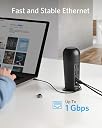
๐ Power, Ports & Performance โ All in One Docking Station
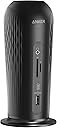
The Anker PowerExpand 12-in-1 USB-C PD Media Dock is a professional-grade docking station designed to supercharge your workspace. Featuring 60W pass-through charging, dual 4K video outputs, multiple USB ports, SD/microSD slots, and gigabit Ethernet, it seamlessly connects and powers your MacBook Pro and peripherals. Engineered for efficiency and backed by Ankerโs trusted technology, itโs the ultimate hub for multitasking millennials who demand speed, style, and reliability.


| ASIN | B087R6W1VB |
| Best Sellers Rank | #60,167 in Computers & Accessories ( See Top 100 in Computers & Accessories ) #1,892 in Laptop Docking Stations |
| Brand | Anker |
| Color | Black |
| Compatible Devices | MacBook Pro |
| Customer Reviews | 3.8 out of 5 stars 230 Reviews |
| Hardware Interface | USB Type C |
| Item Dimensions L x W x H | 3"L x 3"W x 6.4"H |
| Item Weight | 14.1 ounces |
| Manufacturer | Anker |
| Mfr Part Number | A8390111 |
| Model Number | A8390111 |
| Number of Items | 1 |
| Number of Ports | 2 |
| Product Dimensions | 3"L x 3"W x 6.4"H |
| Total Number of HDMI Ports | 1 |
| Total USB Ports | 6 |
| Total Usb Ports | 6 |
| UPC | 194644033002 |
| Warranty Description | 18-month |
| Wattage | 100 watts |
T**N
Very good for budget use
Inexpensive and compact dock that works well enough. I wanted a USB-C/TB dock for a short term remote work environment. I have a nice big Lenovo thunderbolt dock at my home office which works great but I didn't want to spend triple digits. Given that it was a short term use, I scaled back my expectations: Had to offer a few USB-A ports, HDMI output, and a USB-C PD charging for a laptop of at least 45 Watts. This was the best, cheap, and readily available option I could find. One week in and it is working well. I like the size. I could feed a beefier PD power supply into it but I am fine with it doing a slow charge on my Dell Latitude 7420. I don't know how it would stand up to more demanding video usage. I have it kicking 1080P video to an external monitor over HDMI. No major issues. I have noticed an occasional screen blanking for a second or two for seemingly no reason but then it returns. Happens perhaps once every couple of hours. Hard to know if it is the docking station's fault and it is fast enough to not be a big deal. It replaced a cheap little USB port expander hub. Much happier to be back to just having one cable to plug and unplug for the laptop. Happy that it came with a 60W USB-C PD charger. After accounting for the electronics of the docking station, it leaves 45W to pass along to the laptop. Includes both USB-C cables too. Hoping that maybe a firmware update or something might help with the video glitch but all in all, well exceeds my expectations for the price. Would have been happy to pay $10 extra to get it with a 80W USB-C PD charger leaving 65W for the laptop. Other quirks noted such as instability/tipping over have not been an issue for me. It looks unconventional but that doesn't phase me - it looks like a microphone. Seems to come in and out of sleep mode for the laptop well. No issues with plugging and unplugging. It wouldn't be my core main docking station at work but great to get in a pinch for a short term use and given that it is just USB-C, should be easy to use for others that might use the same thing. (I might invest in Thunderbolt 4 system for my "personal" workspace.) All in all, very happy with it and would recommend to others.
L**A
Solid product with solid functionality that will be perfectly fine for most users
I wanted to take the time to review this because most reviews/questions on here are from either "power users"/IT people who (at no fault of their own) use too much jargon for the average user, or dissatisfied customers who did not understand what they needed/what they were buying. I am working with a 2020 M1 MacBook Pro running OS 11.1 Big Sur (my newly purchased personal computer) and a 2-year-old Dell Latitude 7490 running Windows 10 (my work computer, issued by my employer). I use the MacBook's keyboard for Mac keyboard input, and I use a wired Dell keyboard for PC keyboard input. I like to use my Anker wireless ergonomic mouse for both computers. This is a matter of personal preference. I like to use my single 27" Lenovo monitor interchangeably (not simultaneously) with the Dell and MacBook. I also use a CAT6 Ethernet cable. THIS DOCK WORKS GREAT FOR ME! Sure, it could have a few more features, a few more ports, and it could ship with a higher-wattage charging cable. But it works great with both computers for passthrough charging and peripheral sharing. I can have my monitor, Ethernet cable, and wireless mouse receiver hooked up to the dock at all times, and whenever I plug the USB-C passthrough cable into either computer, I am able to begin using the monitor, Ethernet connection, and mouse pretty much instantly. The hub offers really speedy USB connections that upgrade the speed of my Dell's ports for external HDD reading/writing, and expand the input/outputs for my Mac's ports. This is value added for both computers. Now some more technical minutiae for those interested (note, I do not claim to be fully literate in this terminology, I am just doing my best to keep up...) The key here is that I did not want to get a KVM switch box, so I opted for this as a cheaper and simpler solution -- I really don't care about instantaneous switching when I can just unplug the passthrough USB-C cable from one computer and plug it into the other. Doing this, I can seamlessly switch between computers on the monitor, all while using the same mouse and Ethernet connection. At max there is 5-10 seconds of waiting for the mouse to be recognized when I connect one computer or the other. Maybe that's too long for some users, but it's just fine for me. Hell, I remember when it took 2 minutes for an email inbox to load on a dialup modem and I am only 25 years old. This technology really amazes me. For users of a Dell laptop such as the Latitude 7490, the included passthrough charger is only 60W, not 100W. The hub supports up to 100W and you can upgrade to that. If you don't, the Dell will be just fine, but if you want "peak performance" (whatever that means from a very mediocre laptop with a 10-year-old processor) Dell says you should make the upgrade. I'll consider it down the road, but for now the 60W works fine for me. And a couple notes for Mac users, particularly those using Big Sur and/or an M1 Mac: 1. THIS ETHERNET ADAPTER WORKS WITH BIG SUR!!! You may be aware that Apple rendered obsolete the ASIX Ethernet adapters when implementing Big Sur, and that running an ASIX Ethernet adapter on Big Sur/M1 requires disabling a security measure under the hood of your system. You may even be shopping for a new adapter right now because yours was rendered obsolete by the upgrade. The good news is that this is not an ASIX chipset, it's a Realtek chipset, and those work just fine with Big Sur. No muss, no fuss, no need to get under the hood. Just plug and play. (Edit: I had legacy KEXT kernel extensions enabled before I purchased this so that I could run ACE for Audio Hijack, and I'm not sure if that's helping with the plug and play. But, that is much more acceptable from a security standpoint than the workaround required for ASIX adapters.) 2. Certain peripherals running through an Apple Thunderbolt 2-Thunderbolt 3/USB-C dongle may not work with this hub. By way of ridiculous example, I have a very old PreSonus FIREPOD FireWire 400 audio interface that I am too lazy/stubborn to upgrade because it works just fine for podcasting purposes. Unfortunately, in order for that interface to work with my 2020 MacBook, I have to run a FireWire 400 - FireWire 800 cable from the interface, into a FW 800 - Thunderbolt 2 dongle, into a Thunderbolt 2 - Thunderbolt 3 dongle. This ridiculous chain of dongles will not work with the Anker hub, but I'm not sure it will work with *any* hub. When I try to plug it in to the Anker hub, my MacBook displays a notification that the Thunderbolt device must be plugged directly into the Mac. Since the Anker hub is handling all the other peripherals that I need to connect to my MacBook *along with the charging aspect*, I have a port to spare on my MacBook, and I can easily connect the dongle chain to the second port without breaking a sweat. Everything works at that point. So yes, this loses a star for not shipping with a higher-wattage cable and the above dongle compatibility issue, though the latter is probably not Anker's fault. But at $90, this seems to be one of the most competitively-priced and functionality-packed devices for most users -- and it's from a very trusted brand. I would recommend this to many home users who may also be teleworking during the pandemic, and who need a functional solution to share desktop peripherals between two computers that both have USB-C passthrough charging capability.
F**S
Excellent dock, can support ultra wide displays at 3440x1400 at 120hz on M1 MBA
This dock was an excellent addition to my office. I primarily use it between a work laptop and personal laptop. I have been able to successfully get it to work with my M1 MacBook Air and display a resolution to an ultra wide gaming monitor displaying 3440x1400 at 120hz (144jz didnโt work though). It added several ports and provided power to my laptops through a single usb c connection. I was unsure if I would have needed to invest in a more expensive dock but this did the trick. Update 12/16/2021: I can confirm what others have been describing where once you remove the laptop from the docking station, a full power cycle of the dock is necessary (unplugging any source of power and replugging to turn it back on) before reconnecting your laptop. This is mildly annoying, but something Iโve gotten use to. I wouldnโt reduce any stars because for its cost itโs still excellent value.
J**2
Much better than others I've tried, only one problem
UPDATE: i canโt recommend this. It does work but it has issues. It ended up getting so bad I had to have Anker send me another one after only a couple months of use which even the new one is doing the same thing. If using with a MacBook Pro (mine is 2019 16โ) you cannot let the MacBook put itself to sleep or you will have to restart it to get this to work. If this is connected and your MacBook goes to sleep then when you wake it up your monitor will flicker and show pink screens. Iโve never had this issue with another dock. After a while my external drive I use for time machine will randomly disconnect and not be readable by the system anymore. My MacBook will also not boot while this is connected, instead itโll freeze on the apple logo. These symptoms occur with my Intel MacBook and M1 also. Generally Anker makes good products but itโs best to pass on this one. As the headline says, this hub works much better than most others that I've tried. This hub is great for desk use vs buying a portable hub because all the main ports (power, HDMI, etc.) are all on the back of the hub which frees up my desk from all the cable clutter. Now for the drawbacks. The biggest one being that sometimes I have to disconnect the hub from power then plug it back in otherwise my monitor will not work. I mean unless I power cycle the hub itself the monitor will not receive a signal and my Macbook will not show a monitor being connected. The only other downside is with this hub, you only get bandwidth from a single USB-C port. When I have an external drive connected to the hub for backup and plug my Macbook into it, the backup starts immediately and uses most of the bandwidth so I don't get a video signal.
F**.
This will not chargemy laptops, unless...
I manage a fleet of Thinkpad e595 laptops. I bought these docks as I like the Anker brand, and the first (non-anker branded) docks we tried had video issues. This addressed that issue, but we found another, more subtle issue. User will power on their laptops in the morning, and sometime after lunch would have a dead battery. All of the external peripherals (monitor, keyboard, mouse, printers, speakers, Ethernet, etc.) worked just fine. The power light on the Anker dock was lit, but it was NOT charging the battery. Unplug the USB-C cable that connects the dock to the laptop, and plug it back in, and NOW it charges the laptop. Anker's only suggestion was to return the docks for a refund. I've distributed them to my WFH colleagues, so I know the original packaging is not available, nor are any of the little bits that came in the package that they aren't using. returning them is not an option. So, solid dock, but if you power your Thinkpad E595 laptop up with the dock attached, the dock will not charge your battery. You have to unplug, and replug, the usb-c cable AFTER you've powered on to remind the dock that it has one more job to do.
C**.
Anker Delivers
Anker has built a reputation for making reliable products and a really great price. I have own a handful of battery packs, charging bricks, cables, and dongles from them. So I felt very comfortable with purchasing this hub for my iPad and work computer desk setup. I can swap the USB C cable between my iPad and work computer to get the second screen (still get the full 2560x1440 from my work computer), the card reader works, the power delivery works, my DAC works, I have another USB hub connect for additional ports if needed and can confirm plugging an external drive into that works. Yes, the shape of this hub is a bit funky, but as long as your setup doesnโt need more than 45w power (60w into the hub and 45w out), this is a great lower cost USB C hub! Definitely recommend this!
T**Y
Great, until its charging brick failed out of nowhere
Worked fine until the charging brick failed spontaneously for no apparent reason while I was in the middle of a project. I've had--and have--piles of audio gear, drives, etc., and therefore many, many power bricks over the years, and have never had one just "go" suddenly and for no reason. The hub is fine, the cables are fine, my gear is fine, the power strip is fine, everything else plugged into the strip or hub is fine, even the outlet is fine--only this brick is not. For those who have the same issue: The brick that came with the hub is an Anker PowerPort Atom III 60W. It has a blue light that should be solidly lit when the unit is plugged in and conveying power. This one is slowly blinking (and continues to blink for maybe a minute after unplugged from power), and does not relay power. I don't believe anything in it was "tripped," because letting it sit unplugged for minutes/hours/overnight does nothing. When plugged into the power strip (or anything else), it just starts blinking again, and still doesn't work.
M**W
Great full-featured USB-C hub, 60W charger a bonus
Worked without any issue when I plugged everything in. I have a single external monitor so I can't comment on dual-displays, but the HDMI output works fine. I did not realize the hub comes with a compact 60W usb-c charger + 6ft charging cable. Honestly I think it might be nice if Anker offered a cheaper version of this hub without the power brick since my OEM laptop charger works fine, but regardless it's a nice addition (now I have a travel charger). I appreciate that the hub supports 4k60 for a single monitor - most 5gbps hubs cap out at 4k30. If you need 2x 4k60 you'll need to bump up to a 10gbps or TB3 hub.
J**G
It is great that it has a USB-C port at front
This is a great USB docking station. It looks plastic on picture but it has a metal case. Not many USB hub or docking station has an extra USB-C port for your device. When I plugged in to my 13โ MacBook Pro (not M1), the front USB ports still have enough power to charge my iPhone or other USB device like mouse and keyboard. However, there is a down side. Even the docking station plugged in to power, the USB port wonโt charge devices if your docking station is not plugged into your host machine. Beside this, everything is great! It is a reasonable price for a USB docking station. I think I will buy from Anker again!
H**E
Elegant Looks, Great Performance, Awesome Addition to My Desk Setup
I pair it up with my new M1 Mac mini. It has enough ports to make your workflow smooth. Perfect addition to my desk setup, gives an elegant look overall. The build quality is very sturdy, metallic with matte finish. File transfers work super fast. However, I would love if the USB ports would deliver power as well so that I could charge my iPhone, watch, AirPods, etc. They sometime do, sometime don't. Not sure what would the reason be and if Anker can resolve this issue by a firmware update or something.
R**W
Looks well built..BUT..FAILED TWICE!!!
Bought this Anker Docking station because it looked well designed and built. 1st Anker Docking station worked with HDMI monitor and Ethernet port. Next day, Ethernet port failed...confirmed with three active Ethernet cable and docking station failed to work with all three Ethernet cable. RETURNED. Decided to give Anker a 2nd chance and order a 2nd Anker Docking station hoping 1st one was just poor built and NOT QA tested. Unfortunately, 2nd Docking station HDMI port Did Not work right out of the box. Tested two different brand of monitors(Acer & Samsung) and docking station failed to connect/detect both monitors. RETURNED. Message to the Anker people & CEO...are you aware of the concept of Quality Testing your product for reliability????
K**N
Works well with MacBook m1
Works great with a MacBook m1. Powers and charges while my keyboard and monitor are connected.
J**M
HDMI issues but Anker is great
If you're buying this to connect an external display I strongly recommend that you do not. It is flakey at the best of times and it just flat out doesn't work at the worst of times. All the other ports work and the product is built well. However, this product is extremely frustrating to use with an external display. EDIT: Anker reached out to me and sent me a replacement unit. The replacement still had HDMI issues with an M1 Macbook but all the other ports have worked fine. Anker also offered me a full refund if I wasn't satisfied so if you think this might be a good product for you try it and if it doesn't work Anker will make it right for you.
Trustpilot
3 weeks ago
2 months ago