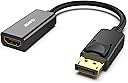
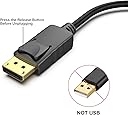
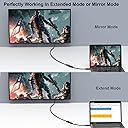
Desertcart purchases this item on your behalf and handles shipping, customs, and support to Seychelles.
🔌 Plug into perfection — don’t let your setup fall behind!
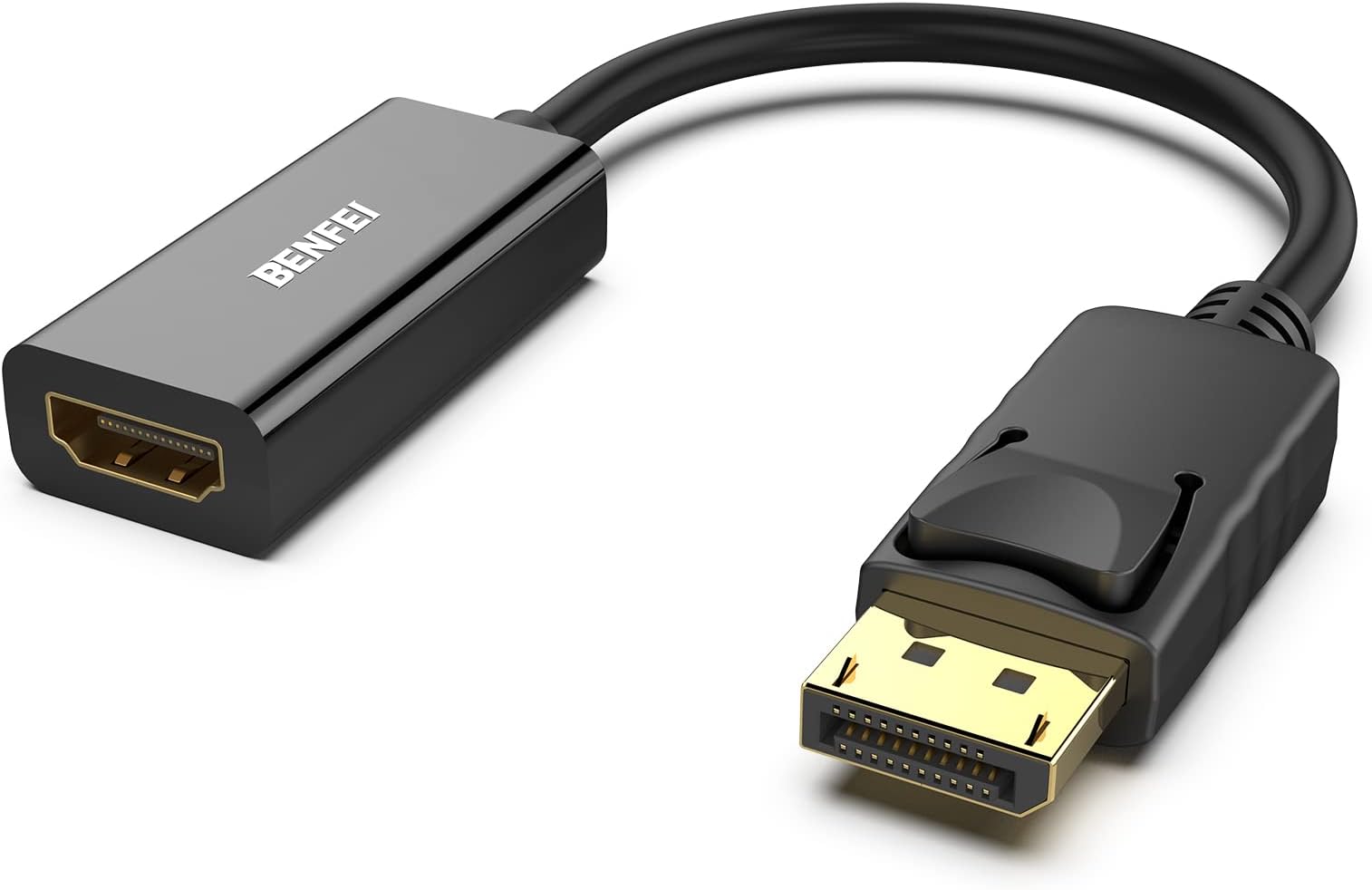
The BENFEI 4K DisplayPort to HDMI Adapter is a compact, uni-directional converter supporting up to 4K UHD at 30Hz. Featuring gold-plated connectors and a secure latch design, it guarantees stable, high-quality video and audio transmission from DisplayPort 1.2 devices to HDMI 2.0 displays. Compatible with major PC brands and backed by an 18-month warranty, it’s the essential tool for professionals demanding flawless presentations and immersive media experiences.


| ASIN | B017Q8ZVWK |
| Best Sellers Rank | #7 in Computer Cable Adapters |
| Brand | BENFEI |
| Color | Black |
| Compatible Devices | Computers, Laptops, Monitors, Projectors, TVs |
| Connector Type | DisplayPort HDMI |
| Current Rating | 1 A |
| Customer Reviews | 4.5 out of 5 stars 68,480 Reviews |
| EU Spare Part Availability Duration | 18 months |
| External Testing Certification | 177202201739 |
| Finish | Gold,Hdmi,Projector |
| Input Voltage | 12 volts |
| Item Dimensions | 0.39 x 0.39 x 0.39 inches |
| Item Weight | 27.22 g |
| Item dimensions L x W x H | 0.39 x 0.39 x 0.39 inches |
| Manufacturer | BENFEI |
| Mfr Part Number | 601393861980 |
| Model Number | 000095black |
| Nominal Power | 12 watts |
| Number of Items | 1 |
| Number of Ports | 2 |
| Package Quantity | 1 |
| Power Plug Type | No Plug |
| Specific Uses For Product | Monitor,Projector,Tv |
| UPC | 601393861980 |
| Unit Count | 1 Count |
| Warranty Description | 18 MONTH WARRANTY - Exclusive BENFEI Unconditional 18-month Warranty ensures long-time protection of your purchase; Friendly and easy-to-reach customer service to solve your problems timely |
| Warranty Type | Limited |
R**T
Worked as expected!
The review: The adapter seems to be made well. It was in a plastic bag rather than a box, but it did have a protective cap on the male DisplayPort end, and a plastic wrap on the housing of the HDMI end. It plugged in solidly, and I tested the release with no issues. I wonder if some of the people who had issues with it breaking off when trying to remove didn't realize that DP has an active retention mechanism that has to be depressed to remove. Seamlessly transferred both video to my TV and audio to my surround sound, as expected (or at least hoped). I always like to put my personal experience in my reviews too because I search questions and reviews for information, so I feel like this can help others: Active versus passive adapters: I'm using a Lenovo M83 Tiny PC as my home theater PC, which has a DisplayPort++ output. As others have stated, this is a passive adapter and MAY not work with your output unless it is labeled DP++. The DP++ stands for "DisplayPort Dual-Mode", and simply means that the port automatically recognizes if an HDMI or DVI adapter is attached, and sends the appropriate signals rather than the DP signals. Now it is important to realize that most modern DP ports are dual mode, whether the DP++ logo is present or not. As such, you should do the research before hand to find out if your device has a dual mode port, or risk finding out the hard way. Audio through adapter: My primary concern with this adapter was whether or not it would carry audio from the DP to the HDMI cable going into my surround sound receiver. To clarify, my setup is, PC Display Port > this adapter > HDMI cable > Receiver > HDMI cable > TV. When I initially booted the computer (first boot after installing Windows 10 Pro), Windows immediately displayed video on my TV, however no sound was playing on the surround sound speakers (I was clicking the Windows volume slider and listening for the "ding"). Through Control Panel (not the garbage Windows 10 Settings app, what was wrong with the Control Panel, Microsoft?!), I went into the Sounds options. Under playback devices, there was only one item listed, "Speakers". However, almost immediately while I was in the sound options, another device showed up with the name being the model number of my receiver. Windows automatically set it as the default device. I went ahead and disabled the other "Speakers" device just to be safe. After rebooting, all settings remained and sound continued to work properly. If you are using a surround sound receiver, you should also click on the playback device and select Configure. In here, I was able to specify that I have 5.1 surround, but there were also other options such as stereo and 7.1, so make sure you pick the right one. If you are running this directly into a TV, stereo is the default setting, which is what you want. It does send a test sound to each speaker individually, so I was able to verify that the 5.1 signal was actually making it through the adapter. Now whether this is an uncompressed PCM signal or some sort of compressed audio stream is yet to be determined; but this may depend on the source media/application that is providing the audio. Edit from future me: This does support 4K as well. I saw somebody else say it doesn't, but they must be having issues with other parts of their system (source, or receiver not supporting 4K passthrough, etc.). I have slightly changed my setup listed above, and am now running the HDMI cable directly to the TV. I upgraded to a 4K TV, but my receiver does not have 4K passthrough, so I had to bypass it. Now the HDMI cable plugged into this adapter runs to the TV, carrying both video and audio to the TV. TV is receiving 4K from the PC, no problem. I can listen to the sound through the TV speakers, but I don't as I am using a TOSLINK cable to carry the sound back to the receiver. I need to upgrade my receiver to one with 4K passthrough and audio return channel to simplify my life but that costs money and would only potentially reduce the number of cables I need by one. However, I already have to return audio from the TV to the receiver via TOSLINK because I want the TV app audio to come through my surround sound speakers too, so in the end it's all the same.
A**R
Great buy!
Easy to connect and worked right away. The picture is clear and stable, and I haven’t had any connection issues. It does exactly what I needed it to do.
D**R
Great product
Works great! For some reason the cord i purchased didnt relay a signal so i just got the converter instead. Worked instantly for a pc with only display ports.
W**G
Uni-Directional
I'm sure it works just fine for its intended use but, when I got it I realized it was only uni-directional which IS MY FAULT and shouldn't be taken out on the seller/manufacturer but I wanted to write this review to save someone the headache. Don't do what I did and carelessly buy a dongle that only displays in one orientation and make sure this is what you want before purchasing. Thanks.
B**I
Awesome Customer Service
I am writing the review solely for the superb customer service from 'mike' on 11/7/2018. For my case, they offered a full refund when the adapter did not work as I needed it to. I much later figured out that I needed an 4K UHD adapter (this one is 1920x1200). I was given a refund regardless. These guys are real. Here's the long and legendary response trying to troubleshoot my problem from mike: """" Dear Nice to meet you and i'm mike from benfei service team. and we deeply apologize for all the inconvenince and late response. All your benfit is wel protected here, we support Amazon 30 days money back protection and 1 year product warranty. For the item doesn't work, i suppose there are several cause, we will work with you to fix the issue and find how to fix it. 1): product defect, our product is defect and doesn't work, we will submit the refund without return for you, it will avoid the return hassle. 2): wrong purchase, you are using docking station or the monitor's slot is the displayport slot. The item in your order is used to connect the laptop with displayport output, the monitor with hdmi input, it could not work in the opposite direction. The appropriate item should be https://www.amazon.com/dp/B0752D33PJ The Displayport and HDMI is different protocol, the DisplayPort is based on the Packet Switch and the HDMI signal is based on the TMDS signal, there is no appropriate convertor bi-directional due incredible cost. If you are using docking station, the active dp to hdmi is required, the appropriate item should be https://www.amazon.com/dp/B01M5DX296 If it's the wrong purchase, the following are options that we could assist you. If you don't need the item, just submit the return and refund request on Amazon website, Amazon will arrange the refund and pickup service. If you need the above item, please make the order and we submit the partial refund for the price gap. We will afford the previous item cost, it doesn't need the item return. Anyway, anything you need, please don't hesitate to contact us. We will work with you to fix the issue. Thank you Best Regards Mike """"
S**T
It worked!
As someone who isn't always tech-savvy when it comes to upgrades, I was worried, especially after reading the other reviews, but I purchased this adapter anyway to connect my second monitor to a new desktop that I had purchased. Plugged it in, I had doubts, but... IT WORKED. The other monitor is connected to the HDMI port and there wasn't another monitor port, it's now replaced with the DisplayPort. Both monitors work now, as extended (both separate if you set it up that way). If I can do it, you can too :)
B**S
Good product
Works as intended
M**H
Title: Reliable Adapter for Desktop Expansion 🖥️🔌
I bought the BENFEI DisplayPort to HDMI adapter and have been using it ever since. It appears to be made of high quality materials. This uni-directional adapter connects a DP 1.2 computer to an HDMI 1.4 screen. It supposedly features a built-in advanced IC chip that handles the signal conversion. The value is good for a compact gadget that fits in a pocket. It supports 4K at 30Hz and 1080p at 60Hz. The gold-plated connector helps with signal performance, while the latching design keeps everything secure. Just remember that this only works one way, from the computer to the monitor. Attempting to use it the other way is about as productive as trying to download more RAM 💡 The latch is great for stability, but don't try to muscle it out. Always press the release button before pulling it out of the port to avoid damage 🛠️ The 18 month warranty is a nice safety net for the price. It has worked well with my setup for presentations and extending my desktop 📺
A**H
ممتاااز
ممتااااز
S**S
جيد
جيد جدا
S**V
Very good product
Very good product. Working well. I had procured one from local shop for the same price, but it did not work. This is a good item
M**L
qualitativ hochwertig und günstig
Der BENFEI DisplayPort-auf-HDMI-Adapter funktioniert bei mir einwandfrei. Die Installation war denkbar einfach – anschließen und sofort wurde das Bild ohne zusätzliche Treiber erkannt. Die Bildqualität ist hervorragend. Das Bild wird gestochen scharf übertragen und ich konnte keinerlei Störungen, Flackern oder Aussetzer feststellen. Auch bei längerer Nutzung bleibt die Verbindung absolut stabil. Der Adapter macht einen hochwertigen Eindruck und sitzt fest in den Anschlüssen, sodass es keine Wackelkontakte gibt. Genau so sollte ein Adapter funktionieren. Wer eine zuverlässige Lösung sucht, um ein DisplayPort-Gerät mit einem HDMI-Monitor oder Fernseher zu verbinden, kann hier bedenkenlos zugreifen. Ich bin rundum zufrieden und würde den Adapter jederzeit wieder kaufen.
A**R
Działa z wieloma urządzeniami.
Bez problemu działa z terminalami Dell, inna przejściówka dawała tylko obraz.
Trustpilot
1 week ago
2 weeks ago