Buy anything from 5,000+ international stores. One checkout price. No surprise fees. Join 2M+ shoppers on Desertcart.
Desertcart purchases this item on your behalf and handles shipping, customs, and support to Seychelles.
🚀 Upgrade your home network to pro-level speed and reliability—because buffering is so last decade.
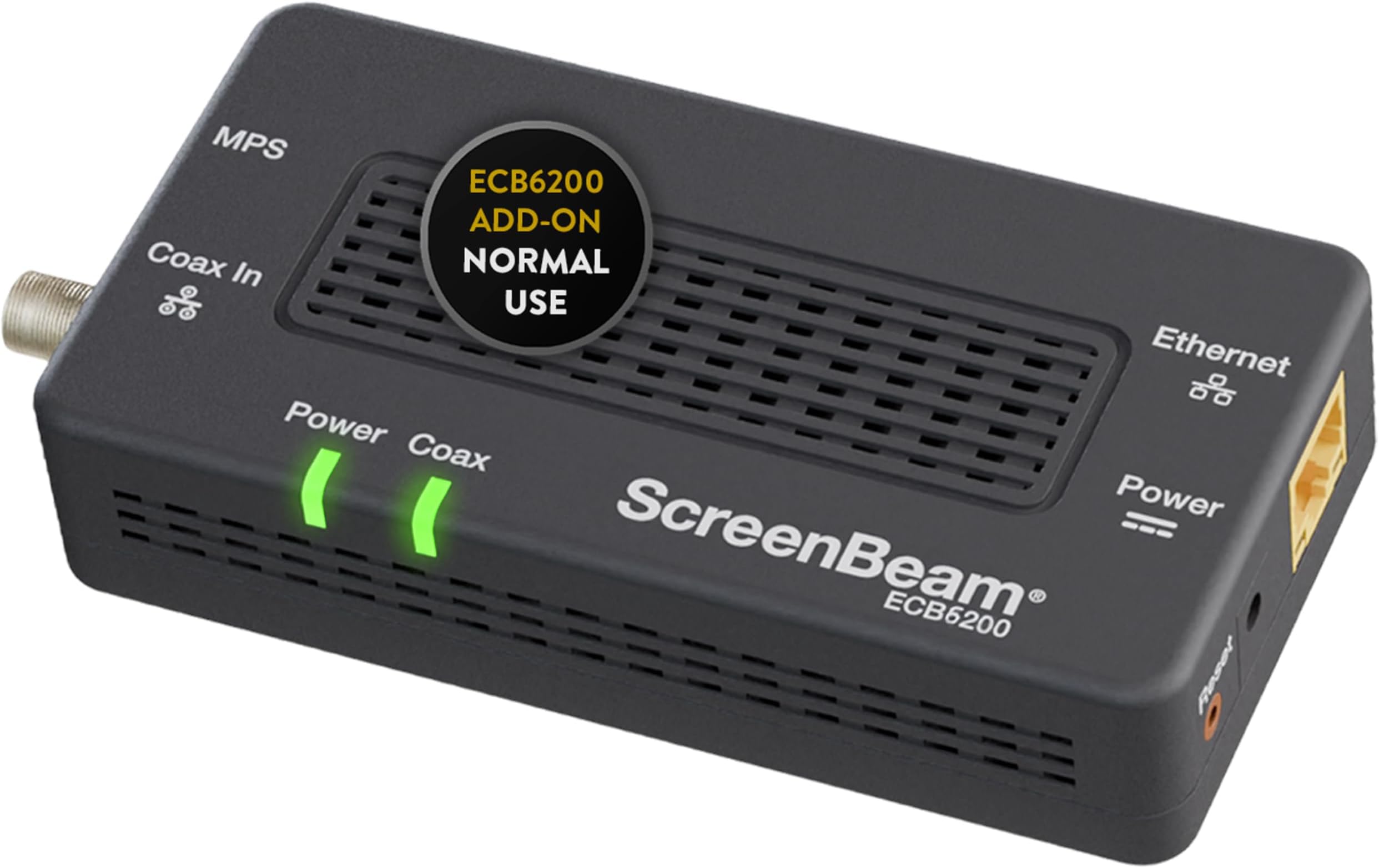
The ScreenBeam ECB6200 Bonded MoCA 2.0 Network Adapter transforms your home's existing coax wiring into a powerful 1Gbps Ethernet backbone, delivering ultra-fast, low-latency, and secure internet connectivity. Ideal for gamers, streamers, and professionals, it supports up to 16 devices on one network and offers plug-and-play installation without the need for new cables. Compatible with most cable providers and routers, this adapter is the smart, cost-effective alternative to unreliable Wi-Fi extenders and mesh systems.


| ASIN | B013J7OBUU |
| Best Sellers Rank | #26 in Powerline Network Adapters |
| Brand | ScreenBeam |
| Built-In Media | ECB6200 Single |
| Color | Black |
| Compatible Devices | MoCA/Ethernet/Wireless Extenders/coax |
| Customer Reviews | 4.2 4.2 out of 5 stars (906) |
| Data Link Protocol | Ethernet |
| Data Transfer Rate | 2.5 Gigabits Per Second |
| External Testing Certification | FCC, UL, MoCA |
| Global Trade Identification Number | 00789286808929 |
| Hardware Interface | Ethernet |
| Item Dimensions L x W x H | 4.5"L x 2.2"W x 1.1"H |
| Item Type Name | MoCA networking |
| Item Weight | 0.3 Pounds |
| Manufacturer | ScreenBeam |
| Mfr Part Number | ECB6200S02 |
| Model Number | ECB6200S02 |
| UPC | 789286808929 |
| Unit Count | 1.0 Count |
| Warranty Description | HARDWARE: ScreenBeam Inc. warrants to the end user (“Customer”) that this hardware product will be free from defects in workmanship and materials, under normal use and service, for the period defined in the product user guide, quick start guide, or retail package, from the date of purchase from ScreenBeam's or its authorized reseller. ScreenBeam’s sole obligation under this express warranty shall … |
J**K
Awesome way to get wired network speed and reliability
These really work well to create wired network speed and reliability utilizing existing physical plant. Our two-story house was built in the mid-nineties. I'm assuming many 1970's to 1990's, multi-story houses are in a similar situation; so I will describe in detail below. As in many houses from that era it has lots of cable jacks (like 1-2 in almost every room). Most are on RG-59 wiring and a few newer ones are on RG-6 wiring. Since the house is two story, getting WIFI to propagate through multiple walls, ceilings, and floors is difficult. We are also at the top of a hill and pick up lots of interference from our neighbors' WIFI routers. Plus the total number of WIFI clients these days limits throughput making WIFI okay for low-bandwidth applications (like smart home devices) but poor for streaming devices. Also, running new wires is basically impossible in rooms that have rooms above them as the plenum is too narrow to crawl (about 6" tall). The mid-90's phone network is pre-Ethernet and as such is a hub network on cheap phone wire not a star network on Cat3 or Cat5 like many newer homes. Basically this meant we had three choices: 1.) use wireless only, 2.) find a way to use existing wiring, 3.) cut open walls to run Cat7. Option 1: WIFI works for low-bandwidth devices, but with so many devices these days (easily about 50 for a smart home) the throughput is very limited. We decided to keep WIFI for portable devices and low bandwidth requirement devices, but go with something else for our streaming devices. Option2: Using the existing wiring to create an Ethernet seems like the best option. I decided to make this happen one way or another. The house had lots of coax and quite a few phone jacks too. I researched options. Phone is limited to VDSL adapters. The problem with these are they are just point to point. So you get one connection and that is it. I wanted to connect all my major streaming point (office computer, game room TV, living room TV, and bedroom TV). So VDSL was a no go. I discovered both MOCA and DECA. DECA is much cheaper, but won't interoperatre with cable. We use a cable modem, which would have meant a lot of work at the cable box to separate all the ports in the house except the cable modem. This would have required running at least one more line up to my attic as the cable modem line was shared with my office line. Also MOCA 2.0 supports about 9 times higher bandwidth than DECA. I decided these two things made MOCA worth a few hundred extra dollar, especially since this is a one-time investment. Option3: Cutting open walls is messy and expensive. I really don't want to do that. Updating my coax network: 1.) I went to the box and installed a MOCA POE filter at the input from the cable company. Don't forget this, or you maybe sending your LAN to your neighbors' houses. You can buy this on Amazon. 2.) I went to the box and also all lines I could reach in the attic and replaced all splitters with new ones rated for up to 2.4 gHz. A two way splitter comes with each Moca adapter (or set of adapters). I used one of these. Likely you need a larger one at the box. I bought a 4 way Moca compatible splitter from BAMF here on Amazon. Don't "daisy-chain" the splitters. Buy the appropriate size. You will get better bandwidth. Also don't skip this step. In doing this I replaced two splitters that were rated to 1 gHz. The Moca 2.0 channels are at 1.0-1.2 gHz. This would certainly have lowered my bandwidth, if I had not done this. The install: I installed five Moca adapters as follows: 1.) One is attached to my router - "coax in" line previously attached to the cable modem input, "tv out" out to cable modem input, Ethernet port to my router's Ethernet switch 2-4.) "coax in" attached to the cable jack by my TV's, "tv out" is terminated with an f-terminator, Ethernet is connected to a 5 port TP-Link Gigabit switch connecting my Fire TV and Smart-TV or Smart DVD player. 5.) Connects my office desktop computer the same ways as 2-4. After bringing my coax network up to date (described above). I just plugged these adapters in and it worked. No configuration needed. After installing my Internet speed tests with a laptop hooked to the switches maxes out at our ISP's limits. A network speed test using a 512mb file copy using LAN SpeedTest Lite shows the following 500-600 Mbs downstream 300-400 Mbs upstream I think the difference in downstream and upstream speeds is due to greater isolation on the output side of the splitters. After the install I was finally able to Steam stream games from my office computer to my FireTV in my Game Room.
C**Y
Flawless 4k steaming; Nearly gigabit speeds; Amazing!
I'm going to focus my review on some of the questions I had before purchasing. For some context, I have comcast 200 megabit download, 10 megabit upload. I purchased this product to get a wired connection from my NAS to my nvidia shield on my TV for video streaming, as well as a wired internet connection in another room across the house. For both applications, wifi would have been a major performance hit. I am only running through about 30 feet of RG6 coax. My setup involved replacing my 2 way splitter with a 4 way. This caused some loss of power, however the signal at my house is very good and comcast had installed a "pad" that reduced the power so all I had to do was remove the pad to make my signal normal. I was able to verify this through my SB6183 modem login screen. The first question I had when I purchased this was how it would work with the coax passed through the device to the modem, as there is only one coax wall outlet where my modem is located. It works perfectly, I was pleasantly surprised. I was worried the power would be reduced further like a second splitter or it wouldn't work at all, but neither is the case. Works great. The second question I had (which was answered by other reviews but hard for me to believe) was the performance. To my amazement, they perform just as well as a gigabit ethernet cable with the exception of a couple MS of lag. No big deal. Wired my speed test shows 28ms, and through the MOCA adapter it is 30ms. The speed is nearly identical. Im talking identical user experience to using an ethernet cable. I transferred a file from my NAS and it was gigabit speed. I am able to stream 4k content from my NAS on my nvidia shield TV now; something I was not able to do previously. You will need a POE filter for this at the point where the internet enters your house to prevent it "backflowing" through the cable into your neighborhood. Costs $10 and I already had one from the previous home owners having a DVR system that needed one (probably because it also used MOCA). I have tested twitch steaming and gaming through these devices and they work just as well as ethernet. The extra 2-3ms lag is virtually insignificant. You wouldn't know its there without the numbers to confirm it. Too long; don't read: Excellent, almost identical to gigabit performance. Modem can be passed through the device with no power loss. 1ghz splitters are fine, at least for me. Get a POE filter.
M**.
Wow, I am so impressed with how quick and easy this was. So I was doing so much research into these as the wifi has a lot of interference here which sometimes makes streaming choppy. I bought these and it is so simple, you just put a 2 way (***moca compatible**) splitter on your coax before your router, run one coax to your router, the other to this adapter and an Ethernet from your router to the adapter and that's it for this end. Now the other side you just go to any coax outlet, run a coax to your adapter and then pplug in your device's ethernet right into that and.... that's it! I plugged it in and had my tech had on all ready to configure something and play around and nope.. it just worked the second I plugged it in. Honestly I am thinking this is a better set up than using wifi, especially for old people, no passwords or fussing around just plug and forget about it. I attached a picture of the speed boost I got from switching, it doubled my download speed to what it actually should be! So things they don't tell you is you'll want: a POE moca filter at your coax coming in to keep the moca network in and other people's out, an extra coax to run to your router (as the old one is now going to the splitter and one included goes to the adapter) and lastly the 3 way splitter but make sure it is one that works with moca as your standard ones don't work with those frequencies I guess. Hope this helps someone!
M**R
Funktioniert direkt, keine Konfiguration von Nöten. Durchsatz 650Mbit über 3 Etagen. Verbesserungswürdig. 1. APP für ggfs die Firmware upzudaten 2. Netzteil dabei (US) aber nicht jedes externes 5V Netzteil (2A) wird akzeptiert (Power Leuchte blinkt in diesem Fall)
A**R
In my house, the UHF TV signal is distributed throughout the house by a 12 way distribution amplifier fed from a log periodic aerial in the loft. There is a restrictive covenant covering all houses on the estate that prohibits any aerials other than satellite dishes and these must be fitted below the roof line. My house is in a dip and out of sight of the transmitting aerial some 15 miles away. The signal can be intermittent and prone to distortion especially in certain weather conditions. To provide a good signal to the two main reception rooms I used an existing SkyQ satellite dish to receive Freesat satellite signals. This meant that the two coax cables from the distribution amplifier in these rooms are not needed. However, a consistent high speed network feed for streaming is essential. This led to a decision to unplug these coax cables from the distribution amplifier in the loft and connect them together so that there is a continuous coax cable between the lesser reception room which houses the FTTP (Fibre to the premise) broadband feed and the main reception room. They are 15m apart. Initially, I purchased the ScreenBeam starter pack of MoCA Network Adapters (ECB6250) and they were an immediate success. Installation is very simple and quick. I had the link working in ten minutes. I was so pleased with the setup that I then purchased an additional single adapter to connect the Office computers to the net. I replaced the coax cable connector in the loft with one of the splitters included with the kits and then connected the Office cable to the splitter. I was delighted with the results. The average of a series of Ookla broadband speed tests using the computer in the office returned a download speed of 941 Mbps and an upload speed of 110 Mbps. If you are interested in using these MoCA adapters I would suggest using F Type cable connectors throughout. In my setup, the coax cables to the distribution amp were already F Type and I replaced the face plates in the Reception rooms and Office with F type faceplates. Also you will need to purchase USA to GB plug adapters as the kits come from the USA. That said, service from the company via Amazon was outstanding and the units were delivered within days and update information was timely and informative.
M**R
Plug and Play at its best... Abgesehen davon, dass das Netzteil mit US Stecker kommt (entspr. Adapter für DE Steckdose wird benötigt) ist es wirklich mit Einstecken getan. Sofort Verbindung aufgebaut, Surfgeschwindigkeit subjektiv deutlich besser als mit WLAN). Und das Gerät ist auch kompatibel zu den bei mir vorhandenen MoCA 2.0 Adaptern von Kiwee, die ich leider nirgends mehr bekomme. Lediglich der Preis scheint etwas übertrieben; aber immerhin habe ich jetzt eine stabile Internetverteilung, die bei mir deutlich zuverlässiger ist als Powerline (da hatte ich ständig Abbrüche).
G**!
IF you've gone from coax cable to internet based TV boxes, this is for you. I use these because the performance of the TV signal over WI-FI sucks badly, so you have a choice, use the hardwired Ethernet port on the cable TV box. Then this is what you need. Ultra easy to use and perfect Ethernet data transmission. These are well made units and correctly engineered for performance out of the box.
Trustpilot
3 weeks ago
1 month ago