Desertcart purchases this item on your behalf and handles shipping, customs, and support to Seychelles.
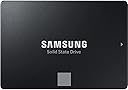
🚀 Upgrade your storage game with Samsung 870 EVO — where speed meets endurance!
The Samsung 870 EVO 4TB SATA III SSD delivers professional-grade performance with sequential read speeds up to 560 MB/s and write speeds up to 530 MB/s. Its 2.5-inch form factor fits seamlessly into laptops, desktops, and NAS devices. Built on advanced MLC V-NAND technology, it offers exceptional endurance rated at 2,400 TBW, ensuring long-term reliability. Compatibility tested across major platforms and backed by a 3-year warranty, this SSD is the ultimate upgrade for professionals demanding speed, capacity, and durability.


| ASIN | B08QBL36GF |
| Additional Features | Auto Garbage Collection Algorithm, MLC V-NAND Technology, Up to 530 MB/s Sequential Write Speed, Up to 560 MB/s Sequential Read Speed |
| Best Sellers Rank | #8 in Internal Solid State Drives |
| Brand | Samsung |
| Built-In Media | Solid State Drive |
| Cache Memory Installed Size | 32 |
| Color | Black |
| Compatible Devices | Laptop, Mac, PC |
| Compatible Video Game Console Models | Sony PlayStation 4 Slim |
| Connectivity Technology | SATA |
| Customer Reviews | 4.8 out of 5 stars 45,558 Reviews |
| Data Transfer Rate | 6 megabits_per_second |
| Digital Storage Capacity | 4 TB |
| Enclosure Material | Nand Flash |
| Form Factor | 2.5-inch |
| Hard Disk Average Latency | 4.17 milliseconds |
| Hard Disk Description | Solid State Hard Drive |
| Hard Disk Form Factor | 2.5 inches |
| Hard Disk Interface | Serial ATA |
| Hard-Drive Size | 4 TB |
| Hardware Connectivity | SATA 6.0 Gb/s |
| Hardware Platform | PC |
| Installation Type | Internal Hard Drive |
| Item Dimensions L x W x Thickness | 3.94"L x 2.76"W x 0.27"Th |
| Item Type Name | SSD Card |
| Item Weight | 3.04 ounces |
| Manufacturer | Samsung |
| Media Speed | 530 |
| Mfr Part Number | MZ-77E4T0B/AM |
| Model Name | 870 EVO |
| Model Number | MZ-77E4T0B/AM |
| Number of Items | 1 |
| Read Speed | 560 megabytes_per_second |
| Special Feature | Auto Garbage Collection Algorithm, MLC V-NAND Technology, Up to 530 MB/s Sequential Write Speed, Up to 560 MB/s Sequential Read Speed Special Feature Auto Garbage Collection Algorithm, MLC V-NAND Technology, Up to 530 MB/s Sequential Write Speed, Up to 560 MB/s Sequential Read Speed See more |
| Specific Uses For Product | business, personal |
| UPC | 887276431956 |
| Warranty Description | 3 Years Manufacturer |
A**R
Spectacular SATA SSD
Why I ordered this item: I have an old server that I am using in my homelab. I didn't want to pay enterprise-grade SSD prices (who can afford that now) so I went ahead and bought two of these. I run Linux on that server for a dev environment on a few projects I am working on. Likes: * The 2.5" form factor is perfect for my old Dell R440 server that I tricked out. These are plug and play, with just a little soft RAID config for ZFS. * Power consumption is super low. Compared to enterprise-grade drives, these are perfect for a homelab. * Speeds are off the rip. These do not outperform NVMe drives, but I don't need them to. I wanted something faster than magnetic hard drives, and these (in my soft ZFS RAID1) top out at around 520MB/s for read and write. Perfect for my needs. * I don't write a ton to these, and I backup every night to an S3 compatible repository. I have had zero sync errors with the ZFS pool. * These are silent drives, as all SSDs should be. No likes: * They are pricey now, but well worth it if you need reliable, fast storage. Would I pay full price for this product: Yes Final thoughts: I wish this AI crunch had not messed up pricing on drives like this but they are still worth it if you need large, relatively fast SATA storage for an older server like mine.
D**R
Update: Two (2) years later ... The 870 EVO: The 4TB Unit Is An Excellent Drive. PERIOD.
Update: 07-15-2026 Still Five Stars. Nice and fast ... not a single failure and I'm currently using five (5) internally and two (2) additionally as external USB drives. I love 'em; wish I'd bought a couple of spares. The whole AI thing has driven the purchase price through the roof. Market pricing aside ... these are outstanding drives. =========================================== Update: Two (2) years later. Upgrading (4) star score to (5) stars. All the 870s in both the 4(T) and 2(T) capacity have performed super-well with no performance issues whatsoever. I will also say the same for the 840s and 850s mentioned below. None of those drives have failed either. Nor have they experienced any performance problems. Still running the same file server with a 500GB 850, (2) 4T 870s and a 4T WD Red (mechanical). The Samsungs are outstanding drives. I routinely use them to backup 60-80 GB "image" files and never a hiccup. The file server is now about ten years old and even with TPM 1.2, I'm still running Windows 11 with all Certificates updated past 2026. There is no reason I can't get another five (5) years off the server and do not expect any trouble from any of my drives, either. While I have read of drives failing upon occasion, deeper research suggests to me that users (operators) were likely running those drives so hard, they got hot - really hot. So I would suggest users try and avoid hammering their drives. That said, I love these drives and will use them as long as there are no SMART issues; none to-date on ANY of my Samsung drives. Simply amazing. And I'm running them on every laptop, worlstatio and file server I own. And I'm running them on all my father's PCs as well. No issues either. ********************************************** Storage costs have been dropping recently and I was able to get my 4T unit for about 5.7 cents per GB. Not bad. Before users run out to buy they should be careful to not buy from questionable sources .. sources offering an unusually low price point. The reason being is they may be trying to off-load older 870 EVOs (02/2022 to 11/2022) with flawed firmware. These drives are in my view essentially junk and should be avoided. The firmware version that appears most readily is "SVT0B6Q". That out of the way, the 870 EVO is a great drive. I'm still running 840s, 850s and 860s and NONE of them have failed. Several purchasers have noted difficulty getting Samsung drives to properly authenticate their serial numbers, register as "genuine" or fully function with Samsung Magician (diagnostics, performance and Rapid Mode). What they may not be informing readers is that they are likely trying to utilize the drive from an either an external drive enclosure or a drive "strapping" device/adapter. The Samsungs (none .. including 840, 850, 860) will not fully register in those circumstances if the adapter's controller is NOT an Intel controller. Micron-based controllers are (e.g.) ubiquitous in any number or adapters or "straps" and Samsung SSDs will not fully register in those devices. That being said, adapters or "straps" are still perfectly fine for formatting (only) the drive. Adapters will (also) be unable to perform "Over-Provisioning". The drive will need to be internally installed to the PC (unless adapter has an Intel controller). Once installed, the drive will fully register and become available for all the Samsung Magician operability options. Later this year, I will be purchasing a second 4T unit to replace the #1 storage drive in my file server. Previously running WD "Red" magnetic drives, the 870 Evo consistently writes at 540 MB per second vrs the WD at 160. Since I don't game, faster backup speeds don't require ultra-high PCIe speeds for large file storage which I routinely do when taking multiple back-up images from the various PCs in the home office. Of note, I've had flawless SSD image performance with both Macrium and Acronis TrueImage (all paid versions) in the past. Other than improved time for large file backups, the SSDs also run about fifteen degrees cooler and use anywhere from 55-80% less power depending on state of use (running vs idle). For those looking to squeeze every year of use from an aging power supply, lower power demand likely translates to longer PSU life. I will eventually retain a single magnetic drive in the server but adding a #2 data storage 4TB 870 Evo makes good sense and will help me realize an additional 5-7 years of server life. In that regard, my goal is to get about twelve years before I do another rebuild. My form factor is mITX for those that wondered. You'll get great service from this drive and the price-point low is enough to get most off the fence for the upgrade. The very best of days to all.
F**D
Great quality/great value. Highly recommended.
I got this Samsung 500gb 2.5" SATA SSD to upgrade from the 512gb HDD in an old HP Pavilion laptop (model HP 15-f233wm). It's a perfect fit and works great. It's made the old device MUCH faster and improved the overall performance immensely. I consider myself a functioning illiterate when it comes to computers. So, when I tell you that this drive was easy to install and get working you can believe it. Once I got the laptop open and ready it was an easy process to swap over the new SSD for the older HDD. With the ongoing phase out of Windows 10 I've decided to better educate myself on computer systems by tinkering around with this older laptop that cannot run the newer system (Windows 11). It was recommended to me that, given the outdated system and limited room for improvement, the best thing I could do to upgrade the old Pavilion was replace the original HDD with a newer SSD to improve overall performance. I was a little nervous as I've never done this type of thing before and I don't really have much tech savvy. I watched a few YouTube videos, ordered this Samsung SSD replacement, and got to work. It was a major improvement. The old laptop runs better than it has in years; faster, quieter, overall better functionality. It's still old and outdated but it works well for basic productivity. BOTTOM LINE: I think this is a great product and a wonderful value. I have no complaints at all and I highly recommend it.
G**1
Works Well
I have not taken definitive speed measurements but I've had no failures and they are reasonably fast, but here's the thing, I don't operate the way most folks do. I am a big believer in backups, plenty of backups, spread out over time. I have two PC's, both use raided M2's for the boot drive and RAIDED 2 TB mechanical drives for the data drives. The M2's allow for fast boot the mechanical drives allow for better loss protection. I've been working with PC's pretty much since they came out, as in before Microsoft became the predominant operating system. Mechanical drives tend to give more warning (develop some glitches) before failing, solid state drive tend to give less waning and fail more quickly. Those are tendencies, not absolutes, failure exceptions have happened to me in both cases, i.e., I've used RAIDED SSDs for the boot drive and had one of the SSDs fail to the point that, if the other SSD was unplugged it would not boot the system but while RAIDED it didn't report as a failed, in that case it was not a Samsung drive and the symptoms were intermittent short freezes. M2's and SSDs are flash memory which have a finite number of write cycles, while mechanical drives develop bearing issues or were subject to excessive shock especially during operation (head to platter crashes) and I've also had mechanical drives that developed read/write head problems (click, click, click). Anyway, if a person is prepared and the problem is with the drive, restoration can be relatively painless. To achieve that I use SSD docking stations and Macrium Reflect for backup. Despite using M2's, my Asus mother board will boot directly from an SSD if I tell it in the BIOS to do so (even with the M2's operational and mounted), sweet. I've yet to figure out a was to make my Asrock motherboard to do the same, so if both drives in the M2 RAID failed I would need to use the Macrium rescue disk with a dock station and restore back to a replacement M2 drive or reconfigure fully to allow booting to an SSD. This has been a long way around with a lot of explanation to reviewing the drive, I use a bunch of these for back ups both for the OS Boot and the data drive and so far I've had no problems with operation, or compatibility with the mother board, doc stations or the Macrium software, with the caveat that most of the SSDs are not in continuous operation. I did buy an M2 doc station more recently. I keep a sequential series of backups that date back years. Should I ever chance to get infected with ransomware, I'm not going to loose much. Ransomware can set dormant on a PC for some period of time before activation expressly to also try and infect any backups. I make sure I maintain backups that are old enough that it's very unlikely they would ever all be infected. My two PC are on the same network but they are also isolated from each other. Not only do I have the SSD backups but the important stuff like photos and taxes are also backed up to DVDs. It's pretty hard to encrypt something that a virus can't change. And besides the SSD in the photo I have a couple of M2 backups and a bunch of mechanical drives. The SSDs are great though, take one Boot drive and one Data drive clone, put them in a go bag and should an emergency ever happen requiring an evacuation all that personal and financial history is safe. If you have a safety deposit box, that's an option too. I spend a little more for the Samsung's but I value reliability more than saving a couple of dollars. And.. if a drive is rotated out of operation before it fails, it still makes a good backup to put on the shelf.
N**2
One of the fastest and most reliable SSD's on the market, period...
Samsung EVO is my goto SSD of choice due to their overall read/write speed and reliability -- Other than one time buying a Samsung PRO version several years ago, I have not bought any other Samsung or competitor SSD for any of my computers that I have owned, and I own several Samsung EVO SSD's. I always recommend Samsung EVO to friends or relatives. Compact, very compatible, comes with easy to use Samsung Magician cloning and SSD monitoring software. I cannot recommend Samsung SSD's enough. If you are even somewhat computer hardware savvy, they are fairly easy to install as well. They may not always be the cheapest, but they have proven to be one of the fastest, and most reliable SSD's on the market, period.
K**T
Reliable, High-Quality Samsung SATA SSD
This is a genuine Samsung 870 EVO SATA SSD, and it performs exactly as expected. Installation was quick and easy, and the drive was recognized immediately. Performance is excellent for a 2.5" SATA SSD, with fast boot times, smooth application launches, and consistent speeds. Samsung's build quality and reliability really show here. It's an excellent upgrade for older desktops or laptops and a solid choice for anyone looking to replace a traditional hard drive or a lower-end SSD. Overall, a dependable, high-quality SSD that delivers the performance Samsung is known for.
T**Y
Samsung 870 EVO 2TB Sata3
I installed this drive into a Sata2 based computer to extend the life of a 10+ old desktop computer that is still very functional as a non-gaming work and multimedia computer. My operating system boot drive and additional internal storage drives began to fail so I purchased this SSD to replace the operating system drive. Even though this drive in my situation is running at half speed due to Sata2 motherboard the speed of booting into windows desktop from completely off went from between a minute 40 to 2 minutes just to get to the desktop and then another 7 to 10 minutes for the computer to become usable waiting on all the software to load and startup tasks to complete. Replacing the failing spinning platter hard drive with this SSD it takes around 30 seconds to a usable computer in the desktop, all the background tasks loaded and completed and all the software loaded and running. Writes and Reads are faster than a spinning platter hard drive. All software loads and in general operates faster and in some cases dramatically faster. If you have a SATA 2 based computer and it is working but slow, replace the operating system drive with this SSD and you will get 3 to 5 times speed increase. Even if you have been told that your computer will not support SSD's, you just replace your existing hard drive with this and it will just work. Look at installing the most recent BIOS for your motherboard to give some additional features, possibly, but the drive itself should just work either way. Exceptions to every rule but if Windows 7 or above is running currently on your computer, this SSD WILL WORK. I have the 2 TB drive. Windows 7 and Windows 10 in dual boot. When you format the drive and need to choose between MBR or GPT for the file system and you are running Windows 7 then choose MBR. In BIOS set UEFI AND Legacy Boot OR if you just have Legacy option by itself then choose Legacy or your SSD will not be recognized and will not boot windows. If you have Windows 10 ONLY then choose GPT file format and then UEFI boot in your bios. Windows 10 will also work with MBR and you need to set that if you have less than 2TB of space on your SSD. It depends on the size of the SSD AND the operating system(s) you are running. Samsung Magician Software is GARBAGE and does not work either at all or will randomly stop working and you have to uninstall and reinstall the software. I have tried all versions from 6.3 to 7.1.0 and experienced the same result on my system. You only need it to test to make sure the drive is good and does not have bad sectors and to do a secure erase if you choose to do that. If you have a DUAL BOOT system like I do and use their data migration software to transfer your operating systems to the SSD it will fail or seem to work but the second partition with the additional operating system will be corrupted in some fashion. You MUST test and actually use software and do normal use things in both operating systems before you call it good and working. I had to reformat and reinstall using TWO third party paid software to complete the transfer and have both operating systems working. Even then I had to reinstall several applications that I should not have had to. AND reactivate Windows 7 after a BIOS setting change during testing. Due to the failures of Samsungs Data Migration Software for my unique use case it cost me over 2.3TB of writes to the SSD in less than 60 hours of owning the drive. This comes to less than half a percent of life of the drive for life time writes, but still. Every test I used came back NORMAL. The SMART results for all the SMART log fields that show errors all kept coming back 0 on the raw data column. The speed of the drive over time has actually gotten faster according to CrystalDiskInfo and Mark8. Every test keeps showing Normal, no errors. One of the software I had to purchase to migrate my dual boot disk to the SSD has a backup utility and I have been doing daily and just setup hourly backups but so far there is NO issues at all with the drive in using or test results. I transferred a 1TB disk that was in the process of failing to a 2TB SSD and due to Samsungs crap software I had to do this multiple times, multiple reformatting and alignments which is why the process ate up over 2TB or writes in 60 hours of trying to get a stable dual boot system. Due to custom configuration of both Windows 7 and Windows 10 AND thousands of dollars of PAID software with customizations I did not have the luxury or fresh installs. Also Windows 7 is no longer supported by Microsoft so there are no downloads of that ISO any more. I have paid for BOTH operating systems which are the PRO versions and did not get either one FREE. Eventually I was successful in migrating and stabilizing both operating systems and everything that should work, works. EXCEPT for Samsung Magician which is total CRAP software and has seemingly been very buggy from day one and has never been fixed. It is FREE software but is supposed to be the end all be all for Samsung SSD management. It is not. It is SO buggy they had to role back 7.10 to 7.01 and even that version has issues. Samsung Magician keeps telling me in red letters under the Help Center section that my SSD has Failed LBA. Under the actual Test Logs it shows NO ERRORS and Successful Completion of ALL tests. I called Samsung Support and it was confirmed that the software has a bug that produces this false flag message. As long as the Test Logs show no errors and SMART shows no errors then this is a bug in Magician. After I was satisfied that the tests were showing the SSD was 100% I uninstalled the software. After doing this I opened up a Disk Sector Reader and looked at the Over Provisioning space that Magician setup on the drive and discovered it was NEVER written to. All the sectors were 0's... No data written ever... I just did a speed test and it is showing a few percentage faster than the last test so I am happy with the SSD. Some say this drive fails or that the older drives manufactured before mid 2021 are bad batches. The drive I have was manufactured in December 2021 and was brand new when I received it. SMART is showing '0' for all the Raw Data Columns regarding Failure, CRC Errors, Recovered Sectors and swapping sectors with good - forget the name... it has increased to 3 for Wear Leveling which is the stat that tells you how many times the entire drive has been completely erased. 3 times but this was due to trying to get Samsung Migration to work with my Dual Boot setup and then having to use 3rd party software to successfully migrate my operating systems. 1TB's written and rewritten many times to the 2TB SSD. Through this I discovered that this drive can take a lot of abuse and the end result, the drive has gotten faster. The only thing I am sad about is that the computer this drive is running on is only Sata2 I would like to see what it would be like at full speed. Don't use Samsung's software other than to test the drive is working properly, do a couple weeks of tests on the drive, once or twice a day for a few weeks. If all is 100% and no changes in the ERROR counts in SMART.. uninstall Samsung's software and in the mean time setup daily backups using some software other than windows backup and go until it dies.
C**N
Delivers slightly above advertised speeds…
I have a 1TB I bought many years ago when these first released and it has excelled at everything and still registers through Samsung Software 70% productive. This new one is twice the capacity and actually runs above advertised specs a small percentage. And just like the other, firmware updates are a breeze, and this one shows 100% battle ready. The value now, versus then, is superb; no regrets at this cost whatsoever. I use it as a gaming drive and have turned my 1TB into a development drive. It runs a little warmer than I anticipated, but that’s on me, I bought a pre-built and the cooling is 75% effective at best. Nothing I can do, I will build my own again, this pre-built leaves much to be desired in the cooling department. It hooked up and registered and I had it running in no time. ParrotOS and Windows 11 Pro read it just fine and it runs Forza, Gears 5, No Man’s Sky, Sims 4, and other demanding games with ease. I’m rocking 64GB RAM, AMD Ryzen 7, and a great power supply, so it has everything it needs to push along just fine. Samsung delivered on these drives. I will, in all likelihood, stick with these for my SSD needs. On a side note, the software registered the other 870 with this updated software versus the old version I was running, but it will not, and does not, read the 970 Pro M.2 I’m pushing as my Parrot drive. I don’t know why the software doesn’t work for a similar device, yes the form factor is different, but having to install two versions of software that are near identical annoys me. If you want consistent speed, reliability, chill temps, and peace of mind on your investment, Samsung gives all of that here. Perfection. Outright.
L**A
Compra segura; original; substituiu o HD perfeitamente
Foi o único lugar que eu confiei fazer essa compra internacional. Veio no prazo e sem problemas. Original (fabricação coreana); substitui o meu HD no meu note da Samsung; o Magician identificou na hora o SSD e clonou o HD perfeitamente. Coloquei o SSD e configurei para alta performance. Notebook voando!!
M**D
Funktioniert schnell woe es sein sollte
Perfect
N**N
Super
Geht gut
M**N
Good quality, speed and cost, happy me
Purchased for my daughter’s Christmas gift of a new pc, arrived fast, well wrapped and was exactly as expected. Very pleased with both quality and cost, recommended.
N**E
Best SATA SSD yet at a steal
Having used Samsung SSDs for close to 4 years on my main machine, upgraded laptop and recommending many friends these as boot drives, its no doubt this was an impulse purchase decision that I will not regret to replace my 860 EVO 250GB, whose new role still has yet to be assigned to. I don't have to explain the performance numbers, as you should already have high expectations that Samsung delivers. BUT, I have to admit to you that this SSD should NOT be your boot drive, because I would recommend that you wait for the 970 EVO Plus or even the 980 or 980 PRO to go on sale. NVMe is getting more affordable and the 870 EVO's position should mostly center around laptops that still use hard drives for boot and doesn't have a M.2/NVMe support, and for motherboards that have extra SATA ports at your disposal and you need a drive that is fast and snappy enough to load games, edit videos (assuming you limit yourself to 4K60, because resolutions higher than that may not result in improved timeline performance) and other large files that needs fast access.
Trustpilot
2 days ago
5 days ago