Desertcart purchases this item on your behalf and handles shipping, customs, and support to Seychelles.
🖨️ Elevate your home office with pro-grade photo printing that turns moments into masterpieces!
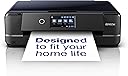
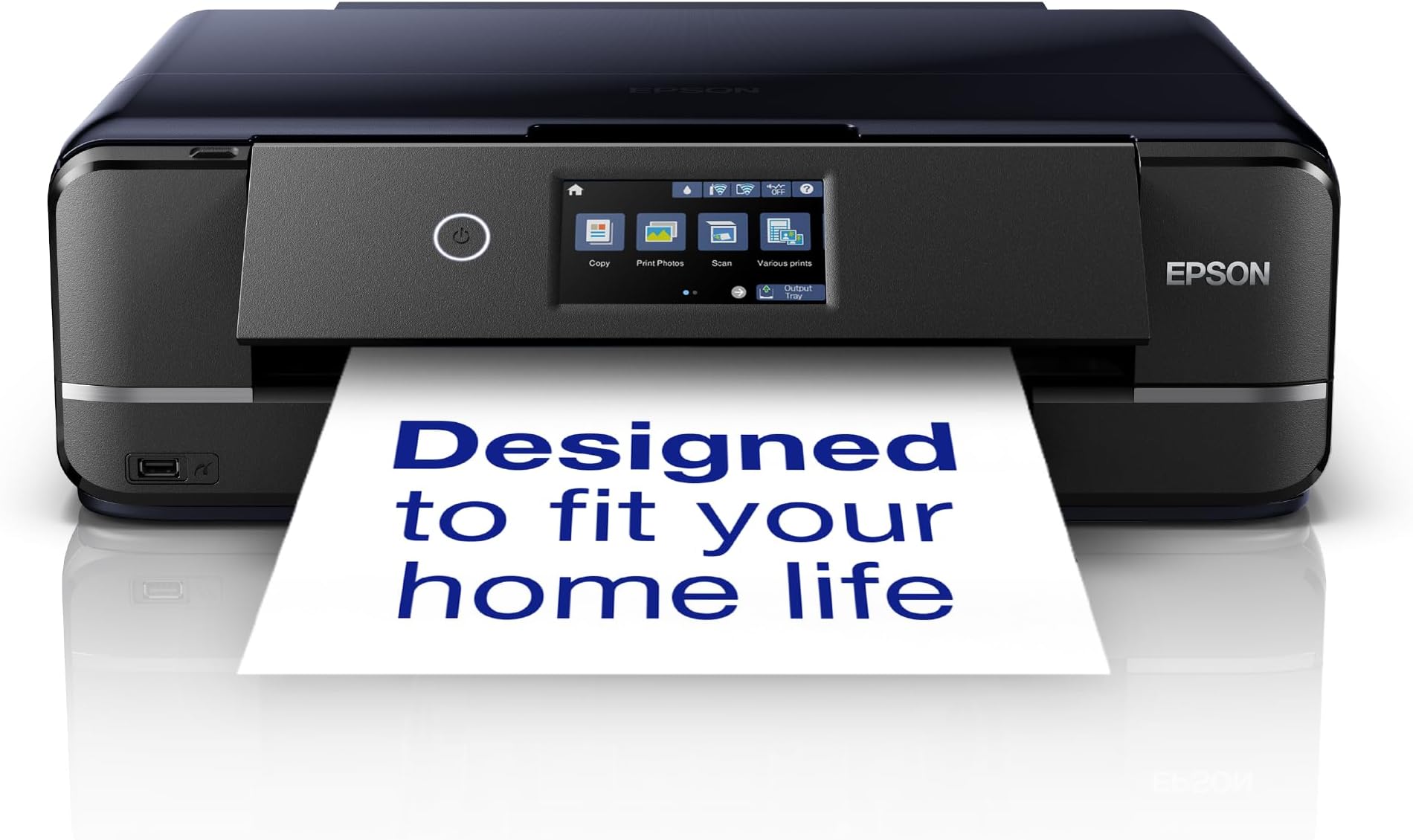
The Epson Expression Photo XP-970 is a compact 3-in-1 wireless inkjet printer designed for home and small business use. It delivers high-resolution prints up to A3 size using a 6-color Claria Photo HD ink system, ensuring vibrant, long-lasting photos. Featuring a 10.9 cm touchscreen, dual front-loading trays, and specialty media support, it offers versatile printing, scanning, and copying. Wireless printing via Epson’s iPrint and Creative Print apps makes it easy to print directly from smartphones and tablets, combining professional quality with user-friendly convenience.
| ASIN | B07XZHX1RT |
| Additional Printer Functions | All In One |
| B&W Pages per Minute | 10 ppm |
| Best Sellers Rank | #37,143 in Computers ( See Top 100 in Computers ) #94 in Portable Photo Printers |
| Brand | Epson |
| Built-In Media | What's in the box - Individual Ink Cartridges, Main unit, Power cable, Setup guide, Software (CD), Warranty document |
| Color | Black |
| Color Depth | 36 bpp |
| Color Pages per Minute | 32 ppm |
| Colour | Black |
| Compatible Devices | Smartphones, Tablets |
| Connectivity technology | DisplayPort |
| Control Method | App |
| Controller Type | Android |
| Customer Reviews | 4.4 out of 5 stars 493 Reviews |
| Display Type | LCD |
| Dual-sided printing | Yes |
| Duplex | Automatic |
| Global Trade Identification Number | 08715946668321 |
| Hardware Interface | USB |
| Ink Color | Black |
| Item Dimensions D x W x H | 36D x 48W x 15H centimeters |
| Item Type Name | Inkjet Printer |
| Item Weight | 8.79 Kilograms |
| Manufacturer | Epson |
| Maximum Copies Per Run | 1-99 |
| Maximum Copy Resolution Black and White | 10 pages per minute |
| Maximum Copy Resolution Color | 5760 x 1440 DPI |
| Maximum Copy Speed Black and White | 10 ppm |
| Maximum Media Size | A3 |
| Maximum Print Resolution Black and White | 5760 x 1440 DPI |
| Maximum Sheet Capacity | 120 |
| Maximum print Resolution Color | 5760 x 1440 dpi |
| Model Name | XP-970 |
| Model Number | XP-970 |
| Model Series | Expression Photo |
| Model name | XP-970 |
| Number of Trays | 3 |
| Other Special Features of the Product | Wireless,Compact |
| Output sheet capacity | 120 |
| Paper Size | 10 centimeters |
| Power Consumption | 20 Watts |
| Print media | Glossy photo paper |
| Printer Connectivity Type | DisplayPort |
| Printer Output Type | Colour |
| Printer Resolution Vertical Max in Color | 5760 Centimeters |
| Printer Type | Inkjet |
| Printing technology | Inkjet |
| Processor Count | 1 |
| Resolution | 5760 x 1440 |
| Scanner Type | Flatbed |
| Special features | Wireless,Compact |
| Specific Uses For Product | home office, small business, photography enthusiast |
| Total USB 2.0 Ports | 1 |
| Total USB 3.0 Ports | 1 |
| Total Usb Ports | 1 |
| Unit Count | 1 Count |
| Warranty Description | 12 months Carry in |
| Wattage | 20 watts |
H**H
دقة بالطباعة
جميييله ودقة في الطباعة والسعر مناسب جدا انصح فيها وبقوه
S**B
Ok
Good printer and scanner but paper keeps getting jammed so always have to fix it every time you have to print something
S**M
Fantastic product (with a few minor gripes)
UPDATE: Everything below, I stand by. However after using this printer for a few months now it is quite frustrating how slow it is, not slow in actual printing, but slow in getting ready to print, particularly discs. After using the Print CD software, and you press print it takes a while for the printer to realise you want to print something, then it starts making noises, presumably to move internal parts to allow CD printing. Only once it has stopped making noise can you push the CD tray in and then after another adjustment of some kind it will begin to print. From clicking print, to the start of the printing takes about 20 to 30 seconds, Ok so not an absolute age but something I think worth noting. This is an amazing printer, I must confess I am an Epson fan and have never owned any other brand. I bought this purely to print A3 photos and artwork, I own 2 other Epson A4 printers and they have served me well, so stuck with the brand. This is a very smart looking printer, very clean lines, not too big, in fact only about 3cms wider than my A4 but same height and depth. Wi-Fi is simple to set up, took about 3 minutes using push button (WPS) method. Print quality is exceptional, even borderless. The LCD screen is very clear and bright, and very easy to understand and navigate. The front automatically flips up when power is turned on, the paper outfeed tray is also automatic and comes out when needed. It has 3 paper feed trays, 1 at the rear and 2 in the front, this is very useful as you could keep different size papers in each tray, saving you the trouble of swapping paper, you could keep A4 in one tray and 6x4 photo paper in the other, the rear feed is primarily used for A3 although it adjusts to any size. You will need to tell the printer which tray you want to use via the print dialogue box that pops up on your PC (after installing the supplied software) Make sure you set correct paper size. The minor gripes. When printing onto A3 using the rear paper feed, you must wait until you have sent the job to the printer, before placing paper in the feed, you can not have paper already waiting in the feed tray, you can only print 1 at a time. You can choose to print more than 1 but you have to go through the same process as printing just one, ie wait until instructed to place paper in the rear feed, this sounds like a headache, but really is not too bad, just time consuming. The CD tray is not motorised as in my (older) A4 printer, possibly lack of room because of the 2 paper trays, this is a minor gripe really as slotting it in is extremely simple, the CD tray is stored below the paper trays at the front. Again not a major issue. Features I have not used yet are printing from SD card using the onboard slot. I have not used the Photo+, nor Photo+ tool, or Scansmart. All of these utilities are on the supplied installation disc. Overall an exceptional printer, smart looking, easy to operate, great features, excellent print quality. Highly recommended.
A**S
اسوأ طابعة شريتها 👎👎👎
تندمت اني شريتها قد شعر راسي حبرها يخلص بسرعه و اذا ركبت لها حبر جديد ما تتعرف عليه بسرعه رغم ان الحبر اللي اشتريه لها حقها الاصلي و تطلع روحك لين يالله تتعرف على علبة الحبر الجديدة نصيحة نصحية لا تشتريها اذا تبي تطبع فيها صور لانها بالكثير ٤ الى ٦ صور و يخلص الحبر طابعة فاشلة
P**.
Good printer with straightforward setup
I bought the XP-970 to replace my XP-960 which had reached the end of its life after giving good results for many years. The XP-970 was straightforward to set up, following the helpful step-by-step guide on the website. It was a little time-consuming while the system did its various initialisations and checks but there were no issues and the print results were good. Delivery was very prompt and all was safe in the original packaging.
Trustpilot
3 weeks ago
2 days ago