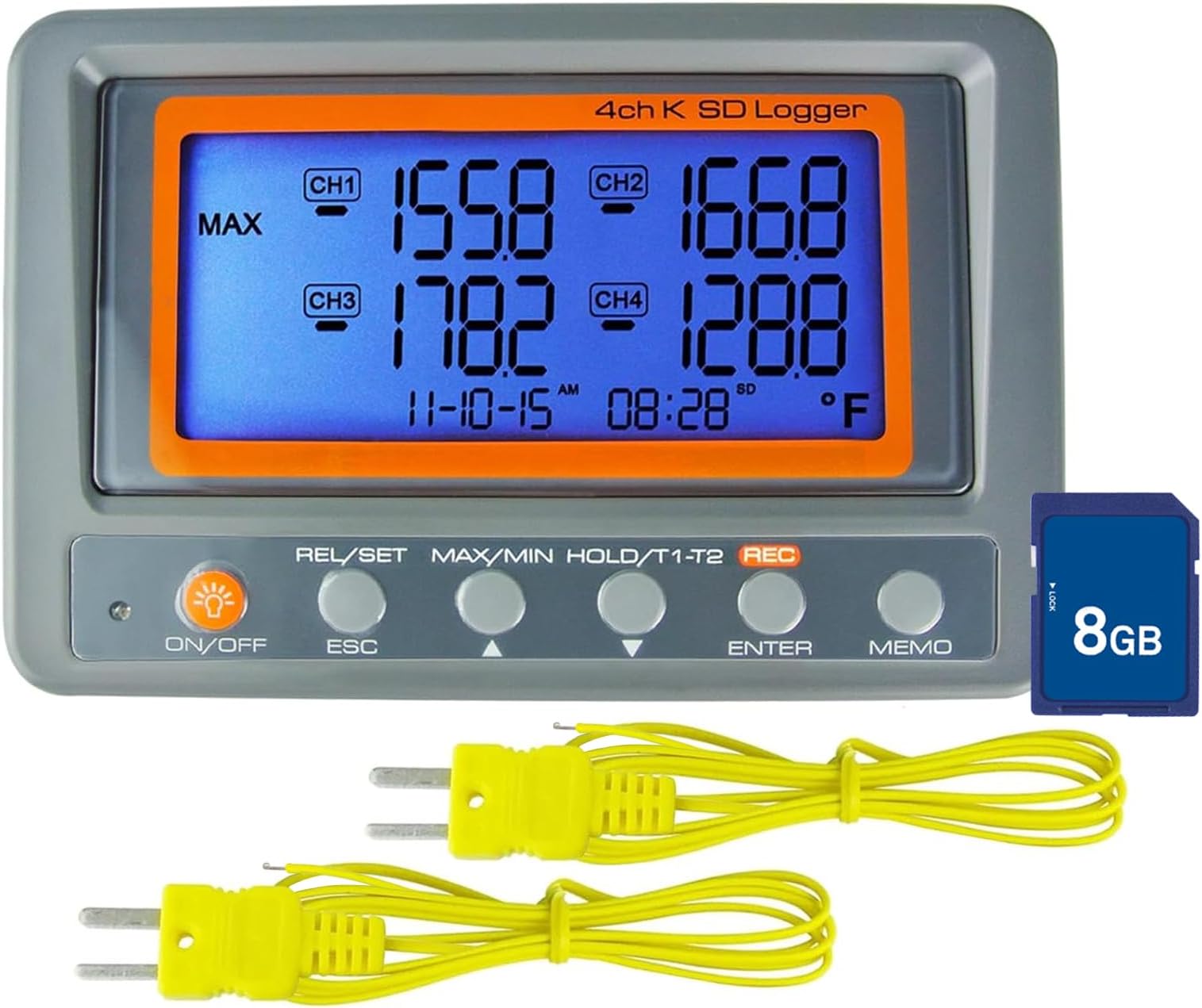
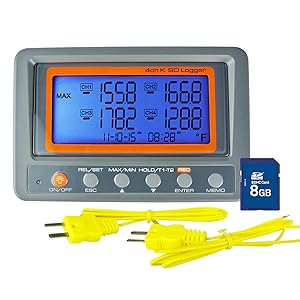
NUTSHELL This is a decent thermometer, and I'm happy with it. BASIC FUNCTIONS - show you up to four connected temperatures - show you two connected temperatures and *the difference between them*. This is called relative mode. - record up to four connected temperatures - have a beeping alarm go off if temperature goes above or below preset limits. High and low limits are independently set for each channel. ACCURACY The thermometer gave readings similar to other thermometers that I have in the lab. See the picture (note that the thermocouple in channel 1 is one I already had, and the thermocouples in channel 2 and 3 are the ones included with the set). For more precise tests, I used the two included thermocouples and two thermocouples that I already owned, taped them into a small vial of water, and did a variety of tests. See the included graphs. When I boiled the water in a toaster oven, the thermocouples that came with the thermometer were noisier than my own, but otherwise they worked as well as mine, down to -78 C and up to 150 C. If you look at the low-temp test graph, you can see that all four readings were in sync with each other as they captured the on/off cycle of the cryo-freezer, but the readings differed on the actual temperature by about 2-3 C. The thermometer has an OFFSET FEATURE that can correct for this, automatically raising or lowering each individual channel by whatever value you set, in increments of 0.1 C. Notice, though, on that graph, that the offset you would have needed to make the yellow and red lines overlap is different at different timestamps. Several times glitches happened, as can be seen in the high temps graph, the green data. (Both yellow and green data came from thermocouples in the same glycerol vial, but the yellow gave a smooth, accurate heating curve, while the green data jumped around semi-randomly). These glitches happened with both the included thermocouples and my own. The glitches seemed more likely to happen in channel 3 and channel 4, but I didn't do enough tests to be sure of that pattern. Some of the glitches were definitely from thermocouple placement (such as being in contact with metal somewhere between the thermometer and the test vial), although at other times I couldn't find anything definitely wrong with placement. There's not quite enough evidence for me to conclude that there's anything glitchy about the thermometer itself. In practice, I'm confident that as long as the initial setup and beginning readings show no glitches, it will continue to not have glitches if I don't move things around. I've left the thermometer recording temperatures continuously for the past month, for my current scientific experiment, and every time I glance at the display, the temperatures are on track and not glitchy. RECORDING The thermometer CAN record in either C or F. It canNOT record in relative mode, when it's showing two temperatures and calculating the difference between them. The display automatically turns off when recording starts, but you CAN turn it back on, by **pushing the max/min button**. (But see the note on handling; it usually takes me several tries to get this to work.) As one would hope, the thermometer stays on during recording; that is, the auto-shut-off feature auto shuts off (but returns after recording is ended). I used a power cord (NOT INCLUDED) rather than test how long the included batteries lasted. Recorded temps are saved to the SD card in the form of .txt files. When I import them into GoogleDocs, it separates them into the following columns: MN/AT date time int 1ch 2ch 3ch 4ch unit It is slightly annoying that the import process doesn't separate the MN/AT column (manual vs automatic) from the date column, but such is life. "int" is the time interval that you told the thermometer to record at, which makes it redundant with the actual time values, but who cares. "unit" is C or F. When I recorded temps for 3 hours, 5 minutes, and 28 seconds, it produced a file that was 735 kb. At this rate, I could record continuously, every second, for 3.8 years before filling up the included 8 GB SD card. --recording modes-- Automatic - happens when you press the record button - continues until you stop it - records at whatever interval you have picked in settings [options include 1, 2, 5, 10, 15, 30 sec, and 1, 2, 5, 10, 15, 30, 60, 90 min] - settings includes a way to do a delayed-start recording (which the manual calls "reservation") - files are saved as month-day-hour-min, like "03211344.txt" for a recording that began on Mar 21 at 1:44pm. Manual - happens when you press the memo button - continues until you let go of the memo button (if you hold it down, it seems to record every 2 sec) - file is saved with a name like "azoo1", with all manually-recorded temps going to the same file - I *think* you can record using the memo button while an automatic recording is going, but I did those tests a month ago and now my memory is fuzzy on that point. This is potentially useful for marking a timestamp when something interesting is happening, without interrupting the automatic recording. HANDLING/FEEL Buttons have to be held longer than you expect. A quick press won't do anything, even if you hear the click; it's more like a 2 second hold to "press" a button. See the video. (And maybe 3-4 seconds to "hold" a button.) Getting this timing right often takes me a couple tries. It's annoying, but not the end of the world. The plastic doesn't scream "I'm going to outlast the apocalypse", but if I'm not rough with it, I expect it to last just fine. Navigating the settings menu is relatively straightforward: - HOLD Rel/Set to enter menu - Up/down to navigate options - Enter to look deeper into an option - PRESS Rel/Set to back up a menu level - HOLD Rel/Set to exit menu Reading some of the menu items is tricky; the "nn" for "minute" really threw me for a loop. (See picture). But these can be deciphered with reference to the instructions. The basic menu options are: 1. recording - 1.1 recording interval - 1.2 record at later date 2. alarm (high/low, per channel) 3. offset/correction (per channel) 4. date/time 5. unit (C/F) Note that the date is set in year-month-day format, so Mar 21, 2024 is written as "24-03-21". Most minor point of all: In the settings, if you're on "ch3" and hit down, my intuition says that it should go to "ch4", but instead it goes to "ch2". Maybe your intuition visually lines numbers up with 1 starting at the bottom instead of the top, and thus matches what the thermometer does? And that's basically it. Overall, a good thermometer that I'm happy with, despite a few quirks.