Desertcart purchases this item on your behalf and handles shipping, customs, and support to Seychelles.
๐ก๏ธ Stay ahead of the curveโcomfort and control in the palm of your hand!
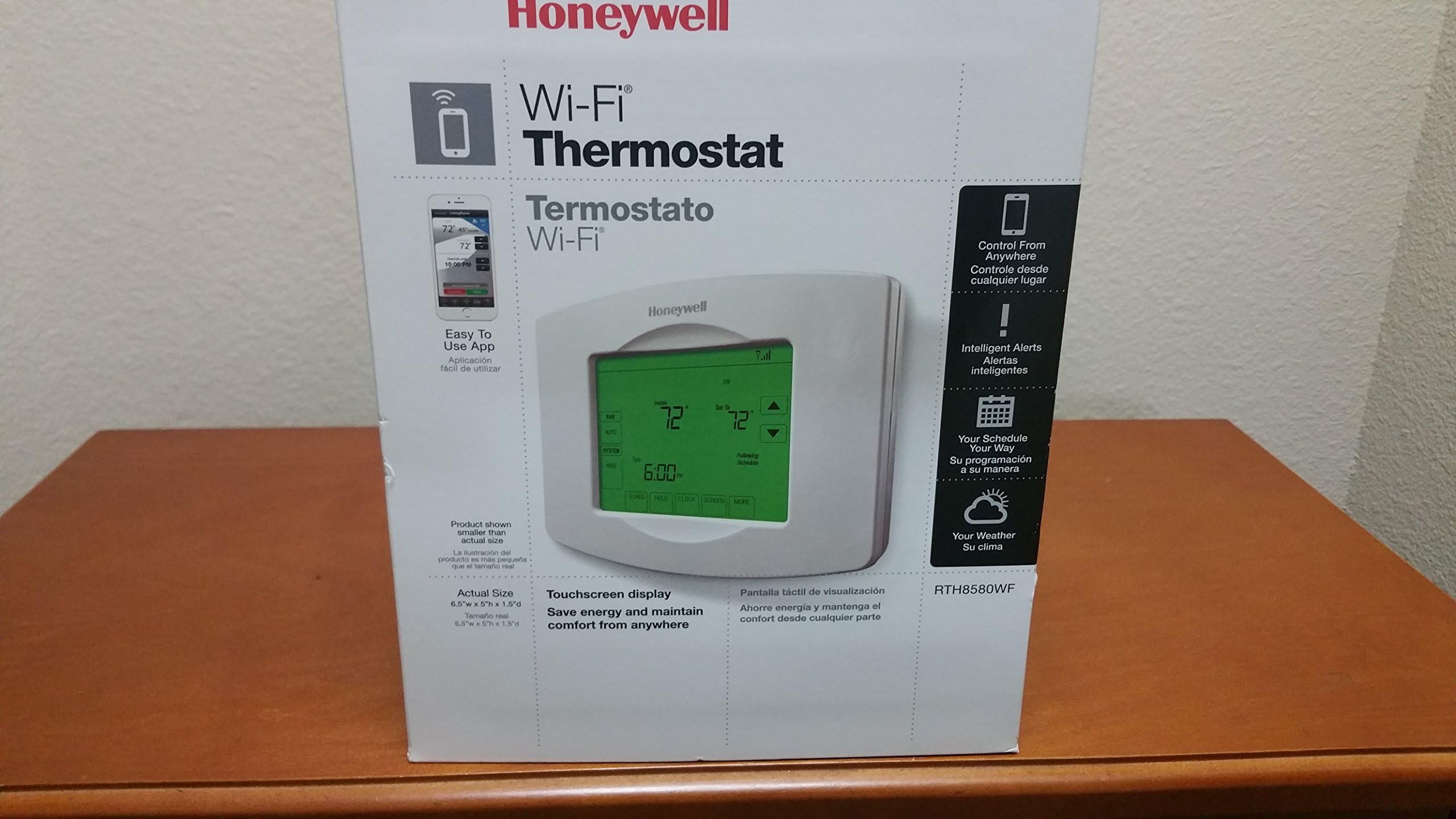
The Honeywell Wi-Fi 7-Day Programmable Touchscreen Thermostat (RTH8580WF) offers millennial professionals a sleek, intuitive way to control home climate remotely via Wi-Fi. Featuring a 7-day customizable schedule with 4 daily periods, Smart Response Technology for energy efficiency, and real-time alerts, it requires a C-wire for power and supports most HVAC systems. Its touchscreen interface and app compatibility ensure effortless setup and control, making it a must-have smart home upgrade for those who value convenience, savings, and modern living.
| ASIN | B00EP6C8UA |
| Additional Features | Programmable |
| Best Sellers Rank | #543,859 in Tools & Home Improvement ( See Top 100 in Tools & Home Improvement ) #580 in Home Programmable Thermostats |
| Brand | Honeywell |
| Brand Name | Honeywell |
| Color | White |
| Connectivity Protocol | Wi-Fi |
| Connectivity Technology | Wi-Fi |
| Control Method | App |
| Control Type | Touch |
| Controller Type | Android , Vera |
| Customer Reviews | 4.0 out of 5 stars 485 Reviews |
| Display Type | Digital |
| Global Trade Identification Number | 00085267556750 |
| Included Components | Thermostat |
| Item Weight | 1.5 pounds |
| Manufacturer | Honeywell |
| Manufacturer Part Number | RTH8580WF1007/W |
| Material Type | RTH8580WF |
| Model Name | Honeywell Wi-Fi 7-Day Programmable Touch Screen Smart Thermostat 9000 Series |
| Model Number | RTH8580WF1007/W1 |
| Mounting Type | Wall Mount |
| Number of Batteries | 1 Lithium Metal batteries required. (included) |
| Number of Items | 1 |
| Power Source | Battery Powered |
| Product Style | RTH8580WF |
| Shape | RTH8580WF |
| Special Feature | Programmable |
| Specific Uses For Product | Furnace |
| Specification Met | Energy Saving Thermostat |
| Temperature Control Type | Heating |
| UPC | 085267994002 085267556750 |
| Unit Count | 1 Count |
| Voltage | 240 volts |
D**E
Easy install no router issues and works perfectly with my ...
*Update been month now with very great service and now the free app has variable time/day scheduling that's not buggy. Love this useful home advancement! Easy install no router issues and works perfectly with my iPhone 6s Plus and my husband's iPhone 5s. Very responsive to immediate app changes (20secs or less) and accurate to the indoor/outdoor temps and humidity as I've compared it to the weather channel app and our home temperature devices. DWe moved into our first owned home this year and even with our beginner home installing experience finding/activating the c wire power source and was fairly intuitive as the directions proved clear. we spent less than an hour setting the whole unit up including app installs on both phones and testing heat/cool programming. Only thing I'd like different is the app doesn't allow for the scheduled programming yet. So you can still do that all standing in front of the unit and setting it up daily for the week in about 10 mins or use the sundown/sun up settings based on zip code and day light savings changes but I'd really love the added convenience of being able to do that on the go with my mobile given its wifi capabilities and how much easy having the immediate access has become. So overall great price and good features with being able to warm the house up in the morning before getting the sleeping monsters up to complain it's too cold and very nice having the house cooled down after a long day outside in the summer heat now I can set it so it's ready to go by the time we make ithe drive home to just bask in the wonderful comfort of our climate adjusted perfectly lovely home together:)
T**M
Nice WiFi Thermostat... Just make sure you have a "C" wire available.
I've got one of the others that is not touch screen at a second home and love it, as it allows me to start up the furnace or A/C on the way there, or set it back if we forgot before leaving, but it was time to add one to our primary home. We prefer the touch screen, so I chose this model. I was aware of the need for a "C" connection, but thought I had done that years ago, or at least had a spare wire. Alas, I had not and the spare wire was already consumed, as we have a two stage furnace. So, what should have been a 15 minute install turned into a 2 1/2 hour install with a trip to buy a spool of new thermostat wire. In my case the 18/5 wire was not sufficient and I ran a new 18/7 wire. If you don't have a dual stage furnace or A/C, you probably already have 18/5 and may just need to hook up the C wire at either end to the right place and you're good to go. It's just worth checking. As I don't really see this as deficiency in the thermostat, I'm sticking with 5 stars. I just want to let folks know they should take a look at what they have and if there is no C connection, either ensure you have a spare wire in that bundle or expect to run some new wire. Once the new wire was in place, it took about 10 minutes to get on the net and configure this guy. Honestly, the best feature here is for the lazy person in me. We live in Colorado and while the A/C is nice during the day, in the evening you can turn it off and open up the windows. Sometimes we forget before heading up to bed, and now I can do it from my phone! :)
R**T
Worked very well for a while - good price
*** UPDATE 4/24/2013 *** One of my thermostats suddenly lost communication with Total Connect Comfort. I had e-mail alerts set to notify me if this happened for over 2 hours, and today it did. I checked everything on my end and thermostat was still connected to my Wi-Fi network with full signal strength. I had been surfing the internet all afternoon also and had no connectivity problems on my end. I called Honeywell about the issue and the person who answered the phone put me on hold for about 10 minutes while he was researching the problem. When he came back, he asked me to remove the thermostat from the wall, wait about a minute, then re-attach it. Doing so caused it to re-connect to my network and then the connection restored itself in Total Connect. My question to Honeywell was why would it have lost communication in the first place, given that I show it connected with full signal strength and no connectivity problems on my end. He said it could have been weak signal from my router, which I assured him isn't the case and even if it was, surely it would have re-connected at some point within the 2 hour period that it claimed it couldn't communicate. I advised him that this is a deal-breaker for me, since this is the only reason I purchased these. If I have to remove/re-attach the thermostat every time this happens, then what do I do if I'm out of town and need to control my system and this happens? He had no suggestions, but said if he happened to find a solution he may call me back. I'm not counting on that though, as he didn't seem too concerned about it being a serious problem. I am going to return these and go back to what I was using, since I likely can't count on these being reliable for remote control. It's really a shame, given that when they work they are great! Sadly, I will have to lower my rating to 1-star, given the complete failure of remote connectivity and no way to remotely resolve it. *** ORIGINAL REVIEW *** I replaced my existing high-end White Rodgers 90 Series Blue touchscreen thermostats with these due to wanting the ability to monitor and control my HVAC system over the internet. This was a somewhat difficult decision, as my existing stats were very nice and feature-rich (just no WiFi). I swapped the stats with ease and had these up and running within minutes. The setup process was very easy; the thermostat becomes its own network, which you connect to in order to join it to your own network. The process is very simple; just connect to the thermostats network from a tablet or computer, open your browser and go to [...] You then select the network you what to connect it to and enter the password. It then connects and joins the network. You then create a total connect comfort account, which is different from a total connect account (for those who already have one this is useful to note). After you create the account, you can add locations and then add the thermostats by entering the MAC ID and MAC CRC numbers included with them, and also displayed on the top line of the display screen during this part of the process. The whole system work very well. I can control everything from anywhere, as well as monitor the temp. and set and change schedules. The interface is very nice and easy to use. The thermostats themselves are also nice looking and easy to read (not quite as nice as the White Rodgers, but still very nice.) My only complaint about the overall look of the screen is that the backlighting is not uniform across the entire screen; it appears to be brighter in the lower-right corner. Overall, it's not too bad though - I'm just spoiled by the beautiful blue backlighting I had on the White Rodgers 12 sq. inch touchscreens. I'm very happy with the temperature control that these provide, as well as the adeptive smart response technology, which is an improvement over most other stats. It maintains the setpoint within 1 degree, which is very nice. It also 'learns' how long it takes your system to recover to desired setpoint when changing from one schedule period to another and makes adjustments to pre heat or cool accordingly, making for better comfort. The stat also allows many installer configuration options. These require you to have the manual in hand to look up what the different numbers mean, as they correspond to each option. This is different from the White Rodgers, which you can program pretty much without the manual, especially once you've done it at least once. Also, these thermostats do not have programmable fan options (for some reason, which I can't understand since the fan is electronically controlled). I miss that from my old ones, which had AUTO / ON / PROG (which would run on 10 min / off 20 min if no call for heat or cool for one hour.) It also allowed the fan setting to be part of the schedule (AUTO or ON during specific schedule period). These also do not have any password lockout or temperature limit capabilities, but I no longer need that and having remote control is a better plus anyway. All and all, I would recommend these, especially given the quality and convenience they offer for the price.
D**.
Great thermostats. Easy to use. Wifi setup is clunky.
This thermostat was recommended by our HVAC guy. We originally wanted a NEST or something similar, but people seem to have all kinds of issues with the wiring not working for various reasons and we didn't want to risk it. We also looked at Z-Wave options, but nothing looked reliable enough. In the end, we just couldn't reconcile the $250 price tag of the Nest and we didn't need the convenience of Z-wave control, especially when Honeywell has a good app and we really don't change the settings very often. The thermostats installed in about 30 minutes. This includes running new thermostat wires so we could get the common wire for power. My favorite thing is not having to replace a bunch of batteries all the time. The User Interface (UI) on the screen is easy to understand. You can set up the thermostat quickly. Setting up wifi takes a little more time. If you want to use the app or the Honeywell web controller, you first need to set up a Honeywell account on their web site. Once you have an account, you can set up the wifi connection. This process could use a re-design. The user manual was clear and the process works, but the process itself seems long and clumsy. Basically you need to tell the thermostat the name of the wifi in your home. To do this, you cannot use the screen on the thermostat. Instead, Honeywell has you use the thermostat's built-in web page. To do this, you need a wifi device such as your phone or a tablet. You open the wifi selector on your device and connect to the thermostat's wifi service. Once you connect to the thermostat, you open a browser and you see the thermostat's built-in web page (similar to the way you log into your wifi router). On this page you can tell the thermostat which wifi to use in your home. Here's the thing: The screen on the thermostat is large enough to display a list of wifi servers, so I don't understand why they didn't just include a wifi selector on the thermostat itself. Oh well. Once you've pointed the thermostat to your home's wifi, you need to register the thermostat on the Honeywell web site. This will connect the thermostat to the account you created earlier. To register the thermostat, you will need 2 codes (found on a slip of paper in the box). You can even give your thermostat a unique name. PRO TIP: If you buy multiple thermostats, make sure you mark the thermostats and the slip of paper so you know which codes go with each thermostat. Also, be sure to give them unique names on the web site. These names show up in the app. Once we get everything connected and registered, we downloaded the apps (both iOS and Android). This all worked well, but it felt long and clunky. That said, now we can control our thermostats from anywhere.
S**6
4 week and 1 yr review -- love it
Prior to this purchase I had never installed a thermostat and had zero knowledge of HVAC systems. I spent time reading online how to determine if this thermostat worked with my existing system (my AC equipment is 20 years old so I was quite worried), and I contacted Honeywell and confirmed my wiring setup with them before purchase. Honeywell responded quickly and confirmed my existing wiring would work with this, and told me what wires to connect where to make it work. Installation was very easy, and the only difficulties I encountered had nothing to do with the thermostat and more to do with my own wall mounting issues. I had to drill holes in our plaster wall to mount it, and drilling into old plaster always is scary as sometimes it just explodes, but I was able to install the included anchors without difficulty. Then I discovered my wires didn't have much slack to them, so I had a difficult time getting a couple of them into the wall plate because the Honeywell positioning on the wall was slightly off from where the old thermostat was installed. Once I got the wires connected I just followed the instructions and everything has worked perfectly since then. I did have to change some of the default settings, and the system they set up, while it works, is not intuitivive to anyone -- it absolutely requires the manual to make changes. I needed to configure it for my radiator heat (water/pump), and the "auto" temp control (which will switch between heat/AC to keep temp in a defined range) is not an option unless you make it available through the menus. I assume they did this not to confuse people, because even when the Auto option is available, it's still just a choice next to heat, cool, and off, so it's not as if you are FORCED to use it by enabling it. Setting up the WiFi worked but not as smoothly as I would have hoped -- I used my Macbook Pro to configure it, and the Honeywell website locked up while I was trying to finalize the setup, so I couldn't tell at first if it actually worked. It turns out it did set up correctly, but I could only tell that by looking at the thermostat and seeing that it showed a WiFi connection. Also I've noticed just when walking by the thermostat it seems to randomly at times telling me that it is connecting back to the WiFi when it should never have lost its connection. I have a fairly new and high-quality router that connects by WiFi to multiple devices, none of which just randomly lose their connections. It so far hasn't imapcted my ability to use the iPhone app, however, so I'm letting it go for now. The iPhone app is very nice, and they just pushed out a software update for it to add functionality, including a 5-day forecast. It does NOT let you program the daily schedule, but it does let you change heat/cool/off, fan, shows you current temp and set temp, and let's you change the set temp to something else. When you change the set temp you can make it a permanent hold, or a temporary hold to a specified time at which point it goes back to its scheduled programming at the next scheduled change. There is no vacation mode option in the app, but I honestly think it is not necessary -- when you're leaving you can turn the temp up at home or via the app, and since you can change it via the app you can set it to whatever you want before coming back home. I've tested the app both over WiFi at my house and WiFi elsewhere as well as around town over AT&T, and I always connect to the thermostat within 5 seconds. The thermostat itself does exactly what it is supposed to -- it gives an accurate temperature read, it has enough customization so we can program it how we want, it looks great on the wall, and it is easy to read regardless of the ambient light. I've read mention on the Home Depot website that people didn't like the plastic feeling or that you could feel a little give when pushing on it because of how it mounts to the wall plate. Unless you buy a Nest thermostat plastic is pretty much the choice of material, and and the give is VERY slight, and I have zero concern that it is not stable on the wall. Lastly I will say I ordered this the first day it became available on Amazon -- I think because of a pricing error I received it cheaper than intended, as the day after I ordered it the price on Amazon went from $99 to $199. So apparently I got this cheaper than most/all other customers, which just adds to my satisfaction. I did contact the selling company after installation because of potential problems after installation as I thought I had a defective unit (the WiFi connection issue and one unrelated thing that ended up not the fault of the thermostat). The company was responsive to my concerns and offered to ship another one out free of charge, but I ultimately told them it was not needed as I actually don't think the unit is defective. Overall for the price I think this is as good a thermostat as you can buy, particularly with the WiFi features and the solid quality of Honeywell behind it. It does not have all the features or awesome aesthetics of the Nest (which I almost bought), but it has enough features and a good enough appearance to satisfy 99% of customers at a significantly lower price. ---------------- August 2013 update I've had this for a year now and am very thankful I purchased this and not the Nest. The smartphone app now lets me control everything of real importance, and the iPad app looks great. The Nest still looks slightly cooler and more futuristic, but this one does everything perfectly, and still looks good after a year of use. I've never had a single problem connecting remotely to this thermostat, and it does a great job of the core thermostat functions. Unless you have to have the Nest aesthetics, I can't think of a reason to buy it over this product.
L**L
Game-changer!!!!
I was a bit wary purchasing this thermostat due to reviews that cited complications in setup and operation. But I desperately wanted a wi-fi controllable thermostat because we have 6 thermostats in the house and it's a huge pain every time we travel to set them all (or try to teach my kids how to set them). Amazon's great return policy gave me the courage to give this a try, and I'm happy to report that these are fantastic. Wifi setup could not be easier. I've had all 6 new T-stats operating in my home for about a month now, and have had zero problems. The Honeywell mobile app to control the T-stats is terrific. Details: I chose the Honeywell over the Nest for several reasons: 1) cost -- I needed to buy 6 of them, so the $150 price differential adds up to quite a bit of money 2) motion sensors -- I did NOT want motion-sensing function to determine when we are or are not home (the Nest has motion-sensing, the Honeywell does not). Some of my thermostats are located in rooms that are not used frequently, so the motion-sensor would consider us "away" even though we are home. We also had personal reasons to avoid devices that turn on/off or otherwise change configuration based on motion. 3) Zone dampers -- I don't believe that the Nest can be configured to be compatible with multi-zone systems. The Honeywell is. Our home has one furnace/AC unit with 2 zones on it, 3 zones on a second heat/ac unit, plus 1 A/C only unit... for a total of 6 zones. Although Honeywell's customer service line told me that the thermostat would not be compatible, my heating/AC service company insisted that the Honeywell thermostats were compatible and have installed many of these on similar systems. 4) appearance -- I did NOT find it necessary for a thermostat to be a design item. The Honeywell t-stat is pretty non-descript/non-offensive looking.... I didn't need it to be a thing of beauty. FYI, the green backlight can be configured to be always on, or off, with a keypress turning it on temporarily -- depending on your personal taste. Setup/Installation: Wiring/basic set-up: Because of our complex mutli-zone system, I chose to have our heating/ac service company do the wiring installation. I don't believe they had any issues in the wiring and setup, except to configure the zone panel to work properly with the thermostats. To me, the wiring instructions and videos seemed very easy to follow. Wifi setup: I did the wifi setup myself. I used an iPad and followed the instructions. Could not have been easier. Worked perfectly the first time on all 6 T-Stats. (Our router is a fairly modern N-wireless router with WPA2/PSK/AES security, with a strong password, but no strange characters in the password) Operation/Mobile App: FANTASTIC. Works exactly as you would expect or desire. You can monitor the thermostat from anywhere and make changes (temporary or permanent) from anywhere -- including the room next door, if you are too lazy to walk over. Could not be easier. Thus far has been super-reliable. Will come back and re-post if anything changes. Highly recommend!
D**S
A great buy!
Probably the most useful thing I've bought in some time. The installation was fairly easy. I never installed one before but after reading around it started to make sense. C wire is power, regulars less on color. I did have to look at the power board on the air system because I had a wire that I couldn't figure out where it went. It went nowhere. Perfect. I just tucked it and mounted the thermostat. I did have to call Honeywell a few times because the thermostat is designed to work with most systems. You may have heat or ac or both. You have to tell it your system type or it will not work properly. They helped me get the settings right. Also the unit was still registered with the previous owner. They reset it in their system and boom. I connected it to wifi, downloaded the app and set my schedules. It will learn how long it takes to heat and cool the house and will start up early enough so that at, say 6 o'clock, the house is at what temp you set it to be. At first it would start way too early but now it's adjusted itself perfectly. I will note my gas bill went up but the comfort in my home is well worth the increase. No more temperature fluctuations. The house is consistently 73. A great buy! **Update** I've had this over a year now and can say the thing definitely makes the AC/Heat run more efficiently. It seems once it adjust it timings is when you get to see the difference. The best part is now i almost never notice when the compressor comes on. The old system used to wait so long to come on, i could feel this strong gust of cold air. This one maintains the temp very very well.
S**N
Excellent Product: Reading Full Instructions a Must
I don't write a lot of reviews, more accurately, almost never. I wanted to write about my experience to give back to the feedback community as I heavily rely on them. I want to preface my comments on the product by saying I love it, it works as advertised, and I am glad I saved my money by not getting a Nest 2.0. That being said, getting this set up was hell for me. It was entirely my fault mind you but I almost gave up. I am tech savvy and just got finished with cabling my house for internet. Ego full from a success, I went into this mini project with all the confidence in the world. There was my problem. I saw the quick start guide and shunned the full manual for the noob book that it was. Boy was I wrong. First piece of advice is use the full manual to install your device. The quick start guide is fine but there are a lot of references to the full manual that you absolutely need to follow. They are not suggestions. The wiring is pretty straight forward and shouldn't be a hang up for many as long as you know what type of system you have. I took a picture of my wiring before removing my old unit and it is a good practice in general. I have a very simple 1H, 1C 5 wire conventional (R, Y, W, G, C) system. I got all the wires right the first, second, third, fourth and the final fifth time. When I turned it on and tested it my heat was actually my AC. I was perplexed and actually discovered this at 2am when my house was 58 degrees and I was freezing. At 2:30am I finished re-installing my old device and went back to bed. I was on the verge of buying a multimeter to test out my equipment. I wrote down all of HVAC items serial numbers to see if something was special about them I didn't know. Mind you at this point I had not opened the full manual and again all of this is my fault. Finally I open the book and discover the incredible importance of the system settings within the device. My error was not changes setting 170 to the proper system type. I changed that and magically it all worked. The wifi and website services were never an issue. Those worked right out the box and were very easy. My main take away is to use the full manual and be sure your settings are right. When it says go to page 50 whatever, go there and you will be successful very quickly. Ignore it and you will have major problems like I did.
K**0
Stick With Honeywell
I was looking for a new programmable thermostat and asked a few people who install them to make a recommendation, and every single one of them told me to ONLY buy Honeywell. I wanted a WiFi one that was a 7-day programmable one and this is the model I bought. I only had one issue with it, where it was changing the temperature before the programmed time. It turns out it's a "smart" thermostat that learns how long it takes to get to temperature and takes about 10 days to fully figure everything out. I, however, didn't want this feature as my temperature settings coincide with when the electrical rates changes. Thankfully, Honeywell tech was able to explain how to shut that feature off. I will likely turn it back on in the winter rather than tinker with the program so it will automatically come on earlier on cold days than having to adjust it myself. Bottom line is that I couldn't be happier.
S**S
Exactly like advertised. Very easy to install and use
Exactly like advertised. Very easy to install and use!
Trustpilot
2 weeks ago
2 weeks ago