


Desertcart purchases this item on your behalf and handles shipping, customs, and support to Seychelles.
⚡ Print Fast, Connect Smart, Save Green — The B230 Means Business!
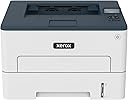
The Xerox B230 Wireless Black and White Laser Printer is a compact, high-speed monochrome printer designed for small businesses and home offices. Featuring 36 pages per minute print speed, built-in Wi-Fi with support for AirPrint, Mopria, and Chromebook printing, it offers seamless mobile connectivity. Equipped with a 1 GHz dual-core processor and 256 MB memory, it handles monthly volumes up to 2,500 pages. Eco-conscious automatic duplex printing and toner recycling programs minimize environmental impact, while robust security features protect your data.
| ASIN | B09HRKCKFJ |
| Additional Printer Functions | Print Only |
| B&W Pages per Minute | 36 pages_per_minute |
| Best Sellers Rank | #58,551 in Office Products ( See Top 100 in Office Products ) #66 in Laser Computer Printers |
| Brand | Xerox |
| Built-In Media | Power Cord |
| Color | White_Blue |
| Color Pages per Minute | 36 pages_per_minute |
| Compatible Devices | Smartphones |
| Connectivity Technology | USB, Wi-Fi |
| Control Method | Remote |
| Controller Type | Android |
| Customer Reviews | 3.7 out of 5 stars 226 Reviews |
| Display Type | LCD |
| Duplex | Automatic |
| Hardware Interface | Ethernet |
| Ink Color | Black |
| Item Dimensions D x W x H | 13.1"D x 14"W x 9.1"H |
| Item Type Name | Laser Printer |
| Item Weight | 16.1 pounds |
| Manufacturer | Xerox Office Products |
| Maximum Copy Resolution Black and White | 2400 x dpi |
| Maximum Copy Resolution Color | 2400 x 2400 DPI |
| Maximum Copy Speed Black and White | 36 pages_per_minute |
| Maximum Media Size | 8.5 in. x 14.17 in. |
| Maximum Print Resolution Black and White | 2400 x 2400 dpi dots_per_inch |
| Maximum Sheet Capacity | 250 |
| Maximum print Resolution Color | 2400 x 2400 dpi |
| Model Name | B230 Printer |
| Model Number | B230 |
| Model Series | B230 |
| Number of Ethernet Ports | 1 |
| Number of Trays | 1 |
| Other Special Features of the Product | Wireless |
| Paper Size | 3.9 x 5.83 in/99 x 148 mm to 8.5 x 14.17 in/215.9 x 359 mm inches |
| Print media | Paper (plain) |
| Printer Connectivity Type | USB, Wi-Fi |
| Printer Output Type | Monochrome |
| Printer Type | Laser |
| Printing Technology | Laser |
| Resolution | 2400 x 2400 dpi |
| Special Feature | Wireless |
| Specific Uses For Product | home office |
| Total Usb Ports | 1 |
| UPC | 095205069259 |
| Unit Count | 1 Count |
| Warranty Description | 1 year manufacturer |
| Warranty Type | limited warranty |
J**T
Easy setup, works with Mac and iPhone
Retired senior, business closed, long-time Mac user here. I just needed a laser printer with a small footprint, no ink subscription, for general necessities. This is perfect for my needs. It was easy to connect to my wi-fi and set-up with the phone app. I downloaded the driver for my computer (the app sent me a convenient link in an email), shared it with anyone on my home network and we all can print from our own phones or computers. Ignore the complaints about the passwords. The app walks you through everything. Couldn't be easier. And the copies are crisp and black. Nice speed, easily prints 2 sides. Recommend.
A**Y
Displeased
This printer will not print lighter as the toner runs low and give you a little heads up so you can order a new one. Nor will it quit printing (even poorly) all the way until it's ACTUALLY out of toner. Oh no, it quits printing when IT DECIDES to quit printing. Nice crisp printing, then BAM! "Out of toner". Shaking the toner and putting it back in doesn't work like we used to do old school. There's no limping it along and getting those last couple of pages printed you needed for the project. The entire thing becomes a boat anchor when IT decides the toner is too low. The "starter" toner says it's good for 700 pages, but I hadn't even used an entire 500 page ream before it went out, so that was a lie. I just had to order the new toner at a cost of $107... for a $200 printer!!!!!! That's incredibly unethical and a rip-off by Xerox. I'm very displeased at the cost of the toner and the LIE about how much they'll print. I don't know how many pages I'll get from the "3,000 page" toner, but I'm betting it's going to be a lot fewer than 3,000.
K**R
Regret not having know about this type of printer before...!
Liking this printer so far. So easy to use although the setup almost gave me an aneurysm! We finally got.it working with some help and its so much easier than dealing with hp printers and their numerous issues. Never again. I'm staying with this bad boy!
V**F
Relatively inexpensive and met expectations
We have been using an inkjet printer and more often than not, the ink would dry out, requiring replacement of the cartridges. So, because we use our home printer infrequently, decided to switch over to a laser jet style in hopes of better reliability. This is to be determined... The printer connected to our HP and Linux laptops, via the router, relatively easy with a bit of intuition added to the installation instructions. Also, readily connected to our android cell phone. The CD that shipped with it was not required, nor any additional drivers or a USB cable. The quality and speed of print meet our needs. For the price, quite acceptable. Might be worth noting that the replacement ink jet cartridges are expensive and note the physical size of the package to confirm it will fit your application. One star removed because it did not come with a full capacity cartridge.
T**R
Value
Great Value
J**D
Was a nice office printer! Not anymore.
I've had this printer for a few months and switched our internet. It now WON'T connect. I've spent endless hours trying everything on every Xerox help website and even did a chat with them. Apparently I need a cable connected to my Mac to get this reconnected. I don't have that cable and I refuse to buy one so this is basically a worthless printer. Wireless is false. I already purchased new toner for this as well so that's also a big waste of money. This is used for a home business so we print often. It's a shame since we bought this based on the name. Never again.
T**E
A great printer! (so far)
Received this Xerox printer yesterday. It is replacing a Samsung monochrome laser printer that died of old age. It will be a back-up printer, in case our Canon all-in-one goes down. Very well packaged, box contained everything needed to get it installed and printing asap. I used the ethernet port, connected directly to our router. Used the ADD PRINTER function in Windows on 3 computers, desktop and 2 laptops. All work great, took less than 10 minutes per install. I had forgotten how excellent Zerox is at what they do. Very Well Done Xerox!
M**K
Chrome OS works well with this one.
Why is the 8.5X11 paper longer than the tray? You can only load a small amount. I am using a cheap Chromebook for light tabletop use and CUPS configured it easily.
M**L
Works With LINUX
Works for LINUX!! Excellent printer! No subscriptions!! Buyer has total control over printing through web interface. Search through the small display on the printer to get the ip address, add that ip in your browser and you will have more control that you ever dreamed possible. Once in the web interface you can set a static ip to whatever you want. Do not even try to set any settings through the small printer display, just skip through all that and go directly to the web interface and see all the control Xerox provides its customers. Mine is now connected to my network and all connections can print to this printer. Install took 15 minutes with no hickups! You can also handle all security, passwords and well, LOTS more! NO drivers to download and install. I am using CUPS on LINUX and I just opened "printers" from the MINT XFCE menu and printer was recognised and I could adjust print settings there also. I opted for ethernet connection and after connecting to the printer I disabled wifi through the web interface! Believe me, when you get to the web interface you will have so much settings available to you it will be amazing! Simple printer with big impact! Way to go XEROX for putting customer needs first when it comes to simple install and printing! Why can't greedy printer manufactuerers learn from this and put customers first like XEROX does? In the future I will opt for a full color with scanner, but this XEROX B230 is excellent and I am totally happy with my purchase!
C**Z
cumplen con su propósito
Tiene un problema, después de un tiempo se desconecta y desconfigura del wifi. Al imprimir jala más de una hoja! como casí todas las impresoras, pero eso es molesto! el toner es bastante caro, pague al rededor de 2,500 pesos mexicanos. como unos 50 USD
J**Z
Que cumpla mis espectativas
Fue lo que yo quería
C**T
Good printer
Good printer for the price but toners are expensive
A**W
Simple and easy to use.
Solid budget printer. Was a snap to get working in minutes over Ethernet (yep, has an ethernet port) - and bonus, no app required to get it all up. Can't speak for WiFi or the phone app or tech support, but works fine with Linux. I think it's going to be a nice companion printer to my ink jet for document printer. But I do wish it had a proper power switch instead of just going to deep sleep...
Trustpilot
2 days ago
1 week ago