Desertcart purchases this item on your behalf and handles shipping, customs, and support to Seychelles.
🖤 Small size, big impact—print smarter, faster, anywhere.
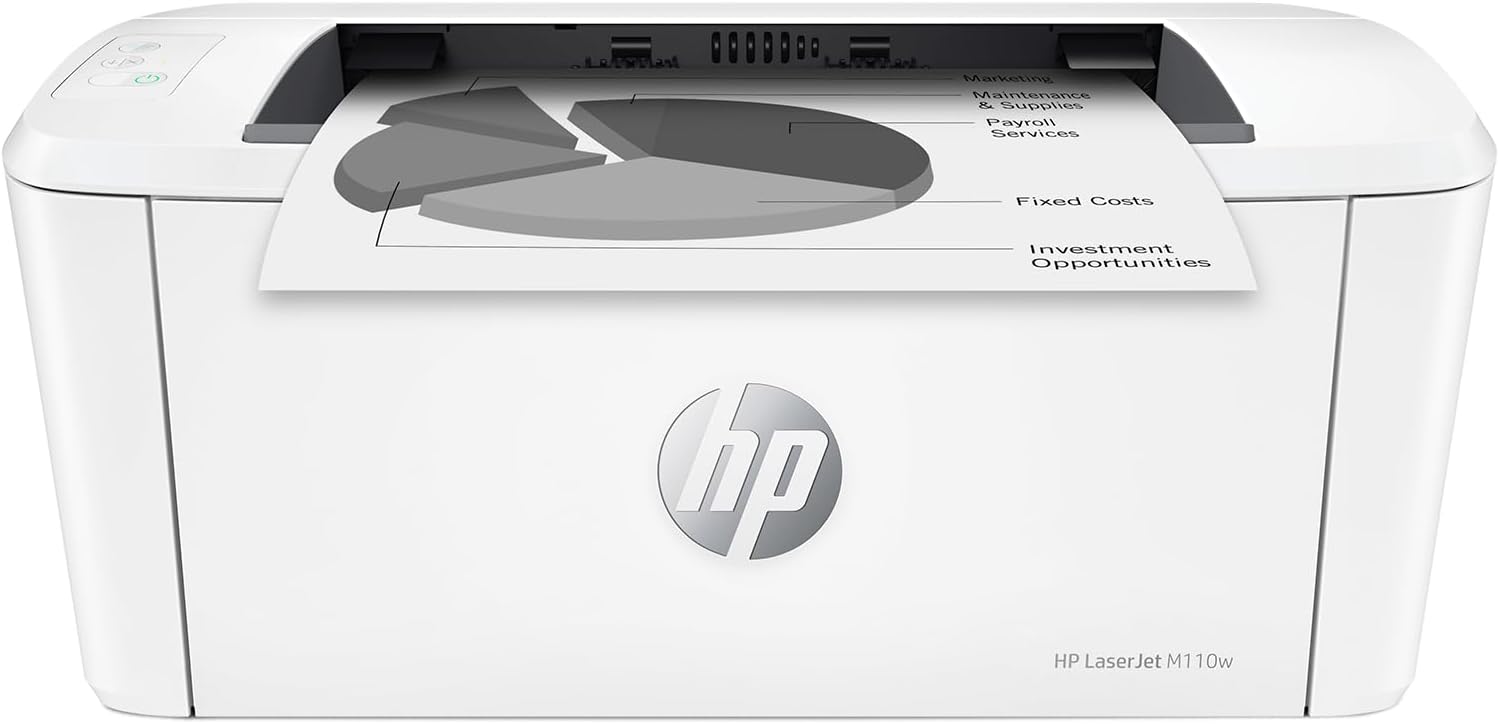
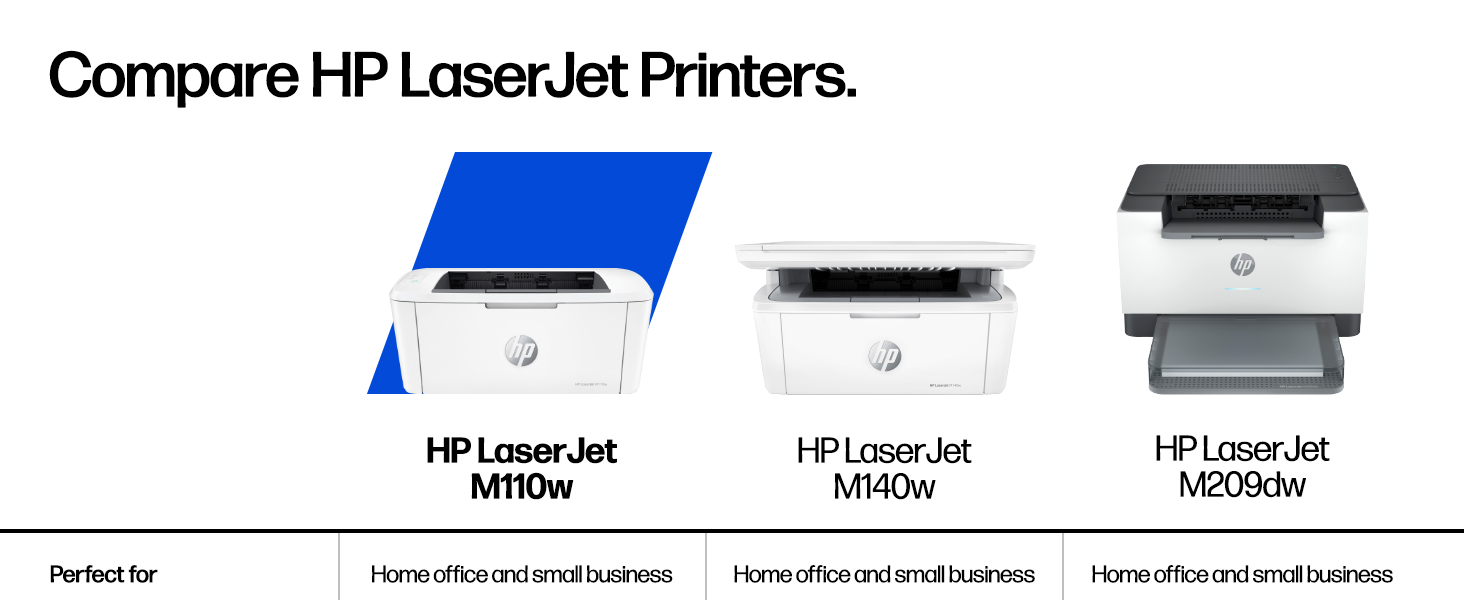
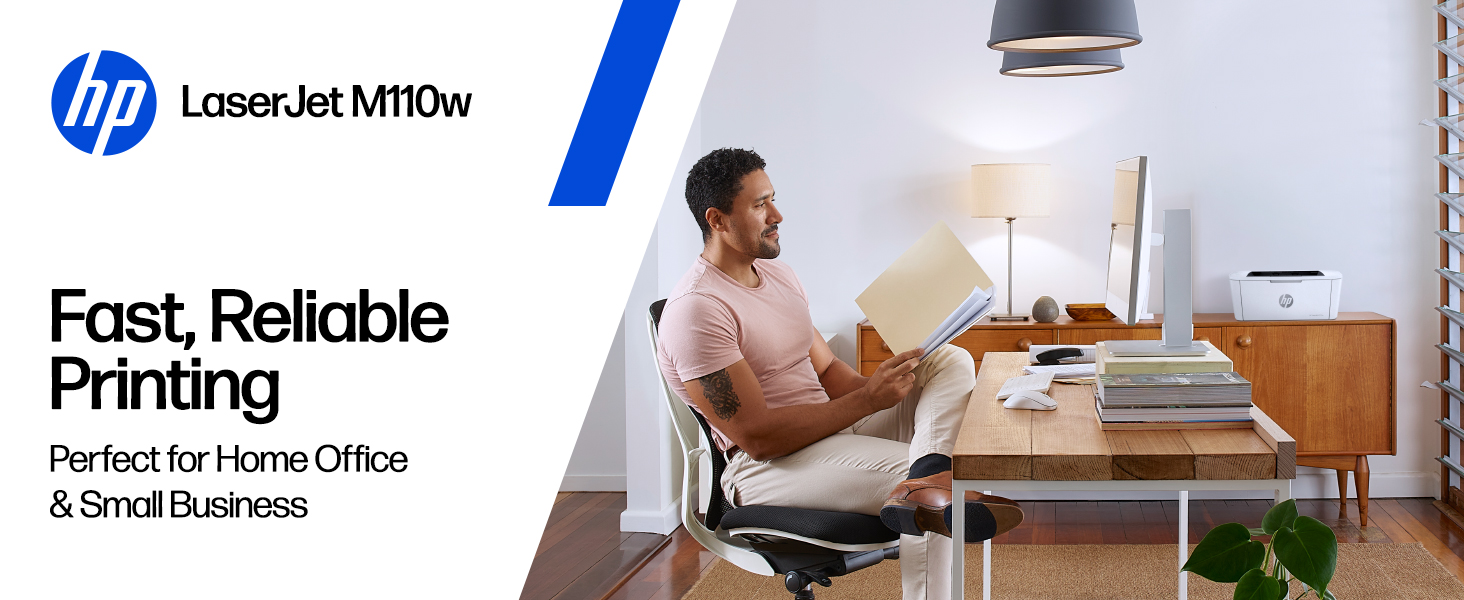
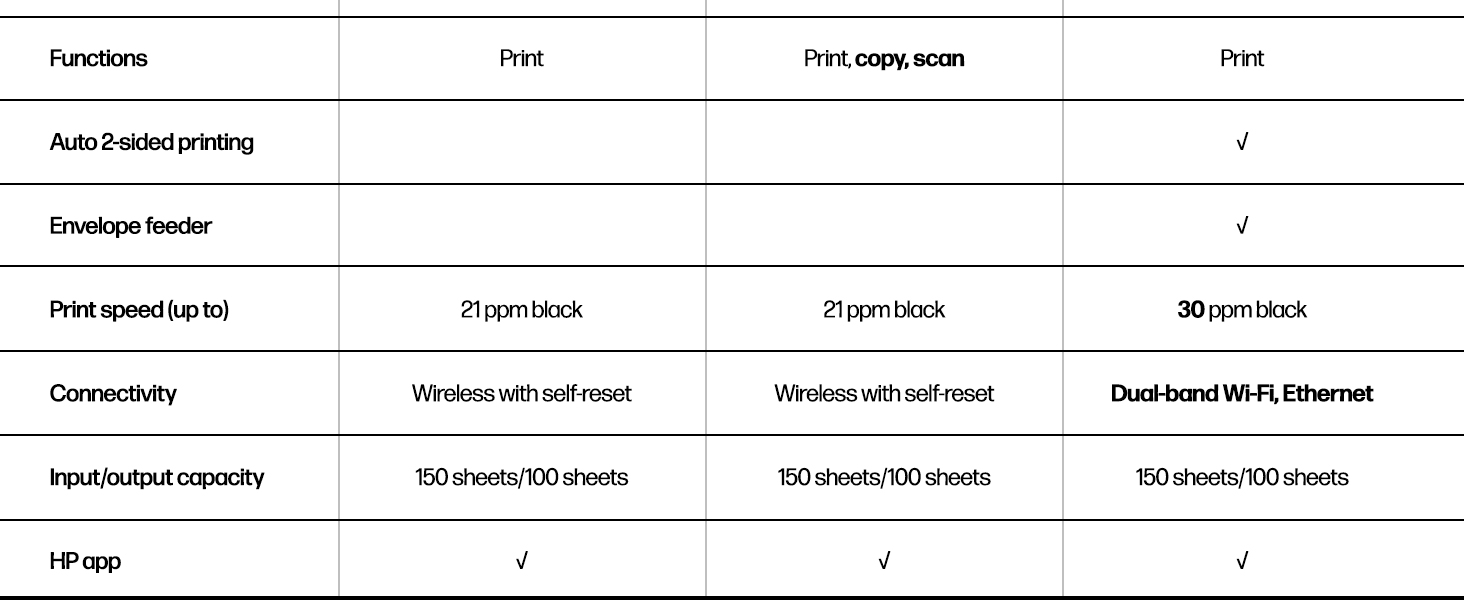
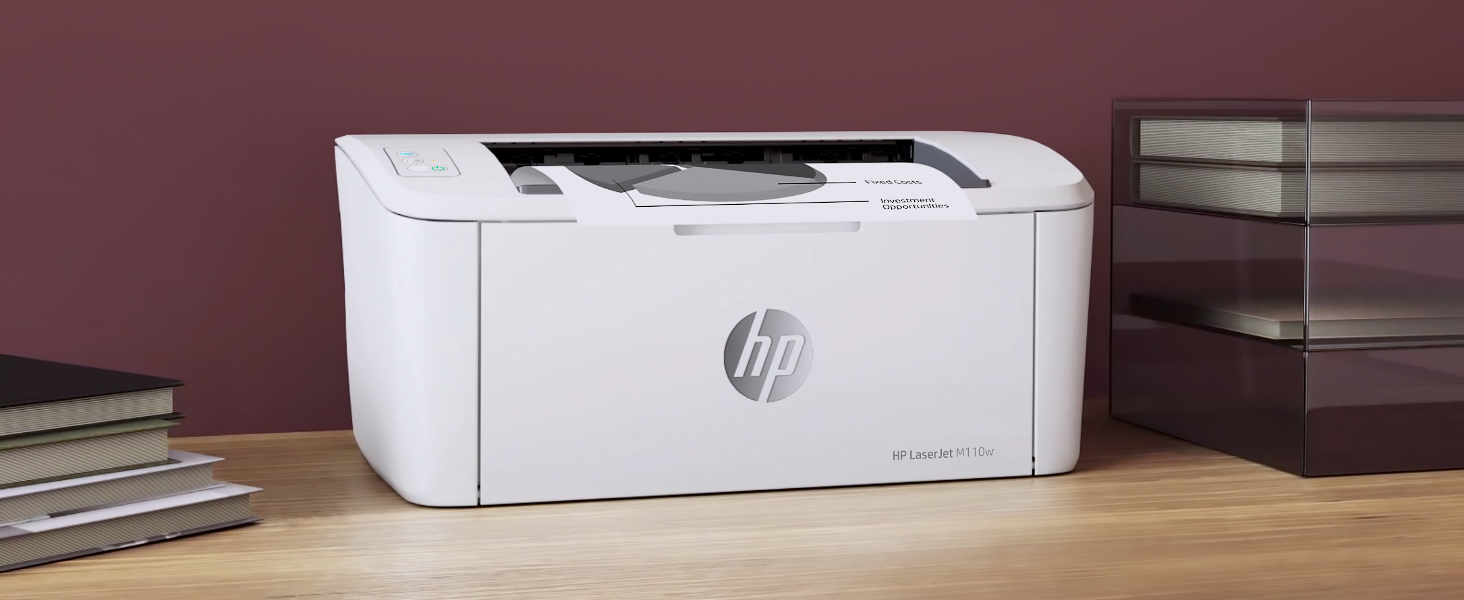
The HP LaserJet M110w is the world’s smallest black & white laser printer designed for small teams and home offices. Delivering professional-quality prints at up to 21 pages per minute, it offers seamless wireless and USB connectivity compatible with all major devices. With easy setup and the HP Smart app, it streamlines mobile printing and scanning while maintaining energy-efficient operation.


| ASIN | B09J7946RJ |
| Additional Printer Functions | Scan |
| B&W Pages per Minute | 21 pages_per_minute |
| Best Sellers Rank | #1,289 in Office Products ( See Top 100 in Office Products ) #2 in Laser Computer Printers |
| Brand | HP |
| Built-In Media | HP LaserJet M110w Printer; Preinstalled HP Original Introductory Black LaserJet Toner Cartridge; Getting Started Guide; Setup Poster; Support flyer; Warranty guide; Power cord |
| Color | White |
| Color Depth | 1 bits_per_pixel |
| Compatible Cartridge | HP Pre-installed black LaserJet |
| Compatible Devices | Laptops, PC, Smartphones, Tablets |
| Connectivity Technology | USB, Wireless |
| Control Method | App, Touch |
| Controller Type | Amazon Alexa, Android |
| Customer Reviews | 4.0 out of 5 stars 2,082 Reviews |
| Duplex | Automatic |
| Hardware Interface | USB |
| Initial Page Print Time | 8.3 seconds |
| Ink Color | Black |
| Item Dimensions D x W x H | 745"D x 13.63"W x 6.26"H |
| Item Type Name | Black and White Laser Printer |
| Item Weight | 9 pounds |
| Manufacturer | HP Inc. |
| Maximum Copy Resolution Black and White | 600 x 600 dpi |
| Maximum Copy Speed Black and White | 21 pages_per_minute |
| Maximum Media Size | 8.5 x 14 inch |
| Maximum Print Resolution Black and White | 600 x 600 dots_per_inch |
| Maximum Sheet Capacity | 150 |
| Maximum print Resolution Color | 600 x 600 |
| Model Name | LaserJet M110W |
| Model Number | 7MD66F#BGJ |
| Model Series | 110 |
| Number of Drivers | 1 |
| Number of Trays | 1 |
| Other Special Features of the Product | Auto Power On, Energy Star |
| Output sheet capacity | 150 |
| Paper Size | 4.13 x 5.83 to 8.5 x 14 inches |
| Power Consumption | 2.3 watts |
| Print media | Card stock, Envelopes, Labels, Paper (plain) |
| Printer Connectivity Type | USB, Wireless |
| Printer Output Type | Black & White |
| Printer Type | Laser |
| Printing Technology | Laser |
| Resolution | 600 x 600 |
| Scanner Type | Flatbed |
| Special Feature | Auto Power On, Energy Star |
| Specific Uses For Product | Office, Small Teams |
| Total Usb Ports | 1 |
| UPC | 194850676994 |
| Unit Count | 1 Count |
| Warranty Description | One-year limited hardware warranty. |
| Warranty Type | limited warranty |
| Wattage | 2.3 watts |
V**R
Finally got a laser and dropped the color
So far so good. I've been using this printer for a few days now and it works well. Set up was okay, easy enough. I didn't download the HP software but used the windows drivers, don't want to be bothered with all the extra installed stuff i won't use, i just want to print. I purchased the monochrome because I work from home, I never print in color, so why am I paying for an inkjet printer with color and black ink for something I will never use. It seems scammy to me that you can't print in black unless you have a color cartridge. After my old printers broke, I was left with unused or either full color cartridges. No more. Anyhoo, it prints very fast, no paper jams to report, the print quality is good, it's a laser print, hello. It's quiet enough. Small size. The only thing i wish is that i can leave paper in the printer and still close the cover. I can leave printer in the paper sticking out but my dog likes to steal the paper and shred it so I don't keep paper in the printer until I need to print. No biggie. Happy with my purchase. If i'm not, I'll be back.
M**Y
If you're on the fence, buy it!
Small, compact and prints super fast. The quality of the prints is excellent! I was hesitant because it doesn't have a scanner but the HP software has a phone app to use your phone as the scanner and it works really well. Bring monochrome is fine, too, because I didn't print in color and grayscale images are fine. I bought this because I seldomly print and was tired of having to buy ink cartridges each time I went to print. This has solved that perfectly and at a great price point. I always read the reviews prior to a purchase and all of the negative ones for this are unfounded. I had this setup in literally 5 minutes. There are no issues with Wi-Fi printing. If there are, it's with the Wi-Fi, not this printer. I highly recommend this printer!
T**M
Worse junk than the last one
I bought this HP printer to replace a previous printer that would no longer connect wirelessly, stopped scanning, and got erratic about feeding paper. The one prior to that had also gotten to the point it was erratic about feeding paper but it was about 9 years old so no serious complaint about that one. Since I also bought a color printer which scanned, I bought this basic printer. It will not connect wirelessly and it locks up print jobs. If I wait 10 minutes it will start the print job about half the time. The rest of the time I have to go in and try to pause, restart or cancel the job and usually shut off the print spooler. That works about half the time. The rest of the time I have to shut down the printer and the laptop and restart everything in order to clear the print job. And yes, I know how to set up a printer wirelessly - I've done it several times. Frankly I have been quite disappointed in HP products of late. I won't buy another and when I use up the print cartridges I have I will probably just junk this one and buy a competitor product. One star is too high a rating for this product. Edit to add that it not only was refusing to print again without a 20 minute fight, my other printer (HP8010) decided that it could no longer connect which took about a 1/2 hour of fooling with to rectify but then decided it wasn't going to allow the document feeder to work which I just gave up on. Definitely no more HP printers. Edit to add I just junked this one. The other HP printer decided it doesn't want to do a good job either. If this Epson I just bought only works half right it will HP beat all to hell.
M**S
Simple reliable printer
I hate printers but when you need one you really need it and it’s extremely convenient to have one. I only print a few times a year so the laser printer was suggested and this was one of the cheapest i could find. I am so glad i decided to get this one, the setup was easy, and it works good on WiFi via phone or computer, or with a usb cable. Note that If you use the usb port then you do not need the hp app, but you need the app to use the WiFi. It’s just a very simple device that will print your stuff. I send a job over and it prints it instantly. No “printer maintenance” for 10 agonizing minutes or other nonsense. I had no idea how annoying my inkjet printer was until I experienced using this thing. I haven't had it super long but it seems like it’s working better than any other printer i have owned.
M**M
Good size, a pain to connect wirelessly
Size: Perfect for my small office Quality: Print well Usage: Wireless connection to my laptop is a pain. HP has different apps, and it's not always clear which one is redundant. It hesitates to connect each time although I leave my laptop and the printer on all the time. HP needs to improve their software
K**R
Perfect for home, easy setup
Was able to work within 10 minutes of receiving this printer. Hooked up to house network quickly and easily. Clear, crisp printouts. Takes up very little space. No paper jams, and holds enough paper to do a week's worth of work. Very happy with this printer. Exactly what we wanted - a printer that just prints, reliably and whenever you need it.
A**A
Awesome lil machine!
Easy to install and prints fast wirelessly!!!
J**M
Anti consumer sentiment at HP is so unfortunate
My 28 year old HP LaserJet 5L hit end of life (well, actually the cartridges did). During my research I saw lots of misinformation and negative, emotional rhetoric about HP. Some was true, some wasn't... This is one small printer--smaller than my old one. And it's a lot faster. Now for the bad stuff... You can tell it's made a lot cheaper than the 5L. I think I spent ~ $600 back in the mid 90s for the 5L. What's that in todays dollars--a grand? I quickly noticed HP had two very similar model numbers for some printers: ones with an 'e' at the end and ones without it. A "no e" printer costs more. In fact this printer is about 50% more than it's 'e' counterpart. HP's website was very unclear about this. So unclear, flags went up. After many hours of digging into this, I wanted to pay more for the "non e". Why? Because it comes without all the "crap": HP+, mandatory HP Smart, mandatory HP account, (I think) mandatory internet connection, mandatory HP ink subscription. And data mining. One website (PC Week?) had a nice article clearing things up. Again, HP, not so much. HP tries to market all the above stuff as Value Added, but then why does it cost more to NOT get it? It's more like Annoyance Added. I read about the alleged lawsuit(s). What a toxic atmosphere. In the end, I was very close to skipping HP altogether and getting a Brother, but I invested so much time separating fact from fiction--I just couldn't abandon all that effort. Plus, I couldn't ignore the fact my printer lasted so long! Next time though, if I see any of the deceptive practices I saw this time, I will skip HP. No USB cable. You'll need a male USB A to male USB B cable. I don't do wireless. It can be problematic and frankly, I don't need a electromagnetic radiator that close to me. Unfortunately, it always powers up with it on and I have to manually turn it off every time. A pain. NOTE: the install guide says to "...install the required HP Smart software". ('required' is in bold). This is NOT true! Windows already has a driver (I'm running Win 10, 64 bit). Just plug in the USB cable and you're good to go. Why be deceptive, HP? Somehow, Windows installed HP Smart. I uninstalled it. It's part of their online/cloud "experience". I'm concerned it's also part of tracking what you're printing and datamining you. To be fair, I'm going to share some facts about two HP LaserJet printers I looked at. They directly conflicts much of the misinformation out there. I don't know if the misinformation was caused by the bad consumer sentiment towards HP, or perhaps some of the bad stuff had been true and got changed recently. First, you CAN buy aftermarket cartridges. Some have chips, some don't, so be careful. And (I think) some require you to remove the chip from your current cartridge (not a simple task & you can buy a tool to help) and glue it on the aftermarket. Aftermarket is important. While I always buy OEM, the aftermarket acts as a check & balance. Without it, HP could simply decide "You've had that printer for three years. Time to make you buy another one". Then they stop making the cartridges. It also helps keep the prices in check--especially once HP stops making the cartridges. You CAN disable the (anti aftermarket cartridge) chip requirement (it's in the firmware settings of the printer--you need to connect over the Ethernet or (I think) with a special tool that can do it over USB. I was going to buy a different (HP) model. It was on sale and priced close to this one. It had duplex printing and looked like a more robust printer. But, it had auto firmware updates. Firmware updates are important for them to keep the cartridge's chip working/from being hacked. My guess is they include blacklisted encryption keys and updated keys, like how the Blu Ray players work. Anyways, there was a setting for this so it could be disabled, but frankly, I was sooo tired of vetting all the crap with HP printers, I got this one--firmware update is a manual process. Hurray. It's a shame that a simple printer purchase turned into such a trying experience that monopolized many hours of my time. I'm glad it's over.
P**N
Great robust black and white printer.
Great printer, easy to use and very reliable. Upgrade replacement for an earlier model that died after 20 years.
R**O
La Impresora funciona bien
La impresora funciona bien pero el toner es muy difícil de conseguir y carísimo , aquí en mexico no lo conseguí , pague 100 dlls en EUA
B**D
Good quality print at a lower cost
I had to replace a big Canon laser printer. This HP printer is much smaller, which I like. It prints wirelessly from my computer, my tablet and my phone. Nice. It does not scan nor copy. If I want a copy of something, I take a picture of the original with my phone and then print from my phone. It only prints black, not color. This is fine for my printing and cheaper and faster than colour ink cartridges. One caution - when you need to replace the toner cartridges you have to use an HP original or find a cartridge with a matching chip imbedded or it will not print. Amazon does sell suitable cartridges but buy carefully. This printer was easy to setup and has been reliable so far.
A**R
Reasonable price and does the job
This will be the 4th HP printer like this for our Family. it is a great little laser option and far better than any ink printer we have ever had. If you want things that are fancy, this model may not be for you. But for straight black and white it is good quailty for a decent price.
B**P
Can't Recommend Strongly Enough
Got this 29% off on a limited time deal. VERY easy to hook up using your smart phone. Very quiet, small footprint and quick page printing. I love HP laserjets and this is just the right size to put on a bookcase shelf. WiFi works brilliantly and no sleep mode to have to wake the unit up from. Excellent product at a less than $100 price point. Replacement toner cartridges print ~950 pgs. not sure how many we'll get from the introductory cartridge. The replacement HP toner cartridges are less than twice the price of the 67XL black ink cartridges so makes sense financially as well.
Trustpilot
2 weeks ago
3 weeks ago