Desertcart purchases this item on your behalf and handles shipping, customs, and support to Seychelles.
🎮 Own the game with lightning-fast precision and featherlight speed!
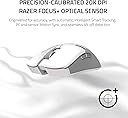
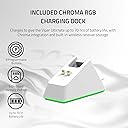
The Razer Viper Ultimate is a top-tier wireless gaming mouse featuring Razer's Hyperspeed Wireless Technology for ultra-low latency, a 20,000 DPI optical sensor for exceptional accuracy, and an ultra-light 74g design for effortless control. Its ambidextrous layout with programmable buttons suits all gamers, while a 70-hour battery life and RGB charging dock ensure uninterrupted, stylish performance. Perfect for serious gamers seeking a competitive edge.


| ASIN | B09TG6KG2T |
| Additional Features | Lightweight, Programmable Buttons, Wireless |
| Antenna Location | Gaming |
| Battery Average Life | 70 hours |
| Best Sellers Rank | #3,260 in Video Games ( See Top 100 in Video Games ) #170 in PC Gaming Mice |
| Brand | Razer |
| Button Quantity | 8 |
| Color | Mercury White |
| Compatible Devices | Personal Computer |
| Connectivity Technology | Wireless |
| Customer Reviews | 4.6 out of 5 stars 12,712 Reviews |
| Embellishment Feature | LED |
| Enclosure Material | Plastic |
| Hand Orientation | Right |
| Hardware Platform | PC |
| Included Components | Razer optical mouse switches & RGB Charging Dock |
| Item Dimensions L x W | 5"L x 2.6"W |
| Item Weight | 2.72 ounces |
| Manufacturer | Razer |
| Mfr Part Number | RZ01-03050400-R3U1 |
| Model Name | Viper Ultimate |
| Model Number | RZ01-03050400-R3U1 |
| Mouse Maximum Sensitivity | 20000 dots_per_inch |
| Movement Detection | Optical |
| Movement Detection Technology | Optical |
| Number of Batteries | 1 Lithium Ion batteries required. (included) |
| Number of Buttons | 8 |
| Operating System | Windows |
| Power Source | Battery Powered |
| Range | 10.0 meters |
| Special Feature | Lightweight, Programmable Buttons, Wireless |
| Style Name | Mouse + Dock |
| Theme | Gaming |
| UPC | 810056145279 |
| Unit Count | 1 Count |
| Warranty Description | 2 year manufacturer |
A**R
Unleashing Gaming Excellence
he Razer Viper Ultimate Hyperspeed Wireless Gaming Mouse, paired with its RGB Charging Dock, has undoubtedly raised the bar for my gaming experience. As an avid gamer, I've been on the hunt for a mouse that combines precision, speed, and wireless convenience, and Razer has delivered all that and more. The first thing that caught my attention was the mouse's lightweight design. It's incredibly comfortable to hold, and the ambidextrous shape ensures a perfect fit for both left and right-handed gamers. The smooth, matte texture provides a secure grip, and I never experience hand fatigue even during marathon gaming sessions. The Hyperspeed wireless technology is a game-changer! The mouse boasts an almost imperceptible 1ms response time, which translates into instantaneous and lag-free movements. Gone are the days of being tethered by a cable – the wireless freedom enhances my gameplay and gives me a competitive edge. The Razer Viper Ultimate's optical sensor is nothing short of exceptional. With a DPI range of up to 20,000, I can customize the sensitivity to suit any gaming scenario. Whether I'm sniping from afar or engaging in fast-paced action, the mouse's accuracy ensures every movement is smooth and precise. The dedicated DPI clutch is a brilliant addition. By holding it, I can temporarily lower the DPI for those precise shots, making it a lifesaver in intense gaming situations. The RGB lighting is not just for aesthetics; it's customizable to indicate the battery level, which is incredibly convenient. Speaking of which, the battery life is outstanding. The Viper Ultimate lasts for hours of continuous gaming, and when it's time to recharge, the included RGB Charging Dock makes it effortless and looks fantastic on my gaming setup. The programmable buttons are easily configurable through Razer Synapse, providing endless customization options. Creating and saving profiles for different games or genres has never been simpler. In addition to its gaming prowess, the Razer Viper Ultimate is versatile enough for everyday use. The precision and responsiveness carry over to everyday tasks, making it a reliable companion for work and productivity. In conclusion, the Razer Viper Ultimate Hyperspeed Wireless Gaming Mouse, along with the RGB Charging Dock, has exceeded my expectations in every aspect. Its lightweight design, hyperspeed wireless technology, and customizable features make it the ultimate gaming mouse. I couldn't be happier with my purchase from Amazon, and I highly recommend the Razer Viper Ultimate to any serious gamer seeking a top-tier gaming mouse that delivers on every promise.
A**D
Lighter and nicer to use than expected
I've been using Razer products for a number of years, in particular mice. This is hands down the best Razer mouse I've used so far and possibly the best mouse I've used as well. I haven't been on the bandwagon for lighter and lighter weight mice. Now I might have to jump on that train because the Viper Ultimate is so shockingly light I have a hard time believing that it still works. Previously I had the Razer Taipan and perceptually it's about 2.5 times heavier. The transition over has taken a bit of time to get used to but I do like it. It does feel like you can rapidly change the direction the mouse is moving without much effort and it could lead to better performance playing shooters in particular. Both the Taipan and the Viper Ultimate have rubber grips on the sides of the mouse, and I think It's a really nice feature of both. I've used wireless mice in the past, a Microsoft one that failed me several times in the heat of battle that used AAA batteries. I was really unsure about using a wireless mouse again but I figured it was about time to try one again, possibly the technology has improved over the years and certainly it has. I was tempted by the Razer Orochi v2 but I didn't want to be buying batteries over and over. I think the Viper Ultimate is a bit better for my personal preferences and I really do like it. I was watching some YouTube videos analyzing the latency differences between current wireless mice and wired mice. For the first time I think wireless mice are so competitive with wired mice its there is no major reason to be using a wired mouse outside of cost. The Razer Viper Ultimate is a great example of this. There may be a valid argument that the Viper 8k has superior performance over the Viper Ultimate Wireless but the mice refresh rate is so far above what most monitors can display at 1000Hz pooling rate It doesn't feel like there is a major reason to be concerned about it. Not only that but I've heard the processing required to keep track of the cursor at 8000Hz actually drops your in game frame rate by about 3-4 frames per second (depending on your hardware configuration of course). I don't see the benefit of a 8000Hz pooling rate right now. In the end I think it's a great time to transition to a wireless mouse if your interested in it and are able to afford it. I purchased the version of the Viper Ultimate which included the dock and I'm glad I did. The dock has a magnet on it which makes far easier to rest the mouse on the dock in the correct position for it to charge and you really just don't have to think about dropping the mouse on the dock, the convenience is great. My only complaint about the dock is that it's so light that sometimes I pull up on the mouse and the dock actually lifts off my desk because the magnet is strong enough to carry the weight of the dock for a few seconds before it drops. I guess the engineers of the mouse decided to add a sticky pad on the bottom of the dock to help with this but I think this is a lame solution. A weighted dock design would be far superior in my opinion and hopefully it will be included in a future release. I don't like the thought of a sticky pad on my desk, it might make a gross sticky mess (which thankfully it hasn't) and possibly will become a hard dusty mass in a few years time anyway. That's really my biggest complaint with the mouse/dock combo. A minor issue I have with the mouse itself is the Teflon feet. I wish there was a larger Teflon pad at the back end of the mouse, or maybe two separate feet that are larger that covers that back end area a bit better. In the past I've used mice for years and years on end before replacing them and the back end of the mouse get's the most feet pad wear (at least for me). I feel like the Viper Ultimate may not last as long just because the back end feet are not significant enough and they are positioned far to the sides of the mouse, to the point I'll be lifting the mouse up off the mousepad surface and then setting it down, back down back end first and dragging the plastic of the mouse on the plastic mousepad surface for a few moments before the Teflon feet make contact with the mousepad. This is not ideal in my opinion. Razer synapse, I personally don't mind running software in the background for peripherals as long as it doesn't take up too many system resources and Synapse doesn't. I HATE the way one has to log into an account to make use of some of the features. No mouse should require one to create an account to make full use of a mouse, that is a garbage idea for user convenience. I personally think convenience should be prioritized over most aspects of a products design and this causes me anger every time the synapse software asks me for the password that I usually have forgotten in the weeks that go by where I don't have to enter the password. Even if I tell it to remember my password the Synapse software still asks me for my password from time to time (I think when it does an update). It's difficult for me to put into words how rage inducing this is, mostly because it feels so unnecessary. The software should remember your password no matter what, #1 and #2 you should not need to create an account to make use of mouse software, It's trash on two fronts. Okay, Razer is a business and they feel like they require minor tracking of their customer base so they can make better business decisions and satisfy customers. I don't like it at all but hypothetically I can understand. Message to Razer: Make the Synapse software remember your log in info no matter what. This software design is just as important as your hardware design work. For over half of the use of my Razer Taipan I didn't use Synapse at all because it was such a pain in the rear end to make sure I'm logged in all the time. This may indeed only be an issue with the older version of Synapse, so far I haven't had this issue since purchasing the Viper Ultimate. I really hope Razer has resolved this and I no longer will be plagued with login requests. In the end very few products are perfect and it is hard to fault the Viper Ultimate Wireless with very much. I think it's a product worth buying and I'm glad I purchased it, I hope it will last me a few years and be a valuable part of my gaming hardware arsenal. If you are at all on the fence about purchasing this mouse, I wouldn't hesitate too much, its pretty awesome overall. It is a bit more pricy compared to some wired options but I do prefer wireless over a corded mouse even with a cord bungie (which are really great by the way). Definitely consider the Viper Ultimate Wireless mouse if your in the market for a mouse, It's a great option in my opinion, despite my complaints.
S**!
A solid wireless gaming mouse
I have owned Razer mice in the past and always liked the hardware but not so much on the software. I tried an Asus Pugio and was sadly disappointed so I was a little nervous with another chance on a wireless gaming mouse. This time around I knew I wanted a charging dock to make it more convenient to keep it charged. Likes: It advertises as a very lightweight mouse, I thought, 'how light can it be?' - it is very light! I almost wasn't sure I could get used to how light it was as I was overshooting and used to having a little 'heft' to move around. I got used to it quickly, the weight is very nice. The shape fits my hand nicely. Plugging it in right out of the box and before any software was installed it tracked very nicely and moved smoothly. Having the dock also be able to house the dongle is a well thought out touch - however I use it on a laptop and keep it in the machine so I can just grab the laptop and mouse and go without transferring it. Dislikes: I still gave it a 5 star but there are a couple little things I wish it had - a battery percentage for the system tray would be nice, or at least let you set the mouse logo color to show a percentage. The side buttons were a little too flush for me. I like them to have a slightly move raised feel so I get a more positive position feeling and don't feel as though I have to be exactly on the center to depress it, but they still worked well... just a personal preference. Lastly, the dock felt a little more designed to show off your mouse more than for ease of use. I find I have to fiddle with it a little to set it on right and make sure the pins contact. Button press - maybe it's just me but it felt like the pressure/travel was a little high. I really only noticed when trying to click very rapidly and it seemed like I had to lift off more than other mice. Synapse software has come a long way and has been working well. It has improved a lot since I have last used it and feel much more confident using it. Bottom line - I was pleasantly surprised and would buy another.
Y**S
Viper Ultimate WINS vs. Logitech G903
I've owned both, and wanted to share some insights that I would have liked to have known before laying down this kind of cash for a mouse: Right off the bat, I need to say that the G903 is an excellent mouse but has a massive, fatal flaw: Logitech refuses to source an alternative to the frequently defective switches in its primary buttons. If you google 'G903 double click issues,' you will find that these switches fail at an alarming rate. This happened to me, after around 14mos for the original, 10mos. for the replacement under warranty. Logitech refused to replace the replacement. I consider this failure rate completely unacceptable for a "premium" mouse. My last mouse is 5+ years old and still going strong; I'm only switching because I wanted to go wireless. Personally, I will likely not trust Logitech for some time. If you're willing to take the risk, see below for a comparison. Performance Both of these mice are incredibly responsive. I would be hard pressed to tell the difference between wired and wireless modes on either mouse. Both sensors are excellent and perform well on all surfaces. Both of the mice have 5 steps of mouse sensitivity that can be individually modified by the user in the mouse software. I love this. The G903 has two dedicated buttons on the top of the mouse to move up and down between these sensitivity steps, which is much more convenient than the Viper's single button located on the underside of the mouse. I assigned one of the Viper's side buttons for this, but it's not as convenient. Ergonomics: Both of these mice are ambidextrous. (I'm left handed.) The G903's larger size and rounder shape is probably best suited for a palm grip, but I use a claw grip and was totally fine. The main thing is the G903 is a large mouse. People with smaller hands will likely find this mouse cumbersome. I slightly prefer the G903's side buttons, which protrude further than the Viper's which makes them a little easier to click, but this will be very subjective. The Viper is a little flatter, a little narrower, and a little shorter, and the form factor a little better for my medium sized hands. It's also a lot lighter. The G903 does have customizable weights, although I don't really see the necessity of this. Battery Life: The Viper is rated to have a much longer battery life than the G903, but I found myself charging both of these mice every 3-5 days or so, depending on computer use. The Viper does have the option to come with a dock, which I find convenient. However, the USB connection, though standard, is hidden in an extremely narrow cutout that most generic cables will not fit in. The G903 has a mousepad that lets you charge as you play, which is a cool idea, but it's expensive and really, as long as a mouse lasts a full day it's not that hard to charge at night. Wow, that was a long review. Never done one that long before. I just spent a ton of time researching and a ton of money buying these two mice, so thought I'd try to share some of that.
D**Z
Great feel and performance, but some long-term issues
The mouse itself performs really well—it's precise, smooth, and very comfortable to use thanks to its lightweight design. Wireless performance is flawless, with zero lag or disconnections. However, the charging dock is unreliable. It often doesn’t charge unless I check and reposition the mouse manually, and I sometimes have to fall back to charging via cable. Battery life is solid—around a week for me—and it recharges quickly. But after about a year and a half, the middle click (scroll wheel press) started failing. It either doesn’t register or needs a lot of force, which is frustrating for daily use. Considering the price, I expected more durability. I’d say it’s a good mouse overall, but there are likely better options available now, especially for long-term reliability.
J**N
The First Razer Product I Like!
I have purchased Razer mice in the past and have never liked the way they felt in my hand. This mouse however, feels great and I love it. I bought this to replace my Glorious Model O mouse because I wanted to go wireless. It's amazing that this wireless mouse is only about 6 grams heavier than the Model O and it doesn't even need to have the hexagonal pattern on the case to remove weight. I spend a lot of time in first-person shooters like Rainbow Six Siege and Battlefield when I'm not at my desktop doing normal daily web browsing and email reading. Here are some pros: - Feels very light, especially for a wireless mouse. - I don't sense any delay, even after I leave it sitting for a while. - It's very convenient to have a power button on the bottom of the mouse, and to have a charging dock to sit it on when not in use. - The button clicks are very satisfying - good sound, good force needed (not too much or too little for my taste). - Lighting is tasteful and not too overdone. - The finish on the mouse is nice to the touch - grippy on the sides, and smoothly textured elsewhere. - The side buttons are well-placed for my thumb. Others have been a little too far forward for me. - The battery life seems great. I am part-way through my fifth day of use and the battery is at 51%. I have been using it to play games every day for at least 3-5 hours per night plus regular Desktop duties for at least an hour each day as well. I have not recharged it yet and I turn off the power at the end of each day when I am done with the mouse for the night. - The Synapse software is much better than I expected and has not crashed for me once. It's pretty easy to understand and laid out fairly well. It's great that it will change profiles for me automatically based on the games I start up, then go back to my "desktop" profile after I close the game. Here are some cons (for mouse, and Synapse software): - I miss the extra button on top of the mouse that my Model O had. I wish this mouse had that extra button near the scroll wheel. I have had to use one of the right-side buttons instead. Although the right-side buttons are not as easy to press for me (since I'm a right-handed user) I'm getting used to them for desktop use. - I find the lighting options a bit confusing with regards to the "Quick" effects and the "Advanced" effects in the Synapse software. Mostly, it's frustrating that only the Quick effects are stored on the mouse with the profiles and not the Advanced effects. I think this means that if you want to use any of the Advanced effects, they will not be saved on the mouse and I'm not sure if they can be tied to games like the other profiles. Before I can really fault the mouse or software for this one, I suppose I need to learn how to use it more. Either way, I wish it were a little simpler to understand for first-time Synapse users like me. - I wish the mouse feet were "slipperier". Compared to my Model O mouse, this mouse does not move across my cloth mouse mat as easily. My no means is it "not" slippery, but it was noticeably less slippery when I was swapping them out. Now that I have not used my Model O for about 5 days, I don't notice it any more or have any issues moving the mouse, but it would be nice to know that it was at least as free to move as the Model O. This might turn into a plus as I get used to it because it may give me a little more "control". To summarize, I love this mouse! It's been great to use so far and I'm very glad I switched back to this wireless option. Lot's to like here and the software (despite some shortcomings) is much better than I expected and seems mostly mature and works well.
A**R
Incredible mouse
I've been through a lot of gaming mice in my day and this easily my favorite mouse ever. I was a wired purist until I discovered this mouse. Performance and glide is incredible. It's incredibly light. I used to opt for heavy mice but now after trying this, the lightest mouse I've ever used, it's a different feeling. I feel like I'm hovering over my mouse pad. The matte black look is always classic with razer and the textured feel is also great. It will not "peal" like razer mice of old. The battery life is good but not as great as I'd expected. However, it's not that big of a deal because you can switch it to wired as it charges and it acts as wired mouse while it charges, so overall not a big deal just would like more battery life is all. My only other grievance with it is the mouse 1 and mouse 2 buttons have a noticeable "creakyness" when you just slightly push them slightly, not enough to register a click but just pushing the buttons down enough will cause it to creak. It'll only happen when you actually do it so regular mouse clicks don't give off a creak. I don't know what causes this but I hope they fix it in the next version as the activation doesn't feel good. You can try this on your own mouse to see if it creeks. Slightly push the mouse one button without activating it - does it creek? If it's a quality mouse it shouldn't. Razer, please improve this on the next iteration. All things considered an expensive but incredible gaming mouse. The cost is a lot to justify for a lot of people so if your current gaming mouse is fine I wouldn't say you need to upgrade. But if you're looking to splurge and finally try out a wireless mouse I'd say this is it. Hands down best wireless mouse ever.
I**.
Elevating My Competitive Edge in Warzone: A Razer Viper Ultimate Review
As a daily Call of Duty Warzone player and a competitive gamer, finding the right peripherals that match my high standards and intense gameplay requirements is crucial. The Razer Viper Ultimate Hyperspeed Lightweight Wireless Gaming Mouse, with its RGB Charging Dock, has not only met but exceeded my expectations, becoming a pivotal tool in my gaming arsenal. Precision and Responsiveness: In the fast-paced, high-stakes environment of Warzone, every millisecond counts. The Viper Ultimate's 20K DPI optical sensor and the fastest gaming mouse switches have provided me with the precision and responsiveness I need to make split-second decisions and execute them flawlessly. The optical switches are a standout, ensuring that every click is registered instantly without any latency, a critical factor in competitive gaming where every action can be the difference between victory and defeat. Ergonomics and Comfort: For someone who spends hours daily on Warzone, the design and comfort of a mouse are paramount. The Viper Ultimate's lightweight design and ambidextrous shape have been ideal for my hand size, offering a perfect balance between comfort and control. The mouse's dimensions allow for easy maneuverability without causing fatigue, making it suitable for extended gaming sessions. This balance is particularly beneficial in a game like Warzone, where quick movements and endurance are key. Wireless Performance and Battery Life: Initially, I was skeptical about switching to a wireless mouse for competitive gaming. However, the Viper Ultimate has dispelled all my doubts with its hyperspeed wireless connectivity, which has been as reliable and fast as a wired connection. The 70-hour battery life ensures that I'm never left hanging in the middle of a match, and the convenient RGB charging dock not only keeps my mouse charged but also adds a stylish flair to my gaming setup. Customization and Software: Tailoring the mouse to fit my gaming style has been a breeze with Razer Synapse. Disabling the ambidextrous side buttons to avoid accidental presses during intense Warzone matches was simple, and adjusting the DPI settings to match my gameplay has given me an edge over my competitors. The ability to store profiles directly on the mouse is a bonus, allowing me to maintain my settings regardless of where I'm playing. Overall Experience: Transitioning to the Razer Viper Ultimate has been a game-changer for my competitive play in Call of Duty Warzone. Its impeccable performance, combined with the lightweight design and reliable wireless connectivity, has not just enhanced my gameplay but also my overall gaming experience. The Viper Ultimate's size and shape have proved to be the ideal fit for me, striking the perfect balance between speed, precision, and comfort. In closing, the Razer Viper Ultimate has solidified its place as an indispensable part of my competitive gaming setup. It offers the high performance, durability, and comfort that I, as a competitive Warzone player, require. This mouse has not only met my rigorous demands but has also contributed to elevating my gameplay to new heights. For any serious gamer looking to enhance their performance in Call of Duty Warzone or any other competitive title, I cannot recommend the Razer Viper Ultimate enough.
J**.
Casi perfecto
Lo llevo usando un tiempo y es increíble, lo que más me gusta es el diseño creo que es de los mejores en el mercado siendo minimalista, perfecto incluso si eres zurdo y ligero. Los únicos 2 peros para mi es la duración de la batería no siento que sea demasiada, si no te gusta la iluminación podrás desactivarla y ahorrar batería, lo puedes usar cableado o inalámbrico aunque el otro punto que no me gusta es que usa micro usb y no usb C además de que al conectarlo es un poco incómodo ya que está como que metido pero al final esto también ayuda en la estética, el software te aparece automáticamente al conectarlo a tu PC para que lo puedas instalar y no busques en internet lo cual se agradece, no he tenido fallas ni nada por el estilo, por el precio me parece que está muy bien al final es un mouse de gama alta que a pesar de tener ya sus años en 2024 sigue siendo mejor que muchos más modernos.
K**I
High-Performance Gaming Mouse with Minor Flaws - A Solid Choice for Competitive Gamers
I've been on the hunt for a gaming mouse that offers exceptional performance and customization, and the Razer Viper Ultimate caught my attention. With its long list of impressive features, I decided to give it a try. After several weeks of use, I can confidently say that this mouse delivers high-performance and customization. However, I did find that the material used for the mouse feels slightly cheap, which has led me to give it a 4-star rating. The Razer Viper Ultimate excels in terms of performance. The Razer Focus+ 20,000 DPI optical sensor ensures pinpoint accuracy, which is essential for any serious gamer. The Razer HyperSpeed wireless technology provides a lag-free gaming experience, rivaling even the best wired mice. During my gaming sessions, I never experienced any latency or input lag, which is a testament to Razer's engineering. One of the standout features of the Viper Ultimate is its customization options. The mouse offers 8 programmable buttons that can be easily remapped using Razer Synapse 3 software. This level of customization allows me to tailor the mouse to my specific gaming preferences, giving me an edge in competitive play. Additionally, the Razer Chroma RGB lighting can be customized with 16.8 million colors and various effects, making it a visually stunning addition to any gaming setup. The ambidextrous design of the Viper Ultimate is another strong point. As a left-handed gamer, it can be challenging to find a high-quality gaming mouse that caters to my needs. The Viper Ultimate's design ensures that both left and right-handed gamers can enjoy its benefits. The lightweight design (74g) also makes it comfortable for extended gaming sessions, reducing the chances of hand fatigue. However, despite its performance and customization capabilities, the Razer Viper Ultimate has one noticeable flaw: the material used for the mouse feels cheap. While the mouse itself performs exceptionally well, the plastic material used for the shell does not feel as premium as I would expect for a product at this price point. It's not a deal-breaker by any means, but it's something Razer could improve upon in future iterations. Another minor issue I encountered was the charging dock. While it's a convenient way to charge the mouse and store it when not in use, I found that it occasionally took a few attempts to align the charging contacts correctly. This is a minor inconvenience, but it's worth mentioning for potential buyers. In conclusion, the Razer Viper Ultimate is a high-performance gaming mouse with extensive customization options that cater to both casual and competitive gamers. The ambidextrous design ensures that it's suitable for a wide range of users. However, the slightly cheap-feeling material and the minor charging dock issue prevent it from achieving a perfect 5-star rating. Nonetheless, the Razer Viper Ultimate remains a solid choice for gamers looking to upgrade their current mouse, and I am happy to recommend it with a 4-star rating.
A**M
روعه
روعه نفس مواصفات
T**M
Super
Tolles Produkt , nur zu empfehlen
C**O
Ótimo mouse para jogos
O mouse é excelente. Uso ele diariamente há 4 anos e segue forte. Recomendo a compra.
Trustpilot
2 months ago
2 months ago