Desertcart purchases this item on your behalf and handles shipping, customs, and support to Seychelles.
🔒 Elevate your outdoor security game with crystal-clear color night vision and AI-powered alerts!
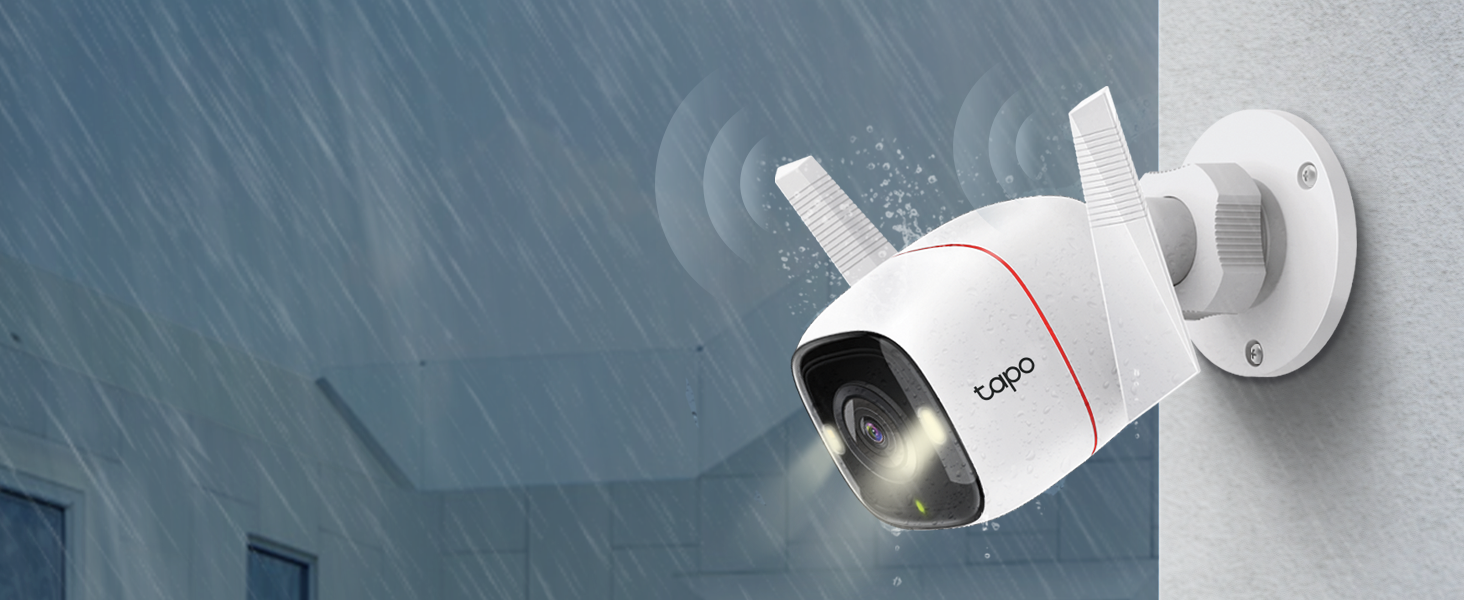
The Tapo 2K+ Outdoor Wired Security Camera (C320WS) offers ultra-high 4MP QHD resolution with vivid color night vision up to 98 feet, protected by an IP66 weatherproof rating. Featuring AI-powered person, vehicle, and motion detection with customizable activity zones, it delivers instant push notifications without subscription fees. The camera supports 24/7 local storage via microSD or optional cloud, and integrates seamlessly with Alexa and Google Assistant for voice control and live streaming. Designed for reliable, smart outdoor surveillance with crisp 2-way audio and a built-in siren, it’s a top-tier choice for proactive home security.


| ASIN | B09ZZJB6VX |
| Alert Type | Audio and Motion |
| Antenna Location | surveillance |
| Best Sellers Rank | #82 in Bullet Surveillance Cameras |
| Brand | Tapo |
| Built-In Media | Camera Body (Tapo C320WS), Mounting Template, Anchors and Screws, Power Adapter, Quick Start Guide, Waterproof Seal, Waterproof Cable Attachments |
| Color | White |
| Compatible Devices | Smartphone |
| Connectivity Protocol | Wi-Fi |
| Connectivity Technology | Cloud, Ethernet, Wi-Fi |
| Control Method | App, Voice |
| Controller Type | Amazon Alexa, Google Assistant |
| Customer Reviews | 4.5 out of 5 stars 7,526 Reviews |
| Effective Still Resolution | 4 mp |
| Effective Video Resolution | 4 |
| Field Of View | 110 degrees |
| Focus Type | Manual Focus |
| Form Factor | Dome |
| Global Trade Identification Number | 00840030707032 |
| Indoor Outdoor Usage | Outdoor |
| Indoor/Outdoor Usage | Outdoor |
| Item Dimensions | 5.6 x 4.07 x 2.53 inches |
| Item Type Name | Security Camera |
| Item Weight | 210 g |
| Manufacturer | TP-Link |
| Manufacturer Warranty Description | 2 year manufacturer |
| Model Name | Tapo outdoor indoor cameras |
| Model Number | Tapo C320WS |
| Mount Type | Wall Mount |
| Night Vision Range | 98 feet |
| Number of Channels | 1 |
| Other Special Features of the Product | 2-Way Audio, Local Recording, Motion Sensor, Night Vision |
| Photo Sensor Resolution | 4 mp |
| Power Source | Corded Electric |
| Recommended Uses For Product | surveillance |
| Room Type | Garage |
| Special Feature | 2-Way Audio, Local Recording, Motion Sensor, Night Vision |
| Specific Uses For Product | Surveillance |
| UPC | 840030707032 |
| Unit Count | 1 Count |
| Video Capture Format | MP4 |
| Video Capture Resolution | 1440p |
| Voltage | 12 volts |
| Water Resistance Level | Waterproof |
| Waterproof Rating | IP66 |
| Wattage | 6 watts |
| Wireless Technology | Wi-Fi |
| Zoom Type | Digital Zoom |
T**N
Another Great camera from Tapo
I bought the 2 pack Tapo security camera last month as a upgrade from a similar camera. On my review of that order, I noted that I planned to expand my system with more cameras in the future . About a month has gone by and my feelings for this system are still the same. I added this OUTDOOR camera to replace an older camera on my driveway. The COLOR night time view literally blew me away. At first , I started getting too many false alerts picking up cars on the road. I then made a "BOX" for the motion sensing that didn't include the road...Boom..No more false alerts.. I did notice if I enable the " AI "mode for vehicles..It still picks up the cars that I didn't include in my motion area I chose...it seems Like it overrides the box and looks at the whole screen. This was easily fixed by disabling the AI for AUTOs. Setup was a breeze , just adding it to my other 2 Tapo cameras . Details are clear and I can easily read a license plate anywhere in my driveway. Alerts are sent almost instantly , and I will probably activate the free trial on this camera for offline storage. Remember to buy the 256 gb SD card when you buy these cameras. 2 screws must be removed to put the SD card in , and they are tiny tiny screws. Once you insert the card , you will be good to go. The software will format the card , and you can choose 24/7 recording , or motion activated recording. Record the motion clips that you want , save them to memory , then go to memory and you can view , download , or delete the clips to your phone. You can do all of this without a subscription. It's a great addition to my security system , and I plan to add the Battery Powered cameras in time so I can view my backyard . Tapo has proven to be a great family of security cameras for all situations. Whether it a baby monitor , outdoor , wireless , battery powered, or motion tracking , this collection is great and all work together with one well written ,easy to use app. Keep up the great work Tapo ! UPDATE : After a couple of months use , I thought I would add to this review. Now , someone user left a Lengthy review and 90 percent of it is user error. You can EASILY record video to your phone from the SD card without removing anything. If you get a notification , So .... The way to save videos does actually vary between my indoor and outdoor cameras . The Indoor cameras have 3 dots after the clip , and if you select the 3 dots it gives you the option to DOWNLOAD the clip . Selecting this DOWNLOADS the clip to the MEMORY of your SD CARD ... Then if you look up toward the top of the screen .. You will be able to select " Memory " and all the clips you downloaded will be here .... Selecting the clip you want will give you the option to delete , view , or even Download this video to you phone . NOW ... the Outdoor camera has changed a little bit on how to do this without a subscription....When you are watching the selected video , you must press the little camera button while viewing the video , then press it again to stop the recording ... It will the save the clip you recorded to the " MEMORY " section of the SD CARD.. At this point you can click on the clip to view , delete , or DOWNLOAD it to your phone! It's 2 easy steps to save it on your phone...Once you know how to do it , it's very easy....Don't believe the users that say you can't save clips to your phone .. Now for an actual small issue I had . My outdoor camera has an occasional issue ...I attribute this to the distance from my router. Last week , the spotlight stayed on for a couple days???...I unplugged the unit..Rebooted it...multiple times and it was not working correctly... I will admit I was a little upset..but I decided to do a factory reset by pushing the reset button that's in the SD card cover...That was the best thing I could have done ..I reconnected it to my app ..And the camera is now working correct again.... No dropouts , Motion Spotlight works , and I am happy it was just a factory reset that it took to fix it .. It's been working good for 2 weeks straight now ...We did have a power outage a couple weeks ago , and I think that may have messed my outdoor camera up a bit ..Overall...I still think it's the best budget camera system you can get.. No monthly fees and still does everything I want it to do . After months of use, I came up with the following way to set my camera up as the best for my driveway ,and sidewalk . I DISABLED motion sensing , as ANY motion including trees , shadows , distant cars , would always trigger alerts , I disabled the vehicle sensing as it would alert me of all the cars on the road .. I set " Person " alert and this picks up all " people " riding or walking and works perfect ... The other setting I enabled was " Line crossing " and made a line that gives me a notification if anything crosses the middle of my driveway . The combo of Line crossing , and Person alert has made this system work the way I wanted it to .. I see my driveway , and the road but do not get alerts for the traffic on the road .. Only if they pull in my driveway ... The person detection seems to work great when a person is walking anywhere ... It took a little bit of playing to reduce false alerts ... But now that I have it tweaked out , it is an amazing system to have.
S**R
Great product, great price!
Don't expect some big tech review here, I just don't care that much about all that. Got this thig back in May and just now got it up and going in August. It's purpose is to watch over my birds for predators or whatever niffy might come around. I'll say this, it was super easy to install and get up and running. Cut the power cord and spliced in wire to tap into my 12vdc bus in the solar shed. Connected to my TP-Link wireless router and it's off to the races. Installed a 512 SD card, skip the cloud junk. Plenty of local storage for my needs. Image quality is awesome! Day and night. May add a little led tag lite to get color at night. Don't like the idea of running the light that comes in the camera all the time. Might be fine but still.... Very little lag in video or audio. Movement detection and alarming is spot on. Caught my kitty climbing around on top of one of my runs and a big ole coon walking by a bit later about 4am. Coyote movement is what I really want to know. Their days are numbered around here, killing my birds and wiping out the fawns. Even the grown deer are taking a beating with scars all over them. I may dig around in the settings and refine some stuff but right out of the box it pretty much does what I want. Only thing is now is that I need about three more of them. Maybe I can get those and install them a little quicker this time around.
F**K
Best cameras on the market… And yes we have tried them all!
Hey guys! Don’t know if you heard but Amazon is shutting down their Cloud Cam service now that they own Blink and Ring >_< Sucks for us because cloud cam was a pretty decent cam, with good features, and was convenient to access. We tried their new Blink cams and it was hot garbage, felt and looked like a big step down in quality and features. Google cams were not any better, and we already knew from previous experience that Arlo is very unreliable. Ring is decent but can be quite a bit overpriced and doesn’t have live viewing for all cams or camera sharing to family members/house sitters, and in general are very bad for high traffic areas because they are battery powered. So we tried Tapo, a Brand that TP-Link owns and brought to the USA from EU just recently. These things have more features than I could imagine or need, and have AMAZING night vision and quality. We just finished swapping all our cams last night and are hugely impressed! They have so many customization features, if motion alerts don’t work for you because the traffic in my area is too high they have a amazing feature called lime crossing alerts where you can draw a line on the screen and it will only alert you if somebody or something crosses that line in the frame. Super convenient for high traffic areas!!! You can also customize how it alerts you and even have it send you a still frame image with the alert if it catches a person going into an area you have restricted. They have a much more powerful Wi-Fi signal than any camera I have ever used before and that’s probably due to the high-quality antennas installed on them, they are also weatherproof by design so I don’t have to go buy any third-party accessories to make them with resistant, or pay double the price for a weather resistant model like with Ring and Blink. You also have the option to wire them directly to an ethernet cable for a hardwire experience if your Wi-Fi is unreliable in your area. The cameras load very quickly and have a crystal clear image that blows all the other brands we have tried mentioned above out of the water. There’s simply is no contest. They even have a built-in siren and flashing lights that you can have set up as an alarm if someone goes into a restricted area you have set up. It’s not the loudest siren in the world but it will definitely get a would-be-thief’s attention and let them know they have been spotted, as well as get the attention of everyone else nearby. You also have the flexibility of setting those alarms on a schedule as well so you don’t have to worry about the mailman or something setting them off. I also enjoy the fact that you can live view multiple cameras at once, set up custom groups of cameras you want to see at the same time, share cameras with family friends and neighbors (they won’t be able to change any settings but they will be able to view the cameras and see alerts). And another amazing feature that it seems like every other brand is lacking you can put a SD memory card in the camera that lets you have a hard backup off the cloud. Or you could even use it as an offline camera and it will still record to the memory card and you can access your footage as long as you are on your local net work without any Internet access necessary (you only need Internet access for the initial set up). The memory card also allows you to run the cameras without needing the cloud service subscription !! Although you will lose certain premium features that rely on the cloud service in that mode operation. But the sheer flexibility of how they have set everything up shows that they have taken customer concerns and requests to heart, and actually acted on them! No other brand offers all of this. Did I also mention you can even access and manage your cameras from third-party software if you desire because they have that feature built-in as well! TP Link with their smart home devices has been known for quality and features for several years now, and I am very happy to say they continue to step up their game with this new Tapo line! They simply blow every other home camera system out of the water with quality and features m, there just is no comparison.
M**2
Super Great - Needs POE
I've bought 3 of these over the past 2 years, and we love them. 4 Stars because I really wish that they came with a POE adaptor. That's another 14$. My requirements were: great video recording, local storage, RTSP enabled, no subscription required, POE.
J**N
Small review.
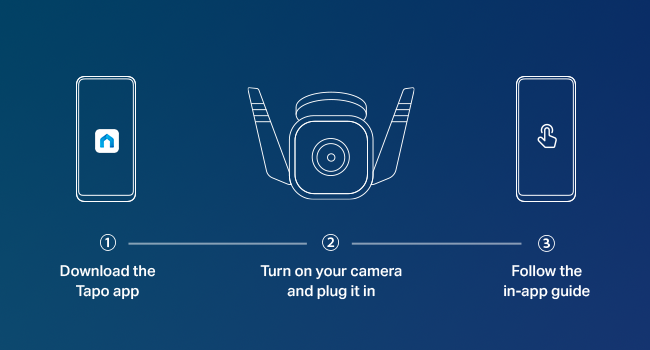
Camera arrived with everything working, it's easy to install and configure using the Tapo app, If using it wireless I do recommend to first configure it wired next to router/switch, makes everything easier, when doing the setup it will also ask you for wireless setting. Bought this to replace a failing 10 year old camera, the camera resolution is great and, compared to my old camera, everything looks so clear even ar night. Lastly, it can be added to Alexa App and Samsung's SmartThings, it can also be used with other NVRs using ONVIF/RSTP (haven't tested this).
C**T
Great solar and battery combo with good picture
Nice solar camera, no wires to deal with and great picture. Installation is easy and setup is simple. The picture quality is good as well as color rendering. The solar panel keeps the unit working, even with gray days. The only issue I have had is with wifi connectivity. The camera is placed in an area where placement is the issue, not the camera itself. Next step for me is to choose another location with better reception. The camera comes with good instructions, easy to follow. It also has options for mounting to allow it to be used in a varity of ways.
T**N
Nice budget camera
For the price ($34 at the time I purchased) you won’t find I nicer camera. It’s easy to install and has some great options such as alarms and lights which you can set up to be on or off or a timer. The video quality is very clear and perfect for my application. I use this camera outside in a patio area. This is my second Tapo camera and I would buy more when needed. You have 2 ways to review the videos 1. Use a micro SD card (not included) or subscribe to their cloud service at an annual subscription that you have to pay for. I prefer the micro SD card to store video that can be viewed later using the free Tapo app. Camera connects to Wi-Fi but does need an outlet to power the unit which I had readily accessible otherwise I prefer a color powered unit, but this camera won’t be exposed to the sun, so solar panel wasn’t an option for this area
F**S
Extraordinary Budget Friendly Camera
Since the first moment I installed this camera I was blown away. I have had plenty of experience with other low cost cameras, namely Wyze and then Eufy, but I believe Tapo is far superior in several aspects. It packs a lot of features that only more expensive cams offer. The picture quality both during the day and night is great, and the volume is quite adequate. It is packed with many features, but I will mention what was more important to me in particular. For my needs I preferred a wired camera able to record 24/7 and with no subscription required. The presence of an ethernet port was an unexpected surprise for a camera at this price point. When it comes to the “No Subscription Required” Tapo includes many features that other cameras do not. For example, if you want to be alerted when a person is detected, Tapo will do it for free, but other “no-subscription required” cameras will tell you that for that feature you DO need a subscription. For the amount of features offered as a “No Subscription Required” camera buying a Tapo camera was a no brainer. Also, keep in mind that this model will accept a micro SD card up to 512GB so you will be able to save a lot of footage if you are recording 24/7 like me. After using the apps from Eufy, Wyze and Tapo, I feel more comfortable with the Tapo app. It is more streamlined and clean, and also it is not constantly marketing other products with annoying in app ads. Another huge advantage is that Tapo cameras are better integrated with Google Assistant. If you have tried Eufy cameras you know you cannot cast the stream to Google devices. This Tapo camera is the first one where I have been able to use a voice command to flawlessly cast the camera stream to Chromecast, Google Nest, and other TVs that run the Google environment. When it comes to warranty, I have been burned too many times by Wyze and Eufy when it comes to their customer service and backing up their products. Although I have never contacted Tapo, it gives me great peace of mind to know that both Tapo and Kasa cameras are part of a reputable company like TP-Link. After buying this Tapo camera I have decided to eventually switch all my cameras and run under their ecosystem. My only regret is not having tried them earlier. I would conclude that Tapo is a budget friendly camera from a reputable brand that offers excellent quality and it is well integrated with Google Assistant. On the other hand, Eufy and Wyze offer cheap cameras at not so cheap prices, the kind of products that are marketed on the Tik Tok marketplace to the uninformed.
A**O
Calidad y precio
Fácil de instalación, así como la aplicación, la calidad de imagen acorta distancia perfecta y lejana se distorsiona un poco, la recomiendo 101%
G**.
Great camera. Watch signal strength!
Fantastic camera. Clear and crisp picture and lots of different features. Before ordering this i read afew reviews that said it only recorded for 2 seconds and was lagging. I had the same thing happen but it wasnt the camera, it was my wifi. I did some internet digging and found that In the app you can see signal strength for each camera and mine was too weak because it was too far away from the router. I bought a wifi booster for like 50 bucks and bam the cameras worked flawlessly. They are very sensitive and record everything that you have selected. Its alot of features so it took me a while to tweak it how I want it but now its perfect. Id give this 6 stars if I could. Very easy set up and very easy directions to follow (and im tech stupid).
S**Y
Lacks 5ghz WiFi support
Lacks 5ghz WiFi support which means you need to keep it closer to your 2.4ghz WiFi
A**W
ممتازة
لها شهر شغالة إلى الآن ممتازة. لازم تشتر ذاكرة خارجية خاصة بكاميرات المراقبة. اكسترا يبيعونها بسعر جيد. إسأل الموظف عن ذاكرة تركب على كاميرا مراقبة. سعرها بحدود 60 ﷼.
L**K
Good camera
Super easy to setup and likes the app which is also easy to use and has all the key features including night view with colour mode, light, speaker/mic and even a choice of object &/or human detection. Picture quality is very good.
Trustpilot
1 month ago
3 weeks ago