Desertcart purchases this item on your behalf and handles shipping, customs, and support to Seychelles.
โจ Elevate your entertainment โ where cinema, gaming, and smart living converge! ๐ฌ๐ฎ
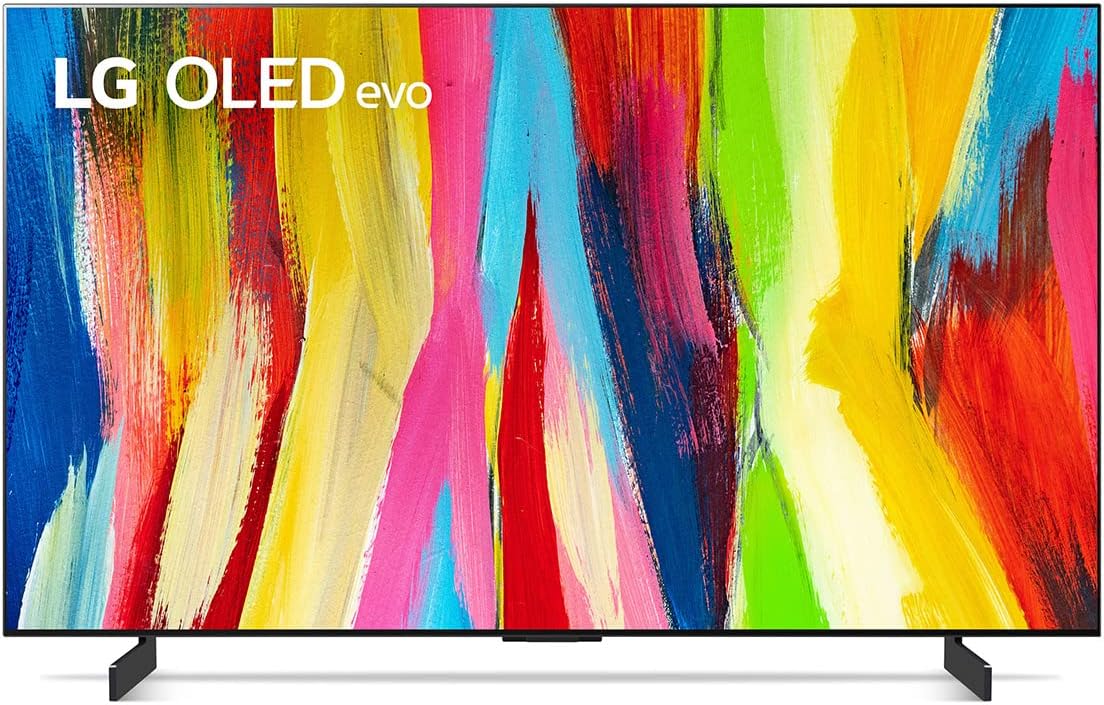
The LG C2 Series 65-Inch OLED evo Smart TV delivers breathtaking 4K visuals with infinite contrast and over a billion colors, powered by the advanced ฮฑ9 Gen 5 AI Processor. Designed for movie lovers, gamers, and streaming enthusiasts, it features a 120Hz refresh rate with NVIDIA G-SYNC and FreeSync for ultra-smooth gameplay, four HDMI 2.1 ports, and built-in voice assistants including Alexa and Google Assistant. Its sleek, gallery-style design mounts nearly flush to your wall, making it a centerpiece for any modern home. With Dolby Vision IQ and Dolby Atmos, this TV offers an immersive audiovisual experience that keeps you ahead in entertainment technology.


| ASIN | B09RMRNSBF |
| Additional Features | Amd freesync, Browser, Intelligent Voice Recognition, Nvidia G Sync |
| Annual Energy Consumption | 213 kwh |
| Aspect Ratio | 16:9 |
| Audio Input | HDMI |
| Audio Output Mode | Surround |
| Best Sellers Rank | #143,377 in Electronics ( See Top 100 in Electronics ) #64 in OLED TVs |
| Bluetooth Version | 5 |
| Brand | LG |
| Built-In Media | Power Cable, Remote Control, Remote Control Battery (AA), Television, User Manual |
| Connectivity Technology | HDMI |
| Content Sharing Direction | Mobile to TV |
| Contrast Ratio | Infinite contrast |
| Control Method | Remote, Voice |
| Controller Type | Amazon Alexa,Google Assistant,Apple HomeKit |
| Customer Reviews | 4.5 out of 5 stars 3,278 Reviews |
| Display Backlight Technology | Self-Luminous |
| Display Language Options | English, Spanish, French |
| Display Refresh Rate in Hertz | 120 |
| Display Size Class | 65 inches |
| Display Technology | OLED |
| HDR Format Supported | Dolby Vision |
| Hardware Interface | HDMI |
| Integrated Surround Sound Format | Dolby Atmos |
| Internet Applications | Prime Video, Netflix, HBO Max, Apple TV, Disney+ |
| Item Dimensions D x W x H | 9.1"D x 56.7"W x 34.6"H |
| Item Width | 56.7 inches |
| Line Voltage | 100-240 VAC 50-60 Hz |
| Manufacturer | OLED65C2PUA |
| Mfr Part Number | E1LGOLED65C2PUARB |
| Model Name | OLED65C2PUA |
| Model Number | E1LGOLED65C2PUARB |
| Model Series | C2 Series |
| Model Year | 2022 |
| Motion Enhancement Technology | Yes |
| Mounting Type | Wall Mount |
| Number of Audio Channels | 2.1 (expandable) |
| Number of Component Outputs | 4 |
| Number of Items | 1 |
| Operating System | webOS |
| Picture Quality Enhancement Technology | 4K Cinema HDR |
| Refresh Rate | 120 hertz |
| Remote Control Technology | Magic, Voice control |
| Remote Required Battery Quantity | 2 |
| Remote Required Battery Size | AA |
| Resolution | 4K |
| Screen Finish | Flat |
| Screen Mirroring Technology | Miracast and WiDi |
| Screen Size | 65 inches |
| Signal Format | HDR10, Dolby Vision, HLG |
| Size | 65 inch |
| Speaker Description | Surround sound with Dolby Atmos integration |
| Speaker Maximum Output Power | 40 watts |
| Special Feature | Amd freesync, Browser, Intelligent Voice Recognition, Nvidia G Sync |
| Specific Uses For Product | entertainment, gaming |
| Total Number of HDMI Ports | 4 |
| Total USB 2.0 Ports | 3 |
| Total USB 3.0 Ports | 3 |
| Total Usb Ports | 3 |
| UPC | 195174028087 |
| Unit Count | 1 Count |
| VESA Mount Standard | 300 x 200 mm |
| Video Encoding | HDR10+ |
| Warranty Description | 1 Year Parts and Labor |
| Warranty Type | Limited |
| Water Resistance Level | Not Water Resistant |
| Wattage | 22 watts |
| Wireless Technology | Bluetooth, Wi-Fi |
M**M
Exceptional TV and Impeccable Service!
I recently purchased a TV from this seller on Amazon, and I must say that the experience has been nothing short of outstanding. From the moment I placed the order to the prompt delivery, everything went incredibly smoothly. First and foremost, the TV itself is a gem. The picture quality is absolutely breathtaking, with vibrant colors and crisp details that bring every scene to life. The sound quality is equally impressive, delivering a rich and immersive audio experience. I find myself completely immersed in my favorite movies and TV shows, thanks to this remarkable television. What truly sets this seller apart, though, is their exceptional customer service. Throughout the entire process, they were attentive, responsive, and went above and beyond to ensure my satisfaction. They promptly answered all my pre-purchase questions, providing detailed information and expert advice to help me make an informed decision. Their dedication to customer satisfaction was evident from start to finish. Furthermore, the packaging was done with utmost care and attention to detail. The TV arrived in perfect condition, securely protected against any potential damage during transit. It was evident that the seller takes great pride in their products and values the customer's experience. I also appreciated the easy setup process. The instructions provided were clear and concise, allowing me to have the TV up and running in no time. It's always a pleasure when a product lives up to its promises, and this TV certainly exceeded my expectations. Overall, I couldn't be happier with my purchase from this seller on Amazon. They have proven themselves to be reliable, trustworthy, and committed to delivering an exceptional customer experience. If you're in the market for a new TV, I highly recommend considering their offerings. I will undoubtedly turn to them for any future electronic needs. Kudos to the seller for their outstanding product and impeccable service!
M**S
Using this as a monitor is great
NOTE: LG recently released a firmware update to the LG C2 that substantially reduces the ABL auto-dimming! This makes it much more competitive to the PG4*UQ and other OLEDs without opening the service menu to disable those features. I hear a lot of issues people have with using a TV as a monitor, especially this one, but I haven't had any such issues. After setting it up properly, the only problem is the RWBG subpixel layout and having to turn it on along with my computer. But as someone that grew up with CRT monitors, having to press an extra button in addition to the power button is not even the slightest bit inconvenient. The thing that really kills this as a monitor is the subpixel layout. RWBG adds noticeable fringing and bleed on text on OSes calibrated for RGB subpixels. Turning subpixel rendering compensation off makes it tolerable, but it's still much harder to read than on a normal monitor, and some games use it regardless of OS settings with no obvious way to adjust it. For visual content like movies and games it isn't noticeable at all, however. As long as you aren't planning to read a whole bunch, or if you sit further back and make your text bigger so the subpixels don't mess with the text as much, there isn't a single issue with using this as a computer monitor. I originally purchased the PG42UQ and PG48UQ instead, and got 2 dead 42's and one 48 that only survived for a few weeks before it spontaneously died. I'd like to compare some points on the C2 vs PG4*UQ: - The box on the C2 is thicker, the Styrofoam completely protects the screen unlike on the PG4*UQ where there are tons of gaps, the Styrofoam on the corners is also much thicker preventing drops from affecting the corners like what happened to BOTH of my PG42UQs, and the accessories and feet are placed in sane location unlike the strange Styrofoam origami that was both the PG42UQ and PG48UQ. - On both, the panel quality is fantastic. But on the C2, you can really tweak the settings until everything is perfect, especially if you have the service remote or other way to get into the service menu. This TV in particular can easily be color calibrated to make it shine in whatever environment you put it in with 22 point white balance adjustment, gamma curves, and multiple black/white level boosts and compensations. - The glossy screen is a boon as it leaves the blacks completely dark, vs. a matte screen like on the PG4*UQ where there is significant light bleed and blooming. - The C2's panel is much thicker and doesn't feel fragile compared to the dangerously paper-thin, basically unprotected edges on the PG4*UQ - The power button housing on the bottom doesn't bend easily and feel like it's going to snap off like on the PG4*UQ. It's also much thinner and less obnoxious to look at. Man, I hate "gamer" stuff. - In general, the design on the C2 is much more sleek, simple, and modern, allowing it to fit into the room better than the eye-catching "gamer" aesthetic on the PG4*UQ. - Due to the thicker panel backplate and rear cover design, the C2 is easier to lift safely without feeling like you're going to damage it. - All the cable managing on the C2 is in one spot on one side only, instead of top, right, and bottom. - With the right settings in Game Optimizer mode, the C2 can reach the same point-for-point performance metrics as the PG4*UQ, with only the peak brightness not being as good (but that doesn't matter as it dips substantially for both the second a scene starts getting bright, after which the difference is negligible). - The subpixel layout on the PG4*UQ is better for reading text. This is the only praise I have for it over the C2. - The refresh rate can be overclocked on the PG4*UQ to a staggering 138Hz! Wow, how impressive. Unfortunately, the difference visually between 120Hz and 138Hz is basically nonexistent, as someone that has compared the C2 at 120Hz and PG48UQ at 138Hz. The response time is still fantastic on both units regardless of mode. Overall, highly recommend this as both a TV and a monitor. I don't use the smart features and leave it disconnected from the network, and unlike with other smart TV platforms, the C2 doesn't annoy you and simply lets you use it without the smart feature bloat impeding you. And if I want to consume content and use the motion smoothing etc. features, they're there at a press of the button. I don't think all the massive number of problems with the ASUS units make the overclocking or other small extra features worth it; and at the same time, the C2 offers some nice features of its own that the PG4*UQ doesn't have. I would highly recommend it as a multimon replacement as I am, if you're willing to live with the subpixel layout and having to turn the TV on and off separately to the connected PC; do note there is a Windows-only, community-maintained companion app, which I can't use as I don't use Windows.
R**D
Ohhhhhhhhhhhhhhhhhhhhhhhhhhh yeah
I've learned that buying $1500 TV's can actually make you insane. A few years ago I bought a Samsung Q8FN. Very nice TV--but a few problems. The colors were classic Samsung. Incredibly "vibrant" and "popping", but over-saturated. You could dial this back in settings, but not completely. Also this thing was INSANELY bright. A dark scene switching to an outdoor scene made me want to grab my sunglasses. Or the glare from open windows especially in HDR was painful. Again, not completely fixable in settings. You could severely dim the screen but then anything other than super bright scenes looked bad. So last year I got my first OLED: the Sony A80j. At first I thought it was the solution to all of my problems. Colors were WAY more realistic without even having to adjust anything. (And please shoot me if I ever get my TV calibrated). The TV had great sharpness with Sony's awesome picture processing. And the decrease in brightness was a welcome change. Until it wasn't. The TV is just dim and this began to bother me more and more. Even with the lights off at night it seemed a bit dim. Now you CAN set it to look bright and beautiful--for maybe five minutes. Then the TV gets super aggressive in auto-dimming. It won't let you keep the brightness level you want! This is to protect the OLED panel from burn in, but I feel Sony takes an OVERLY cautious, conservative approach. With such a cloudy image, I almost wanted my TV to die. It was especially bad trying to watch sports. Those static images would cause auto-dimming like you can't believe. Every game starts to look like its being played in a foggy dungeon. So I considered retreating back to LCD. The Sony x90k looked enticing. I wouldn't need to worry about brightness and it was cheaper. But I was afraid that all the things that never bothered me about LCD before would suddenly seem unbearable after a year of watching an OLED TV. So................... I bought this. My wallet hates me SOOOO much. But after a few days I think I might have finally found the TV of my dreams. I knew on paper this was brighter than A80j but I wasn't sure how noticeable that would be in the real world. Online comments seemed conflicting. But it's definitely noticeably brighter I did have to enable Peak Luminance and disable Eco and slightly lower the contrast. But now it's plenty bright and the atuto-dimming seems far less aggressive than on the Sony. Stop reading and hit Buy Now!
Z**.
Excellent OLED, but suffers from standard OLED issues.
Version: 77 inch Seller: Amazon Delivery by: NSD (more about this at the bottom) Photo 1: 68" width. Will need large tv stand to look "right". Photo 2: Mid-day reflection handling. Photo 3: Inputs are on the left side of the set. Thin screen, but a wider portion holds the internals. First, the product. The picture is fantastic. Viewing high bit-rate content such as Blu-rays is amazing. Ultra HD (2160p) HDR content is flawless and Full HD (1080p) SDR content is handled well. I like the upscaling of my Nvidia Shield for 1080p-> 4K upscaling over the TVโs, but most individuals will find no issues. The ability to turn off pixels for true black allows for an amazing contrast of color and blacks. This TV supports high frame rate video game consoles with up to 120 FPS and offers a variable refresh rate (VRR) for gaming that isnโt locked at a steady 120/60/30 FPS. VRR ensures that games that support it will appear smoother and free of the screen tearing that is normally associated with frame rates that donโt match the TV. For PS5 owners, this means games that support a 40 FPS mode can be fully enjoyed on this TV. For PC owners, your 60-120 FPS experience will be similar to a good monitor, plus the amazing features of a top-tier TV. Also, input latency while in game mode is untouchable by non-OLED displays. The TV speakers sound fine for daytime TV programming, but I utilize the TVโs eARC feature to send audio to my sound system. This feature works fine and is only a menu toggle away. Unfortunately, I canโt speak on the audio performance beyond this. The set handles reflections well, but that doesnโt mean they disappear. This brings me to my one issue with this set, which is an issue shared with most OLEDs. OLED does not get extremely bright. If you intend to use this set in a living room with many windows, I suggest black-out curtains for the best viewing. If you cannot control the light in your room, I recommend considering a high-end LED TV instead, as they can get much brighter than OLEDs. As for the TVโs operating system, I find the remoteโs โmotion as a mouse pointerโ a little annoying sometimes, but hardly worth docking stars. Very usable system. The TV handles streaming 4K content from YouTube, Disney, Plex, and other services without issue. The perk of a major brand is knowing popular apps will work without a problem. This remains the case with this set. Lastly, I must discuss my delivery experience. A special freight delivery service is needed for a delivery item of this size. NSD handled fulfillment. My experience was abysmal. Delivery must be scheduled. A signature is required for delivery, and the item will be placed inside your door (allegedly). NSD was a no-call and no-show on the day of delivery, and they did not reach out to reschedule. I attempted to call NSD for rescheduling three times, was hung up on twice by their system while waiting, and the third time resulted in being told that the local office would call to reschedule. After three more days of no contact, I had to contact chat support another three times over three days, asking to be contacted to reschedule. The second chat said NSD would escalate my delivery due to a no-call no-show. The third chat let me know that had not been done but assured me that they would. The sixth time is the charm. Delivery tracking showed the TV in town for an entire week before delivery was โattemptedโ and another week before the company finally called to deliver (no rescheduling of delivery, just delivery with only a few minutes warning). I live on a military installation, and the delivery team said they were not able to come onto the installation. This can be the result of several things: a lie, laziness, criminal history of one or both delivery members, or drugs/weapons in the delivery vehicle. As the company did not call to reschedule, I was out of town when they called me for delivery. Fortunately, I had a coworker I trusted to accept delivery off-base and hold the TV at his home until I was able to return. As the delivery was not fulfilled by Amazon and the product itself is great, I am not deducting from my rating for this experience. However, let this be a horror story of delivery for potential buyers of the 77โ version. If you have to buy online because you are rural like me, select NSD as an absolute last resort. A $2,400 purchase can be quite stressful when no one wants to talk to you about its delivery.
R**N
After the replacement it works like a dream.
*Edit again after a year. All i can say is its phenominal. While it never had issues with ps5 the issues it used to have with xbox series x back in early 2023 where it would randomly changed the resolution every so often have been fixed for a long time and everything works perfect. Its to the point where i probably wont be ordering a new tv for the next 3-5 years. To get a better tv you would have to pay 2000+ dollars and even then im not sure the trade off for a tiny bit better picture quality would be worth it for 400 to 800 plus dollars. There aren't really any tvs ive seen with better picture quality for the price and really for any substantial video game quality change at the moment, i would need the ps5 pro when it comes out rather than a new tv. Theres no permanent burn in, and what little happens during use fades away fairly quickly. I had been going through other tvs for a bit because video quality wasnt up to par but after getting a 55 inch c2 I loved it so much i upgraded to this 65inch. So far, for a decent price, the c2 is something i would recommend. I havent looked into the c3, but if there are no problems with the new model i would recommend it if its the same price. *Edit to 5 star review after directly contacting Amazon and getting a very fast replacement within 2 days and them picking up the non working tv within 2 days. 5-star Review- The replacement works like a dream. The video quality is amazing and everything I had hoped. While it was a bit tough figuring out turning off certain features and enhancing others to get the exact picture i wanted thats more to the fact there are so many options, sometimes even depending on the device you hook up. A must is to turn off is energy saver mode. Makes everything look too dim. With xbox series x, if you want the tv to stop randomly switching the video settings (like when hooking up headphones it switches to cinema picture settings), the only thing that stopped it for me is turning off dolby picture on the xbox itself. For whatever reason that was giving me a hard time with automatically switching my settings as it pleased. The audio is amazing too but before getting into that Ill give a more thorough review when i get more time with the tv. *Old 1 star Review for my non-working first tv- The tv had no visible external damage but as soon as i set it up, it only had audio. After hard resetting it multiple times i got the screen working for a few minutes for it to just start flickering really fast until it turned itself off. Amazon when trying to replace it on the app only gave the refund option not the replace option. The deal i got and the pay in 5 option might be gone if i return it and try rebuying it. I was waiting to review since i contacted lg directly. They were helpful and they set up a free repair and they would replace it if they couldn't fix it..........but the repair man didn't show up. Ill keep this review until they fix my brand new tv that i cant even use or they send me a new one. Either lg or Amazon. I dont care which. I just want a working tv. Its been a terrible last 30 days and this is just icing on the cake. I understand its probably a shipping issue of it not getting handled well, some small thing inside getting knocked loose, but it wouldn't be as annoying if the way of getting a replacement wasn't so convoluted.
E**C
Excellent TV for essentially everything!
This TV is the absolute best I have ever owned, no question. It performs very well in dimly lit and brightly lit rooms. The picture is phenomenal, and I absolutely love the myriad of settings to fine-tune everything exactly how I want. I game pretty extensively, and my experience of this TV with my Playstation 5 has been excellent! It makes for a great gaming experience, can handle everything that the PS5 is capable of, and I simply love the 'game mode' that the TV has, complete with being able to select the type of game I am playing and it automatically adjusts several settings to match the game. A big plus for me is the screen burn prevention technology that this TV comes with. The ever so slight dimming of static displays on the screen (a HUD in virtually every game I play), and minor, periodic repositioning of those static images to help prevent screen burn are great! You legitimately don't even notice either feature unless you are really paying attention to it, but it does enough that I have yet to have a single issue with screen burn in the last nearly 4 months of heavy gaming. The TV looks just as good right now as it did when it first came out of the box. My ONLY knock on this TV, and it is a relatively minor issue, is that is occasionally thinks I'm talking to it to issue a command when I'm simply gaming with friends. Can be a minor distraction when the prompt comes up on the screen, but it's not a major issue. I ensured that I have the setting off that would allow for hands-free Alexa control, instead opting for it to function under the push-and-hold of the Alexa button on the remote, but somehow that doesn't seem to stop the TV from infrequently trying to operate hands-free regardless. Again, not a huge issue, just a minor annoyance. Everything else that this TV offers far outweighs such a minor thing, so my rating remains at 5 stars. Simply put, if you want a fantastic OLED TV that definitely delivers on what it promises, the C2 is the way to go. I see that the C3 is about to launch, but the 65" C2 at under $1700 is perfect for me. I don't have any desire to pay $2500 for the 65" C3 for what is very likely a minor upgrade, if any at all. I'd have to imagine the C3 might have some software and/or UI changes that may somehow improve general quality-of-life, but I find it very unlikely that the screen quality and image quality of the C3 will be any different. Short of being an 8K resolution, there's nothing I can see where it could be improved. (8K is absolutely useless right now anyway; essentially no media content is in 8K). Perfect TV without draining your savings account! I may end up buying a second one for my bedroom, in all honesty. It's that good.
J**P
A phenomenal TV absolutely ruined by software!
Let me preface this by saying I spent months researching this TV before I bought it and I'm surprised I never came across anyone who pointed out this major flaw. Does this TV have absolutely phenomenal picture quality for the price? Yes. Is it good for gaming? Yes. It did take some adjusting out of the box to really fine to the picture quality and turn off all the nonsense features that almost every TV comes with but that's to be excepted. However, the problem is with LG and the way they designed the software for this television and choose to run their company. It's not a great UI but that's not my complaint. LG sends out notifications to all these TV's which are essentially just ads. You're buying a TV with a built in ad feature that will display on top of whatever you're watching and no I'm not making this up. The photo I attached is when you go deep into the settings (and I mean deep, it's like 8 clicks). There is a notification log that shows everything they're sending you. They send about 8-10 a day. 99% of them are just ads. When you turn your TV on these appear one at a time in the bottom center of the screen approximately where the closed captions would appear during a movie and they cycle through to the next one after one has displayed for a couple seconds. This means you're getting rapid fire ad blasted every time you turn your TV on. If you look closely at my photo you'll see oh at least one of those in there is for a software/firmware update... No, that's not actually what that is. That's actually a notification letting me know that there will be firmware updates in the future... again I'm not making this up. This is a real company that thinks this is a good idea. I have reached out to customer support 3 times about this issue and they have confirmed each time that there is literally no way to turn this off. I realize that this can simply be fixed by a software update but think about it for a second. Companies don't send out ads for free. Where is the incentive for them to remove this? I don't think there is one. I have to assume must be intentionally designed this way. Maybe you don't care about this problem but for me if I sit down and pop a disc into my PS1 and turn my tv on do you think I want to get blasted with relentless ads while I'm in the boot up cinematic of some game? Take into consideration that if you don't use your TV for a week or month these build up and are all shown to you at once and you have to go in and manually remove them. It's insanity. This was my first LG TV and having done so much research felt it was justified since I heard this was slightly better for gaming and it really does have a great picture quality but this will be the last LG product I ever buy. Stick to Sony or Samsung and you won't regret it.
R**K
Glitcy From Day One. Worst TV Functionality.
Edit: Much better after firmware updates, but I still use a Roku with the TV. Picture is awesome. Can't beat OLED displays! Four Stars! I wouldn't recommend this TV after the latest firmware update if you want it to use WiFi or any LG apps without the need for a Roku. It has to be wired into a router. Even if your router is 3 feet away from the TV. After only using the TV for two hours it now keeps disconnecting from WiFi connection and can't reconnect without unplugging the TV from power. Brand new WiFi router with 1gig service and Wifi 6 only 3 feet from the TV. Tried both 2.4Ghz and 5Ghz bands and still constantly disconnecting. Disney+ crashes the whole TV and needs to be unplugged to use the TV again. If you want anything Disney+, you'll need an HDMI source like a Roku or PC. Since the Roku can keep a solid connection, I just use that. Unable to return the device since I threw away the box after setting up the TV. I really thought I could use the TV for more than 2 hours without a glitch. Day 3 and the magic remote keeps disconnecting, even with new Duracell alkaline batteries, since the remote says use only alkaline batteries. I have reset the TV to factory settings four times in one week. Still same results until I can somehow downgrade the firmware or I just have a faulty TV. Hard to tell. Since the TV is basically only good for it's display, nothing else, it's now just a Roku monitor. I can see why the TV is having major sale discounts recently. Be sure to purchase a Roku if you haven't already if you want to stream videos with the LG C2 OLEDevo.
H**C
Worth it and then some
Just an absolutely stunning television, exceeded even my high expectations from reviews (Rtings, word of mouth, etc.). 4k HDR content looks phenomenal. also highly recommend following the settings recommendations on Rtings
R**S
used as a studio monitor - great
We used this for a studio monitor in our VFX department and it looked great. top quality color.
J**R
Awesome tv
This tv works great with my Xbox series x.
A**A
Superb Color, High refresh rate and great brightness for an OLED TV
I have been using this tv as a monitor for a few months now and have been trying to check out whether there'll be any burn in. So far so good and I have been using this at least 8-9 hrs a day 15hrs maximum and using a dynamic wallpaper to make sure it doesnt get any burn in. It supports Gsync as well so if you have an Nvidia GPU there's a great benefit on VRR as well. I didnt know that there was a silver model of this and have ordered that one but so far havent really notice the silver edges. Very satisfied with it no burn ins or whatsoever
A**R
More features that I need at the moment but lots of interesting options
Best picture I have seen - super hi def.
Trustpilot
1 month ago
1 month ago