Desertcart purchases this item on your behalf and handles shipping, customs, and support to Seychelles.
โก Unlock pro-level speed and cool confidence anywhere you go!
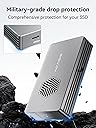
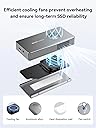
The ACASIS 40Gbps M.2 NVMe SSD Enclosure combines cutting-edge Thunderbolt 4 technology with a silent active cooling system and aerospace-grade aluminum construction. Designed for professionals, it supports multiple M.2 SSD sizes and offers blazing read/write speeds up to 2805/2734 MB/s. Compatible with MacBook Pro/Air, iPad Pro, Windows, and Linux, this compact, portable enclosure ensures your high-capacity drives perform at their peak without thermal throttling, making it the ultimate upgrade for power users seeking reliable, high-speed external storage.


| ASIN | B0CSFFMQWF |
| Best Sellers Rank | #167 in Enclosures |
| Brand | ACASIS |
| Built-In Media | enclosure |
| Color | black |
| Compatible Devices | MacBook Pro, Macbook Air, Macmini |
| Connectivity Technology | Thunderbolt 4 |
| Customer Reviews | 4.3 out of 5 stars 183 Reviews |
| Data Transfer Rate | 2300 gigabits_per_second |
| Enclosure Material | Aluminum |
| Hard Disk Form Factor | 22 millimeters |
| Hardware Interface | USB |
| Hardware Platform | Windows |
| Item Dimensions L x W x H | 4.65"L x 2.24"W x 0.71"H |
| Item Weight | 137 g |
| Manufacturer | ACASIS |
| Material | Aluminum |
| Memory Storage Capacity | 8 TB |
| Mfr Part Number | 1 |
| Model Number | TBU401 Pro |
| Number of Items | 1 |
| Product Dimensions | 4.65"L x 2.24"W x 0.71"H |
| Supported Devices Quantity | 1 |
| UPC | 781108279269 |
| Unit Count | 1 Count |
| Warranty Description | 1 YEAR |
C**J
Transformed my 2019 27-inch iMac from painfully slow to lightning fast
My 2019 5K iMac had been crawling along on its original failing 2 TB Fusion Drive. Cold boot times were routinely 5โ8 minutes, and even opening apps felt like 2010 all over again. I had heard success stories of opting for an external drive to replace the failing Fusion Drive and bought the ACASIS Thunderbolt 3 enclosure + Samsung 990 PRO 2 TB combo. Result: - Cold boot to login screen: 25 seconds - Fully usable desktop: 40 seconds - Parallels Desktop now runs Windows 11 + Debian Linux side-by-side with zero lag (impossible before) - Large file transfers are instant - Maintained 2 TB of storage Install was straightforward: cloned my drive, set the external as startup disk, and it just worked. The built-in fan is whisper-quiet but keeps the 990 PRO cool even under heavy load. Build quality is excellent โ solid aluminum, short Thunderbolt cable included, and the little fan toggle is a nice touch. If you have an older Intel iMac thatโs dragging its feet, this might be the single best upgrade you can make in 2025. Zero regrets โ my six-year-old machine feels brand new again. Highly recommended!
G**T
Impressive enclosure worth the price!
This is my perfect enclosure! I am a professional video editor and I transfer video footage all the time using external drives when I need to be on the go. I can use it with pretty much all my devices to get the optimum speed since I paired it with a 2tb SK Hynix P41. I can get crazy fast speed on my M2 Pro Mac Mini using Thunderbolt 4 then use it on my Ryzen 7950x PC with the Gigabyte X870E Aorus Elite with USB4. Being backwards compatible I can then use it on my Dell laptop with USB3 or the Thunderbolt 3 port which ever is not being used since it charges through the type c connector. The fan is pretty much inaudible over room tone and can only hear it when holding it up to my ear. I keeps my NVME drive in the optimal operating temperature even under high loads which i can say about my other enclosures where I experiences thermal throttling. I know it's expensive but it is worth it to have such flexibility.
P**R
Good so far, 3 internal temp sensors on 401 Pro
I put a Samsung 990P 2TB in my 401 Pro case. Everything was a breeze except that it took me a moment to read the instructions and put the little rubber grommet in to hold down the SSD drive; otherwise it wanted to angle up. Plugged it into my Mac, it said it was unreadable and offered to initialize it, which opened up Disk Utility. Not entirely obvious but it seems Erase is the command you choose to format a drive. That took less than a minute. After that MacOS volunteered to back my internal drive up to this via Time Machine, and I acquiesed quickly and set it to use no more than 1.25TB of the 2TB. I was pleased to see that the enclosure apparently has no less than 3 temperature sensors (again, this is the Pro version with fan, so I don't know about the normal version nor about previous Pro versions if any). They don't show up on most of my utilities, but they do show up on TG Pro. So far the drive has been running for an hour solid and the highest of the 3 cases temperatures (Top Case) is 44 C. The enclosure specs and the drive specs both say max 70 C, so I'm pretty happy with 44 C--in fact, the highest sensor on my internal drive is reading the same. I am wondering how long I can expect the drive to last. I won't be doing A/V work, but I will move my massive Photos library to the drive, in addition to Time Machine. I'm guessing maybe 5 years is a pretty safe bet? I expect SSD storage to drop further in price by then. BTW, I am assuming that if the enclosure dies I just move the SSD to a new enclosure. Of course, if the SSD dies, the data is gone, but that's why this drive is for backups, local copies, and other non-crucial things.
A**D
Well designed and ventilated case with fast upload/ download speeds
Well built case for my WD_BLACK 2TB SN7100 NVMe SSD. Installation was a breeze (first one I'd ever done). SSD fit perfectly with only a screw and a rubber heat dissipation sticker to be applied, then slide the case close. Love the built in fan, which does help it cool down faster. A little heavy being all alloy but it's built like a tank. For the price, none of the other cases Id seen came with these features, so I felt it was a good deal. The USB4 cable was icing on the cake
A**E
Overhyped
Abysmal write speeds, cable is not a lightning 4 cable, would return but not work the time
J**.
Works with ipad Pro get the version with the fan
This is a USB4 Thunderbolt 3 case. Fast. Works great. I have 3. It is a little pricey at $99us. But thunderbolt cases are much more expensive than standard USB3.2 cases. I have 2 with the intergraded fan and one without the fan. My drives run so much cooler with the fan. For longevity of your drives I recommend the version with the fan. Just make sure you don't block the intake to the fan. Hooks up to my M2 iPad Pro perfectly. Fan is very quite I can barely hear it.
X**6
Received warranty replacement
Been using for about 2 months and have no issues or complaints other than not really knowing if the fan is turned off or on. Lost my high frequency hearing and have to guess @ the setting. Of course that does explain that the fan is quiet. Have a WD 2TB ssd and it works well. Actually the read & write is faster than my 256GB SSD in my Mac mini M4. No issues with heat -- I run TG Pro to monitor the temps and have been very satisfied with the performance. There are others out there but I went with Acacias based on reviews. No regrets at this time. Edit: 6 months in use -- Working thru an exchange of emails with support we determined the fan is not working. According to web site the warranty is for one year. I asked them about warranty gave them order number and other information. Their response and I quote -- "We have forwarded your question to the colleague in charge of Amazon, and they will contact you later to discuss the relevant matters. Please wait patiently. Thank you." I have been waiting one month so far! Changing my rating due to positive response from Accasis. They have replaced the failing unit. Still not putting at 5 stars due to the fact I had to contact via email several times to get warranty replacement.
B**W
Works Great! Fast and reliable
TLDR: This enclosure works great where previous 10gbps enclosures kept causing my computer to crash. I have an 2017 iMac with a Fusion Drive which is amazingly slow by todays standards, plus I had run out of storage. It is fairly straight forward to use an external boot drive on Macs, and so that's what I set out to do. I purchased a Crucial P3 Plus M.2 2280 4TB PCI-Express 4.0 x4 NVMe and an Orico USB 3.1 enclosure, with a 10 gbps speed. It sorta worked, but would cause my computer to crash pretty regularly, (sometimes multiple times a day) or enter boot loops that it would take hours to get out of. I tried a Sabrent 10gbps enclosure, and a second 10 gbps Orico enclosure, and they all had the same crash issue. I was at wits end and ready to buy a new computer when I figured I'd give a high end 40gbps thunderbolt enclosure a shot, and boy am I glad! As soon as I installed the SSD in this enclosure and booted my computer I knew I made the right call. Boot speed was noticeable faster than with the 10 gbps enclosures, and my computer has an uptime of 22 days now with no issues. It's faster than ever and reliable! I was a bit put off by the $100 price tag, but it saved me 10x on the cost of a new computer! Would definitely recommend.
M**T
Buena velocidad y baja temoeratura
EL artรญculo es excelente, cumple con todas mis espectativas. Gracias.
H**T
All good
Works as advised. Not quite the speeds listed but that could be more to do with my setup and devices.
M**J
Works great with a Mac mini m4
Purchased this to house a Samsung 990 PRO 2TB SSD attached to a Mac mini m4. Easy to set up and it works great. Connected to a TB4 port in the back of the Mac mini (using the cable that came with the enclosure), I find the read/write speed to be very fast. This allows me to run Lightroom and photoshop, as well as other large apps on the external drive and keep the small internal drive of a base Mac mini freed up. LR and PS open very quickly and run smoothly. I attached one of the heat strips (thicker one) that came with the enclosure to the SSD and I run the fan on the enclosure. The fan is very quiet. The enclosure sits on my desk, behind a monitor and I don't notice it running. Without the fan, the enclosure did get a bit warm (I wouldn't say hot). With the fan, it stays pretty cool and the SSD temperature seems to drop 10C with the fan running. I am very pleased with my purchase.
C**S
fan does make noise but it is manageable
great enclosure with lots of functionality and a solid build. The fan and aluminum build are nicely integrated for optimal heat dissipation. I was still surprised to see how much I could still hear the fan so be warned that performance comes at a price.
M**T
Godd for M4 Mac Mini
Works well with M4 Mac Mini
Trustpilot
5 days ago
3 days ago