Desertcart purchases this item on your behalf and handles shipping, customs, and support to Seychelles.
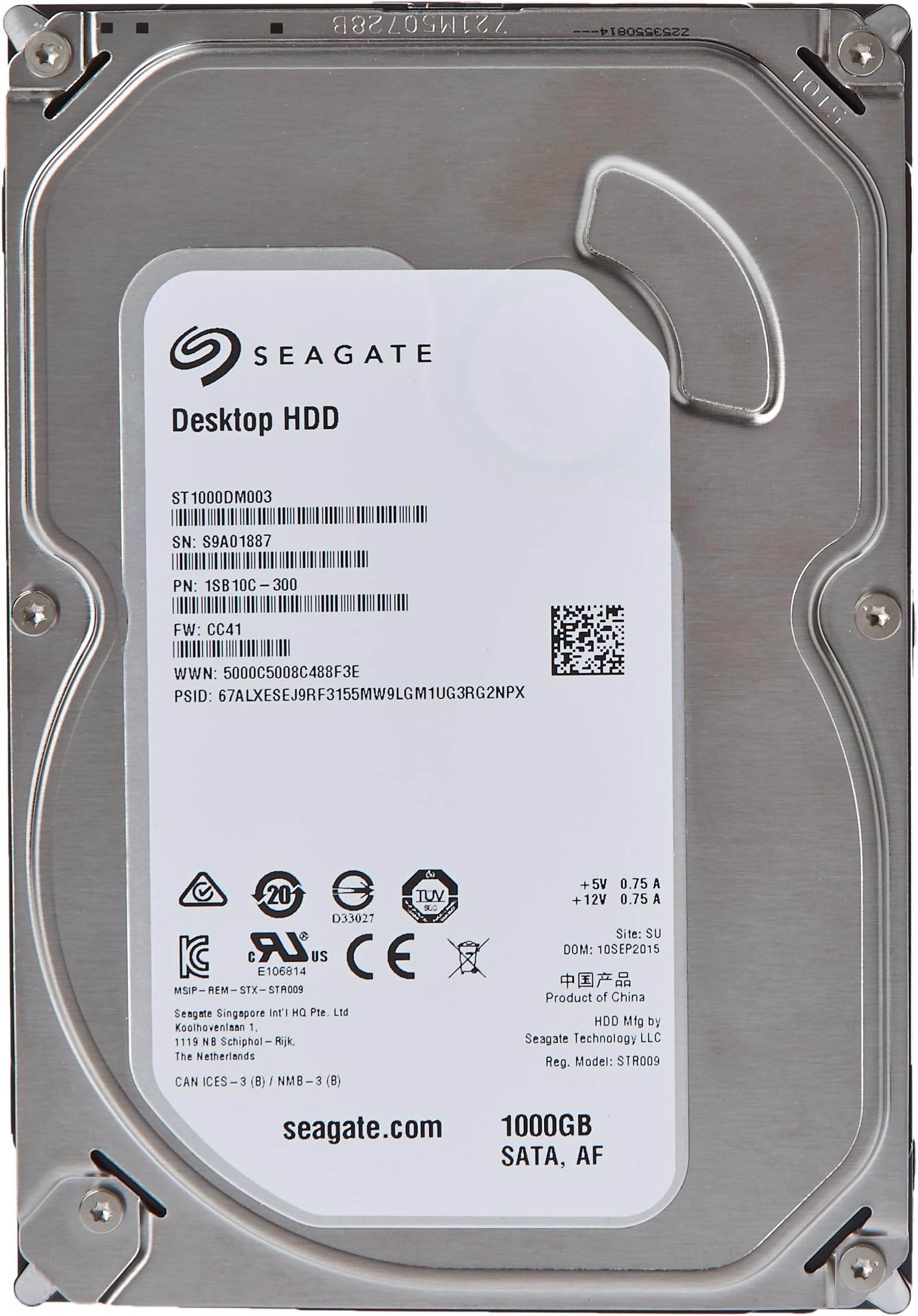
💾 Unlock desktop power with Seagate’s speedy 1TB Barracuda — because your data deserves the best!
The Seagate Barracuda ST1000DM003 is a 1TB internal 3.5-inch hard drive designed for desktops, featuring a fast 7200 RPM spindle speed and a SATA 6Gb/s interface for optimized data transfer. Equipped with 64MB cache and advanced technologies like AcuTrac servo and SmartAlign, it delivers reliable, high-performance storage with easy migration to modern 4K sector formats. Backed by 2 years warranty and eco-conscious manufacturing, it’s a trusted choice for professionals seeking affordable, robust desktop storage.


| ASIN | B005T3GRNW |
| Best Sellers Rank | 46,685 in Computers & Accessories ( See Top 100 in Computers & Accessories ) 161 in Internal Hard Drives |
| Box Contents | Festplatte. |
| Brand | Seagate |
| Brand Name | Seagate |
| Cache Memory Installed Size | 64 |
| Color | black |
| Compatible Devices | Desktop, Laptop, Game Console |
| Compatible Video Game Console Models | Microsoft Xbox SERIES S |
| Connectivity technology | SATA |
| Customer Package Type | Frustration-Free Packaging |
| Customer Reviews | 4.2 out of 5 stars 9,994 Reviews |
| Data Transfer Rate | 6 Gigabits Per Second |
| Digital Storage Capacity | 1 TB |
| Digital storage capacity | 1 TB |
| Enclosure Material | Aluminum, glass, metal, plastic |
| Form Factor | 3.5-inch |
| Global Trade Identification Number | 02508061210508, 03578220259142, 03606503178894, 05053204485352, 07636490025914 |
| Hard Disk Description | Mechanische Festplatte |
| Hard Disk Form Factor | 3.5 Inches |
| Hard Disk Interface | ATA133 |
| Hard Disk Rotational Speed | 72000 RPM |
| Hard disk form factor | 3.5 Inches |
| Hard disk interface | ATA133 |
| Hard-Drive Size | 1 TB |
| Hardware Connectivity | SATA 6.0 Gb/s |
| Hardware Platform | PC |
| Installation Type | Internal Hard Drive |
| Item Dimensions L x W x Thickness | 14.7L x 10.2W x 2Th centimetres |
| Item Part Number | ST1000DM003 |
| Item Weight | 0.15 Pounds |
| Manufacturer | Seagate |
| Manufacturer Part Number | ST1000DM003 |
| Media Speed | 600 MB/s (teórico) |
| Model Name | ST1000DM003 |
| Model Number | ST1000DM003 |
| Network Connectivity Technology | SATA |
| Number of Items | 1 |
| Product Features | Backward Compatible |
| Product Warranty | 2 YEARS |
| Read Speed | 600 Megabytes Per Second |
| Special feature | Backward Compatible |
| Specific Uses For Product | Personal |
| UPC | 804067212877 777060003295 763615986625 809385162392 641676714541 012302228860 801940463135 633841289527 168141460722 638353084578 641020216523 807320171409 608729688211 803982988935 763649027363 609408741418 748127335116 700736792261 806291843537 191120074757 163120461189 014444446294 013329045133 843024401336 809185313031 |
| Unit Count | 1.0 count |
A**A
Hard Drive read only 746GB at first but now fixed. Details in review.
I have had this item for around a week now but only managed to get access to the full 3TB today. I bought this hard drive to put in a USB enclosure for data backup and I met some issues which I though I should share. On first connecting this hard drive via USB, my Windows 7 was only recognizing ~746GB. At first I was concerned the drive was faulty but being a PC techy I suspected it could be down to software/firmware of the caddy (Icy Box) as I have owned this for the last 6 years now. So I started searching the net. It seems that the limitation in storage can be the result of 2 things: 1) In case the hard drive is connected via USB - The caddy is a bit old and with the current firmware, the USB-SATA bridge can only access storage of hard disks with ~2.2TB or less. 2) In case the hard drive is connected directly in a PC - The Intel's Rapid Storage Technology Driver needs to upgraded 10.1 or newer. Following this link to see how - [...] Not knowing the above 2 scenarios I first updated the driver (as shown in number 2) thinking it would solve my problem. It didn't. Then I found it was due to the fact that I was connecting via USB and not SATA (as shown in number 1). I scoured the internet to find a firmware or driver update to solve my problem but could not find one. When I thought my only option was to buy a newer caddy which would recognize the full 3TB, I noticed my ICY BOX has also a SATA output at the rear together with the USB. So I thought, what would happen if I had to bypass the USB-SATA bridge and connect via SATA directly? So I ordered a SATA to e-SATA cable from amazon so I could connect my caddy via SATA as I was blessed that my laptop has an e-SATA input. I got the cable today and hey presto! As soon as I connected the cable I could access the full 3TB! I was delighted as I did not need to send the hard drive back! Please note that for this option, one would also need to upgrade the Intel's Rapid Storage Technology Driver since now the laptop is recognizing the drive as being connected via SATA and not USB! Unfortunately, if you have tried to connect the drive via an old USB enclosure, met this limitation and could not find a firmware update for your caddy nor have a SATA output from your caddy, then you would need to buy a new enclosure. Sorry for the lengthy review but tried to go in as much detail as possible. Hope this helps someone ease some headaches I went through! With regards to packaging, it was very well wrapped in bubble wrap and 2 carton boxes and was safe crossing the continent to another country. In the meantime I am really happy with my Seagate (my 3rd one now) on the first day and would say it is extremely silent and fast! Hope it stays that way!
G**7
In support of Chinese-made Seagate HDs and Amazon packaging
After reading the many reviews of this and other Seagate models, it does seem to be a bit of a lottery as to whether or not you get a good one. Having said that, reviews are not statistically accurate, as they are written by people who have taken the time to do so, and they do not reflect all the sales of a particular item. So, with the knowledge that I could send it back to Amazon if it was no good, I bought one of these discs direct from Amazon (not through a third-party seller). It came in a sealed anti-static bag in its own foam-padded hard disc cardboard box, and then that box was in an Amazon box and surrounded by brown paper. Having received many hard discs over the years simply shipped in a foam-padded cardboard box (and they've been fine) I could say that the Amazon packaging was excessive, but I was happy to see that it arrived over-protected rather than under-protected. It had a sticker on it saying 'Made in China' which was a disappointment at first, as the reviews seem to say that the ones made in Thailand are better, but that's what turned up so I started to use it. I hooked it up to a PC and gave it a good seeing-to with HD Sentinel (with such a big hard disc it takes a LONG time!) and it passed 100%. I then I did the same with Scannerz (Mac OSX) and it passed those tests too with no problems. Only then was I prepared to fit it into my iMac and use it. As iMac users will know, replacing the HD isn't as easy as it is in a PC, and I didn't want to have to take it out again if it was faulty, once I'd fitted it. When I registered it on the Seagate website I was pleased to see that it had just over two years' warranty, which was what I expected from the small print in the listing (even though the useless Amazon details at the top of the listing said 12 months). It is almost silent in the iMac - the old one sounded like a bag of nails and was well on its way out (although it didn't come under the Apple recall for faulty HDs built around the same time) and it is much faster than the old HD. The old HD was a Seagate as well, but obviously had developed mechanical faults. I have been giving the new HD a good workout, synchronising it to other drives for backups and doing some sound editing on it, and it is working fine. It has been on every day for the past two weeks, starting and stopping each day, with no problems. I use the iMac most days so if any problems do occur I will update this review. In conclusion I can say I am very happy with this purchase of a Chinese-made Seagate HD, as well as the way it was packaged and delivered by Amazon.
M**K
Seagate Barracuda 2TB 7200 RPM 64MB drive review
First about delivery - very prompt service from Inkubus Bargains; the HDD was securily wrapped and dispatched on the 4th day - I did inquire about the product before the purchase and again I had very quick response. The drive itself is very cool and quiet. I have been sent drive manufactured in Thailand; not sure if that made any difference, but when I plugged it in I did not hear any clicking noises reported by other users. To make sure I'm getting the most of the drive, I wanted to upgrade to the latest firmware, which is CC4H. As I have previously been using older 500GB Seagate drive Seatools shown correctly both drives and indicated the firware upgrade was available. The problem appeared when I run SeaTools for Windows and the new drive failed Short Generig Test (SeaTools Test Code: 6C9AC2A4). When tested the drive with other tools and when formatting everything was in perfect order and I was receiving speeds roughly twice as fast as the older drive (160MB\s) with CristalDisk. In the end I realized that you have to select both drives so they can be tested at the same time. Once I applied it, both HDDs passed the short and long test! Having said that when copying small files transfer rate was much slower reaching max 23MB\s. Even with single large files I was never able to reach claimed speeds, but for my needs I am happy with 90-100MB and I have noticed quicker system performance. So far I have been using the drive for about 1 month without any hassle, so I guess time will tell if it's reliable enough, but for the price I am really pleased with it and would buy again (I am actually setting this as main OS drive now).
M**N
So Far So Good
I bought two of these a few weeks ago and I've really only used one of them to any extent. Genuinely new. original factory sealed anti-static wrapping with all the correct authentication labels and stickers. The seller packaged them very well with plenty of padding so they arrived in perfect condition. Quite simply: no problems. I've never had trouble with any Seagate ITB HDDs, in fact any new Seagate HDD I've owned and so far that continues to be true. Although the two Seagate HDDs received are as listed they're slightly different in design from the accompanying listing photos. The label in particular is a different colour and specifies it as a recently manufactured AF (Advanced Format) type. It should be good for any purposes a HDD might be required for. However one of the things I've had trouble with using another make of HDD, a WD, also specified as an AF type, is for cloning an existing Windows OS on an older HDD. It is a bit of mystery exactly why that is happening but it seems to be to do with the external USB enclosure I was using. There's some sort of USB incompatibility as the problem is resolved if you connect it up internally via SATA. I must make it clear this is only when it comes to this particular cloning task and is probably very niche. Anyway the point is I've not yet tried the Seagate AF ones for this purpose. So if that is what you are going to use them I can not confirm whether or not they're suitable. They work fine in an USB external housing for backup, storage or whatever. That I can confirm because it is what I've been doing with the one I've been using most.
D**O
Sorry Seagate but you failed the test!
I've purchased many hard drives over the years and have mostly stayed loyal to Samsung. I always prefer reliability and quietness over speed and their HDDs have delivered that promise without a single failure. Samsung 3.5 inch HDDs are hard to come by now and I don't like buying used hard drives, so I thought I'd give Western Digital a try in my recent PC build. Unfortunately, after less than a year, I've already had to swap one out. So that means I needed two 2TB hard drives and was looking at a different manufacturer this time around. I spotted this Seagate Barracuda 2TB HDD and the price point was very attractive at around £50.00. I purchased two and they were delivered very quickly, so no complaints about that. The first drive was installed and formatted without a problem. The second drive was DOA (Dead On Arrival). I tried to recover the drive with the usual tools and even downloaded a Disk Recovery program from the Seagate website. The drive was beyond repair with a fatal I/O error. Amazon offered an immediate refund so I thought I had just been unlucky and ordered a replacement. The 3rd Seagate 2TB HDD arrived within a few days but was also DOA. Once again I tried to recover the drive but it also had a fatal I/O error. I decided to run a scan on the drive that did seem to work ok, only to find that had issues too! The first time I booted up the PC, the drive had "disappeared" entirely. The Windows 7 Disk Management program couldn't "see" the drive at all. I re-booted, and second time around the drive appeared in My Computer as normal. I won't have a drive that isn't reliable, so I sent that back too. So the final score is: Purchased 3 Seagate HDD drives. Returned 3 faulty Seagate HDD drives. I will not buy Seagate ever again. I did a bit of research on Google and my bad experience with Seagate is fairly common, with many users complaining about dead and failing drives. My advice, to anyone thinking about purchasing this drive, is to look elsewhere.
M**N
Seagate Barracuda 2 TB Drive
First impressions are very good, I only hope that it maintains the initial good start. I tested it with a destructive read write cycle with Disk Sentinel software for 8 hours, no faults or bad blocks where found. I got the speed with HD Tunepro of Min 30 Max 188 Avg 135 Mb/s This is about 50% faster than the 1 GB 2 year old drive it is replacing. There is a slight scraping noise when the drive activates from idle, but in general use it is very quite. The temperature is mostly between 38-48 Degrees C The drive was quite well packed on arrival, marked as ''Made In China''. The scraping noise I mentioned is often cured by a firmware update, check that you have CC4H version if not apply the free Samsung update while you are still in the 30 day refund period. This is a very important update that can lengthen the service life of the Drive. Update the good start did not last! after less than 3 months use. 440 sectors where reallocated (marked as Bad) this rose in less than two weeks to over 1,000 sectors even Seagate's own disk checking tool advised a replacement drive, this was done but with me paying the return carriage cost of £4.40
L**A
HDD -> Huge Data Depository
This HD redefines the HDD acronym! I purchased this to cover my growing need for local storage of image files. Since I entirely turned to the RAW format my HDD space bacame an immediate limitation... The disk comes in a sturdy carton box with thick & soft foam pads surrounding it. No risk from transportation whatsoever! Installation is a breeze. The HDD is immediately recognised by the bios (no need to do anything at all)and windows 7 will initialy show the disk once you enter disk management. [start->right click "computer"->manage->disk management]. Once there you will have to initialize the disk so that windows see it as well. Since this is a 3TB HDD you will need to initialize it as a GPT (rather than MBR) hard disk. Next thing is to create as many partitions as you need. You can always leve it as is which will offer you approximately 2.8GB of formated free space. The disk is fast and absolutely quiet (I had to keep the case open while transfering files from older hard disks to it and there were no sound coming from it). If you're in need of extra vital space, this one is highly recommended!
D**N
Time Capsule Upgrade - Cheap & Easy!
I have a 1st gen (500GB) Time Capsule which has not been used recently due to lack of space. A recent hard drive failure got me into the mood to re-do my Time Machine backups and finally get round to upgrading the drive. I had read reviews about the 'chirping' noise that some drives have suffered from (but which can be fixed with a firmware update) however, I've not encountered any of those issues. For those using this to upgrade their Time Capsule, it's relatively easy (just removing the bottom cover is the tricky bit) but within 20 mins I had a Time Capsule with a 3TB hard drive. Cheap and easy! It runs relatively quiet (much quieter than the stock drive) and data transfer speeds (over wireless) have been good. Whether you're using it for a TC, NAS or in your desktop - it's a no brainer! As for the packaging, it didn't seem to have caused any damage to the drive as it's working fine. It was well wrapped up with bubble-wrap and double boxed. Very happy with this purchase!
E**A
Mucho espacio a un excelente precio
Siempre que busco discos duros me voy de entrada por Seagate, cuyos precios siempre son baratos a comparación de la competencia. Compré este de 4 TB adicional ya que mi disco de 2 TB (igual Seagate) me empezó a quedar pequeño. Sin problemas al darle el formato NTFS en estilo GPT con el administrador de discos de Windows. Hasta el momento llevo casi 2 años con él y ha ido perfecto, pero bueno, siempre he confiado en Seagate, mi viejo disco de 2 TB aún funciona después de más de 6 años conmigo.
F**K
amazon is in orde om te bestellen
OP TIJD GELEVERD EN IN GOEDE STAAT IK BEN TEVREDEN
の**ん
信頼のHDD
個人的に昔からこのメーカが好きなんですが、根拠はないです。
K**E
Great Drive, Pretty Good Performance for 5900RPM
I bought one of these to use as a backup drive for my home devices. I don't boot an OS off of this drive; however, i sometimes use it for VMs. It is definitely a little bit slower performing read/write than I'm used to on my main drives, but they are also SSDs. This drive does excel at its primary purpose of backing up both my machine (locally), and a few other laptops over my network. I was expecting to see some performance latency while writing new backup data; however it does not seem to impact performance. I can't say how great this drive would be for a main boot drive, but it is great for storing and moving data.
F**.
Ordentlich Kapazitäten bei akzeptablem Preis
Wir nutzen 2x diese Festplatte, um unser Film- und Serienarchiv darauf zu betreiben. DVDs und BluRays, bzw. CDs allgemein, haben bekanntlich das Problem, dass sie im Laufe der Zeit - trotz vorsichtigster Behandlung - verkratzen, daher digitalisieren wir sämtliche Discs und sie stehen im Grunde nur noch als Staubfänger herum. Ab und an kaufen wir auch mal eine BluRay aus dem Ausland, wofür es im deutschsprachigen Raum keine BluRay gibt, sondern nur DVDs, um damit unsere eigene Full-HD-Version eines Films zu machen (englisches Video von der BluRay mit deutscher "dubbing" Ton von der DVD und evtl. auch noch in SRT umgewandelte Zwangsuntertitel von der DVD, damit sie in in 1080p auch gut lesbar bleiben [VobSubs sind eben nur Bilder, die bei Full-HD hochskaliert werden müssten und darunter leidet dann die Qualität, alternativ gibt es eben winzige Untertitel]). Die erste Festplatte haben wir am 05.01.2014 für 150,85€ hier bei Amazon gekauft und heute, rund 3 Jahre später, läuft sie immer noch einwandfrei. Nun hatte die erste Festplatte ihr Maximum der Kapazitäten erlangt und wir haben eine zweite geordert. Der Preis ist seither um ~10% gefallen (Kaufpreis liegt 01/2017 bei 134,90€). Wie üblich, hat die Festplatte natürlich unter Windows nicht volle 4 Terrabyte. Dies liegt aber vielmehr an Windows, weil Microsoft ihre Kunden nach wie vor bei den Angaben verarscht und damit für grobe Verwirrung sorgt. Windows ist binär, nicht dezimal, d.h. die Angaben sind NICHT in KiloByte (KB), MegaByte (MB), GigaByte (GB), und TeraByte (TB) mit Faktor 1000, SONDERN in KibiByte (KiB), MebiByte (MiB), GibiByte (GiB) und TebiByte (TiB) mit Faktor 1024 angegeben, wodurch es zu dieser Unterscheidung in der Festplattengröße kommt. Windows-Nutzer kommen sich dadurch etwas betrogen/belogen vor, weshalb in erster Linie zunächst der Festplattenhersteller verantwortlich gemacht wird, weshalb die Festplatte denn nicht die volle Kapazität hätte. Microsoft scheint aber am Konzept der Falschbezeichnung weiterhin festzuhalten (ignorieren die deutsche Norm DiN iSO 80000 bzw. internationale Norm iEC 60027-2:2005 [iEC 27]). Durch die binäre Rechnung hat die Festplatte somit laut Windows 3725,29 GiB (entspricht ~3,64 TiB). Nach dezimaler Rechnung hat die Festplatte tatsächlich 4000 GB (bzw. 4 TB).
Trustpilot
2 weeks ago
4 days ago