Desertcart purchases this item on your behalf and handles shipping, customs, and support to Seychelles.
๐ Clone, expand, and speed up your storage game like a pro!
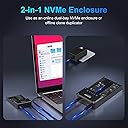
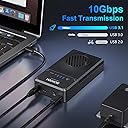
The Sokiwi 10Gbps USB 3.2 NVMe M.2 SSD Enclosure Duplicator is a dual-bay, tool-free enclosure designed exclusively for NVMe M.2 SSDs (2230/2242/2260/2280). It supports ultra-fast 10Gbps data transfer via USB 3.1 Gen 2, enabling lightning-quick file transfers and offline cloning without a computer. Equipped with an auto cooling fan, it ensures optimal SSD performance and longevity. Compatible across Windows, Mac, and Linux platforms, this device is ideal for professionals seeking efficient storage expansion and rapid data duplication.


| ASIN | B0B7R8V96K |
| Best Sellers Rank | 364,409 in Computers & Accessories ( See Top 100 in Computers & Accessories ) 310 in Hard Drive Docking Stations |
| Brand | Sokiwi |
| Brand Name | Sokiwi |
| Colour | Black |
| Compatible Devices | Laptop |
| Customer Reviews | 3.8 out of 5 stars 217 Reviews |
| Data Transfer Rate | 10 Gigabits Per Second |
| Enclosure Material | Aluminium |
| Hardware Interface | USB 3.1 Type C |
| Hardware Platform | Windows, Mac OS,Linux ,Android |
| Hardware interface | USB 3.1 Type C |
| Hardware platform | Windows, Mac OS,Linux ,Android |
| Item Highlight | With cooling fan and dual-bay, m.2 ssd cloner for tool-free offline clone supports 2230/2242/2260/2280 SSDs |
| Item Weight | 0.39 Kilograms |
| Item weight | 0.39 Kilograms |
| Manufacturer | Sokiwi |
| Material | Aluminium |
| Memory Storage Capacity | 8 TB |
| Model Number | SKUD1001 |
| Network Connectivity Technology | USB |
| Number of Items | 1 |
| Number of Packs | 1 |
| Supported Devices Quantity | 2 |
| The Standard Size of the Hard Drive or the Bay the Hard Drive Is Compatible With (in inches) | 2.5 Inches |
M**R
Great Support, but did not work for my B&M keyed drive
Update: Vendor reached out and sent a full refund. I was not expecting this. I am leaving my original review in case it will help others and I updated the rating from 3 stars to 5 stars. This vendor stands behind their product. Just realize this product is for NvME drives only, not SATA SSDs, and also M.2 drives with heat sinks will not fit. I was hoping to clone my M.2 B&M keyed drive but it did not recognize either SSD. Perhaps they are SATA drives but the keying thru me off because my drives had the B&M key depicted here as compatible. The only newer NvMe drive I had did not fit due to the heat sink so I could not really test this unit with a compatible drive. Also the documentation is not clear on what the lights mean. When I tried to clone the drives I had, one drive light went from red to blue and then back to red. The other stayed on red. When I initiated a clone, the progress lights all blinked simultaneously blue while the drive lights stayed solid red. I assume that means it was not working because they never changed. A little documentation on what to expect from the lights would have been beneficial. I am thinking that a blue drive light means it recognizes the drive and a red light means it doesn't, but it would be nice to say that in the docs. Also, the drives got somewhat warm but the fan never came on. I also don't understand why they provided rubber grommets instead of screws. Awkward to install the drives using them. I am not returning the unit because I may have a future use with true NvMe drives but some small design changes would make this product much better.
P**1
IT Pro Confirms Cloning Does Work and FAST!
As others have wrote, this unit works exactly as needed. I'm another one of the 40 year IT guys here and can vouch this clone device works exactly as described and does it FAST. Cloned a 256GB NVMe to new 1TB NVME, took less than 5 minutes. I was amazed. Afterwards use one of the many free 'partition wizard' programs to rearrange (or delete) partitions so you can make the newly found disk space contiguous with existing space. Ie: The existing C drive partition must be adjacent to the new unallocated free space in order to Extend the drive's useable space. I deleted the two Dell/Windows recovery partitions using EaseUS Partition Assistant Free Edition. The two recovery partitions allow for a system restore from the manufacturer's Windows files. For me, if the drive is fouled so badly that I need to reinstall or repair Windows I'll simply reinstall Windows 10/11 from a USB image created using free Windows 10/11 Installation Media utility. If you're an amateur the above steps may be overwhelming or frustrating, seek out YouTube for assistance. Only caveat of the clone device might be the cheap feel and durability. It feels like cheapy $15 USB speaker thing. This is one of the few devices in my toolkit that I'm willing to overlook the build quality for functionality and time savings achieved.
T**M
Fan design may be prone to defects
Updated 2026 review: After only 2-3 uses cloning, the SKUD1001's fan stopped working, which prevents cloning. Upon inspection, one possible cause is that the conductor and insulating jacket for the fan's wiring either broke or melted during operation, and presumably was already damaged during assembly due to the narrow opening for its placement. It appears that solenoid activation via a working fan is required for cloning, which, if correct, would protect the SSDs from overheating but makes the device useless for cloning if the fan or its wiring is defective. At the time of writing, the seller's profile describes a "12-month warranty for quality-related issues," but the seller declined to reply to a warranty request via email. An Amazon associate was helpful in creating a return request, but one wishes that sellers stood behind their products and their stated policies. After this experience, I would recommend a fanless alternative like the RS-N2-CL, used in a well-ventilated space. Original 2025 review: This cloned two 2280 NVMe drives without a problem, by just following the instructions in the manual. Which is more than can be said for Wavlink's product.
A**T
Very nice, and worked
Missing the pegs to hold down the SSDs but customer service took care if it. Fyi, Offline cloning for my unit, once started the left and right lights flashed red and blue the entire time. The 25% flashed until it was solid, which i assume means it was 25% complete and then the next one flashed and so on. Once complete the lights all went solid blue. When going from 250 -> 1 tb i had to install a free partition program to move the recovery partition to the end of the volume and then i could extend the partition and gain access to all the storage
-**-
Lovely piece of kit, I couldn't be happier with it!
(Review of SOKIWI NVMe M.2 Duplicator Dual-Bay Offline Clone Tool-Free, 10Gbps NVMe Docking Station with Cooling Fan,NVMe M.2 SSD Enclosure for NVMe PCIe Size 2230/2242/2260/2280(up to 8TB)) I purchased this to clone the original 250GB SDD in my Dell laptop - full to the brim mostly with Win11 bloatware - to a new 1TB drive. The process, start-to-finish took about 90 minutes, including using it as an external enclosure for the new drive while I used Gparted on a Linux box to rearrange partitions so I could make full use of the new space as a contiguous drive. The offline cloning took perhaps 10 minutes. If I have to scratch for nits, the labelling of indicators, switches, etc. could be more readable, and the rubber NVME retainers are a bit fiddly to insert. While the included documentation is best described as "spartan," it was sufficient to my needs: While the procedure it describes for using Windows to extend a cloned partition to make all space on a larger target drive available didn't work for me under Win10 -- I didn't waste a lot of time on it, just used Linux. I would love to say that I'd buy it again, but I've already bought it and don't expect to need an extra. (If I lost this one, yes I'd buy another!)
Trustpilot
2 weeks ago
4 days ago