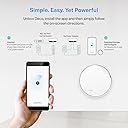
🚀 Elevate your workspace with mesh WiFi that works as hard as you do!
The TP-Link Deco AX3000 Mesh WiFi 6 router combines ultra-fast dual-band WiFi 6 speeds with flexible PoE-powered ceiling or wall mounting. Featuring a 2.5G multi-Gig Ethernet port and AI-driven mesh technology, it ensures seamless, high-performance coverage ideal for professional environments. With advanced security via TP-Link HomeShield and easy app management, it’s designed to future-proof your network with enterprise-grade reliability and control.


| ASIN | B0BTPGWDRJ |
| Antenna Location | Business, Home, Indoor |
| Antenna Type | Internal |
| Best Sellers Rank | #622 in Computers ( See Top 100 in Computers ) #142 in Routers |
| Brand | TP-Link |
| Built-In Media | 1 x Deco X50-PoE, 1 x Power Adapters, 1 x RJ45 Ethernet cable, Ceiling/Wall Mounting Kits, Quick Installation Guide |
| Color | White |
| Compatible Devices | Personal Computer |
| Compatible devices | Personal Computer |
| Connectivity Protocol | Wi-Fi |
| Connectivity Technology | Ethernet, Wi-Fi |
| Control Method | Touch |
| Controller Type | App Control |
| Coverage | Vast |
| Customer Reviews | 4.5 out of 5 stars 202 Reviews |
| Data Transfer Rate | 3000 Megabits Per Second |
| Frequency | 5 GHz |
| Frequency Band Class | Dual-Band |
| Frequency band class | Dual-Band |
| Has Internet Connectivity | Yes |
| Has Security Updates | Yes |
| Is Modem Compatible | Yes |
| Item Dimensions L x W x H | 15.5L x 15.5W x 6.9H centimeters |
| Item Type Name | WiFi 6 Mesh |
| Item Weight | 1.26 Pounds |
| LAN Port Bandwidth | 2500 Mbps |
| Manufacturer | TP-Link |
| Maximum Upstream Data Transfer Rate | 2500 Megabits Per Second |
| Mfr Part Number | Deco X50-PoE(1-pack) |
| Model Name | Deco X50-PoE(1-pack) |
| Model Number | Deco X50-PoE(1-pack) |
| Model name | Deco X50-PoE(1-pack) |
| Number of Antennas | 4 |
| Number of Items | 1 |
| Number of Packs | 1 |
| Number of Ports | 2 |
| Operating System | Proprietary Router OS |
| Other Special Features of the Product | Access Point Mode, QoS |
| Router Firewall Security Level | Advanced |
| Router Network Type | hybrid |
| Security Protocol | WPA3 |
| Special features | Access Point Mode, QoS |
| UPC | 840030709845 |
| Unit Count | 1.0 Count |
| Voltage | 12 Volts |
| Wi-Fi Generation | Wi-Fi 6 |
| Wireless Compability | 802.11ac, 802.11ax, 802.11b, 802.11g, 802.11n |
| Wireless communication standard | 802.11ac, 802.11ax, 802.11b, 802.11g, 802.11n |
B**A
Excellent produit
C'est un produit vraiment génial et ça marche vraiment tres utile pour ceux qui veulent l'avoir merci !
3**R
far better than expected, by a lot!
I don't write a lot of reviews except when i feel its really valid. IT hardware is no exception as I have been in IT for over 25 years now and currently an IT Infrastructure manager for one of the largest healthcare org's in the US. Needless to say I know a thing or two. As most people do they get a combo router / firewall / wifi AP all in one unit or worse get one with a modem built in. I have always been with a separate modem and router / wifi / firewall, until now. Backstory: I moved from a 1020sf house on .2 acres to a 3200sf house on 2.2 acres and due to my job I need absolutely spotless wifi in my home and around my home. At first I wanted to see how the TP-Link router would work giving me wifi across the house and even outside (Archer BE9700), it worked OK inside the house but go through the walls and it fell on it's face which is expected to a degree, but where my office is in the basement had 0-1 bars wifi and would constantly drop out plus speed tests showed 60-100mbs for internet at best but other devices were 300-600mb, something wasn't right there with reception. FWIW not mad the router wasn't cutting it for me and needed to add on AP's, actually figured I would need to knowing what i was asking of the network. Internet: Internet is 2gb provided by spectrum. Going OCD: I quickly determined I needed to put in AP's to stabilize my wifi but more so basically make it perfect signal inside the house and give me maximum throughput for the AP's etc. To keep the amount of cables down and maximum flexibility I wanted a POE powered AP, and a 2.5gb link port was nearly essential so i can backhaul using 2.5gb over copper instead of the usual 1gb (i remember 10mb networks and token rings if that tells you anything). From my switch to the BE9700 I have created a bonded pair of (2) 2.5gb cables giving me a 5gb backhaul to the router (way way way overkill but why not), this gives me huge bandwidth to the router in the event i actually ever need it. Why so OCD: I have 11 cameras on the house both outside the house, 1 in the garage, 1 covering entrance to basement from the inside, 1 in detached garage / workshop. I've also got little bits of automation things like switches and such plus (6) 3D printers that are always running and often get large files sent to them. 3D printers are on a 100/1000 switch as they do not have 2.5gb in them so it's useless to use a 2.5gb switch and I do not want to over saturate the wifi (but honestly it's likely so robust it doesn't matter, but printers are in the same room as the switches etc so why not i'm right there). Upgrades: Added 2.5gb 8 port switch with SFP ports for fiber down the road (which might go in the detached workshop garage with 10gb multi mode fiber) (2) AX3000 AP's (only 1 used at this time, likely returning one because results are stellar) (1) BE5000 AP for outside to blast that signal outside without any walls blocking the signal AP's were powered with POE on the cat6 cable to the 2.5gb switch, notice I'm using 2.5gb across the board here??? As i type this review the BE5000 AP is still inside but at a window (placing outside in the next 48 hours) and 1 of the AX3000's is on the far side of the garage on the furthest wall. Inside the house in my office i now get perfect signal and the network went from marginal to blazing fast, seriously. I created a mesh network of sorts in the house with all AP's using the same SSID and Password so it will seamlessly move around from AP to AP as needed when signals get stronger or weaker, this is how enterprise systems essentially work. In the end the BE9700 wifi has no clients on it at all, even devices that are under 10' away do not check into it and check into the AX3000 or BE5000 AP so that should tell you how well they work! The client devices are connecting to the respective AP closest to the device which is what it should be doing so the AP's essentially have half the house load of all things wireless and a huge 2.5gb backhaul (under 75' ea). Doing it this way will show in the router that these devices are "wired" but they are really wireless using the AP's and not the router for WiFi. I prefer to have my products physically wired as opposed to using wireless but the results are soo good that I am nearly sold on wireless now. You can trust me on this review, this is what i do for a living so i am really picky.
A**L
la calidad de conexion a internet en cualquier espacio del lugar donde instalas
funciona muy bien para conectar a la red de internet todos los espacion alejados de tu casa
M**Y
Buenos pero podrian ser mejores.
Sinceramente esperaba más. La casa donde vivo, tiene 3 niveles, Planta Baja, Planta Alta y Roof Garden, El modem lo tenemos en la planta alta, osea en el segundo nivel, se puso a proposito ahi para que estuviera en el centro de la casa, para tener internet arriba en el roof garden y abajo en la planta baja, el modem de mi proveedor de internet no logro traspasar las lozas, osea abajo en la planta baja no llegab mas que una rayita de 5 de señal wifi y de una conexion simetrica de 250 mb... solo llegaban 15mb, mismo caso en el roof garden. Decidi comprar estos DECO X50 POE, con propositos de prueba, desactive la Wlan de mi modem, y solo deje el wifi de un SOLO DECO, pense que al ser un dispositivo de renombre y considerablemente mas caro que lo que mi proveedor de internet se gasta en su modem que da por lo menos iba a tener un mejor rendimiento, mi sorpresa fue que un solo DECO no fue mejor, fue o igual o peor. por lo cual no recomiendo comprar solo UNA unidad. Antes de que me critiquen y me digan que los DECO MESH son para trabajar en conjunto, si ya lo sé. Solo quiero advertirles a las personas menos experimentadas que no vale la pena tener solo uno, no mejorara nada su conexion. Total que conecte el otro en Backhaul Inalambrico. osea conexion de Deco a deco via WIFI y sorprendentemente en la planta baja, ya pude conectarme a 200mb de los 250 contratados, mucho mejor que los 15mb que me llegaban solo con el modem de mi proveedor de internet, Tener dos o mas decos funciona mejor. Dentro de unos dias voy a conectar los DECO via POE entonces tendran un BackHaul entre decos ALAMBRICO, eso asegurara si o si que toda la casa tenga conectividad al 100% con toda la velocidad que mi modem pueda ofrecer. En resumen. Un solo DECO, no sirve para nada por si pensaban comprar solo una unidad, es muy mala idea. DOS DECO o más, con BackHaul por wifi, funcional pero no OPTIMO. DOS DECO o más con BackHAUL cableado, 100% recomendable, es la mejor configuracion que te dará toda la velocidad que tu red o internet te pueda dar. Para que funcionen via PoE, el switch tiene que ser PoE+ que soporta hasta 30w por conexion. El adaptador de corriente que tienen estos DECO muestran un voltaje de 12v con un consumo de 1.5amp. Funcionan excelente en modo PoE. lo que los hace muy convenientes para instalaciones donde no hay un contacto electrico cercano. Les recomiendo que cuando instalen sus DECO, desactiven la red inalambrica de su modem para que no existan interferencias inalambricas entre redes y solo funcione la red inalambrica de los DECO, y que como ya explique anteriormente, la conexion de estos sea cableada y no conectados entre ellos inalambricamente. El cable debe de ser UTP Cat6 o superior ya que los puertos que tiene son de hasta 2.5gigabits. Esta buenisimo que venga con un soporte para poder instalarlo en PARED, TECHO o colocado sobre una superficie plana como mesa o cualquier otra superficie similar. Yo compre DOS individuales, me los tope en oferta como en 2100 pesos cada uno. Este review es para gente no tan conocedora de las redes inalambricas, para los expertos, pues ya se la saben. Saludos.
A**R
Easy install
Got it to supplement out side unit. Was super easy with app, to make new the main and transfer info/ settings from other unit. Was able to link them all up and now parents have wifi all the way out in back. Good bandwidth using for 5 wifi cameras and music pod. And what ever else out there
Trustpilot
2 weeks ago
2 months ago