


Desertcart purchases this item on your behalf and handles shipping, customs, and support to Seychelles.
🔒 See More, Miss Less — Security That Works Day & Night
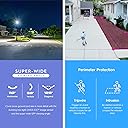
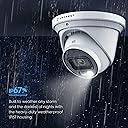
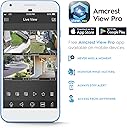
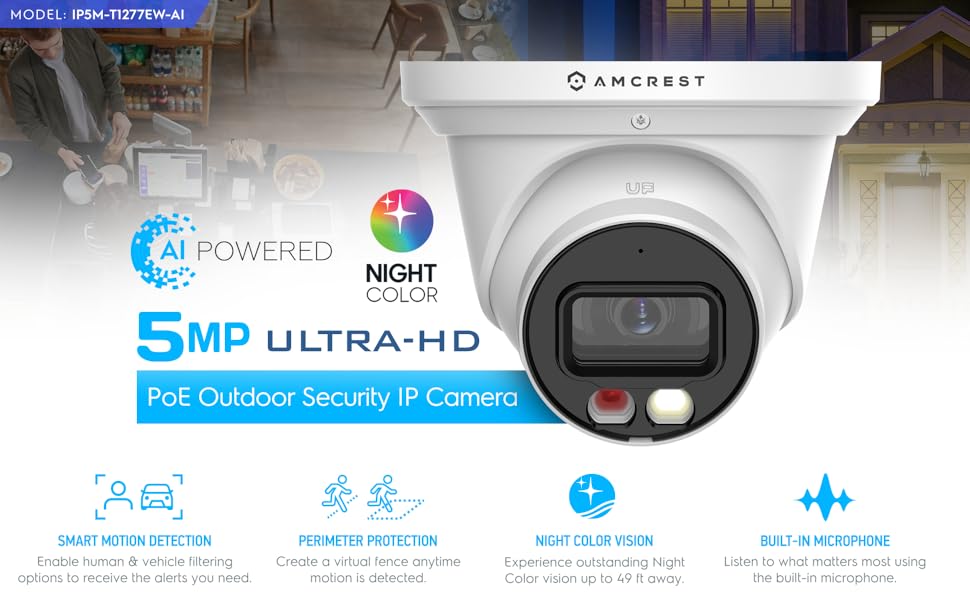
The Amcrest 5MP AI Turret IP PoE Camera combines advanced AI detection with a super-wide 129° field of view and dual illumination night vision, delivering crisp 5MP video at 20fps. Designed for outdoor durability with IP67 weatherproofing and metal housing, it supports Power over Ethernet for streamlined setup. Featuring built-in microphone, human & vehicle detection, and smart alerts via the Amcrest app, it ensures proactive security. Optional cloud backup and compatibility with major NVRs and NAS systems make it a versatile, professional-grade surveillance solution.









| ASIN | B0BNM2SGPS |
| Alert Type | Motion Only |
| Antenna Location | Outdoor Security |
| Best Sellers Rank | #181 in Dome Surveillance Cameras |
| Brand | Amcrest |
| Color | White |
| Compatible Devices | Smartphone |
| Connectivity Protocol | Power Over Ethernet |
| Connectivity Technology | Wireless |
| Controller Type | Amazon Alexa |
| Customer Reviews | 4.2 out of 5 stars 326 Reviews |
| Effective Still Resolution | 5 mp |
| Enclosure Material | Metal |
| Form Factor | Turret |
| Frame Rate | 20 fps |
| Global Trade Identification Number | 00850040391053 |
| Indoor Outdoor Usage | Outdoor |
| Indoor/Outdoor Usage | Outdoor |
| Item Weight | 1.1 pounds |
| Light Source | LED |
| Manufacturer | Amcrest |
| Memory Storage Capacity | 256 GB |
| Mfr Part Number | IP5M-T1277EW-AI |
| Model Number | IP5M-T1277EW-AI |
| Mount Type | Wall Mount |
| Night Vision | Night Color |
| Night Vision Range | 164 feet |
| Number of Channels | 1 |
| Number of IR LEDs | 1 |
| Number of Items | 1 |
| Other Special Features of the Product | Image Sensor, Motion Sensor, Night Vision, Portable |
| Photo Sensor Technology | CMOS |
| Recommended Uses For Product | Outdoor Security |
| Room Type | Classroom, Kitchen, Living Room, Office |
| Special Feature | Image Sensor, Motion Sensor, Night Vision, Portable |
| Specific Uses For Product | Security & Surveillance |
| UPC | 850040391053 |
| Unit Count | 1 Count |
| Video Capture Format | MPEG H, MPEG-4 |
| Video Capture Resolution | 5 MP |
| Viewing Angle | 129 degrees |
| Waterproof Rating | IP67 |
| Wattage | 6 watts |
| Wireless Technology | Power Over Ethernet |
N**A
Great piece of technology
First and foremost, let's talk about the picture quality. The Amcrest camera delivers stunningly clear and crisp images, both during the day and at night. The colors are vibrant and true to life, allowing for accurate identification of objects and people. Whether it's capturing a landscape during daylight hours or monitoring a dimly lit room in the evening, this camera consistently produces exceptional results. One of the standout features of this camera is its colored night vision capability. Traditional night vision cameras often provide monochromatic images that lack detail, making it challenging to discern important visual cues. However, the Amcrest camera's colored night vision feature brings a whole new level of clarity to low-light scenarios. With its advanced technology, I was pleasantly surprised to witness vivid colors and enhanced visibility in even the darkest environments. This is a game-changer, especially when it comes to security and surveillance applications. Compared to previous versions, the image sharpness of the Amcrest camera has been significantly improved. Fine details and intricate patterns are captured with exceptional precision, allowing for better facial recognition and object identification. This camera ensures that no important details go unnoticed, providing peace of mind for users who rely on accurate visual information. The build quality of the Amcrest camera is also commendable. It feels robust and well-crafted, designed to withstand various weather conditions and environmental factors. The setup process was straightforward, and the intuitive user interface made it easy to configure and customize the camera settings according to my preferences. Furthermore, Amcrest's customer support deserves praise. Whenever I had a question or required assistance, their team was responsive and knowledgeable, ensuring that my concerns were addressed promptly. In conclusion, the Amcrest camera with colored night vision has exceeded my expectations in terms of picture quality and sharpness. Its ability to capture clear, vibrant images even in low-light conditions is remarkable. As a quality assurance engineer, I can confidently recommend this camera to anyone seeking reliable and high-performing surveillance solutions. Invest in the Amcrest camera, and you won't be disappointed!
M**L
Well rounded camera for a good price
I have quite a few different camera’s at home but I am looking to move away from having so many cloud based and moved to a more locally controlled camera. The pricing on the Amcrest was great considering the features it includes. Though it isn’t 4K, at this price point, the resolution with a 5MP sensor is sufficient. I was excited to have IR + NightColor at this price point as well. The camera itself feels sturdy. It comes with a nice wrench to open it up. If I had to make a comment on the wrench, would be nice if one side of it had a Phillips head so you could get into the microSD slot. I was able to get my camera connected via PoE on my switch really quickly and was able to easily find the assigned IP on the Amcrest App. I also liked how it included a break away so if I didn’t not have PoE I could run it on a 12V AC Adapter (which I tried on another switch and worked fine). From there I was then able to get on the webpage for it and get it setup. I appreciate that they force you to change the default password from admin. I know this has been an issue with another camera’s so it’s great that this is being looked at. Day images look fine on the camera. Looks better than a few of my Ring camera’s and honestly very similar to a 4K 8MP security camera I own. IR night vision looked great at the distances I have been testing. Images are clear within a reasonable distance ~20Ft. I do like how there is the spotlight with the Smart Illumination option activated. This turns on the white bright light to get a better view of what is happening. Again this is hidden under a few menus (Setup > Config > Night Vision) and I think it would serve everyone a bit better if it was part of the general setup. TripWire has also been a nice addition to be able to set it up. I do wish this was better described in the manual as I had to go to the Amcrest page to get more information on how to get to the setup page, it’s Setup > Event > Smart Plan to turn it on, and then the IVS tab. I wish this was a bit clearer or even brought up as an option during the initial setup process as I think it’s a feature many users are looking to use. With that said, I am happy with the camera. Just a few end-user experiences to make it better with the popular features being turned on during setup.
P**C
Might be one of the best Amcrest cams yet
This thing is a winner. I switched from Foscam to Amcrest years ago back when the Foscam debacle happened. Overall I have been happy with Amcrest cameras except the ones that require a mobile app and account to set up and I avoid those models like the plague. This one can be accessed using the Amcrest IP Config utility, Amcrest Surveillance Pro, or the very good web UI. Awesome. I also got it loaded into TinyCam PRO with zero problems so I can check it on mobile. 5MP is very good resolution. I have a couple 8MP Amcrests and, for me, 5MP is the sweet spot. I get almost as much detail, better low-light performance, and generally I find the 5MP images are smoother with better colors. They just look truer to life and better overall. I have played with a lot of adjustments to improve the 8MP images but I still find the 5MP images are generally hard to beat. I got this cam set up sending me e-mails with images attached based on motion detection with no problems. Easy SMTP configuration. Easy motion detection. The intelligent detection is pretty cool. The tripwire and enter/exit a zone/area is great. Human and or vehicle detection is pretty nice to help catch what you need without a bunch of false positives. POE works with a TRENDNet injector, a TPLink injector, and a TPLink switch. I have it on the switch now but all 3 work. This cam was installed in a location where sometimes I get a very bright area that gets washed out. No problem, the wide dynamic range setting took care of it with a few clicks. Enable WDR, adjust WDR level until the washed out area is clear. Daylight performance is excellent. Colors are accurate and rich. Detail is very good. The low-light performance is excellent. The color low-light is based on a small white light LED turning on. It's not very bright, maybe the same as a small pocket flashlight. In conjunction with the great low-light performance it works well. You can have the white light come on or not so your cam can get pictures/video in stealth using the IR illumination or it can turn on the white light and intruders will know they've been detected. It's not super bright but it would be enough to help you take garbage cans out in the dark. Great camera.
M**.
Good value and good product
I ordered the Amcrest 5MP AI Turrent IP POE camera and it arrived nicely packaged. Unboxing was organized and the instructions booklet was easy to read. I first tried to use the local desktop method (amcrest.com/aisetup) but there was a broken Google Drive link. I tried it several times with no luck. I tried again a few days ago and it seems to be fixed but I had already set up the camera using a different method. After the broken link, I tried the amcrestview.com but it does not work in Chrome. I tried it in Firefox (v117.0) but the plugin was never recognized. I tried it in Edge but it didn't work. Internet Explorer redirects to Edge. I finally, reluctantly, installed the Amcrest View Pro app on my Android device. It let me set up the camera and from there I was able to view it in Chrome and Firefox. I initially setup email notification and each email sends three images which is nice but could fill up an email account very quickly. I added the camera to my Synology Surveillance Station software easily and quickly. The camera worked well within Synology Surveillance Station. I decided to add a Micro SD card and had a difficult time removing the screws but was finally able to install the memory card. Notifications through the Amcrest View Pro app now include the video. Overall, this camera is solidly built, had good resolution and the app is easy to use as well. Fixing the amcrestview.com would be nice but isn't critical to my use. I would consider using more Amcrest cameras in the future.
C**R
They work great until they don't
I have purchased eight of these cameras in the last two or so years, four of them have stopped working recently. They worked great until they didn't. Was happy with the quality, had some 10⁰ cold snaps and they died. Warms up and some start working, but when it cools down they stop again. Not a video problem, can't even ping them. All 8 started working again in 85⁰ weather, but if it drops back down to 50⁰ half of them stop again.
C**E
Great camera.
Great camera. The features are awesome, the quality of the picture is great, and the night vision is leaps and bounds better than the more expensive cameras I own. Many people will say that the camera is not easy to set up. That is correct but I am going to tell you the secret of connecting this camera to your network if you are having issues. My router assigned this camera an IP address just fine. I could see the camera in the Amcrest IP Config Tool no problem, but it would not connect. The problem is that the camera will accept an IP address from your router, but WILL NOT accept the subnet mask (usually 255.255.255.xxx) form the router. If you have a lap top this is a very easy fix. A desktop might require a long ethernet cable to the router lol. -Plug the camera and the laptop into the same PoE switch. -MANUALLY change YOUR COMPUTERS subnet mask to match what the camera shows it has in the IP config tool. -If the camera shows a different IP scheme as well, for example 192.168, and your network is 192.101 or something, change that as well on your computer. -Once you have changed your computers IP and subnet mask, you can log into the camera in the IP config tool and change the camera to match your network. -Change your computer back to normal, and everything will work! Tips: When you go to change your subnet mask on the computer, it might list a "subnet length" instead of the actual number. This camera for me shipped with 255.255.255.0 which is a subnet length of 24. My network uses 255.255.255.192 which is 26. Just google it, it is super simple. I will update on longevity after the winter. (currently 6-3-26)
D**1
Does what I need it to do.
Installing/Mounting the camera was a bit tricky. I choose to run the camera cord out the back of the mounting ring as I didn’t want to drill a large hole in my soffit to run the cord into. I found it difficult to hold the camera, keep the cable in the little notch/cut out and put the screws in place. I think it might help if the notch for the cable would let you snap the cord into it to hold it securely, then the camera could hang from the cord while you install the screws. This wasn’t an impossible install, but definitely harder than the Amcrest bullet cameras. The all metal mounting hardware was nice. It feels very sturdy and secure. Setup of the camera was easy, no issues getting it setup in the Pro app. The Amcrest app worked great for that process. I’m familiar with the process, but I believe it’s simple enough for anyone to handle. The large field of view is great. I was able to cover the entire side of my garage and a part of the driveway. When listening to the microphone, I noticed that there is a hum or static that is constant. I thought it was background noise like some of the other cameras, but it never stopped. It was silent out, but the loud static was constantly present. I know at this price point, the mic is probably not the most important feature, but if you have an incident take place, clear audio without the static could be very important. Notifications for when the camera detects motion were very quick in the Amcrest Pro app. Within a second or two on my home network. The smart illumination setting works well and its nice to not have the light always on as a give away there is a camera. However, when the light is on, the camera produces a very good picture in color. Amcrest is really onto something with the color night vision. I was unable to get the SMTP (Email) setting to work so I could send myself an email on motion detection and face detection. App passwords is no longer available from Google. The settings need updated to incorporate Google’s new processes for authentication, whatever those may be.
K**S
Excellent camera for my gate
I am using this camera to secure my gate. This camera comes with a 49ft Nightvision, built-in microphone, human and vehicle detection, active deterrent, and a 129° field of view. It can record at 5MP@20fps. The camera has an all-metal construction and is easy to adjust and tighten the screw to hold the position of the camera. The box contains all the things you might need to install the camera such as the camera itself, small wrench, screws with plastic anchors, and paper template with some manuals. Installation is easy if you already have a cat5 cable and powers source. It can be powered through PoE or just a simple 12V adapter. If you power it on for the first time: there won’t be any light or anything that indicates that the camera is on. You can only find out the camera is working properly if you go and see new devices on your router. This should be changed because without any light indicator the user will get confused. Setting up the vehicle and person detection is easy and straightforward. The upgraded sensor is great during daytime but absolutely fantastic during night time. Colors at night are clear and you can see a lot of details. The deterrent light is not as bright as some would like but definitely gives enough light to be noticed. Also, this light can be turned off through the web interface. One way microphone is pretty handy but sound quality is just okay. AI motion detection is where this camera shines. It is accurate and only sends alerts when it detects those. The Amcrest IP5M-T1277EW-AI camera has a user-friendly interface that allows you to easily adjust the settings and features of the camera. - There are many options to customize the settings, which is very nice. You can access the interface by connecting the camera to your network and using a web browser to navigate to the camera's IP address. From there, you can adjust settings such as resolution, frame rate, and bitrate to optimize the camera's performance for your specific needs. You can also set up active deterrents, configure a secure HTTPS/SSL connection, and perform a factory reset if needed. The camera also supports Smart Motion Detection (SMD) events, which can be set up through the interface. The one thing I really like is that you can set several storage options like FTP, SD card, etc. So you don’t need a cloud based subscription that many other brands pushes. The only thing I didn’t like about the web interface is that it won’t allow you to paste username or passwords which is a little weird if you want to set up an advanced password and you just want to paste it upon login. Amcrest provides detailed documentation and quick start guides to help you get started with your camera. You can find these resources on the Amcrest support website. Overall, this camera seems to be a great investment for those who want to protect their house with a smart POE camera system that records 24/7.
A**R
Son muy buenas
Funcionan de maravilla
Trustpilot
3 weeks ago
1 week ago