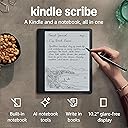
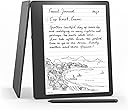



Kindle Scribe (16 GB), the first Kindle and digital notebook, all in one, with a 10.2" 300 ppi Paperwhite display, includes Basic Pen + Kindle Unlimited
Product ID: 521060678
📚10.2" 300 ppi display
🔋Up to 12 weeks battery life
🖊️Includes Basic Pen
Desertcart purchases this item on your behalf and handles shipping, customs, and support to Seychelles.
📖 Elevate your reading game with the Kindle Scribe – where thoughts flow as freely as words!
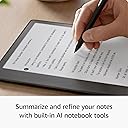
The Kindle Scribe is a revolutionary device that merges the functionality of a Kindle e-reader with a digital notebook. Featuring a stunning 10.2" 300 ppi Paperwhite display, it allows users to read, take notes, and sketch effortlessly. With a Basic Pen included, users can write directly on the screen, convert handwritten notes to text, and import documents for markup. The device boasts an impressive battery life of up to 12 weeks, making it perfect for on-the-go professionals who value both reading and writing.
| Device dimensions | 196 x 229 x 5.8 mm |
| Device weight | 433 g (device only) |
| Display | Amazon's 10.2” Paperwhite display technology with built-in light, 300 ppi, optimised front technology, 16-level grey scale. |
| On-device storage | 16, 32, or 64 GB |
| Premium Pen dimensions | 161.8 x 8.4 mm |
| Premium Pen weight | 15.1 g |
| Basic Pen dimensions | 161.8 x 8.41 mm |
| Basic Pen weight | 14.2 g |
| Wi-Fi connectivity | Supports 2.4 GHz and 5.0 GHz networks with support for WEP, WPA and WPA2 security using password authentication or Wi-Fi Protected Setup (WPS). Does not support connecting to ad-hoc (or peer-to-peer) Wi-Fi networks. |
| System requirements | None: fully wireless and doesn't require a computer to download content. |
| Content formats supported | Kindle Format 8 (AZW3), Kindle (AZW), TXT, PDF, unprotected MOBI, PRC natively; HTML DOC, DOCX, JPEG, GIF, PNG, PDF, TXT, PMP, EPUB through conversion; Audible audio format (AAX). Learn more about supported file types for personal documents. |
| Accessibility features | VoiceView screen reader, available over Bluetooth audio, provides spoken feedback allowing you to navigate your device and read books with text-to-speech (available in English only). Kindle Scribe also includes the ability to invert black and white, adjust font size, font face, line spacing and margins. Learn more about Accessibility for Kindle. |
| Warranty and service | Kindle is sold with a limited warranty of one year provided by the manufacturer. If you are a consumer, the limited warranty is in addition to your consumer rights and does not jeopardise these rights in any way. This means you may still have additional rights at law even after the limited warranty has expired (click here for more information on your consumer rights). Use of Kindle is subject to the terms found here. |
| Setup technology | Amazon Wi-Fi simple setup automatically connects to your home Wi-Fi network. Learn more about Wi-Fi simple setup. |
| Included in the box | Includes Wi-Fi-enabled Kindle Scribe, Basic or Premium Pen, USB-C charging cable, 5 replacement tips, tip replacement tool and built-in rechargeable battery. |
| Generation | Kindle Scribe 1st generation (2022 release). |
| Software security updates | This device receives guaranteed software security updates until at least four years after the device is last available for purchase as a new unit on our websites. Learn more about these software security updates. If you already own a Kindle e-reader, visit Manage Your Content and Devices for information specific to your device. |
| Battery life | Examples: a single charge lasts up to 12 weeks based on half an hour of reading per day, with wireless off and the light setting at 13. A single charge lasts up to 3 weeks based on half an hour of writing per day, with wireless off and the light setting at 13. Battery life will vary and may be reduced based on usage and other factors such as Audible audiobook streaming and content annotation. |
| Charge time | Fully charges in approximately 7 hours from a computer via USB-C cable, or fully charges in approximately 2.5 hours with a 9 W USB-C power adaptor. |
| Device colour | Tungsten Grey |
M**H
My dream device
The scribe is just my absolute favourite device. I have owned multiple kindles over the years and am a true convert after being sure that I would only ever read from an actual book. The scribe is a priceless upgrade from any kindles, books, or notepads. The large display makes reading so much more comfortable, there is a soft, adjustable back light and the option to increase the warmth, so as to not strain your eyes at night. Having such a big screen means that increasing the text size gets you an actual page of the book, rather than previous kindles only being big enough for a few words on the page. The writing feature is also very utilitarian. You can create many many notebooks, along with folders and sub-folders to organise them. I bought it with the basic pen but have since upgraded and this makes it so much easier. The writing experience feels almost like pen to paper, but much smoother. Multiple templates for page layouts, including a blank calendar, bullet journal type pages, lined, graph etc. There are a handful of pen options, but I find that to be enough. People looking for a tablet to do serious art on should look elsewhere for these features, although im sure there could be some amazing results regardless. You can create pressure sensitive brush-marks using the marker tool, there's a great pencil option for doing field sketches, a standard + fountain pen - all the regular stuff. The premium pen features a built in eraser at the end of the pencil which is helpful if you use the scribe to contain most of your notes and don't want to be tapping it out of the menu. The lasso tool is great for cutting, copying and resizing text. I find it helpful to create a blank copy of each of my hand drawn 'clip art' for adding interesting notes to make the pages stand out more. Battery life is fantastic, haven't charged mine in way over a month with heavy use. It also syncs all notes to the kindle app on your phone, so you're able to view all your notebooks on mobile wherever you are. Such a useful feature to organise travel itineraries or shopping lists, so you don't always have to carry your kindle on your person. It has almost completely eliminated my need for paper notebooks, which is a shame as I was previously a collector of beautiful notebooks, but great for reducing my waste. You can email documents you download from the Internet to your kindle so you can view ebooks purchased from places other than amazon, or pdfs for work/travel. I cannot recommend this device enough. My first came faulty, the device wasn't writing, so amazon immediately sent another and have given me a year to return it before charging. I'm about 8 months into it, and plan to return soon. Wonderful device. If you are a collector of notepads or picky about the appearance of your notes and also love to read - it's for you.
M**T
The Kindle Scribe – Highly Recommended.
So, the Kindle Scribe has finally – after what seems like a long wait – landed. And it is… Glorious to behold. The build quality is fantastic, robust and clean – everything you would expect in a premium device in this day and age. The grey aluminium looks amazing next to the flush glass asymmetrical screen. The Scribe feels solid, and in no way flimsy. The way the light glints off the aluminium finish is classy and nice. The Scribe may be thin, but it’s sturdy. The included pen is soft to the touch, but in no way flimsy. It feels like a typical pen and sits nicely in the hand. Being a standard Wacom EMR pen means you can use another one on the Scribe if you find that more comfortable. But the included pen is just fine for me. In terms of writing, it glides across the screen like a fountain pen, but makes the low scratchy sound that a pencil would make on paper. Set up, as with all Kindles, is easy, and very intuitive. Most of the settings can now be found in the “More” tab along the bottom of the screen. All the social media links you would expect (like Facebook or GoodReads) are there and can be connected up without issue. eBook management is up to the usual standard with Kindle devices – whether you download directly from Amazon, or sideload. I personally use Calibre to manage my ever-expanding eBook library, and was able to side load the thousand plus books I own without problems. As all but two are in the KFX format I found to my surprise that the Sticky Note function does indeed work on Calibre side-loaded books, but not on AZW format. Documents sent to Scribe using “send to Kindle” work flawlessly. So if you want the “Sticky Note” functionality, make sure your eBooks are in the KFX format. Reading has so far been a joy on the device, the 10.2” screen is fantastic to look at and read from, and you really do notice the 300PPI. The front adjustable warm and blue light set a nice balance. The asymmetrical design lends itself well to being held when reading, and thanks to the built-in accelerometer you can swap which hand you hold the ledger side on. Creating new Notebooks is easy, and the learning curve is nice and intuitive. Currently only 18 templates are available for Notebooks, with more promised in future updates. A lot of features you would expect are not currently available – there is no OCR or ability to search through notes. Again, Amazon have talked about making these features available in future updates. That tells me the hardware is there, we just need the software. I am hoping that Amazon expands the Notebook side of things in future updates as I have been using it intensely. Battery life is hard to measure at the moment, as I have only had the Scribe for 24 hours. It’s handling the amount of Notetaking I’ve done and couple of hours of reading by dipping to 94% from a full charge. I’m not unhappy about that, and think it bodes well for the future. Overall – I stand by my first impressions that this is an amazing device. It was well worth the wait and the hype. No, it’s not quite perfect at the time of launch – but with the promised updates to the ecosystem in the future (the sync app, and the Office 365 integration) I can see the Kindle Scribe holding its own as an eNote. Highly recommended.
M**L
Loving this new kindle scribe
My old type 1 kindle stopped being supported a while back. So I was looking to upgrade. This new scribe with the ability to make notes.. to take notes and drawings. And to do lists...wow. I still have access to all my library . Right back to 2004 when I got the original one. But now updated. I can make notes either directly onto a book if it allows. Or put in a post it style note. Plus make to do lists. The battery life is good. I charged it on Thursday last week so with WiFi running it has used 49% in 6 days... and I have been reading and making some notes as well in that time... The text can be altered in size using the settings or pinch and zoom with fingers. So far I am impressed with the speed it fires up. And the overall use. It feels light. When writing on it. The surface has a feel like writing on paper. The pen function/ options. Are good. Pen. Pencil. Highlighter. Marker pen. All have 5 choices of thickness. The eraser can also be set to 5 different thicknesses. I do not think it is brilliant for an artist. But for doing sketches and quick doodle drawings it is more than adequate. The notes can be turned into pdf's and exported. Pdf files can be sent yo the kindle using @send to kindle. So you can send yourself a file then mark it up. A brilliant function for me. I read instruction books so the fact I can make notes on the book pages is great. 👍 As you can tell I am very hsppy with it.. thin but not too thin I feel I will break it. I have already dropped it a couple of times and there is no damage. So stronger than you might think.
N**2
Great piece of kit, with flaws
Pros. Got this primarily for taking notes in work as I tend to scribble a lot during meetings. Have to say the feel of writing in this is like writing on expensive paper, and it picks up everything I write perfectly. Very impressed so far. Additionally; the kindle function which i use it a lot for is brilliant. Page is huge so feels like a real page, much more than the smaller version I was currently using. Battery life is brilliant and very handy for carrying around to meetings and general Cons. Price obviously is very high. Got amazon voucher for bday so was not that bad but if you paying straight up it's heavy amount to spend on essentially a kindle and notepad. The transcribe to text function is good for the most part but you still have e to review and change when sent as it will miss things especially when writing fast notes. Sending the notes as well, not as straightforward as they state, took me some goes to figure out best way and I'm not adverse to technology. TLDR: very nice, handy notebook. Feels like paper. Does what it says on the tin with great kindle function. Very expensive and not as straightforward to send notes
J**S
Impressive
For Reading books this device is superb. However, I'm not sure it would be good value just for reading as you can get a normal Kindle for a third of the price which is very good. However, there are a few advantages that I have discovered. The light is really good, with an adaptive option, a sunrise/sunset schedule and the ability to mix warm and cold light. This makes for more comfortable reading in low light. The auto-rotate is not quite what I expected. It only auto-rotates 180° so if you want to switch between portrait and landscape then it's a manual switch. For many that's preferable as it can be a nuisance if it switches between modes when you don't want it to. When in landscape mode you can switch to 2 columns which may make reading easier for some. This is a much bigger screen than a normal Kindle so can feel more like reading a magazine that a book hence why 2 column reading may be better. The real advantage of this device is note taking and notebooks. You can create notebooks and organise them in nested folders. This seems to offer a fairly comprehensive but simple way of organising your notebooks. When writing there are lots of options, pens, pencils, thicknesses, eraser etc. The writing feel is very good and I found while the side of my writing hand is touching the surface it still allows me to write with the pen and it ignores my hand's contact elsewhere, so very comfortable and easy. As I use my notebooks for work I was concerned about accessing my notebooks if I don't have access to my Scribe (e.g. battery failure, Scribe somewhere else etc). It turns out notebooks can be viewed in the Kindle app. You can't edit them but you can view them which is fine for me. Notebooks are updated when you exit them on the Scribe and become available within seconds in the app. This is an advantage over paper books which can only be in one place and can become bulky to carry. The other major advantage is security. As my Scribe is protected with a PIN which can be 1-12 digits long this offers a level of security not available with paper books. The app and online version are secured using your Amazon username and password and any second factor you have opted for such as an SMS code. It does also allow you to write on PDF files which is useful. I'm still figuring out how these can viewed online and in the App. It seems to allow viewing in the app but not online. However, annotations don;t appear in the App. Any notebooks or annotated PDFs can be emailed and there is even an option to OCR the notebook are sending which is potentially useful. I was quite surprised how accurately the OCR worked with my handwriting. The pen I opted for is the basic one. The only advantage of the premium one seemed to be the eraser (there's also a customisable button), but I'm managing fine without this as it's easy enough to use the eraser tool with the basic pen. you just select the eraser instead of the pen, then back to pen when finished erasing. It seems like a lot of extra cost for that function - the writing experience is apparently the same. Altogether a very impressive device and worth the investment if you want to switch from paper notebooks. UPDATE. Online (Web Kindle reader) notebook viewing has been disabled by Amazon. You can still view notebooks on the kindle phone/tablet app.
M**Y
Love this so much
The Scribe was always way out of my budget so I had never considered one before. When this 2022 model went on sale a few weeks ago to £199 I snapped it up. Oh my word, I love it already. I only use it for reading - I have no use or need for the writing function so I haven’t even taken the pen out of the box - the larger screen is wonderful, no dead pixels so far as I can see, the glass screen should be less susceptible to unexplained gouges like my previous Kindles and I love seeing my book cover! I sometimes fly through books in the same genre back to back (I get sucked in to the Kindle Suggestions) so I often don’t remember the title of whatever I’m reading because I rarely see it and I’ve never paid to have ads removed. The Scribe comes ad free as standard. I ordered a clear case just to cover the back but until that arrives I got a secondhand official Scribe Folio Cover - it’s nice and thin and adds no extra weight but for lying in bed on my side I need to lean it on my tablet stand because I read two page landscape and the stand feature on the folio doesn’t work in landscape . I was really looking forward to trying out the warm light as I’ve also never experienced this, but as the screen is large my husband finds it distracting when he’s trying to sleep, even with the brightness quite low so I’ve had to stick with the dark mode. The photo I’ve shown in warm mode is at brightness 10. It’s much dimmer in real life, so I don’t think many partners would have the same problem my husband does so don’t let this put you off. It’s noticeably lighter than my iPad 10th gen even though on paper the grams aren’t that different, around 44g from memory. I liked reading long books on the iPad but the weight and battery drain and glare limited my reading time. I’m so glad I got this, it’s now my default reader and my Basic (which I love) will purely be for travel.
I**N
It comes with the wrong charging cable
It's good reading device. Much better than the smaller Kindles. It charges via a USB-C connection on the Kindle Scribe. Which begs the question why does the charging cable it comes with have a smaller micro fitting which does not plug into the Kindle Scribe? The other end of the supplied charging cable fits the official Amazon charging plug (from my previous kindle). I suspect Amazon want buyers to buy a new charger bundle complete with the new cable that will fit. I tried customer service, it was like swimming in a vat of treakle. They did say they would refund the cost of the cable to my account so I could buy one (why not just send it). That hasn't happened. It comes 50% charged so by the time I realised the problem I had all the settings set to suit me. I am reluctant to send it back for the sake of buying a new cord. My advice if you buy one check the charging cord fits before setting it up then send it straight back for a replacement and post a review highlighting the problem. If enough customers post a bad (but honest) review about it maybe they will change it.
J**5
A game-changer for "notebook" people
I work in technology sales, and for the past few years many of my colleagues have made the transition from notebooks to Remarkable 2s. I've spent a lot of time with the Remarkable, and while it is no doubt an excellent device, the pricing model is extremely prohibitive - pen not included as standard, subscriptions required for cloud storage etc. Not to mention that the Remarkable is a good deal more expensive that the Scribe at the time of writing. I took advantage of black Friday to grab a Scribe with the basic pen and the Amazon folio case. I've spent a few months with the Kindle Scribe, using it every day as my primary tool for note taking. Personally, I've found it to be an absolute game changer. I have separate folders for work and personal notebooks, and I use the file structure to have notebooks for each meeting with every customer. Long gone are my days spent rummaging through several notebooks to find the specific note from a specific meeting. The writing experience is genuinely identical to a paper notebook, it has to be experienced to be believed. The ability to export handwritten notes to a text file is extremely useful, as is the ability to export documents directly from Microsoft Word to the Scribe. Transferring pdf files over (like user manuals for devices or contracts, for example) is very simple and has added to addition faff to my day-to-day workflow. Battery life is also superb - I use the device daily for work and personal use, and have had to charge it ONCE in the nearly 2 months I've had it. Personally, I wouldn't spend the extra money on the premium pen, I find the basic more than adequate and actually use the undo function more than the eraser. I would, however, highly recommend purchasing Amazon's own Folio case. It is excellent, and is well worth the cost. I honestly think any other case would significant detract from the ease of using the device. All in all, if you're stuck toiling between the Remarkable and Scribe as I was, I'd heartily recommend the Kindle Scribe. From my experience with both, unless there a serious, very specific feature that you need from the Remarkable, the Scribe is the way to go. Even then, given the rate of software updates, I suspect the Scribe may surpass the Remarkable in functionality soon anyway.
O**N
Super appareil, les dernières mises-à-jours ont comblé les derniers manques
Cela fait quatre ans que j'ai la Kindle Scribe et je l'utilise tous les jours. Je fais absolument tout avec, prise de note, prise de cours, brouillon, correction pour mes élèves et bien évidemment liseuse. L'idée du Cloud d'Amazon est excellente, vous pouvez partager vos écrits par internet, vous rajoutez les mails, directement sur la tablette, auxquels vous voulez partager vos écrits et vos correspondants reçoivent alors un lien valable deux semaines à partir duquel ils peuvent télécharger vos documents au format pdf. Cela vous permet également d'enregistrer votre travail sur ordinateur dans ce format. Depuis quatre ans, l'autonomie de la batterie n'a pas diminué (environ deux semaines alors que je l'utilise tous les jours). Des mises-à-jours successives viennent améliorer l'appareil, les fonctionnalités des dernières versions n'ont rien à voir avec la première version. En mathématiques, j'utilise souvent le format "petit carreaux", vous pouvez tracer des lignes, des cercles, des rectangle, des courbes de Bézier, vous pouvez créer un chouette cercle trigonométrique etc ... Je n'utilise plus de brouillon, je n'utilise que la Kindle Scribe. Félicitation Amazon d'avoir créé un tel appareil.
P**A
Beautiful hardware with signification limitations due to software and proprietary Amazon formats
1. Hardware The reason I really like the new Kindle Scribe is it's superb hardware - the aluminum body feel and looks excellent (better than iPad Pro!) - 300dpi screen is marvelous for reading, and illumination is just right - Writing experience is far, far superior to iPad Pro / Pencil 2 'glass-scratching'. In fact, it feels even better than writing on average paper! No battery in the Pen and hardware compatibility with other Wacom pens is super (I tried an old Samsung tablet pen, and it worked fine, including the button) - USB-C, connects to computer as external drive, allowing some(!) open data exchange (see 3., Openness & Hacking) 2. Software Very, very limited and basic experience. - Books that are AZW4 format (Amazon's proprietary version of PDF), which can't be displayed on small Kindles, can suprisingly also not be displayed on the Scribe, even so it's the same size as iPad that do display the same docs. ('Incompatible to your Kindle'!) - Annotation with Pen is very, very limited: no 'scribbling' on books, highlight-experience via Pen feels awkward. Switching between a book and the notebooks is way too complicated (many clicks required). - Note-taking functionality is industry-wide low: there is just basic writing, erasing, and highlighting. There is no copy/paste or any other more complex edit function Update 2023-02-28, v.5.16.1.2: New pencil types have been added, including an excellent slightly calligraphic ink-stylus type which works quite well. - No good navigation in large notebooks: you have to swipe your way from start to end. Update 2023-02-28: Fixed. Context menu now allows to jump to a page in the notebook, now (update 5.16.1.3) with page preview too. - Export & import relies on email(!). Update 2023-02-28: The ugly frames and Kindle-advertisement that was once present on every export page has been removed, there's just a page number at the bottom, which is acceptable. - Kindle Books that contain images now mostly look ridiculous, since Kindle's proprietary image-format is very, very low-resolution, resulting in crisp 300 dpi fonts adorned with 1990ties fuzzy 50dpi images. - Embedded images get especially catastrophic in case of scientific literature: Kindle abuses very low resolution images to display formulas or other complex typesetting not supported by Amazon's proprietary formats, and the result is atrocious typesetting quality. Kindles are still useless for scientific literature. This Kindle is just very(!) good at two things: - Reading books that contain text only. The large & beautiful display makes for a much better reading experience. - Writing in a notebook: Writing just feels excellent, and the result looks very good on the Kindle. Update 5.16.1.2: It became even better with the new calligraphic ink stylus. While the software is currently still the only limitation of the Scribe which might very well make it a (very) bad choice depending on your use-case, I decided to still maintain 5 stars, because of the excellent hardware. 3. Openness and hacking - The Kindle connects to a computer just like any other e-ink Kindle as external drive. Open-source software (like Calibre) can be used to copy ebooks or PDFs to the Kindle. (No free-style annotation possible for PDFs that are copied to the Kindle via USB(!) Amazon has decided to block that, you need to email those PDFs to the Kindle to gain that functionality) - Notebooks seem to be stored in a (hidden) folder .notebooks They contain the notebooks in a currently unreadable .nbk format, and a high resolution PNG only of the last page edited in a notebook. So currently there is only limited access to the last page (a thumbnail.png, but with quite high resolution), while the complete content is currently inaccessible. Edit: to remove the annoying borders from the PDF notebook export (the border has different sizes for page 1 and other pages, additionally zoom factors differ(!), use the following tools from 'poppler' (or poppler-utils) and imagemagick: ```bash mkdir img # Poppler: pdfimages -all notebook.pdf img/ # get rid of kindle advertisement graphics (newly introduced) # delete images smaller than 2k (kindle advertisement logos) find img -name "*.png" -type f -size -2k -delete # Imagemagick: convert img/*.png better_notebook.pdf ``` This first exports all images within the notebook pdf (each image is one page), and then re-assembles a new PDF that just contains the notes without ugly borders, headers or page-numbers! Edit2 30-Dec-2022: Amazon has changed the export-format by adding two Kindle logos per page. A select delete removes those before the PDF is re-assembled. So far this has been the only "improvement" of the Kindle Scribe software, Amazon has managed. If the software situation does not improve soon, I will downgrade my rating. Edit3 28-Feb-2023: The borders and the advertisement logos is gone! There's just page-numbers at the bottom, which is fine. Software-update improves functionality *very* slowly, but what they added works well. 5 stars maintained so far. Edit4: 25-Apr-2023: Update 5.16.1.3 brings some quality-of-life updates: - page preview for notebooks (better navigation) - landscape mode for ebooks can display two pages (not possible for PDFs!) - PDFs contrast adaptable Main weakness still: export and important only using proprietary cloud routes that only support a very limited set of usage scenarios. This will lead to downgrade of rating, if the promised future updates wont improve the situation.
M**E
A Game Changer for Readers Who Love to Annotate
can’t say enough good things about the Kindle Scribe. As someone who needs to annotate, highlight, and jot down notes to stay engaged while reading, this has been an absolute game changer. The writing experience feels natural, and having all my notes right alongside the text has completely changed the way I read. As a busy mom who usually only gets time to read at night after the kids are in bed, this has been the perfect purchase. I can switch between reading and note-taking without juggling books, notebooks, or sticky notes. If you’re an active reader, student, teacher, or anyone who learns best by writing as you read, I can’t recommend it enough.
A**.
Buena calidad
Adquirí este dispositivo porque necesitaba una pantalla más grande, para leer con comodidad, ya que mi vista está ya muy deteriorada. Ya tengo el Kindle Paperwhite de 6,8” y me encanta, pero se me hace muy pesado tener que pasar página con tanta frecuencia. También me gusta escribir a mano, pero tenía dudas sobre si iba a gustarme la experiencia en este Kindle. Tengo que decir que estoy encantada con mi compra. La lectura es justo lo que estaba buscando para cuando estoy en casa, que es cuando más leo, me resulta comodísima para la vista. Mi sorpresa fue que la escritura a mano también me resulta muy agradable, realmente como en papel, incluso mejor, gracias a la iluminación de la pantalla. El Kindle se nota de muy buena calidad y es un gusto manejarlo. Es un gran dispositivo, pero no para cualquiera. Este Kindle encantará a quienes leen mucho y a quienes les gusta escribir a mano, por el placer de escribir, ya que la parte de compartir los cuadernos y exportarlos en pdf es en muy baja resolución y es imposible usar las notas fuera del kindle. No es un buen dispositivo para dibujar, tanto por sus herramientas limitadas, como por esa exportación en baja resolución, que se pixela muchísimo. Algunos de los libros comprados en Amazon, libros de arte, por ejemplo, no se pueden descargar en este Kindle, solo se pueden leer en el iPad. El manejo de los documentos pdf tampoco es bueno, mucho mejor en el iPad. Por el precio que tiene, se tiene que tener muy claro para qué se va a usar, porque algunas funciones, como lectura y escritura, o bullet journal… las hace deliciosamente bien, pero otras, como dibujo y manejo de pdf están en pañales y van a defraudar. Para mí es un dispositivo que voy a usar mucho a diario. Si tuviera que pedir nuevas funciones, pediría: -exportar notas en alta resolución -búsqueda en cuadernos -poder tener una plantilla diferente en cada página de un cuaderno -importar plantillas personalizadas en los cuadernos
D**M
Large screen + higher resolution + more responsive = the best Kindle reading experience
Pros: - Love the size of the screen and the clarity of the display. - Page turns are fast. - Downloads are quick (but, probably choose a 2.4Ghz connection unless you are have strong 5Ghz coverage). - Great battery life. - I'm usually strictly a dark mode reader, but am happily reading in light mode on this device. Cons: There are only two things I don't like: - Dark mode doesn't look as good as on my old Paperwhite. Don't understand why this should be so. - Can only be in landscape mode when reading. Reverts to portrait mode when closing a book. But, when you open the book again you are back in landscape, so it's only a minor annoyance. (Be sure to save your landscape settings as a preset though, or this won't work.) Finally: Unless you are intending to use the note taking features, chose this model over the second generation and save $$$.
Trustpilot
4 days ago
2 months ago