Desertcart purchases this item on your behalf and handles shipping, customs, and support to Seychelles.
๐ Upgrade your desktop WiFi game with TP-Link AX1800 โ speed, range, and security in one sleek adapter!
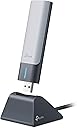
The TP-Link AX1800 USB WiFi 6 Adapter (Archer TX21UH) transforms your desktop PCโs wireless capabilities with dual-band AX1800 speeds up to 1.8 Gbps, advanced MU-MIMO and OFDMA tech for multi-device efficiency, and high-gain antennas with beamforming for superior range. Featuring USB 3.0 for ultra-fast data transfer and WPA3 security, itโs designed for seamless Windows 10/11 integration and hassle-free setup, making it the top choice for professionals demanding reliable, high-speed connectivity.


| ASIN | B0BZJRXT7X |
| Best Sellers Rank | #1 in USB Computer Network Adapters |
| Brand | TP-Link |
| Built-In Media | Archer TX21UH, Quick Installation Guide, USB 3. |
| Color | Black |
| Compatible Devices | Desktop, Laptop |
| Compatible Operating System Family | Windows |
| Customer Reviews | 4.2 out of 5 stars 581 Reviews |
| Data Link Protocol | USB |
| Data Transfer Rate | 1800 megabits_per_second |
| Hardware Interface | USB |
| Item Dimensions L x W x H | 1.2"L x 0.58"W x 4.4"H |
| Item Type Name | WiFi Adapter |
| Item Weight | 4.48 ounces |
| Manufacturer | TP-Link |
| Mfr Part Number | Archer TX21UH |
| Minimum Required Operating System Version | Windows 10 |
| Model Number | Archer TX21UH |
| Number of Items | 1 |
| Product Dimensions | 1.2"L x 0.58"W x 4.4"H |
| UPC | 840030706394 |
| Unit Count | 1 Count |
| Warranty Description | Manufacture's 2-year warranty |
R**N
Much greater range and speed
I had to add a desktop machine in the far reaches of my shop, where there is presently no Ethernet access. A USB3 mount was 3D printed to run a cable outlet to the top of the monitor, but even with that, the spare EDUP 600Mbps could not connect on the 5ghz band, only 2.4. That limited download speed to 20-25Mbps and uploads to less than 10. There is a lot of metal and other structure between this PC and my beastly ASUS ROG router. Downloaded and installed the TP-Link driver, and plugged it in. Voila, hits 5ghz with full bars and downloads are 10X speed at this distance. Uploads are nearly 20x. Quite happy with the performance. Beamforming is a thing. Only disappointment is that the photo shows the folded up antenna as silver, which matches the body. The folded up belly of the flip up antenna is stark white, so aesthetically it's not attractive. But that's a minor price to pay for the connectivity performance boost.
B**3
Impressive TP-Link AX1800 WiFi 6 USB Adapter - 5/5 Rating
I recently purchased the TP-Link AX1800 WiFi 6 USB Adapter for Desktop PC (Archer TX21UH), and I'm genuinely impressed with its performance. I would confidently rate it a perfect 5 out of 5 stars. This WiFi 6 USB adapter offers a seamless wireless network experience, providing support for both 2.4GHz and 5GHz frequencies. The inclusion of advanced features like MU-MIMO and OFDMA further enhances the efficiency of data transfer and reduces latency, ensuring a smooth and reliable connection. The high-gain dual-band 5dBi antenna significantly improves signal strength and coverage, contributing to a more consistent and robust wireless connection. The WPA3 security protocol adds an extra layer of protection to your network, enhancing overall security. The compatibility with Windows 11 and Windows 10 ensures that it integrates seamlessly with your desktop PC's operating system. While I found the TP-Link AX1800 WiFi 6 USB Adapter to be an excellent choice for enhancing wireless connectivity, I eventually returned it. My decision was solely based on my personal preference for a WiFi 6E-capable adapter. However, I must emphasize that this TP-Link adapter offers exceptional value for its price point. In conclusion, the TP-Link AX1800 WiFi 6 USB Adapter (Archer TX21UH) is a high-performing and cost-effective solution for upgrading your desktop PC's wireless capabilities. While I opted for a different adapter with WiFi 6E capabilities, I wholeheartedly recommend this TP-Link adapter to anyone seeking an outstanding WiFi 6 experience without breaking the bank. Sincerely, Mark
M**A
Simple, easy, works!
My desktop didn't have wifi capabilities whatsoever. With this adapter, super simple install and now I have reliable internet!
M**O
Does not last
After installing newer drivers (which was a pain), worked for about 4 weeks. OK speeds at best, not nearly as advertised or what my network can put out on other devices. After 4 weeks, constantly would lose signal and not connect. Every time I booted up my PC, no networks were detected. I would have to unplug the device and replug it back into a USB port and wait a minute until it could power on and connect and find networks. Waste of time. I have NO issues with my PC, made sure power settings are all correct for using a USB network adapter, and have since replaced it with a different USB network adapter (not TP-Link) that works much better and has faster speeds. They design these so that after the return policy window you can't return them. Total junk such a waste of money.
D**N
TP-Link AX1800 WiFi 6 USB Adapter for Desktop PC (Archer TX21UH)
Good.
S**Y
PnP with Driver ready to install on Windows 10 Pro.
Check the box/container label for Version Number as there are 2 versions 1.0 or 1.6 If you remove/uninstall the Driver just go to the TP-Link website to download and reinstall. the Extension antenna is made of thin and lightweight plastic which can easily break. Construction of the device could have used a more rigid enclosure as if stepped on will be crushed. It may take a few extra seconds to connect to your Wi-Fi signal while the PC is first turned on. I don't use the mount/stand as the AX1800 USB adapter is plugged into the rear USB 3.0 port on my desktop. For me , it just one less wire and an item I don't have to fidget with. Wi-Fi 7 should be incoming by 2026 or start to become more popular. Hopefully 6G will become available to replace 5G permitting Wi-Fi 7 to take advantage of better transfer of data. Depending on your Internet Provider and Data Speed if under 800Mbps then Wi-Fi 5 is the most you will need. As Wi-Fi 6 is up to 1.2Gbps and provides new security feature WPA-3. The TP-Link AX1800 (Archer TX21UH) adapter performs well and highly recommended for those with very fast internet speeds up to 1.2Gbps. Bought mine while discounted for the holiday season and it's worth it.
P**T
Wow. Speeds went from 4mbps to 200+ mbps
I don't write many reviews, but this product is awesome. My wife and I kept having problems with slow speeds on our PCs in the bedroom, which is stupid because we're paying for top-of-the-line, super-fast Wi-Fi 6 internet. I switched out our old adapters to these new ones (we bought the AX1800 version, used for $25 each), and instantly our speeds skyrocketed. No more 10-hour downloads for a Fortnite update when we're trying to play with the kids. I am very happy with this product so far. The only issue I had was that I had to mess with them a lot to get them working. For both of them, I had to search for the drivers online using the actual model number, which is Archer TX21UH; I didn't know that ahead of time, and I was searching under AX1800, and I got nowhere. Once I found and installed the drivers, I still had to unplug the old one, reboot, and adjust network settings. On one of them, I even had to go into the device manager, network adapters, TP-link 2 (since the old one was also a TP-link), and update drivers, and then it worked (even though I already downloaded the drivers?). Either way, got it all done in 20 minutes, and it was worth it.
R**.
It improved my signal strength from 3 bars to 5!
Also unobtrusive in my bedroom and very easy to install.
J**R
Works great. Had one hiccup during installation of driver software.
Works great. Had one hiccup during installation of driver software. This happens if you insert the USB adapter while a Windows update is waiting in the queue. For some reason the installation of the Wifi driver fails. After installing the Windows Update the Wifi Adapter does not show the installer anymore. When this happens copy the installer to a folder on your computer before running the Windows Update. If you forget this step, you can download the installer from the TP-Link website. URL is in the small document that comes with the Wifi Adapter.
Trustpilot
2 months ago
1 week ago