Buy anything from 5,000+ international stores. One checkout price. No surprise fees. Join 2M+ shoppers on Desertcart.
Desertcart purchases this item on your behalf and handles shipping, customs, and support to Seychelles.
🚀 Upgrade your network without opening walls—speed meets simplicity!
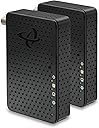
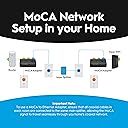
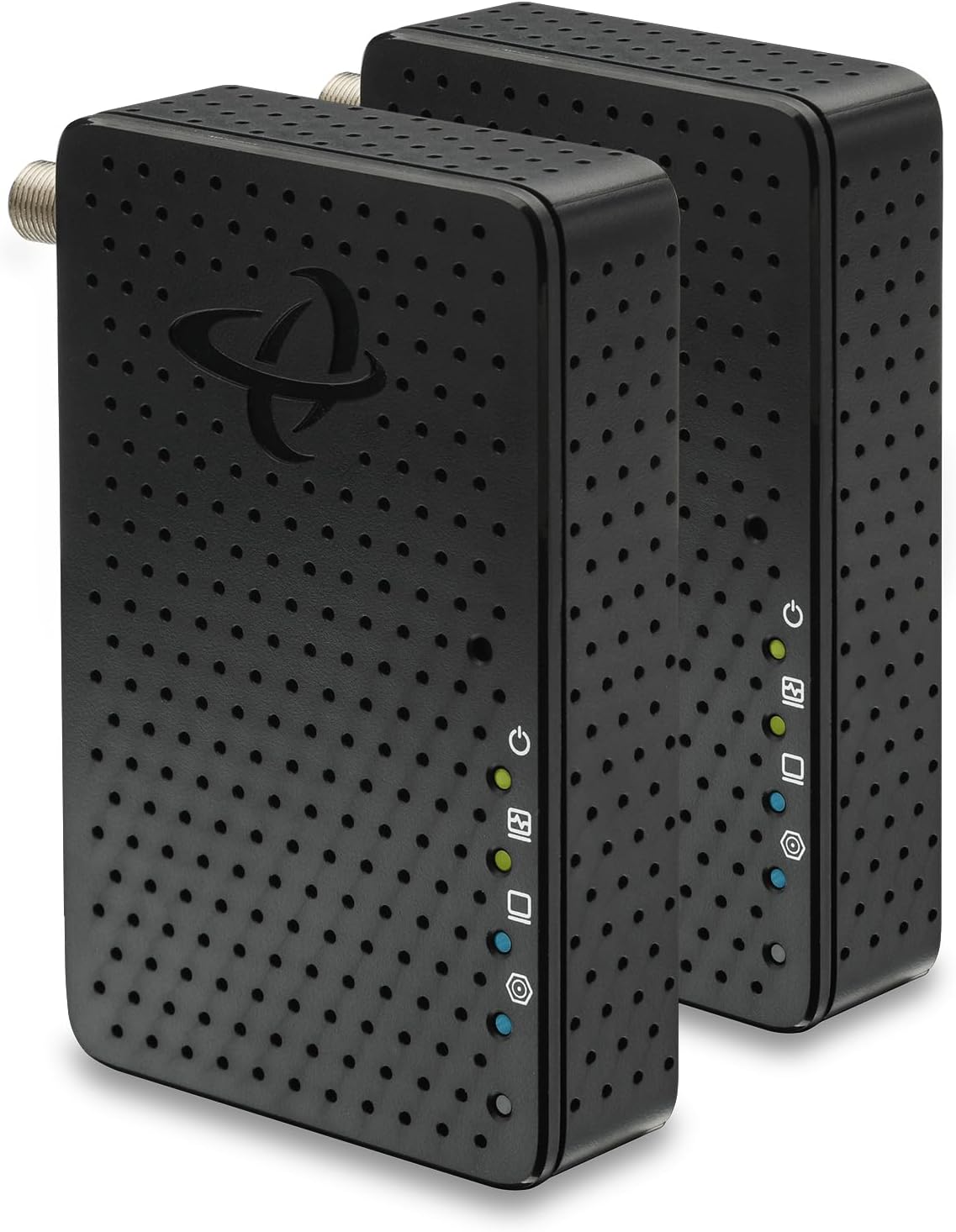
The Hitron HTEM5 MoCA 2.5 Network Adapter 2-Pack extends your existing home network by converting coaxial TV cables into ultra-fast 2.5 Gbps Ethernet connections. Designed for homes with cable or most fiber internet (excluding AT&T Fiber), it offers a plug-and-play solution to boost wired connectivity in hard-to-wire rooms. The kit includes two adapters, cables, and power supplies, enabling seamless setup and reliable high-bandwidth performance for gaming, streaming, and remote work.


| ASIN | B0C47MJT83 |
| Best Sellers Rank | #63 in Audio & Video Connectors & Adapters |
| Brand | Hitron |
| Built-In Media | 2 Power Supplies, 2 Coax Cables, 2 Ethernet Cables |
| Color | 2 pack |
| Compatible Devices | Desktop, Game Console, Laptop, Requires existing network equipment, Smart TV |
| Customer Reviews | 4.4 out of 5 stars 393 Reviews |
| Data Link Protocol | Ethernet 2.5 Gbps |
| Data Transfer Rate | 2.5 Gigabytes Per Second |
| Hardware Interface | Ethernet |
| Item Dimensions L x W x H | 4.33"L x 2.76"W x 1"H |
| Item Weight | 110 Grams |
| Manufacturer | Hitron |
| Product Dimensions | 4.33"L x 2.76"W x 1"H |
| UPC | 860009155343 |
| Unit Count | 2.0 Count |
M**L
Can’t run Cat6 or open walls? This is the perfect solution
These MoCA 2.5 adapters worked perfectly for my setup. I needed a fast and stable connection in a room where running Ethernet wasn’t practical, and this solved the problem instantly using the existing coax cables in the house. Setup was quick and straightforward—plug in the coax, connect Ethernet, and the link established immediately. The connection has been extremely stable with excellent throughput, making it perfect for streaming, gaming, large downloads, and working from home. As a cable technician, I’ve worked with coax networks for years and was impressed with how well these adapters performed. I tested them in a 100-year-old house using older copper-braided RG59 coax and was still able to achieve over 1 Gbps throughput with zero packet loss, which was really impressive considering the age of the wiring. I’ve used these both to extend Wi-Fi coverage by feeding another access point and to connect a network switch for additional wired devices, and they’ve worked flawlessly in both scenarios. Latency has been low and the connection has remained stable with no drops. The build quality also feels solid and well made. One note: if your coax cable is damaged, corroded, excessively long (150+ ft), or already had signal issues before installing MoCA, you may experience connection problems. In most cases that would be related to the condition of the coax line itself rather than the MoCA adapters. If you already have coax wiring in your home and want near-Ethernet performance without opening walls or pulling Cat6, MoCA is an excellent solution and these adapters deliver exactly what they promise. Highly recommended. ⭐⭐⭐⭐⭐
G**R
Had doubts, but works great at full speed.
Plug and play, worked right out of the box. Got the expected speeds of 2.35 gbps. Allowed me to add a new wireless access point without having to deal with wireless mesh back haul slowing down speeds. Should've done this way sooner.
M**H
Perfect for running internet to another building
I bought this to connect my Home network to my garage. For anyone who has a coaxial run to another building, such as your garage, this is the perfect product for you. In a closed loop system, I was able to connect one Hitron unit at the coaxial end that resided in my basement. The coaxial cable then runs to a conduit buried about 2 feet underground and runs about 100-125 feet to the garage. I then connected the second Hitron unit to the end in the garage. I ran ethernet from the second hitron unit to a TP-Link Omada WiFi 7 Wireless Access Point | BE5000. Inside the house, I ran an ethernet cord from my basement Hitron unit to the living room network switch connected to my router. The best way to run ethernet for cheap is to determine distance and purchase pre-made patch cables. Unless you have a network closet with a patch panel of course. Most people don't go to these extremes at home, however. I then used the user manual of the TP-Link to determine its IP Address, logged into the web portal of its IP and setup my Wi-Fi SSIDs and passwords to match those within the house determined by my router. I have a Firewalla purple router with two Firewalla Access Points. Unfortunately, while they work better with the Firewalla App, they are costly. The TP-Link AP is a cheap alternative to Firewalla's AP's and works just fine. I get perfect signal in my garage with full speeds as expected.
A**R
Plug & play and works perfectly
Adapters work exactly as advertised including easy plug and play. My Verizon 5g gateway modem picks up the Internet connection in my master bedroom. I then connect it to my nest wifi primary router's wan port via ethernet cable, which then connects to this router via ethernet cable from the WiFi router's lan port, and from there to the wall coax jack via coax cable. Inside my coax cable cabinet, I re-configured my master bedroom cable to the inlet port of a three way splitter. The outlet ports each go to three separate rooms. In each of those three rooms, this adapter connects to another WiFi mesh node's wan port, and then by Ethernet to non-mobile devices (living room TV and docked PCs in bedrooms). Now have flawless wifi everywhere in the home with connection speeds as fast as connecting directly to the modem gateway. Very happy with simple and effective it all turned out to be.
G**T
Perfect for Hardwired Internet via Coax, But the Lights Are Bright!
I bought this Hitron MoCA 2.5 adapter to run an ethernet connection through the existing coax cables already wired into my walls, and it works perfectly for my use case. It provides a rock-solid, fast connection without any drop-offs. The only minor downside is that the status lights on the unit are fairly bright and constantly flicker on and off during data transfer, which can be a bit annoying if it's sitting right in your line of sight. However, because this is a wired adapter and doesn't rely on being out in the open like a wireless router, you can easily tuck it away behind a desk or furniture to hide the blinking lights. Overall, it's a fantastic, reliable solution for anyone looking to convert their home's coax outlets into high-speed ethernet lines!
G**G
Excellent Product works well over 1 Gbps
I recently signed up for AT&T's Fiber Network, which offers speeds of up to 1 Gbps. The actual speed provided to the fiber gateway is quite generous at 1.25 Gbps. My Office is on the second floor and about 35 feet and several walls away from the gateway. I tried several Wi-Fi 6E and Wi-Fi 7 solutions to boost or extend the signal, but I never achieved more than about 700 or 800 Mbps, and the connection speed fluctuated. I just installed this MoCA adapter kit, reusing a coax line that runs into the office (total coax length is about 50 feet), and I am now seeing the full 1.25 Gbps on my computer, and the bitrate is consistent and stable (there is also an additional 25-foot Ethernet cable). I highly recommend this product. The installation was easy, and the result makes it worthwhile.
M**S
Great product! Amazing reliability
These are amazing. Just plug them in to your existing Network. Make sure all the cables are going to the same splitter and it works great speed. Great reliability have been using for over a year with no interruptions with amazing speed and no having to run new cables through the attic!
K**K
Works as Advertised So Far
I moved my office setup to my unfinished basement where I have no ethernet cable feed from the Xfinity router upstairs on the first floor. I can get a pretty good wireless connection, but I have too many devices that I want/need to have a fast stable network connection. My main Xfinity cable connection comes into the basement and then splits to the rest of the house. Thus, I heard about and researched MoCA 2.5. The set of devices arrived packaged neatly and in good shape. If you've done your research on how to setup a MoCA network, then the connection of the devices will be pretty straight forward. I purchased new coaxial splitters rated for use of MoCA to ensure that the network to work properly. Also, you will need a MoCA PoE filter device, sold separately, on to the main cable TV/internet cable that comes in from the outside from your cable company. This needs to be added BEFORE the first split in the house. This prevents your network signals from leaking to the outside via the coax network. Once setup, my MoCA devices and network switch all indicated that my network was running at 2.5Gb/s. I was happy. The only bad thing that I encountered was the lack of instructions on that you may need to make changes on your router. There were no indications on the small "Get Stared" card included in the box. Upon initial setup, connecting the MoCA knocked out the wireless and wired Xfinity network. After about 45 minutes of Googling, I finally read that the Xfinity router has a setting for MoCA in its advanced settings which is not easy to get into. The MoCA setting was already "Enabled" but the things were still not working. More Googling. Eventually I read that with some MoCA devices if the router's MoCA setting is enabled, the network may not work because the MoCA devices could be trying to push Its own signal and would conflict with the router's setting. I changed the Xfinity router's MoCA setting to "Disable" and the entire network ran smoothly. It would have saved me a lot of time and headache if the instructions included some information about this. Otherwise, I am very pleased that I have a wired ethernet network in my basement via the existing coax cable network in the house.
C**A
Excellent product
This product is excellent. Was having Wifi issues with “Smart LG TV” which was downstairs and through a few walls and one floor. Since coax jack was nearby I used this MoCA to basically hardwire the Smart TV so it receives internet signal over hardwired ethernet. No more dropped or glitchy signals. Quality product for good price. Easy setup, easy setup instructions. You need two MoCA’s to do this and having a 2 pack was handy. Comes with 6’ ethernet jacks (2 of them), power plugs/adapters, and 6’ coax cables (2 of them). Would buy product again.
J**.
Puertos 2.5Gb
Me sirvieron para interconectar 2 switches con puertos a 2.5Gbits la ventaja es que ya había cable coaxial y era complicado poner un cable ethernet, el precio me pareció un poco elevado.
Y**.
In house ethernet solutions
This unit arrived on time and worked correctly and was easy to commission....
J**E
USA plugs. USA Import duty.
Technically these work but I'm getting less than 100Mbps so it's slower than the wifi 6 that I've already got. The main problem though is that I ordered them from Amazon.de (Germany) and they came from the USA. They were supplied with American plugs which are no use to me and I had to pay import duty from the USA. That is not why I use Amazon.de! When I've paid for delivery I expect them delivered and I expect European plugs.
A**R
Superb
Truely amazing! Works exactly as advertised. I was able to get 2.5Gbps into the other room with no holes in the wall. Easy setup
Trustpilot
3 days ago
2 weeks ago