
Desertcart purchases this item on your behalf and handles shipping, customs, and support to Seychelles.
๐ Elevate Your Home Network to Pro-Level Speed & Security
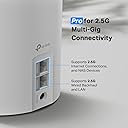
The TP-Link Deco X55 Pro AX3000 Mesh System is a cutting-edge Wi-Fi 6 solution designed for expansive homes up to 6500 sq.ft. Its tri-pack setup supports over 150 devices simultaneously, featuring dual 2.5G Ethernet ports for multi-gigabit internet and wired backhaul. With AI-driven mesh technology and advanced security via TP-Link HomeShield, it ensures seamless, fast, and secure connectivity tailored for modern smart homes and demanding internet plans.


| ASIN | B0C7SR7C6K |
| Antenna Location | Business, Gaming, Home |
| Antenna Type | Fixed |
| Best Sellers Rank | #540 in Computers & Accessories ( See Top 100 in Computers & Accessories ) #23 in Whole Home & Mesh Wi-Fi Systems #67 in Computer Routers |
| Brand | TP-Link |
| Built-In Media | 1 RJ45 Ethernet cable, 3 Deco X55 Pro units, 3 Power adapters, Quick Installation Guide |
| Color | White/Black |
| Compatible Devices | Iphone, Smartphone, Tablet |
| Connectivity Protocol | Wi-Fi |
| Connectivity Range | 6500 square_feet |
| Connectivity Technology | Wi-Fi |
| Control Method | App, Voice |
| Controller Type | Amazon Alexa, Android, Google Assistant, iOS |
| Coverage | 604 cm |
| Customer Reviews | 4.4 out of 5 stars 1,052 Reviews |
| Data Transfer Rate | 3000 megabits_per_second |
| Frequency | 5 GHz |
| Frequency Band Class | Dual-Band |
| Global Trade Identification Number | 00840030706080 |
| Item Dimensions L x W x H | 4.33"L x 4.33"W x 4.48"H |
| Item Highlight | Coverage up to 6500 Sq.Ft & up to 150 devices, 2x2.5G WAN/LAN Ports, 4 Streams, Wired Ethernet Backhaul, Ideal 1Gig+ Internet |
| Item Weight | 2.9 pounds |
| LAN Port Bandwidth | 2.5 Gbps |
| Manufacturer | TP-Link |
| Maximum Upstream Data Transfer Rate | 3000 megabits_per_second |
| Mfr Part Number | Deco X55 Pro(3-Pack) |
| Model Name | Deco X55 Pro |
| Model Number | Deco X55 Pro(3-Pack) |
| Number of Antennas | 3 |
| Number of Items | 1 |
| Number of Packs | 3 |
| Number of Ports | 2 |
| Operating System | Omada |
| Other Special Features of the Product | Access Point Mode, Guest Mode, QoS |
| Router Firewall Security Level | Advanced |
| Router Network Type | hybrid |
| Security Protocol | WPA-PSK, WPA2-PSK, WPA3-PSK |
| Special Feature | Access Point Mode, Guest Mode , QoS |
| UPC | 840030706080 |
| Unit Count | 1 Count |
| Warranty Description | 2 year manufacturer |
| Wi-Fi Generation | Wi-Fi 6 |
| Wireless Communication Standard | 802.11a, 802.11ac, 802.11ax, 802.11b, 802.11n |
| Wireless Compability | 802.11a, 802.11ac, 802.11ax, 802.11b, 802.11n |
E**E
May need tech support from TP-Link as is the case with any Mesh Router
One of my 2 year old Mesh unit (1 of 3 and not from TP-Link) died and its no longer available to buy a new one. I chose this 3 pack from TP-Link after reading the comments and I had used TP-Link routers previously with no issues. Anyway, despite the set up procedure being a bit confusing, their support desk pointed me in the right direction to try different checks and I finally got the master Mesh router alive and kicking so my wife could watch TV and then the 2 satellite DECO units I just powered up and they self configured in a few minutes. Here's a few pointers I've learned - Mesh units generally need to be from the same company and the same model. To configure the master Mesh device, it usually needs either BT to connect to them from a phone or wifi using a custom app you can download from Google Play and setting up an account with the manufacturer. However, where you need to connect to the manufacturers server for set up, it can be a problem if you can't get internet access yet. To fix this, I used wifi (DECO's method) for configuring the new mesh device where I had to switch phone settings from the DECO router to an existing working internet router to complete the set up. Once done the DECO had internet access and the solid green LED was on. One last crucial point is the Cable modem to Mesh device connection. I found and its well documented with many types of routers Mesh (and possibly simple routers) that to ensure a connection between them works you may have to follow this procedure. Power off both modem & mesh/router and disconnect them. Wait 10 minutes and then power on just the Modem. Wait until the status shows connected to your provider and add another 2 minutes of wait time and only then connect the mesh/router and power it on. Within a couple of minutes you should have internet access from the master TP-Link mesh/router. Then power up both satellites and they should auto configure in a few minutes. Apart from a few gotchas probably due to me and a 'complex' local area network (for a home), I'm very pleased with these DECO units as they're much smaller and less intrusive than my older devices and hopefully they'' continue working for a long time just like my older TP-Link routers.
I**L
Excellent Product
Iโve done light networking admin and troubleshooting at a previous job and have been around computers for most of my life. My dad had an Ethernet in the house in the 90โs. I built my first PC when I was 11. Iโm 43 now. Iโm not an expert, but I have more experience than probably most. This was really easy to setup. I downloaded the app and it walked me through setup. Only thing that caused me an issue was I was running a VPN on my phone which initially blocked access until I disabled the VPN. The setup was easy. I installed one node near the cable modem which is in the side attic of the room over the garage. I installed another node downstairs and the last node upstairs. I already have network cable ran in the house so all the nodes are connected by LAN and do wired backhaul. All of the streaming peripherals like Apple TVs are also wired. The only devices using the WiFi are phones and laptops. The system broadcasts one network and auto configures your device for best speed. You donโt have to choose a 5ghz or 2.4ghz network. That is automatic. The house has excellent signal everywhere. I put on YouTube and walked into every room while steaming. It never flickered or stopped. It seamlessly moved from node to node as needed. The app checked the firmware on the nodes and updated the firmware on each one, very simple process. I will update this if anything changes. Right now, itโs very fast meshed WiFi that works very well. It was super easy to install and update. The app is intuitive and useful.
T**T
Fast with 2.5gbps backhaul, limited though
Fairly easy to set up with the app, but you have to go through the whole setup as a regular router before you can switch it to an access point. I use it as an access point and it's fine. So I can't speak to any of the features the Deco app has or how this works as a router. It is limited though. You can't choose the wifi channels or channel width. It has a utility that scans and selects channels, but you can't choose. So if you're advanced users you might get frustrated. It does an ok job choosing but it's really not good that it doesn't let you configure it. It's definitely fast and one of the few access points you'll find on the market with 2.5gbe backhaul, especially at its price point. The wifi speeds are fast, but I wish the signal was a little stronger. You probably want one in each room if you want the fastest speeds possible. The minute you go to the next room or get 10-20ft away the speed goes down by 1/3 to 1/2. This is still fast for wifi. In my testing the speed was 1.3gbps within 10ft and 800mbps on the other side of the wall in the next room. 500mbps in that same room on the other end maybe 20ft away total with a wall. I think it's somewhat typical of wifi and the wifi 6 frequency, but I think it could be better. I think mesh wifi systems are designed to make you need a bunch. In a 2,000 - 3,000 sq.ft. home you'll probably need 3 if not more depending on walls and obstacles. IF you want top speeds. You'll be fine with probably just 2 if you're ok with speeds around 100mbps. You'll probably want this one if 2.5gbe backhaul is important to you. Otherwise it's average in my opinion. You could certainly do worse.
O**Y
Solved my issues. Good value.
I was tired of having people tell me I was breaking up when calling on WiFi Calling. I was tired of having three WiFi names, one for the router, two for the extender. This mesh router solved these issues. Realize the model design is several years old, and is โonlyโ WiFi 6, nevertheless software is updated and speeds are fine for me. Why not five stars? The last unit came up with no internet connection, but was eventually coerced into full operation following the advice about this situation in the app. Also, I found that my farthest device (sprinkler controller in backyard) stayed stubbornly connected to the main router despite having a satellite router much closer to it. I havenโt found a way to enable the mesh to transfer devices to closer nodes (called roaming in this context), though I have read a different Tp-link model does have a setting for this. Over all, a good value with good performance. Spectrum was charging $10 a month for their WiFi router, so this Deco will pay for itself in just over a year.
A**A
BEST MESH out of 3 I have tried
Let's just start by stating i had no idea that you can hardwire a mesh unit to a gaming pc in a different room. Had no idea what they were. I decided to try them since i had a gaming PC on the main floor (modem upstairs office) and my router with extenders wasn't cutting it. I used to get 50 download speeds on the gaming laptop on the main floor. I pay for a gig but only got 50.... yea I know ... GREAT speeds hahah NOT. I tried 3 mesh units until i got this one .. and This one is the real deal! #1 Eero first and it worked ok but it only game me speeds up to 250. Even the PC that is hardwired to the eero that was connected to the modem (it should have been getting a gig or close to that) After about a week the speeds were always dropping.... RETURNED #2 Orbi - PRICEYYYYYY so i thought this would be the one. Not only is it pricey but U_G_L_Y and big. I set it up and about the same as the Eero just a tad faster at 300-350 download. About 2 days later the satellites were only getting 90 down.... Worse than the Eero.... RETURNED Then i read the new Pro Deco 55 w 2 2.5 ports and thought OK this is my last go ... if this doesnt work paying someone to hardwire it is.. THIS thing blew my mind.... OVER a gig from the router connected to the mdem ( and i pay for a gig dont know how that works lol) and the other units on the main floor hardwired into the Deco is giving 500-900 down..... am totally shocked. Been stable that way for about a week now. Setup was easy the app looks clean and not confusing. So if you are like me and Basic knowledge person that just wants to get what you pay for internet wise with good house coverage DONT get the others ... the TP Link Deco 55 pro was the best for me overall. Hope this helps
N**2
Easy to setup, works flawlessly.
I bought this product because of all the positive reviews and for the backhauling feature. I had a couple of outdated routers I was using as access points but the wi-fi wasn't getting to all the rooms in the house. I set this up using my Night Hawk router and putting the main hub in my master bedroom hardwired to the router in the basement, I put the second hub in my kitchen hardwired. I set both these up as Access Points in the TP-Link software and put the third hub in my son's room. I have full coverage in a 3000Sqft home in the basement, main floor, and upstairs. I am pulling 400Mbps to 500Mbps everywhere in the house now. I am using the back haul feature in my son's room and I connected it to a switch so all of his device get this ability and I did a speed test on all the devices and he pulls full bandwidth now on everything. We have 500Mbps service. He could only get 60Mbps to 100Mbps with our old equipment. I am very impressed with this equipment to date. I like the fact that it has 2.5G Ethernet port's for your internal lane. I will eventually upgrade my router to take advantage of this feature and my network cards on all my pc's. My Nighthawk Modem has 2.5G Ethernet port on it as well. The only negative I found is TP Links cloud software could be a little bit faster on updating status of your network.
J**F
Horrible company, worse product , customer service ? ( NONE)
This one avoid at ALL COSTS ! I'm 73 , I have purchased houses, realestate.vehicle's in a fraction of the time I put into trying unsuccessfully connecting this ! Set #1 spent 9.5 HOURS with TP Link and my isp there are 3 identical units the isp said theupy were c defective ? As the old router works ,the cable works to my computer ? When any one or the 3 were connected solid red lights + no internet ? Tp link condemned the 3 had me return them . Said if I wanted them shipped quickly the would have to charge my card other wise it would take longer ? I paid 169 on Amazon? They charged my card 329.00 ? They said they would up grade the unit and give me a better model than purchased ? I. Waited and waited ? Initially amazon shipped them in 3 days ? T.p link took (12) days , ( sent ecpxactky the same model I had ordered . Called and complained ? They said they were sorry and would have the new. Set up and running 15-20 min max !! After 2 hours , I authorized them ( tp link ) to remotely access the. Computer i fell asleep , the next morning I called them all reps were busy @6pm I got a call another 1 hour and 30 min ? Said I would need to contact the isp AGAIN ! @ 16 HOURS ,4 VALLIUM, AND A NEAR STROKE I GAVE UP , AVOID THIS COMPANY THIS WAS THE WORSE EXPERIENCE IN 73 YEARS ON PLANET EARTH CALLED AMAZON AND THEY RESOLVED THE PROBLEM IN 12 -15 MIN? AMAZON IS A GREAT PLACE TO PURCHASE ( ESPECIALLY IF YOU ARE SO UNFORTUNATE TO. HAVE ANY DEALINGS WITH T.P.LINK. CALLING IT A NIGHTMARE WOULD BE LIKE CALLING THE GRAND CANYON A POT HOLE . DEALING WITH THIS COMPANY YOU WILL KNOW EXACTLY HOW THE DINASAURS FELT SINKING IN THE TAR PIT , ( AVOID,BEWARE,AVOID,( YOU WERE WARNED ) MY 2 SENSE
R**O
Exceeds expectations.
Simple set up, super fast. I set up with one wired and one wireless backhaul and the speed is about 250 mbps. Great value. Only downside is the size of the power plug that goes into electrical supply - itโs obnoxiously large. Overall I Highly recommend.
C**.
Good connection
Good connection, no slowness anymore
J**N
Be aware !
No UK plug / adaptor you WILL need to purchase a โstep downโ converter before using this device in the UK.
P**O
Good coverage and modern.
Good coverage. I got it at a good price . Two of these should cover my entire ( 2 bedroom- approx 900 sqft) house.
S**N
Works for me
Works well, covers my whole house much better than my sky max router. Be warned if you buy this from Amazon America (because it is โ the cost in UK) the power supplies come with American plugs so need to buy shaver adapters.
Trustpilot
3 days ago
1 month ago