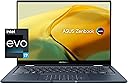
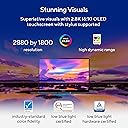
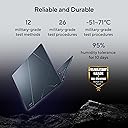
💼 Elevate your hustle with the Zenbook 14 Flip OLED — where power meets style in every pixel.
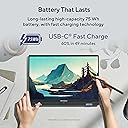
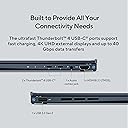
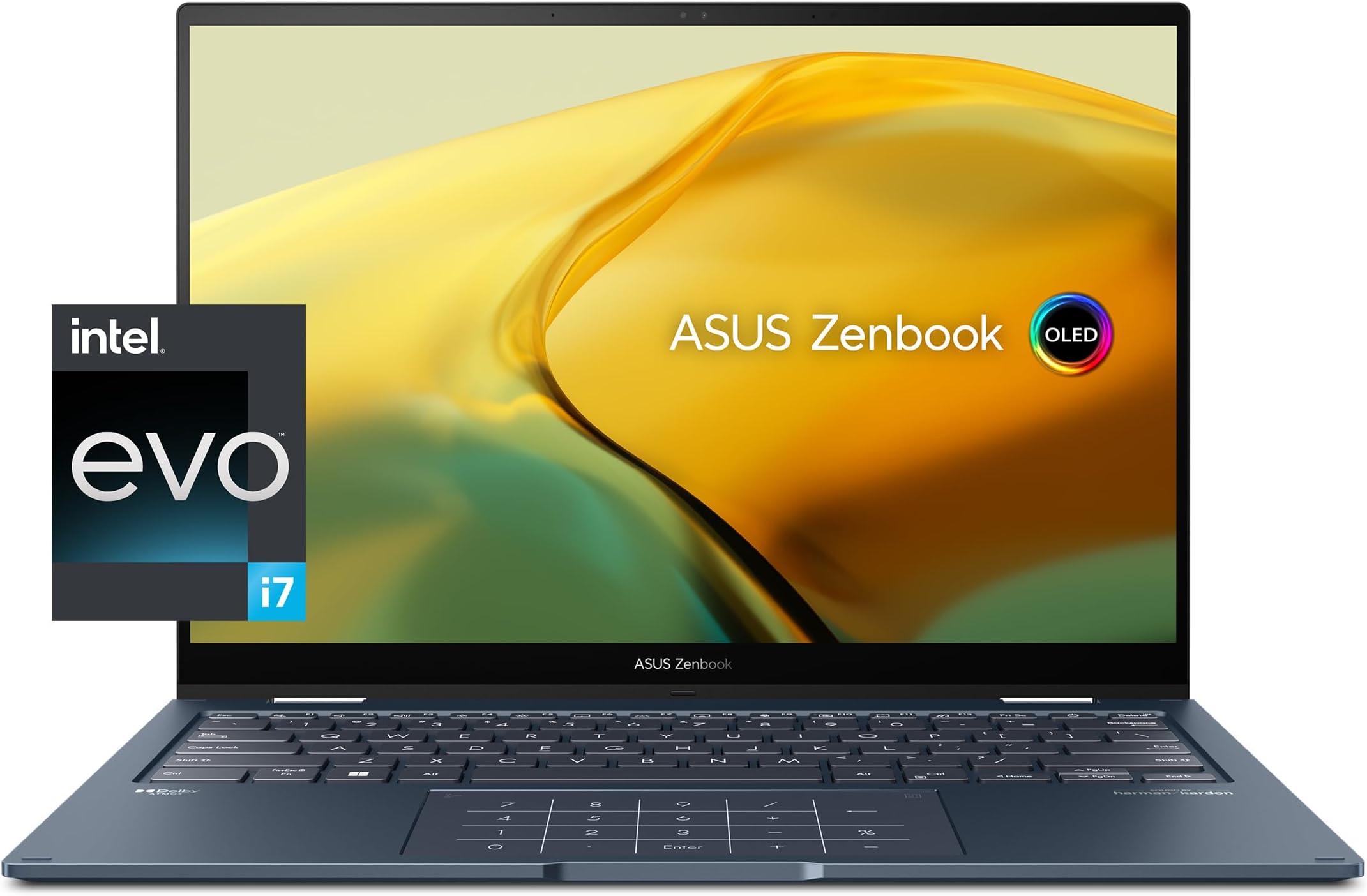
The ASUS Zenbook 14 Flip OLED is a premium 14-inch convertible laptop featuring a 2.8K OLED touchscreen with PANTONE validation, powered by a 13th Gen Intel Core i7-1360P processor and Intel Iris Xe graphics. It boasts 16GB LPDDR5 RAM, a 1TB PCIe 4.0 SSD, and a long-lasting 75Wh battery supporting over 23 hours of use. Designed for professionals on the move, it offers a versatile 360° hinge, advanced connectivity including Wi-Fi 6E and Thunderbolt 4, all wrapped in a sleek, lightweight chassis with Windows 11 Home.


| ASIN | B0C839RTS1 |
| Audio Output Type | Speakers |
| Audio features | Dolby Atmos stereo sound system, Harman Kardon certified; Wi-Fi 6E (802.11ax) (Dual band) 2*2 + Bluetooth 5 |
| Battery Cell Type | Lithium Ion |
| Battery Life | 23.44 hours |
| Best Sellers Rank | #88,775 in Computers & Accessories ( See Top 100 in Computers & Accessories ) #15,794 in Traditional Laptop Computers |
| Bluetooth Version | 5 |
| Brand | ASUS |
| Built-In Media | Powercord & Adapter, Protective Sleeve, Stylus, UP3404VA-DS74T, USB-A to RJ45 gigabit ethernet adapter |
| CPU L3 Cache | 18 MB |
| CPU Model | Core i7 |
| CPU Model Generation | 13th Gen |
| CPU Model Number | Intel Core i7-1360P |
| CPU Model Speed Maximum | 5 GHz |
| Cache Memory Installed Size | 18 |
| Color | Ponder Blue |
| Compatible Devices | External displays, keyboards, mice, storage devices, printers, and other accessories that interface with USB, HDMI, Thunderbolt, Bluetooth, or Wi-Fi. |
| Connectivity Technology | USB, Wi-Fi |
| Control Method | Touch |
| Customer Reviews | 4.2 out of 5 stars 81 Reviews |
| Display Resolution Maximum | 2880x1800 |
| Display Technology | OLED |
| Display Type | LED |
| Form Factor | Convertible |
| Graphics Card Ram | 16 GB |
| Graphics Coprocessor | Intel Iris |
| Graphics Description | Integrated |
| Graphics Ram Type | DDR5 SDRAM |
| Hard Disk Description | SSD |
| Hard Disk Interface | PCIE x 4 |
| Hard Disk Size | 1 TB |
| Hard-Drive Size | 1 TB |
| Hardware Interface | PCI Express x4 |
| Human-Interface Input | Touchscreen |
| Item Dimensions L x W x Thickness | 12.26"L x 0.63"W x 8.8"Th |
| Keyboard Description | Backlit |
| Keyboard Layout | QWERTY |
| Lithium-Battery Energy Content | 75 watt-hours |
| Manufacturer | ASUS |
| Memory Clock Speed | 1600 MHz |
| Memory Speed | 4800 MHz |
| Microphone Form Factor | Integrated |
| Model Name | Zenbook 14 Flip |
| Model Number | UP3404VA-DS74T |
| Model Year | 2023 |
| Native Resolution | 2880 x 1800 pixels |
| Notebook Pointing Device Description | Touchscreen |
| Number Of Cells | 4 |
| Number of Ports | 6 |
| Operating System | Windows 11 Home |
| Optical Storage Device | No Drive |
| Other Special Features of the Product | Dolby |
| Processor Brand | Intel |
| Processor Count | 12 |
| Processor Series | Core i7 |
| Processor Speed | 5 GHz |
| RAM Memory Installed | 16 GB |
| RAM Memory Slot Total Count | 1 |
| RAM Memory Technology | LPDDR5 |
| RAM Type | DDR5 RAM |
| Ram Memory Maximum Size | 16 GB |
| Resolution | 2880 x 1800 |
| Screen Size | 14 inches |
| Specific Uses For Product | Personal |
| Total Number of HDMI Ports | 1 |
| Total Thunderbolt Ports | 2 |
| Total Usb Ports | 3 |
| Touch Screen Type | In-Cell/On-Cell |
| Touchpad Feature | True |
| UPC | 197105049857 |
| Unit Count | 1 Count |
| Video Output | DisplayPort |
| Video Processor | NVIDIA |
| Voltage | 20 volts_of_direct_current |
| Warranty Description | 1YR International*/Eligible for 1YR free Domestic ADP upon registration with 1-way free shipping/2-way FREE shipping for standard hardware warranty repair |
| Warranty Type | Limited |
| Wireless Compability | 5 GHz Radio Frequency, 802.11ax, Bluetooth |
| Wireless Technology | Bluetooth, Wi-Fi |
S**H
Great laptop, but sadly had to return it.
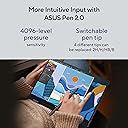
Instantly fell in love with the laptop. The engineers in Asus did a very fine job creating this beauty. In case you want to know, it comes with the Asus 2.0 pen too. It flips 360 degree like a charm. My 5 stars for this laptop is dedicated to the awesome job the engineers in Asus do. I was forced to return it because there was a small dent on the top of the laptop, which I am sure will be a problem later, if not today. I knew that I have to ask for a replacement, that's why I did not switch in on. That would have been unethical. Called the Amazon customer care, and the informed me that there is no replacement available on this purchase, so I was not left with any other option but to return. Took a recording on unboxing the laptop and offered to share it, but that not required. All I can say that the specs are more than ideal for a programmer. And the aesthetics of the laptop is absolutely top class.
B**Y
Amazing product
Amazing product i dont care what anyone says but with the gorgous screen, touch panel, and pen included with this price i dare any one to find a product that can out perform this for the price and does eveything what i need it do from photo to video editing to everyday work use!!!!!!! Plus with military grade drop protection casing it is simpilly best system sp far on the market
J**H
VERY GOOD BUY! 10/10
As a graphic designer, I find NO problems with this laptop. Once you use Cloud Storage or an external hard drive, you should have ZERO problems running any Adobe software. It carries weight; don't let its small size fool you. Screen, sound, and battery life are top tier.
K**N
Incredible— except for the display
Overall very surprised by how thin and lightweight a computer with performance this good can be! Starting and running programs like Cinema 4D, Adobe After Effects and Photoshop is smooth and efficient, and rendering time for simple projects is fairly good. Fan is super quiet, even when gaming. I've only tried casual games (TS4, Genshin Impact, & Minecraft) this far because notebooks like this just aren't made for it, but was pleasantly surprised by how well these games ran with medium-high graphics using the integrated GPU. The 1TB SSD makes transferring and organizing files/programs a quick and easy process. Installing some basic Adobe CC and Maxon programs hasn't left a major dent in my storage space without the need for an external drive. The keyboard has a nice, quiet click to it and is a good comfortable size. The power button is part of the keyboard but doesn't interfere with workflow because it has a bit more resistance than the rest of the keys and doesn't disrupt the layout of typical keyboards (delete key is still on the end, to the right of the power button). I do wish there were shortcut keys for toggling the keyboard & touchscreen, but that's a personal preference and likely a niche one. The touchpad is pretty large and responds well. It comes with the light up numberpad that can be toggled on and off, which is kind of useless to me but still nice to have. Switching into tablet mode is seamless. Once the screen is pushed beyond a reasonable laptop position, the keyboard automatically disables and tilt functionality is enabled. The 14in display doesn't feel too overwhelming large or too small to work with. However, I've had issues with palm rejection and tap response when using the pen. The pen calibration is also a bit off. The biggest issue I have with this device is the OLED touchscreen display. Whenever you're looking at bright whites and lighter colors, you're going to notice an obvious screen door effect that's hard too look past. While it isn't for me personally, this is a total deal breaker for some, as it makes everything look a bit cheaper and grainier, despite being a 2.8k display. If you're planning on using this device for detailed photo editing, you're either going to need to know how to differentiate the screen's shortcomings or just use a better external display.
G**Z
Gran laptop
Una muy buena inversión
A**C
Stopped working in first week, horrible service from ASUS
The computer stopped working in the first week I used it, and ASUS customer service was unable to fix it even after five long calls. Since I had bought the computer in the U.S. and then taken it to Peru for a long trip (and it was outside the one-month return window for Amazon), ASUS could offer me NO help at all. I asked if I could take it to an ASUS repair facility in Peru, and was told "no" because it had been purchased in the U.S. My only option was to return it to ASUS in the U.S.--which means waiting for 6 months until I return to the U.S. to ship the dead computer back to them. Poor product, worse service. Stay away.
P**I
Great product
Appearance and quality is upto the mark. Great portability and touch screen. It'll be too early to say anything about it's performance right now.
A**R
Great Laptop with one significant flaw
I really like the OLD screen. Number pad on touch pad is nice. I liked that it came with an Ethernet dongle. Even the built in speakers worked well (for a laptop). Nice sturdy build with metal case. It is a little heavier than other laptops of this size but, doesn't get as hot as the really light ones do. I was quite pleased with my purchase until I got more than 10 feet from my wireless router where the wireless connection slows and starts dropping. Signal strength is weak even when less than 10 feet from router though it works well enough. I went through typical troubleshooting steps: updating drivers, trying lower Wi-Fi bands etc... with no luck. Installed a USB network adapter and had no problems with signal strength. Many other Zenbook users have reported the same weak Wi-fi signal problem with no helpful responses from Asus (not a good sign). I took a closer look and found the Wi-Fi antenna is just behind a small plastic strip on the bottom front of the laptop. The metal case acts as a shield that blocks RF leaving a small opening in bottom front of laptop to receive Wi-fi signal. Sure enough, if I lift the laptop so the small plastic strip is facing the Wi-Fi router, the signal goes to max as it should when this close to it. It appears to me the poor Wi-Fi performance is due to this laptops design as the same intel Wi-Fi card works great in other laptops I own. I can use my USB Wi-Fi adapter when I need more Wi-Fi range which is not often. Others, however, may want to reconsider purchasing this Zenbook if having good Wi-Fi range is essential to them.
Trustpilot
3 weeks ago
2 weeks ago