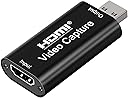
🎥 Capture Every Moment, Stream Without Limits!
The Audio Express AXHDCAP is a compact HDMI to USB 2.0 video capture card designed for professionals and creators seeking affordable, high-quality 1080p video recording and streaming. Supporting 4K HDMI input at 60Hz and outputting smooth 1080p video with stereo audio, it offers ultra-low latency real-time preview and broad compatibility with major OS and streaming platforms. Its plug-and-play simplicity and durable build make it ideal for gaming, live broadcasting, teaching, and video conferencing, delivering reliable performance without complex setup.


| ASIN | B0C2MDTY8P |
| Best Sellers Rank | #21,508 in Computers ( See Top 100 in Computers ) #22 in Internal TV Tuner & Video Capture Cards |
| Item model number | AXHDCAP |
| Manufacturer | Audio Express |
| Product Dimensions | 6.35 x 3.81 x 2.54 cm; 10 g |
B**T
For a capture card priced under $10, I wasn’t expecting perfection, but this device delivers decent 1080p video while maintaining a compact form factor. It’s not flawless, but for the cost, it performs surprisingly well. The main drawback is the input delay. When connected directly to my TV, there is no noticeable lag. However, when routing the signal through this device, there is a slight but perceptible delay. Disabling the Buffer feature in OBS helped reduce it somewhat, but the lag remains noticeable enough to be frustrating for gaming. I tested it on another Windows 11 machine and encountered the same issue. However, direct connections to a TV exhibited no delay, suggesting the device itself introduces some latency. Despite this, it is still a solid budget option. If you require real-time responsiveness, particularly for gaming or streaming, a higher-end capture card would be a better choice. Use Case Recommendation: This device is excellent for capturing HDMI video on a laptop using OBS or other free capture/webcam software. It’s a great alternative to using a dedicated monitor, allowing you to display an HDMI source on your laptop screen. For example, you can resize the video feed to a corner while taking notes or attending a lecture. Final Verdict: ✅ 10/10 for laptop setups – Ideal for secondary video display and casual use. ⚠️ 4/5 for streaming – Works fine for capturing footage, but input lag makes it less ideal as a primary video source for real-time applications. Check out the attached video for a real-time demonstration of how it looks and sounds in OBS with video buffering turned off and hardware decoding enabled.
N**R
Properly working
A**R
Good
A**R
Unfortunately the product didn’t work.
K**N
I bought this because a friend recommended it. After weeks of testing I can say that I'm happy with its performance. Just make sure not to have anything knock or nudge it while it is plugged in because it could loosen the connection between device and PC leading to sound loss (until you unplug then plug it back in.) I use it with OBS for streaming on YouTube.
Trustpilot
3 weeks ago
4 days ago