Desertcart purchases this item on your behalf and handles shipping, customs, and support to Seychelles.
🚀 Elevate your outdoor network game with unstoppable speed and range!
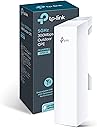
The TP-Link CPE510 is a professional-grade 5GHz outdoor wireless bridge featuring a high-gain 13dBi dual-polarized MIMO antenna, delivering up to 300Mbps over distances exceeding 15km. Designed for point-to-point and point-to-multipoint applications, it incorporates Qualcomm Atheros chipsets and MAXtream TDMA technology to optimize throughput and reduce latency. Its rugged, weatherproof enclosure operates reliably in extreme temperatures, while Passive PoE support and centralized Pharos Control software enable easy deployment and management, making it ideal for business and advanced home networking.


| ASIN | B00N2RO63U |
| Antenna Location | Outdoor Networking, Business |
| Best Sellers Rank | 34,664 in Computers & Accessories ( See Top 100 in Computers & Accessories ) 100 in Wireless Access Points |
| Box Contents | CPE510, 24V 1A Passive PoE Adapter, Pole Mounting Straps, AC Power Cord, Installation Guide |
| Brand | TP-Link |
| Brand Name | TP-Link |
| Colour | White/Dark Grey Heather |
| Compatible Devices | Laptop, Personal Computer, Smartphone, Smart Television, Tablet, Gaming Console, Security Camera |
| Compatible devices | Laptop, Personal Computer, Smartphone, Smart Television, Tablet, Gaming Console, Security Camera |
| Connectivity Protocol | Wi-Fi |
| Connectivity Technology | Wi-Fi |
| Control Method | App |
| Coverage | Long Range Wireless Transmission (up to 15km) |
| Customer Reviews | 4.2 out of 5 stars 1,734 Reviews |
| Data Transfer Rate | 300 Megabits Per Second |
| Frequency | 5 GHz |
| Frequency Band Class | Single-Band |
| Frequency band class | Single-Band |
| Global Trade Identification Number | 00845973070922 |
| Has Internet Connectivity | Yes |
| Is Modem Compatible | No |
| Item Dimensions L x W x H | 7.9L x 6W x 22.4H centimetres |
| Item Weight | 190 Grams |
| LAN Port Bandwidth | 300 mbps |
| Manufacturer | TP-LINK |
| Manufacturer Part Number | CPE510 |
| Maximum Upstream Data Transfer Rate | 150 Megabits Per Second |
| Model Name | CPE510 |
| Model Number | CPE510 |
| Model name | CPE510 |
| Number of Items | 1 |
| Number of Ports | 1 |
| Operating System | Pharos Control |
| Other Special Features of the Product | Weatherproof |
| RAM Memory Installed | 64 MB |
| Router Network Type | wireless |
| Security Protocol | WPA2-PSK, WPA3 |
| Special feature | Weatherproof |
| UPC | 802534928740 840460604857 808112944928 804904109407 804067305975 845973070922 758399148703 801940481498 |
| Voltage | 24 Volts |
| Wi-Fi Generation | Wi-Fi 4 |
| Wireless Compability | 802.11n |
| Wireless communication standard | 802.11n |
C**K
AI milking parlor to home
Exceptionally good product. Connected farmers house receiving 4G internet to AI milking parlor 400 yards away. Very easy install, alignment and setup. Highly recommend.
J**E
Excellent Product
Working from home, I moved my office into the garage at the end of my garden and needed solid, reliable internet so I purchased two of these. I attached one to the outside of the house connected to my router pointing directly at the other which I attached to the garage connected to a small network switch. With the solid 300Mbps wireless connection the computers in the garage now get the same internet speed as if they were plugged directly into the router and faster than I was getting on the 2.4Ghz wifi in the house. I also got my SkyQ minibox to work over the wireless link in the garage so i can stream TV when not working. overall, very pleased. would recommend for anyone in a similar position.
G**N
Few bugs but otherwise works well
I am using this in AP mode to broadcast my home wifi across the driveway into the back of my office building. The unit is connected to to my nighthawk router by means of a d-link 1300 mbps homeplug. I am able to reliably stream files at about 70 mbps. which is enough to play uncompressed blu rays without stutter. The transmitter offers up to 300 mbps but my connection less presumably due to reduced Tx/Rx on the homeplug. I was using a wireless repeater, which tbph is rubbish compared with sender. The bug I experienced was that my clients were not able to detect the unit's SSID if the timestamp was wrong - the transmitter kept forgetting the time after every power cycle defaulting to a date in 2015. This made set-up quite difficult. It appears that the internal battery needed charging (?) as I have now been running the unit for a couple of days and it has started to remember the date and time after each power cycle. Unfortunately, the server time sync option doesn't work. Anyway, all set-up and working well now.
M**X
Excellent service
Arrived speedily, was well packaged and up and running within 48 hours of having placed the order. Thank you.
C**R
The worst devices I have used in years.
Forced to use these otherwise I would have dumped them in the bin a long time ago. The language in the admin interface is confusing at best. The devices are unresponsive and often have to be reset several times before they will allow connection to their admin interface again. Many times I thought they were bricked - but they're just bricks. POS bricks.
M**S
Change the IP to that of your routers range
Superb Linked farm and farmhouse Successful now 300mb link Over 1 mile appart Enough for internet access and two live up cameras
A**A
I have to keep resetting every 24 hours
I can't say this was easy to set up, when you have no idea what you are doing. But like all things, once you get use to it, setting it up isn't that hard. My problem is, no matter what settings I put in, without fail ever 24 hours, and it is only covering a distance of 30 meters I have to go and reboot. Which is a real pain, as it does not remember your user name and password, plus your internet browser throws a security wobbly each time you go onto the web page. This has not really solved my problem, I think the only answer is to run a wire unless some bright spark can tell me what is wrong!
M**C
Great Kit
An inexpensive way of ensuring a reliable outdoor signal
S**I
Good wireless device overall
The CPE works well and the connection is stable. However, the speed is limited to around 80 Mbps, which is lower than expected. Other than that, it performs really well and reliable.
A**D
مساعد في الطقات شبكه الوايرلس بسره فائقة
لنه منتج جيد
F**.
The best at this price range, totally reliable
Easy to install, but the manufacturer could have included more zip ties and a proper manual on how to install (physical and configuration). Work fine but will take some time and patience to setup. Had to buy for getting wifi to distant house (2 houses with one connection)
E**K
xfinitywifi problem Solved! How to Connect a cpe510
ultimately the cpe510 does do an excellent job of delivering high speed wifi but there are lots of pitfalls to be aware of. the first thing to know is that 13dBi is just barely enough to reach the wifi hotspot that is less than a block away (1 block = ~ 500 feet). if you are in an RV you should look for a bigger more powerful antenna, this is unlikely to work for you. also anything less than 3 bars on the cpe510 meter (about 73db) and I could not get a reliable connection. if you have two cpe510s talking to each other apparently you can get this to work up to 10 miles. but when talking to an ordinary access point your range is much less. another thing to be very aware of is that unlike most wifi routers, this is not dual band, it ONLY supports the 5GHz range. some devices especially older cellphones don't work with 5GHz and require the 2.4GHz band. if I had realized this before I bought it I probably would have gotten something else. thankfully it didn't matter for my specific use case, everything I want to use it with is 5GHz capable. I specifically wanted to use this with an xfinitywifi hotspot (long story about areas of internet inaccessibility omitted) but I very nearly sent this back because it wouldn't work, it would connect but no traffic would pass. I spent several very frustrating hours online chatting with TP-Link tech support. two different techs were clueless about how to solve the problem and there was nothing in their knowledge-base about it., [update: a tech support supervisor contacted me to apologize for their techs failing to solve my problem, and we had a great conversation, they have now added this solution (below) to their knowledge-base so that in future anyone seeking help can be given the answer. I was very impressed by their response - you can expect super excellent tech support from TP-Link] I also spent many hours searching the internet trying to find an answer for why this wasn't working with xfinitywifi. so after days of trying different things and endless frustration and searching I finally got it to work and here is the answer that you need. xfinitywifi requires you to have a paid account that you login to (despite their claims about free access during covid) in order to use their hotspots. but what is not apparent is that they also register and keep track of the individual devices that you are using to connect with. none of that is actually a problem though. except.. for when it is. what is a major problem is that this link is nearly impossible to find, this is the list of YOUR registered devices. I don't know why they hide this link but they do at least as of when I am writing this. https://customer.xfinity.com/#/settings/security/hotspot-devices in ~Bridge~ Mode the router is supposed to be transparent/invisible when it forwards the packets from one connection to the other. But I was unable to get that to work with the cpe510 and that is a huge problem which prevents it from working with xfinitywifi. thankfully there is a work-around (other than replacing the firmware with dd-wrt which voids your warranty). what you need to do is to get the cpe510 registered with xfinitywifi as one of your authorized devices. until it is registered as a known/approved device xfinity will refuse to allow traffic to flow to/through it. now the catch is that there is not any way to directly register the cpe510 with xfinitywifi. so instead you configure your laptop to pretend that it is the cpe510 and then you register your laptop with xfinitywifi. this will trick xfinitywifi into accepting the cpe510 as an approved device. what you have to do is to open up the cpe510 status page on your browser and find the MAC Address: the cpe has 2 MAC Addresses, the one that you want is in the WAN section, if you use the one from the LAN section this won't work, so make sure you get the correct one. Now for the tricky bit, I can't tell you specifically how to do this because it depends on your operating system and even varies by version and updates so you will have to search this out, once you know how it is actually very simple to do. But what you want is to temporarily set the wifi card of your laptop to use the MAC Address of the cpe510. on my laptop this entry is called Cloned MAC Address and is in the network settings. You just put the cpe510's MAC Address in that address field and you are all set. Now take your laptop to someplace where the signal is strong enough for you to directly connect your laptop to xfinitywifi. it can be any hotspot it does not have to be the same one that you intend to use with the cpe510. now just connect your laptop and login to xfinity. login.xfinity.com and then verify that the MAC Address of the cpe510 now shows up in the list of your registered devices. you also have to configure the cpe510 for WISP Mode That's it you are done!!! your cpe510 will now be allowed to connect to xfinitywifi hotspots (any hotspot). be sure to reset your laptop's wifi card back to normal where it is using it's own MAC Address and not the cpe510s MAC Address. it's a bit of a headache, but if you are familiar with network settings this is a simple task. finding this info however took a huge effort, so here is my gift to you. Enjoy! bottom line, if you can find a strong enough signal for the cpe510 and you get the MAC Address registered following the above procedure (takes about 15 minutes plus moving the laptop) then the cpe510 does do an excellent job of delivering high speed internet via an xfinitywifi connection. P.S. this only applies to xfinitywifi , for any other use the cpe510 works fine without jumping through any hoops.
J**S
Excelente producto
Muy buena y sin problemas de interferencia, fácil de instalar y muy duradera
Trustpilot
2 weeks ago
5 days ago