Buy anything from 5,000+ international stores. One checkout price. No surprise fees. Join 2M+ shoppers on Desertcart.
Desertcart purchases this item on your behalf and handles shipping, customs, and support to Seychelles.
🖌️ Elevate your digital canvas—where precision meets limitless creativity!
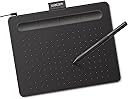
The Wacom Intuos Small Graphics Drawing Tablet delivers professional-grade precision with 4096 pressure levels and near-zero input lag, compatible with Windows, Mac, Android, and Chromebook devices. Featuring 4 customizable ExpressKeys and bundled creative software plus training, it’s the perfect starter tool for digital artists, designers, and remote professionals seeking premium performance in a compact, plug-and-play design.


| ASIN | B079HL9YSF |
| Active Surface Area | 6" x 3.7" |
| Additional Features | Plug-and-play with Chromebook |
| Best Sellers Rank | #1 in Computer Graphics Tablets |
| Brand | Wacom |
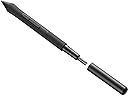
| Built-In Media | Wacom Intuos Small Tablet, Wacom Pen 4k, USB-A cable with L-shaped Connector, 3 extra standard nibs and nb removal tool, Quick start guide, regulation sheet |
| Color | Black |
| Compatible Devices | Windows 7, 8.1 or 10 (excluding Windows 10 S; latest service pack/build), macOS 10.11 or later (latest update) |
| Connectivity Technology | USB-A |
| Customer Reviews | 4.6 out of 5 stars 23,713 Reviews |
| Display Type | Other |
| EU Spare Part Availability Duration | 7 Years |
| External Testing Certification | Não aplicavel |
| Global Trade Identification Number | 00753218986887 |
| Item Dimensions L x W | 6.3"L x 7.87"W |
| Item Type Name | Wacom Intuos Small, Without Bluetooth, black |
| Item Weight | 8.1 Ounces |
| Manufacturer | Wacom Technology Corporation |
| Mfr Part Number | CTL4100 |
| Model Name | Intuos Small |
| Model Number | CTL4100 |
| Operating System | Works with Windows, Mac OS, Android |
| Pressure Sensitivity | 4096 Levels |
| Screen Size | 7 Inches |
| Special Feature | Plug-and-play with Chromebook |
| Specific Uses For Product | Designing, Digital Art, Photo Editing |
| Target Audience | Teacher |
| UPC | 753218986887 |
| Unit Count | 1.0 Count |
| Warranty Description | 1 year manufacturer |
P**A
Bang for your buck!
The matte finish on the surface is very pleasant to glide your pen across, and the pen itself is quite slim, way better than my previous one. It has rubber coating at the endpoint, which can help with gripping onto it, useful for the Singaporean artists that are constantly in the heat and always sweating. The refresh rate is 133hz, which is normal for a drawing tablet, with a 122-4095 pressure area, which is relatively good for the price! The quality of the material is very nice and feels very premium, despite it being 42 to 65 dollars, way cheaper than flagships from around 2014 or so. Since it's from the reputable brand Wacom, expect high compatibility with third party drivers like Hawku and OpenTabletDriver. The ExpressKeys are extremely clicky, but they are a bit thin and chunky, but it doesn't really impact the experience. The input delay is near-zero with a lower-end desktop like I have, but there is a very small bit of hardware smoothing. Overall, it's a very good tablet, especially for the price, you can consider it the modern-era CTH-480 (old version), and a great competitor to the CTL-472!
J**Y
Good product
Very good use
G**H
i prefer this tablet
preface i use this brand alot and this is my second intuos small. im a digital artist and use this as a mouse most of the time due to it's ease. it's not perfect. multiple times my pen pressure gives out during drawing and i have to wait till it works again which is like 15s. but overall it's good. nibs do run down quickly and I don't recommend using a nib till it's sharp as it will cut up the tablet. train yourself to have a lighter hand it'll save you in the long run. it's a good starter tablet and it's a good tablet even as an intermediate. you could go professional and still use it. i don't travel but it's a good size for it. i just wish the american ones came in pink like the japanese one. the black is monotonous and the green looks sickly after acouple years. these tablets if cared well can last awhile and that means DON'T USE THESE AS COASTERS. that's all!
G**L
Great for what it is!
I recently lost my tablet I used for art, and I was gifted a new laptop, so I figured I'd get a fancy new drawing pad for the first time. I was choosing between this and the XPpen star, and this one won simply because it was more of a "name brand". The pressure sensitivity is very good, and you set it up yourself. It's very easy to get started, it's pretty "plug and play" for what it is. The hot keys are also really nice. This is a good drawing pad for whatever you need it for! If this one breaks in the future, I'm definitely buying again. It was really nice that it came with free trials for different programs.
H**I
Great for the price!
My views may be biased from drawing on a tablet, but here goes! Pros: The tablet has 4 buttons at the top that also double as a pen holder to keep it from rolling away. In total, you have access to CTL, ALT, Windows key, Tab, Shift, and Undo. The pen is not battery-operated, meaning it doesn't need to be charged. Now the tips will wear down eventually, so they will need to be placed but should last a few months depending on how much pressure you use when drawing. The drawing area may seem small but it's pretty effective. But there is a downside, I'll elaborate on the cons. The tablet works with multiple software and can even be used as a mouse. The pen has 2 buttons, The smaller front button is a grab tool and the back is a dropper tool shortcut (at least in Clip Studio Paint). They have more uses when combined with other buttons as well. The free softwares! If nothing else the 2 years of free Clip Studio Paint and access to 13 other software and trials. You can customize what the buttons do in each applicable software! Cons: Not a big one for me but the tablet is not Bluetooth. It has a USB wire to connect to the display that powers it. If your device doesn't have a USB port all hope is not lost as an adapter can easily solve the issue. The drawing area is quite small so it can be a hassle to move around the drawing if you aren't proficient with shortcuts. Picky cons: The buttons can be quite loud when pressed When drawing the pen makes a scratching sound on the tablet, this can possibly be corrected by getting a sort of paper-feel screen protector. Going from drawing on a tablet where you can see where exactly on a picture you're placing your pen instead of lining up your pen on a tablet with the cursor on your screen has been my biggest personal struggle. Not to mention learning the shortcuts instead of just being able to pinch the screen and zoom in and such.
M**Z
great little tablet
I've had basic Wacom tablets in the past, so when I wanted to get a tablet for my 10 year old, I figured Wacom would be a good place to start. This Intuos tablet is great for beginner levels and I'm sure it would be good for semi-pros, or people who dont mind not having the drawing on the tablet its self. Very user friendly, the pen is comfortable to hold and comes with extra bits. The screen space is small, yet easy to maneuver. I like how the hot-keys are easy to set and change if need be. The reaction time is good when navigating the computer. I do wish this one came with a pen holder, but setting it in the grooved hotkeys is fine. When looking up Wacoms, I was honestly shocked at the price of the intuos. I thought I would be spending a few hundred dollars for something close to this quality, yet this one is very affordable and doesn't feel cheap. All in all I am very happy with it, and so is my child.
J**.
Great
Small, but perfect for my needs. I used to have a wacom bamboo connect, I think this is comparable in useable area, and seems to work about the same. I use it for graphic design as a hobby now, but used to use my bamboo for my day job. Wacom makes a quality product.
H**N
Great product
Easy to use. Great item . Does what is says it does
U**S
Excelente producto
Muy buena tableta para principiantes , para ponerte al corriente del sofware mas recientes tienes que descargar su app y crearte una cuenta eh visto que hay gente que algunos casos dicen que esta misma tableta o otras que traen los sofware no les aparece o los tienen y no los dejan descargar , eso si les pasa , al descargar todo no es desde la app descargada tiene que ser desde el el navegador y te dara los sofware que tu tableta tenga , o mira un video de youtube para saber como o si no , no puedo ayudarle en ese tema , la que tengo trae 3 incluidos , sin embargo , solo eh utilizado 1 y es clip studio paint , muy bueno la verdad pars dibujar comic manwa o manga o bocetos o cualquier cosa , por lo que llevo mas de un mes con el y no se si sea permanente el sofware o tenga caducidad ya que no eh probado los demas , su tamaño es bueno , trae 4 puntas contando con la que ya esta puesta , para el precio muy buena , aunque tengo un fallo con ella , no la pulso mucho o intento tener demaciado cuidado con ella pero hay un momento el cual al hacer una lina diagonal o algo circular en la tableta , se traba en la tableta el lapiz y se refleja los picos que hace en el dibujo pero despues lo hago de nuevo y ya funciona bien los trazos , no se a que ocurra eso si no pulso con fuerza , como ejemplo si tu pusieras en una oja o mesa tierra con piedritas y pares un lapiz en ella , algo parecido se escucha y siente , de ahi en fuera , todo va bien a la calidad y precio , muy buena tableta para comenzar a hacer tus dibujos si tu presupuesto no te da para mas
S**N
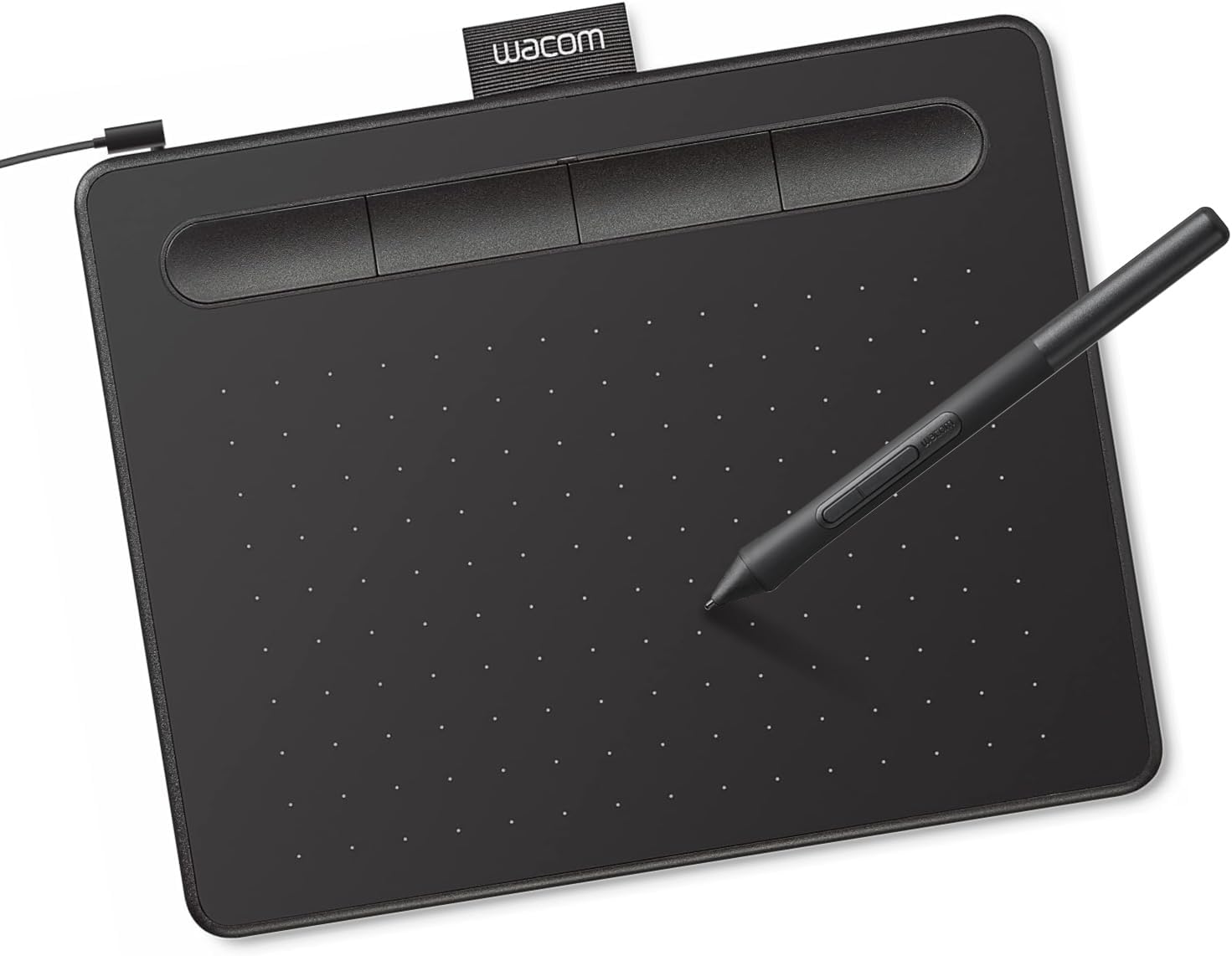
Wacom CTL4100 Intuos Small Pen Tablet (Black)
Good
A**K
İYİ SATICI
SÜPER
H**G
Usability
I bought it for photo editing, it is very easy to setup and adapt to the way it work. A very good value for money product.
J**A
Excelente para professores e estudantes.
Eu não tinha dinheiro para um tablet, então resolvi testar a sorte com a mesa. Ela é fantástica! Meus estudos estão muito mais fluídos e práticos. Sem dor no pescoço por ficar inclinado por sobre o caderno, foco somente na tela. É estranho escrever nela nos dois primeiros dias, depois disso você aprende a regular a pressão e melhora na localização da tela. A previsão dos traços é ótima, os botões de atalhos são completamente configuráveis e já adequadei minhas necessidades a ela. Se você é alguém que está estudando para concursos, gravando ou ministrando aulas ou simplesmente quer melhorar sua organização e diminuir o amontoado de papel, vale muito a pena. Melhor aquisição que fiz em 2024 (escrevo em 07.01.2025). O software dela é ótimo. Além de ser cheio de instruções, é bem intuitivo. Se supera um tablet? Não sei. Sou pobre. Mas vou tentar comprar um futuramente após economizar este ano.
Trustpilot
2 weeks ago
3 days ago