


๐จ๏ธ Elevate your home office with smart, speedy, and sustainable printing.
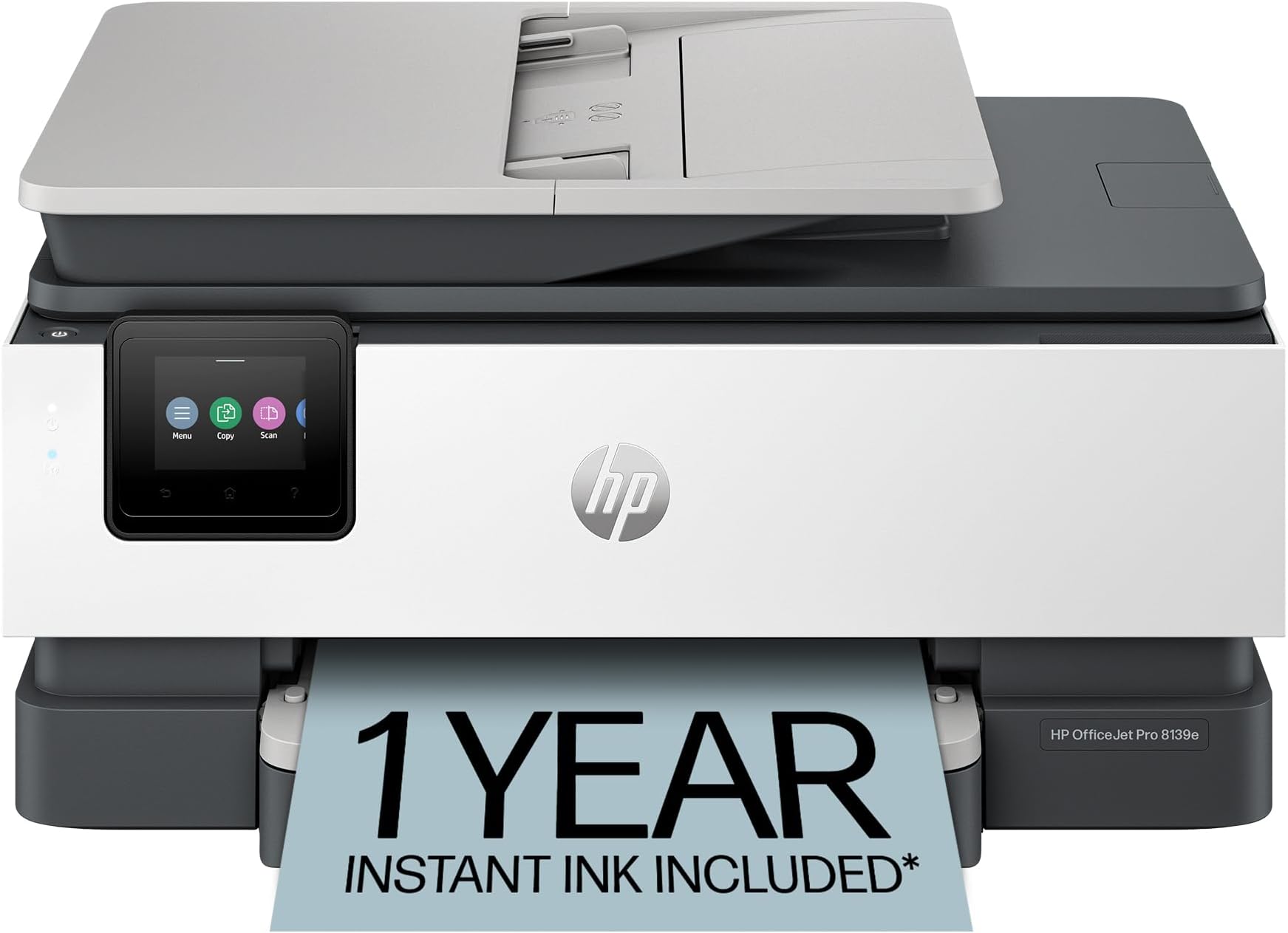
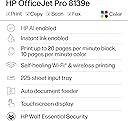
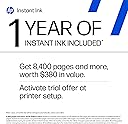
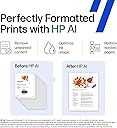
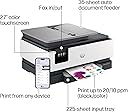
The HP OfficeJet Pro 8139e is a versatile all-in-one inkjet printer designed for home offices, delivering fast print speeds up to 20 ppm black and 10 ppm color. Featuring AI-enabled smart formatting, dual-band wireless connectivity, a 2.7-inch touchscreen, and a 225-sheet input tray, it supports print, scan, copy, and fax functions. Built with 45% recycled plastic and equipped with HP Wolf Essential Security, it combines eco-conscious design with robust data protection. Includes a 1-year Instant Ink trial for hassle-free ink delivery.


| ASIN | B0CFM8KL9G |
| Additional Printer Functions | All In One |
| B&W Pages per Minute | 20 pages_per_minute |
| Best Sellers Rank | #44,840 in Office Products ( See Top 100 in Office Products ) #96 in Inkjet Computer Printers |
| Brand | HP |
| Built-In Media | HP 923 Setup Black Ink Cartridge; HP 923 Setup Cyan Ink Cartridge; HP 923 Setup Magenta Ink Cartridge; HP 923 Setup Yellow Ink Cartridge; Power Cord; Regulatory Flyer; Ink Caution Flyer; Setup Poster; Reference Guide |
| Color | Light Cement |
| Color Depth | 24 bits |
| Color Pages per Minute | 10 pages_per_minute |
| Compatible Devices | Laptops, PC, Smartphones |
| Connectivity Technology | Ethernet, USB, Wi-Fi |
| Control Method | App |
| Controller Type | Android |
| Customer Reviews | 3.8 out of 5 stars 2,127 Reviews |
| Display Type | touchscreen |
| Duplex | Automatic (standard) |
| EU Spare Part Availability Duration | 1 years |
| Hardware Interface | Ethernet, USB |
| Initial Page Print Time | 18 seconds |
| Ink Color | Black, cyan, magenta, yellow |
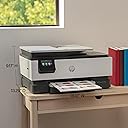
| Item Dimensions D x W x H | 13.29"D x 18.12"W x 9.17"H |
| Item Type Name | Inkjet printers |
| Item Weight | 17.6 pounds |
| Manufacturer | HP |
| Maximum Copies Per Run | Up to 99 copies |
| Maximum Copy Resolution Black and White | 1200 x 1200 dpi |
| Maximum Copy Resolution Color | Up to 600 dpi |
| Maximum Copy Speed Black and White | 12 pages_per_minute |
| Maximum Media Size | 8.5 x 11.7 in |
| Maximum Print Resolution Black and White | 1200 x 1200 rendered dpi dots_per_inch |
| Maximum Sheet Capacity | 225 |
| Maximum print Resolution Color | Up to 4800 x 1200 optimized dpi on HP Advance Photo Paper 1200 x 1200 dpi input dots_per_inch |
| Model Name | 8139E |
| Model Number | 40Q51A#B1H |
| Model Series | 40Q51A#B1H |
| Number of Ethernet Ports | 1 |
| Number of Trays | 1 |
| Other Special Features of the Product | Forest First product with HP+; FSC Certified Packaging; Contains ocean-bound recycled plastic; 45% post-consumer recycled plastic; Recyclable through HP Planet Partners, HP Instant Ink eligible; Automatic document feeder; Touchscreen; Quiet mode; Print over VPN with HP+ |
| Output sheet capacity | 60 |
| Paper Size | 8.5 x 11;8.27 x 11.7;8.5 x 14;7.16 x 10.12; inches |
| Power Consumption | 4.45 watts |
| Print media | Paper (plain) |
| Printer Connectivity Type | Ethernet, USB, Wi-Fi |
| Printer Output Type | Color |
| Printer Type | HP Thermal Inkjet |
| Printing Technology | HP Thermal Inkjet |
| Resolution | 4800 x 1200 |
| Scanner Type | Flatbed, 1-sided ADF |
| Special Feature | Forest First product with HP+; FSC Certified Packaging; Contains ocean-bound recycled plastic; 45% post-consumer recycled plastic; Recyclable through HP Planet Partners, HP Instant Ink eligible; Automatic document feeder; Touchscreen; Quiet mode; Print over VPN with HP+ Special Feature Forest First product with HP+; FSC Certified Packaging; Contains ocean-bound recycled plastic; 45% post-consumer recycled plastic; Recyclable through HP Planet Partners, HP Instant Ink eligible; Automatic document feeder; Touchscreen; Quiet mode; Print over VPN with HP+ See more |
| Specific Uses For Product | Office |
| Total USB 2.0 Ports | 2 |
| Total Usb Ports | 2 |
| UPC | 197029817341 |
| Unit Count | 1 Count |
| Warranty Description | One-year limited hardware warranty with option to extend to two-years with acceptance of HP+ Offer. For more info please visit us at support.hp.com . |
| Warranty Type | One-year limited hardware warranty with option to extend to two-years with acceptance of HP+ Offer. For more info please visit us at support.hp.com . |
| Wattage | 100 watts |
A**S
Best Home Printer
I've owned HP home (and office) printers for as long as I can remember and I've stayed with them for a reason. This particular printer I love. This model was the easiest to get up and running in no time. It prints beautifully in color and B&W. It connected to my Wi-Fi effortlessly. I signed up for the free ink for a year (I don't plan on subscribing). I've printed and scanned over 100 pages since I got this printer and there have been NO paper jams. It does 2-sided printing with ease although I use 1-sided the most. The feeder tray works without issue and makes large volume scanning, copying, and printing a breeze. This printer has a USB port which is important. This printer meets all of my home printer needs. I highly recommend!
E**9
Worst Printer I Have Ever Owned!
This is the worst printer I have ever owned. It is very disappointing because the one previous to this I had for about 14 years and it was HP. It worked like a charm until I think the Wi-Fi got too advanced for it and it just didnโt always air print. So I searched through the reviews and did a bunch of research to buy this one. Iโm so disappointed because when I got it, I almost returned it that day because it wouldnโt set up. You set this up on an app and it does it wirelessly versus pressing any buttons on the actual printer. I tried for about two hours and it just wasnโt working well Then all of a sudden I finally had a breakthrough and got it to set up. However, from that point on it was touch and go on whether it was going to actually print from my iPhone or my iPad. I had a good run where I didnโt have many problems at one point. I would occasionally have to unplug it, power it off and reset the Wi-Fi, but that generally would make it print again. However, over the last couple months, it just stopped working and then I spent four hours on the phone with product support. This printer only has like a one year warranty and so I knew that in a couple months I wouldnโt be able to call to get support on it not printing. I just donโt have the time to sit there and try to make this printer work. The second guy I got on the phone said that it was my Wi-Fi service and I needed to contact my Internet provider to get help. However, Iโve never heard of such a thing because everything else that I have that is Wi-Fi works completely fine. I basically have a smart home with over 80 devices attached to the Internet. This is the only one that doesnโt function properly. Soโฆ The only thing that doesnโt work consistently is this printer. I got so frustrated that I boxed this thing up, and I put it in the donation pile to send to paralyzed veterans. I then bought a competing brand which oh by the way is working perfectly and printed right off the bat. It also set up like a charm. I read some other reviews to see if other people had problems with printing from my iPhone and iPad. It looks like over the reviews online that this problem I was experiencing is not just one that I had. It may be the Internet provider or it could be the actual compatibility with iPhone and iPad products. I am not sure exactly because you donโt get all that information in the reviews of others to be able to distinguish if itโs just one factor. I have AT&T as an Internet provider and I can tell you that I had real troubles with this particular model. I know that I set up the Wi-Fi 1 million times. I also defaulted it back to the original settings. I deleted the app. I reinstalled the app. I let it be unplugged. I did everything trying to make this work. I spent probably 40 hours or more trying to get this printer to work so take this information as you would like to make an informed decision for yourself. Iโm trying to save others from wasting their money on this printer.
K**A
Printer
Absolutely love it!! Got the free ink for a year too. I would buy it again. Thank you
J**O
Safeguarded Delivery
Great buy and easy setup. I love this piece of office equipment. Itโs quiet and I had to purchase the carrying bag to protect during any movement. When I tell you there are workers who are serious about their job, this delivery showed it. The delivery guy texted me and when I didnโt answer he called saying to me in Spanish โI have your delivery and itโs cold outside. Open the door to get your delivery!โ That man was not playing. The printer was not in Amazon packaging and anyone could see it is a printer. I hurried to the main door of the building and snatched up my box as the driver was pulling off. I began laughing because he waited and assured no one would take it. Gotta love these Amazon workers. Jeff Bezos give that personal delivery driver a bonus and a raise for going above and beyond his duties. ๐คโฅ๏ธ
J**Y
Good, but could be better
It is a good printer, but it does not stack up to the one that I had been using. Scanning is slower - not the end of the world for me, but, if I were scanning a larger document, I would have time for a sandwich and a drink between start and finish. I use this printer for scanning since the old one is convinced that there is a document stuck in the feeder (there is not, but it has its mind made up!). On those occasions when I have printed on this machine in error, it has been similarly slow. The instant ink membership is nice, but the cartridges are smaller than I have used before. All in all, it's good, but I probably should have spent a few bucks more for a more robust printer.
R**T
Easy to set up -- print speed and quality excellent
Set up was easiest doing it from my computer, as opposed to my iPhone. Print speed is excellent -- better than the HP printer of comparable utility which this one replaced. Print quality also seems a touch better. Set up took about an hour with most of that just waiting for connections and processing. After using this printer for a month, no complaints at all.
J**N
Do not get the HP Instant Ink, subscription. It forces you to use WiFi and messes everything up.
I purchased two of these a little over a year ago and finally gave up. I am replacing them with two Epson Eco Tank printers. The HP Hardware is good, not great. But the HP SMART is the absolute worst. The HP Smart software is required if you have HP Instant Ink Cartridges in your printer. AND HP Smart will ONLY work over Wi-Fi. The HP Instant Ink subscription requires that you have the HP Smart software installed, be connected to the internet, and be connected to your printer via Wi-Fi. You can use Ethernet and the Ink subscription simultaneously. When you switch to Ethernet, your printer becomes disabled as long as HP Instant Ink cartridges are installed. If you cancel your subscription, you have to replace your Instant Ink cartridges with standard HP ink cartridges, which can cost as much as $150 for a new set. Like half the cost of the printer. It is the most annoying software ever and constantly messes with my printer. Half the time, you canโt connect to the printer because HP Smart is messing with the printer. The list of issues goes on and on. Whatever you do, stay away from the HP Instant Ink Subscription. It is not worth dealing with HP Smart.
G**O
Scanner sucks
Prints fine, but I haven't had it for even a year and the scanner is constantly jamming and just not working. I have to turn it off and on multiple times a day, very frustrating.
A**R
Does what it says.
Took a bit to set up, but a great printer all in all.
Y**N
Very good for home office
Excellent home office printer
M**T
Do not buy this printer
I have had HP printers for home use before and been completely satisfied, but this one is so frustrating to use, I am thinking of throwing it out and buying something else. The screen is so small I cannot read it and must turn the printer on its side to read it. The ink cartridges are not easy to change, plus, when a new cartridge is required, the advise to change it is on the screen for such a short time, I have no idea which one needs to be changed. I am having difficulty having the paper in the input try remain in place and the manual for this printer is of no help at all. Lastly, it prints when it feels like it. DO NOT BUY THIS PRINTER!!!
M**N
What was real beneficial, an HP help person helped me to install it to work with my laptop!
Perfect for what I need.
Trustpilot
2 months ago
2 months ago