
Desertcart purchases this item on your behalf and handles shipping, customs, and support to Seychelles.
🚀 Stay connected, stay ahead—your portable 4G powerhouse!
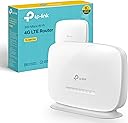
The TP-Link TL-MR105 is a compact, portable 4G LTE router featuring a Nano SIM slot that delivers up to 150 Mbps download speeds. It supports up to 32 wireless devices simultaneously, offers WAN backup connectivity, and ensures secure browsing with WPA2-PSK encryption. Managed easily via the TP-Link Tether app, it’s perfect for professionals on the move seeking reliable, fast, and secure internet access.


| ASIN | B0CTCZLFX7 |
| Antenna Location | internet connectivity on-the-go, gaming, streaming, providing backup internet connection |
| Antenna Type | Fixed |
| Best Sellers Rank | 249 in Computers & Accessories ( See Top 100 in Computers & Accessories ) 1 in Routers |
| Box Contents | 300 Mbps Wireless N 4G LTE TL-MR105|1. |
| Brand | TP-Link |
| Brand Name | TP-Link |
| Colour | white |
| Compatible Devices | Laptop, Personal Computer, Smart Television, Tablet |
| Compatible devices | Laptop, Personal Computer, Smart Television, Tablet |
| Connectivity Protocol | 4G LTE, Wi-Fi |
| Connectivity Technology | LTE |
| Control Method | Touch |
| Controller Type | App Control |
| Country of Origin | China |
| Coverage | Indoor, extensible with external antennas |
| Customer Reviews | 4.4 out of 5 stars 78,736 Reviews |
| Data Transfer Rate | 300 Megabits Per Second |
| Frequency | 2.4 GHz |
| Frequency Band Class | Single-Band |
| Frequency band class | Single-Band |
| Has Internet Connectivity | Yes |
| Is Modem Compatible | Yes |
| Item Highlight | 2 LAN/WAN Ports for Ethernet Cable, Connect Up to 32 Devices, Guest Network, Parental Controls, Home/Remote, Plug & Play |
| Item Weight | 52 Grams |
| LAN Port Bandwidth | 100 Mbps |
| Manufacturer | TP-Link |
| Manufacturer Part Number | TL-MR105 |
| Maximum Upstream Data Transfer Rate | 50 Megabits Per Second |
| Model Name | TL-MR105 |
| Model Number | TL-MR105 |
| Model name | TL-MR105 |
| Number of Items | 1 |
| Number of Ports | 1 |
| Operating System | Android, iOS |
| Other Special Features of the Product | Single-Band |
| Product Warranty | 3 Years Manufacturer |
| Router Firewall Security Level | Basic |
| Router Network Type | hybrid |
| Security Protocol | WPA-PSK, WPA2-PSK |
| Special feature | Single-Band |
| Unit Count | 1.0 count |
| Voltage | 9 Volts |
| Wi-Fi Generation | Wi-Fi 4 |
| Wireless Compability | 802.11n |
| Wireless communication standard | 802.11n |
M**R
Affordable and great!
I'd suffered and endured the dubious Virgin Media "Superhub" long enough. I decided I'd try a new router after reading all the similar problems on the Virgin Media forums. I didn't want to spend too much money, so reading the generally positive reviews of this router, and that others had even used it for the same reason, I went for it. Setting it up was incredibly simple, although I have had previous experience. But honestly the hardest part was probably setting the old VM box to "Modem" mode.. Anyway! Afterwards I wired in this new router, logged on to it wirelessly, went into its admin menu, clicked the automatic setup wizard and.... Bosh. Done! I didn't bother with the enclosed CD, I guess it would've installed unnecessary gunk on my PC, I have no idea what's on it. So setup took literally a couple of minutes, including untangling wires. Really easy. Performance has been fantastic. I immediately noticed a dramatic improvement over the old VM box. Before I'd have to click on a link on my wirelessly connected PC, and wait. Then perhaps click again. Same with all other devices. It was like the router just wasn't bothering to connect to the internet. Now it works properly. Ping and download speeds are epic. Before the ping could be pretty high, and download speeds could sometimes be fast, but somewhat variable and inconsistent. Now downloads are fast and rock steady. We have an xbox hooked up via wireless, in a bedroom the opposite end of the flat (It's a late 70s build with some pretty thick concrete walls to get through). It used to hover around the 1 bar of signal on the xbox "Find Wireless" section. Now it hovers around the Maximum point, occasionally dropping only by 1 bar. Playing games had gotten to the impossible point, and party chat was a stuttering mess of choppy voices and impossible to understand. Now, perfect. So signal is strong and very dependable. I stream media to a wireless radio, xbox etc. Worked perfectly out of the box. My wireless printer that had seemed very temperamental before is now fully co-operating. I read a couple of reviews where people said they had to reset... Mines been on permanently for a few weeks now without a single issue. I did ensure that I had the latest firmware on the TP-Link website, turns out it already had it installed. Maybe that helps? Anyway its behaved perfectly for me. So overall I rate this a fantastic router for my pretty basic needs. £20 for this is a bargain. It made my Virgin Media internet work how it was supposed to be. How Virgin who had such a fantastic reputation for speed could then couple that with such a poor piece of equipment is unbelievable. But this solves it. It's just a shame that I have to keep my stupid, large "Superhub" hooked up in modem mode alongside this great router. Buy it. It's great.
L**S
I didn't expect that...
I didn't expect that to be so good. I need a router for a remote location with no Internet access so I can run a cctv camera and thought I'd try this. I am using a three network sim for data and I have to say, this is quite impressive. It's very easy to set up, change the password and off you go. I'm not in a really great signal zone here but it picks up a good signal and speeds on devices are acceptable, OK not as good as my deco wifi mesh obviously, but good and it should work well in the location I need it to work in because the signal is much better there and I'll use an external antenna. In fact, I'm writing this review on an old Sony Xperia phone and prior to writing I was surfing and downloading stuff from. Google play etc and it's been really good. I suppose if I went to the far side of the house it might not be so good, but that's why you have mesh wifi to cover dead spots, if you can be within a reasonable distance of the router, it should be fine. It comes equipped with two antenna ports for SMA plugs and two Ethernet ports for connection of devices and I will utilise an Ethernet port for my cctv camera so wifi connection won't be an issue. I'm genuinely impressed with this device for what they cost and what it does. Clearly, a satisfactory result will depend on a few factors for each individual case, but given a decent signal area this can perform quite well in comparison to home WiFi networks like talktalk etc. I believe it can handle up to 32 devices connected at a time so it's good for most applications, but I don't see it performing well for really data hungry applications, gaming etc, but for surfing and general social media, emails etc it's great. So if you want to be 'off grid' as far as subscription wifi in the home goes, this is a good alternative for less data hungry set ups. And, of course, it's great for those areas you can't get standard wifi installed. For me, it will be part of an off grid solar powered set up with storage batteries. Give it a go!
R**T
Initial problems solved
This is a fine mobile broadband receiver. It picks up signals that the ZTE mc888 cannot, and also supports external antennas if needed - good to have the option. I took off a star because it kept rebooting itself whenever I moved it, to begin with. It had all the hallmarks of a hardware issue, it wasn't the SIM. tp-link support pages pointed towards a hardware failure. I was planning to return it, but changed my mind, here's how I solved it, for now... It seems when I moved it to find a better signal, the router scanned all the networks - which defaults to setting "5g/4g/3g". Now, some providers like Three, who I'm with, have no 3g signal at all, so I switched it to "5g/4g" and it's been stable since. It could still mean there's a firmware or hardware glitch, but unless it fails again, I'll hold on to it. I went through a few days of stress, my old provider was cutting off my service within the week so I had to come up with contingency plans, which cost me a bit of time and money, but ultimately that's down to me. So, I cancelled the return I'd started, for my peace of mind I'd feel too guilty to send it back after using it, especially with the problem solved. It's running without problems now, the internet speed is good, the WiFi is powerful, the wired options are excellent, the configuration features are good. It runs a little hot on occasion. Overall I'm impressed with it.
M**T
A Seamless Switch to 5G Home Broadband: Exceptional Router, Painless Setup
I am giving this router 5 stars, primarily for how incredibly straightforward it was to get up and running. Alongside reviewing the router itself, I want to share my experience switching to a mobile broadband solution, the research involved, and how this hardware fits into that journey. Quick Verdict: Pros & Cons 👍 The Pros: • Flawless Setup: Incredibly straightforward out-of-the-box installation. • Excellent 5G Speeds: Reaches impressive download speeds of 200–300 Mbps. • Window-Friendly Design: Slim footprint fits perfectly on narrow windowsills for optimal signal. • Rich Feature Set: Includes advanced options like failover backup, EasyMesh, and external antenna support. 👎 The Cons: • Underwhelming Wi-Fi: Range and speeds are lower than expected; struggles to maintain Wi-Fi 6 connections. • No USB Port: Lacks a USB slot for sharing an external hard drive over the network (though workarounds are possible). 🏠 The Backstory: Escaping the Wired Broadband Trap I had been considering switching to cellular home broadband for a couple of years. The push to finally take action came when my "Fibre to the Cabinet" contract ended. My out-of-contract charges immediately doubled, and my provider informed me that I must switch to Full Fibre. To make matters worse, they quoted a four-month installation delay—stretching all the way to Christmas Eve—meaning I would be stuck paying those doubled rates in the meantime. I decided to try mobile broadband as a primary solution while keeping the Full Fibre application as a fallback. My ultimate goal was to completely escape the frustrating cycle of annual wired contract price hikes and renewal negotiations. 📡 Performance and Placement After nearly a week of testing, the router has performed almost as well as I could have ever hoped. • Speeds: In its current location, I am achieving download speeds between 200–300 Mbps and upload speeds of 20–30 Mbps (split between 4G+ and 5G). • Signal Strength: The signal strength averages around 50%. The Vodafone mast I am targeting is about 1 kilometre away, slightly elevated, with only residential housing and a park in between (no large industrial obstructions). • Form Factor: The router fits perfectly on a windowsill. This is a crucial, underrated feature, as window placement is essential for getting the best 4G/5G signal. The One Caveat: The only minor disappointment has been the Wi-Fi range. While it isn’t bad, other reviews painted it as exceptional. Because of this, I will likely relocate the router closer to my TV and entertainment setup to ensure smoother streaming, even if it means sacrificing a bit of optimal raw internet speed. 🛠️ Features and Hardware Selection I wanted a future-proof, mid-budget 5G router with wired LAN ports and support for Wi-Fi 6 or 7. I used Amazon’s Rufus assistant to dig into the technical details that are normally hidden away in user manuals or often unavailable to us mere mortals. What it has: • 5G and Wi-Fi 6/7 support • Wired LAN ports • Guest network creation • Hot failsafe (backup for a wired connection) • EasyMesh support and WPS • SMS send/receive capabilities • Support for external antennas What it lacks: • No USB port: I would have loved a USB port to attach a hard drive for shared network storage (Samba v2/v3), but unfortunately, this model lacks one. 🔍 The Research: Finding the Right SIM Finding the right cellular network provider took significant time and effort. In the UK, there are only three physical mobile networks, but over 60 Virtual Network Operators (MVNOs) piggyback off them. My Research Tips: 1. Test first: I spent months trialling O2 and Vodafone SIMs via Giffgaff and Lebara on rolling 30-day contracts using my mobile phone. 2. Watch the restrictions: Many budget providers cap 5G speeds, restrict data usage, or include "fair use" clauses on unlimited plans. 3. Use AI & Comparison Sites: I used Google Gemini to research coverage maps and mast locations, and used comparison sites to secure the lowest prices. Tip: If you call a provider's customer service to verify details, call twice—you will often get completely different answers from different agents! 4. The Winner: I chose a Talkmobile unlimited plan via Uswitch for £16/month on a 30-day rolling contract. It uses the Vodafone network and does not impose annual price increases. 🚀 Step-by-Step Setup Process After all the background research, the physical setup of the router was a refreshingly simple experience: 1. Activate the SIM: Put the SIM in your phone first to verify it works. Set up your network provider account at this point and use an alternative contact number—they will inevitably try to text a security code to the SIM inside the router later. 2. Insert the SIM: Slot the activated SIM into the underside of the router. 3. Power On: Turn it on and check the front lights against the included "Quick Installation Guide" to confirm it has found the internet. (If it fails, it likely didn't auto-select the right network profile—ask Gemini or your provider for help). 4. Access the Admin Panel: Connect a computer directly to the router, open a browser (like Chrome), and navigate to https://192.168.1.1 (bypass the "not secure" warning). Create your new 10-character admin password. You can also download and use the TP-Link Tether App from your phone or Pad. 5. Continue Setup thru to Selecting the Profile: Accept the defaults presented for all setup pages except possibly when selecting the profile. The router defaulted to a Talkmobile PAYG profile for me. While it worked, I took the opportunity to switch it to the "Talkmobile Internet" profile to match optimal settings suggested by Gemini. 6. Finish the Setup process: simply accept defaults for the following setup pages after which all should be set to go. 7. Final Tweaks: Update the router’s firmware, set your correct time zone, date and time. If you have smart home devices or a wireless printer which need reserved IP addresses: log into your old router first to copy the MAC addresses and reserved IP addresses, then replicate them in the new router's admin panel. This ensures a completely seamless switchover for all your home gadgets. 🔄 Replicating Your Old Network Settings To ensure all my smart home gadgets, phones, and TVs connected automatically without having to input a new password on every single device, I cloned my old network settings onto the new router: 1. Modify the old router: Log into your old router's admin panel and note down your existing Wi-Fi password. Then, alter the Wi-Fi network name (SSID) slightly—for example, add a "b" to the end of it (e.g., MyHomeNetwork_b). Save the changes. This will disconnect all your devices from the old router. 2. Clone settings to the new router: Log into your new router and change its Wi-Fi name (SSID) and password to match exactly what your old router used to be. 3. Test connectivity: Once saved, all your phones, computers, TV dongles, and printers should automatically discover the new router and reconnect seamlessly. 📉 Wi-Fi Disappointments & Performance Observations As noted earlier, the Wi-Fi coverage and speeds on this router were the main letdowns: • No Wi-Fi 6 Connections: Despite having compatible hardware, none of my Wi-Fi 6 devices managed to establish a Wi-Fi 6 connection. • Underwhelming Speeds: The absolute maximum connection speed peaked at 866 Mbps on the 5 GHz band. Most other devices in the house hovered between 40–80 Mbps, and one distant device dropped as low as 20 Mbps due to its location. Weather & Long-Term Stability Drawing from my past experiences with 5G mobile data and Freesat satellite stability, I expect cellular broadband speeds to fluctuate during extreme weather like severe storms or intense summer heatwaves. So far, the router has only had to contend with high winds and standard British rain, handling both without issue. Time will tell how it behaves in more extreme conditions. 💾 Solving the Missing USB Port Because my old wired-broadband router features a built-in USB port with a hard drive attached, I have found a workaround for this new router's lack of USB storage. I plan to configure my old router to act purely as a Wi-Fi Access Point extension wired into the new network. This will allow me to keep using my shared network hard drive without buying extra gear. 📝 Final Verdict Overall, I am highly satisfied with this 5G setup. The hardware transition was incredibly smooth, and the speeds are excellent for the price. If the connection remains this stable over the coming days, I will gladly be cancelling my old wired broadband provider by the end of next week. I also truly hope that sharing my experiences will help others make the move to mobile broadband.
A**N
TP-Link MR-105 SIM Operated Router
I've often considered getting Broadband but was deterred for two reasons - the cost and the installation. This seemed ideal - too good to be true almost. How could that work?! Ordered wiithout any great expections but am pleased to report I was, and am extremely impressed. Advertised as Plug and Play. Yeah, right! My printer said that and it was a complete 'mare to set up. So, approached it with no little trepidation. Inserted the SIM card, plugged it in and entered the passcode and,.. off it went! Up and running just like that. I also downloaded the app (which does not seem to be strictly necessary but advisable for added security} and that too is quite straightforward. I previously had three separate SIM plans for phone,tablet and laptop, now I only require one which is a big saving. Have also been able to connect two t.v's and my printer and there is still the capability to add many more devices. Another advantage over broadband is that you are not tied in to any fixed term contract and can change SIM plan or provider at will. So, in my opinion, if you are looking for an economical and easy set up for WiFi this (or something similar) should meet your needs.
G**R
Works but not reliable, wifi drops daily and slower than tethering off phone
I have been connecting to the internet on my laptop by tethering off my mobile phone for a few years, but got this router because I got a device that needed an ethernet cable connection. I've used it for about 10 days. Pros: -Setup very easy. -Good coverage throughout the house. Cons: -The speed is slower than tethering off my phone, though enough to do what I need to do. My phone was also single 2.4 GHz band. -Every couple of days my laptop disconnects from the the internet for a few seconds - the wifi icon on my taskbar turns from wifi connected to no internet connection. The lights on the router remain on while this happens. I cannot tell if my device connected by ethernet is also disconnecting. This never happened when tethering off my phone. The disconnecting thing is a bit annoying and probably not great if you need a stable connection e.g. work from home calls. Unless you need to use the ethernet port I don't see an advantage of using this over an old phone. **Update after 6 months** Wifi dropping is happening more frequently, sometimes multiple times a day and I end up tethering off my phone for a bit. The sims in this product and my phone are from the same network so I think it can only be a fault of the router. I have tried putting it in different places and have the same issue. If I didn't have the device needing an ethernet connection I would stop using the router.
M**R
A Game-Changer for Home Broadband – Incredible 5G Speeds and Flawless Wi-Fi 6!
I recently moved to an area where traditional wired broadband is incredibly slow, so I decided to make the jump to a dedicated 5G home setup. After comparing a few models, I invested in the TP-Link Archer NX500, and it has completely transformed my home network. Setup & Ease of Use Straight out of the box, this router is practically plug-and-play. I inserted my 5G Nano-SIM, powered the unit on, and used the TP-Link Tether app on my phone to finish the configuration. The whole process took less than 10 minutes. The app is highly intuitive, making it easy to monitor network traffic, set up a guest network, and manage connected devices. Performance & Speed This is where the NX500 justifies its price tag. The combination of 5G connectivity and AX3000 Wi-Fi 6 means my network is handling heavy loads effortlessly. I am consistently pulling fantastic download speeds (though this will heavily depend on your cellular provider's local 5G tower). My family can now stream 4K movies on two different TVs while I download large files on my PC—all simultaneously, with zero buffering or lag. The Wi-Fi 6 range is also fantastic. It easily pushes a strong signal through the walls of my home, eliminating the dead zones I had with my old ISP-provided router. Design & Hardware It has a sleek, modern tower design that blends in easily on a shelf without looking like a spaceship. I also love that it includes Gigabit Ethernet ports on the back. I have my main desktop hardwired directly into it, which keeps my latency extremely low for gaming and video calls. Pros: Blazing Fast: Takes full advantage of 5G network speeds and Wi-Fi 6 bandwidth. Rock Solid Stability: I haven't experienced a single drop or needed to reboot it since setting it up. EasyMesh Compatible: Gives me peace of mind knowing I can easily add mesh nodes later if I ever move to a larger house. Simple App: The Tether app makes management completely stress-free. Cons: Price: It is definitely an investment compared to a standard 4G router, but the future-proofing and performance make it worth the premium. SIM Slot: The Nano-SIM slot is a little fiddly, so just take your time pushing the card in so you don't drop it. Final Verdict If you are frustrated with poor wired broadband or just want to leverage a fast unlimited 5G data plan for your entire household, the TP-Link Archer NX500 is a phenomenal piece of kit. It completely bypassed my local network bottlenecks and delivers a premium, stable connection. Highly recommended! (Tip for new buyers: Take an hour to test the router in different windows around your house before finalizing its spot. Finding the side of the house facing your provider's 5G mast will drastically improve your speeds!)
M**E
Sim Card routers should be more mobile phone based
A good item but could be improved by a notification light on the front panel for SMS messages, it would also benefit from the ability to plug in a phone handset. TP-Link are great with routers but when dealing with mobile sim card dependant items they are a little lacking in their design from mobile phone makers as in order to use this properly with multiple wireless devices you need a high rate or unlimited data plan and these come with unlimited call and texts that this device makes hard to use on the SMS side and impossible for the call side. Data only plans I have found to be more expensive than plans including voice and SMS. After 1 month of using this I have had good signal strength throughout my house, the colour is great as it needs to be mounted in a window for best mobile reception and being white in sunlight prevents it from getting too hot, the power cable is not long enough for window mounting so have had to find a way to extend it (it was easier to move a mains extension to the plug than extend the power cable). Having to log on the router home page to check for messages is a pain so you can't really use the message side. Mobile broadband is good for singles or those with lower internet (non gamer and no HD streams) but you can't really plan how much data you will need, for example you tube does let you pick different resolutions but does not specify how much data you will need to watch a video. Not many singles and couples really need fibre band-with. As I am using this with an unlimited internet plan that gives me calls and texts unlimited too I have tried to switch to a Motorola FW410 4G (after only 1 month) which did not provide as good a signal throughout the house but was able to use all 3 parts of my plan - calls, texts and internet. unfortunately the hot-spot side of this item packed up after only 5 days of use, it was a hot-spot not a router. This TP-Link router is a good reliable solution for data only with limited SMS function. If calls are required on top (like with my requirement) you may need 2 sims and 2 devices (and 2 accounts/bills), 1 to handle calls and texts (a basic Nokia 105 mobile will do this for around £20 equipment cost) and this router which gives the added bonus of being able to accept add on aerials which can be either indoor or outdoor mounted further improving mobile reception (did not need these and have not tried these, may need after house move). Most people already own a mobile so should not have this issue, the use of a non smartphone is due to battery life, recharge interval and better reception. My circumstances: due to probate (death of the home owner who paid the broadband bill) I will be leaving this house soon, could not justify a 2 year broadband contract and mess around with number changes when I move. This mobile system means I pay less for phone services (no line rental), get the bandwidth I need, have uninterrupted number portability and choice (albeit limited) of my own equipment. Landlines are lv ike TV licences, a thing of the past that you don't need (if you don't use TV) and there are newer alternatives to consider. This way I only have to inform of number change once which with the house move is required anyway.
S**H
Very good
Very good
T**M
Billig men bra
Gör det den ska utan problem. Och - vilket var viktigt för mig: den gick fint att väggmontera!
A**O
Quando le cose vanno bene va detto...
Bene..Bene.. sono a scrivere una recensione che ho deciso di dividere in due parti. La PRIMA e' legata al prodotto, che ho trovato perfetto, conforme e funzionante al 100x100. l ho configurato e devo dire che con gestore windtre funziona in maniera ottimale. Imballato correttamente e arrivato in 1 gg. insomma sono soddisfatto sia del prodotto che del venditore che ha dimostrato cordialità e presenza in fase di pre-acquisto scambiando con me info importanti che mi hanno convinto ulteriormente. Insomma tutto bene. LA SECONDA parte di questa recensione e' dedicata al servizio TP-LINK support.. e' innegabile che a volte in un mondo che viaggia sempre piu veloce si abbia bisogno di un aiuto e i ragazzi del supporto TP-LINK sono stati pazienti professionali gentili e immediati sia al telefono che via mail. Mi hanno aiutato e supportato come mai altro supporto web ha fatto. Devo dire che se abbino la professionalità e correttezza del venditore alla professionalità e alla efficenza del gruppo tp-link stavolta il tutto potrei definirlo imbattibile. Quando le cose vanno bene mi fa davvero piacere scriverlo e sottolinearlo anche perche e' giusto anche dare soddisfazione sia a chi vende un buon prodotto sia a chi ogni giorno con pazienza dedica il suo tempo agli altri e ti aiuta se hai problemi, sono plus che mi piace, quando li ricevo, sottolineare per tutti gli altri che verranno. Grazie quindi al venditore e grazie a tp-link-support per una gestione di entrambi senza ombre.
P**L
Mauvaise prise murale pas compatible française
Bonjour Ce routeur m'a était livré avec un transformateur 220v 12v avec une prise murale pas adapté au prise murale française ! Est-il possible de m'en envoyer une compatible française
K**Y
These are great
Listen if you don't need really high internet speed these are great. Obviously the speed and quality of the signal depends on your proximity to a 5G tower. Before deciding on a sim provider probably best to check the 5g signal for each network. You can fit an indoor or outdoor aerial. Once you install the SIM card you may have to play around with the location of the box and check the internet speed or signal at each location. Remember this box will give you significantly faster download speeds compared to 4G if you are relatively close to a 5G tower.
Trustpilot
5 days ago
3 weeks ago