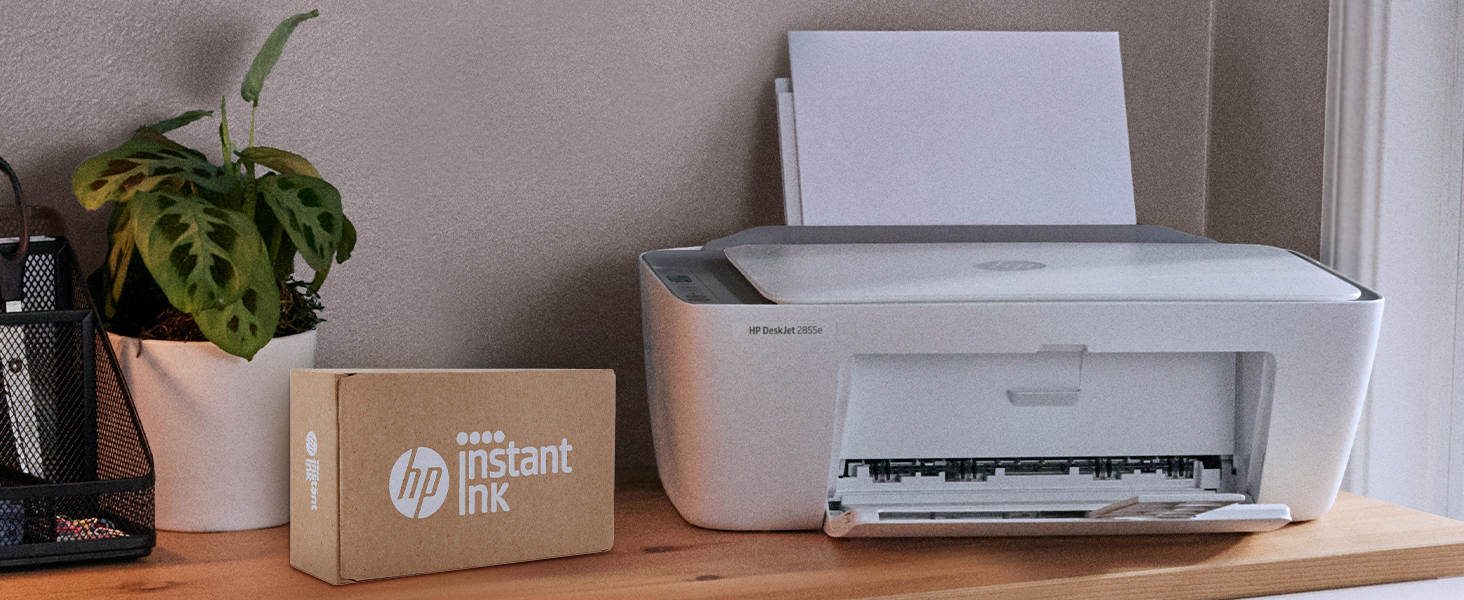
🖨️ Print smarter, live better — your home office MVP!
The HP DeskJet 2855e is a compact all-in-one inkjet printer designed for home use, offering wireless printing via 2.4 GHz Wi-Fi, high-quality color prints at 4800 x 1200 dpi, and fast black-and-white printing up to 7.5 pages per minute. It features HP’s AI technology for optimized print layouts, a 60-sheet input tray, and includes a 3-month Instant Ink trial for hassle-free ink replenishment.
| ASIN | B0CT2R7199 |
| Additional Printer Functions | All In One |
| B&W Pages per Minute | 7.5 pages_per_minute |
| Best Sellers Rank | #3,669 in Office Products ( See Top 100 in Office Products ) #19 in Inkjet Computer Printers |
| Brand | HP |
| Built-In Media | 588S5A HP DeskJet 2855e All-in-One; HP 67 Setup Black Cartridge; HP 67 Setup Tri-color Cartridge; Regulatory flyer; Setup guide; Reference guide; Power cord [For ink volume and page yield information, visit http://hp.com/go/learnaboutsupplies ] |
| Color | white |
| Color Depth | 24 bpp |
| Color Pages per Minute | 5.5 pages_per_minute |
| Compatible Cartridge | HP 67 |
| Compatible Devices | Smartphones |
| Connectivity Technology | single band wi-fi (2.4ghz only) |
| Control Method | App |
| Controller Type | iOS |
| Customer Reviews | 3.6 out of 5 stars 20,713 Reviews |
| Display Type | LCD |
| Duplex | Manual |
| Hardware Interface | USB 2.0 |
| Initial Page Print Time | 15 seconds |
| Ink Color | black, cyan, magenta, yellow |
| Item Dimensions D x W x H | 11.97"D x 16.7"W x 6.06"H |
| Item Type Name | Inkjet Printer |
| Item Weight | 10 pounds |
| Manufacturer | HP |
| Maximum Copies Per Run | 9 |
| Maximum Copy Resolution Black and White | 600 dpi |
| Maximum Copy Resolution Color | 4800 x 1200 dpi |
| Maximum Copy Speed Black and White | 7.5 pages_per_minute |
| Maximum Media Size | 3 x5 to 8.5 x 14 in |
| Maximum Print Resolution Black and White | 600 dpi |
| Maximum Sheet Capacity | 60 |
| Maximum print Resolution Color | 4800 x 1200 dpi |
| Model Name | DeskJet 2855e All-in-One Printer |
| Model Number | 588S5A#B1H |
| Model Series | 2855e |
| Number of Trays | 1 |
| Other Special Features of the Product | wireless |
| Output sheet capacity | 60 |
| Paper Size | 3 x 5 to 8.5 x14 inches |
| Print media | Envelopes, Glossy photo paper, Paper (plain) |
| Printer Connectivity Type | single band wi-fi (2.4ghz only) |
| Printer Output Type | Color |
| Printer Resolution Horizontal in Black and White | 14 inches |
| Printer Resolution Vertical in Black and White | 8 inches |
| Printer Type | Inkjet |
| Printing Technology | Inkjet |
| Processor Count | 1 |
| Resolution | 4800 x 1200 |
| Scanner Type | Flatbed |
| Special Feature | wireless |
| Specific Uses For Product | Office |
| Total Usb Ports | 1 |
| UPC | 196337380097 |
| Unit Count | 1 Count |
| Warranty Description | One-year limited hardware warranty |
| Warranty Type | Extended Warranty |
| Wattage | 2.8 watts |
R**R
I had trouble but it might have been me
Did not like sent back
A**H
The troublesome program and the frustrating printing experience
I'm really at a loss for words. The printer itself is completely fine, but the program written by HP is a complete mess. The computer took a long time to finally print out a document, but then what happened? I happily threw away the packaging box, thinking everything was fine. But then what happened next? Damn it, the next day when I reconnected, I couldn't do anything. The port couldn't connect, and the program couldn't associate with the device. Later on, on the HP smart page, it showed that I was connected, everything was online, and everything was ready. Then I tried to open a random file from my Office 365 and print it. But it couldn't print out a single document. At this point, I thought, can't be! Maybe it's just an issue with Office. I never even thought to blame this HP printer. But I wasn't giving up. I opened a PDF file. Damn it, it still couldn't print. My computer was doing nothing. Alt+F4 didn't work either. I tried printing from the web. Haha, there was no sign of response at all. Who wrote this "WIRELESS PRINTING – Stay connected with our most reliable Wi-Fi, which automatically detects and resolves connection issues"? Was it written for someone else? For your boss? For your lover? For your mom? You can tell anyone "Oh, it's reliable", but you never told your own purchasing users. You used the most unreliable connection scheme! HP smart? Hp Stupid!!!! The connection program is long, complex, confusing, and no one knows why you have to register an account before you can connect. The network connection technology is even worse. Ha ha, do you know that the WSD port is inherently unreliable? Why didn't they design a backup port? And then you set WSD as the default option. I changed the option but they changed it back. I really can't stand it. Also, the designers never thought that not all networks are stable and long-lasting. Once they go offline or disconnect, this thing will be useless!!! The funniest thing is that downloading this program on a Windows system is a very slow process. During the download, I wasn't allowed to change the storage location. The design like this is like a sewage pit. Who should be buried for such a bad design? Why not something else? Because I suspect that the things that can be called organized in the design of this thing simply can't be sold for value! And that's not all. I tried using other built-in programs to print in an attempt to fix the bug. Damn it, you even won't let me use the most basic method. How can you be so proud of saying that the connection is reliable??? ?? ?
A**A
Is not working
Is not working don’t buy just waste money
H**N
Reliable & Easy-to-Use Printer for Homeschooling & Small Business Needs!
I purchased the HP DeskJet 2855e Wireless Printer to help with both homeschooling my son and managing my small business, and it has been a fantastic addition to my workspace. If you need an affordable, compact, and efficient printer for everyday use, this one delivers! Setup & Connectivity – Quick & Hassle-Free Setting it up was super simple—I had it connected to Wi-Fi and ready to print in just a few minutes. The HP Smart app makes it even easier to print from my phone, tablet, or laptop, which is a game-changer when I need to print school worksheets or shipping labels on the go. Print Quality – Crisp & Clear For a budget-friendly printer, the print quality is great for documents, worksheets, and business materials. Text comes out sharp and clear, and colors are vibrant enough for basic graphics and crafts. It’s not a high-end photo printer, but for everyday printing needs, it’s perfect. Speed & Performance – Gets the Job Done This printer isn’t the fastest, but it’s consistent and reliable. It handles homeschool worksheets, invoices, labels, and shipping documents without issues. If you’re printing high-volume, it may not be the best, but for moderate daily use, it works just fine. Ink Subscription – Worth It! I opted into HP’s Instant Ink subscription, and it’s a huge money saver! Since I print regularly for homeschooling and my business, I never worry about running out of ink—HP automatically sends new cartridges before I need them. Final Verdict: Great for Everyday Use! If you need a compact, reliable, and budget-friendly wireless printer for homeschooling, business, or personal use, the HP DeskJet 2855e is a solid choice. It’s easy to set up, prints well, and works seamlessly across devices. ✔ Pros: Easy setup, wireless printing, good quality for documents, Instant Ink option saves money ✘ Cons: Not super fast, not ideal for high-volume printing Would I buy it again? Yes! It meets all my homeschooling and business needs without breaking the bank.
H**.
Good value and quality. Hard for me to set up with wireless WiFi.
Good value and good quality, but it was hard to set up with WiFi. Replacement ink is expensive.
T**Y
Worked for 6 months
I am a college student and I needed a printer to print the occasional draft for editing, and a few resources that I want to keep for future classes. All of my work is submitted online, so there is definitely not a high workload for this printer. In the 6 months I have had it, I have not quite gone through one pack of paper. From the start, I was concerned about the strong arm tactics, forcing you to use HP ink accompanied by veiled threats that, if you use ink manufactured by any other company, your printer may quit working. Well, I didn’t want to wake up to find a horse head in my bed, so I agreed to sign up for HP instant ink. Despite multiple attempts, I couldn’t create an account, so I decided to deal with it when my ink ran out. I printed about 12 pages, and the ink that came with the printer ran out! Again, I attempted to enroll in the HP ink program. After much wasted time, I found comparable ink cartridges on Amazon and purchased a new black one. Everything worked fine. Recently, I needed to print a rubric for a performance task. It was a simple 5 page document, but it would not print. I checked the printer and printed a message from HP that said there was an issue with my printer and it would not print until it was resolved…except that it just printed that message just fine. Hmmmm…..I smell a scam, and it sort of smells like horses! The Printer Information Report told me to check my HP account for more information. Well, ok, I will do that. Somehow, the serial and product numbers that I found on my printer showed that my printer did not exist. I attempted to troubleshoot on my own. The light by the color ink symbol was flashing, so I ordered new color ink. When it came, I installed it. No dice. I powered down. No dice. I unplugged the cord. No dice. I checked for paper jams and replaced the paper in the tray because I suddenly had a paper size error code. I selected the paper size through the settings for my printer on my computer. I watched video after video for troubleshooting error codes for 2800e. I threw the printer in the garbage and ordered a Canon. It will be here Sunday, and maybe then I can submit my assignment. I will never again buy anything from HP.
C**Y
Right for the price
Absolutely love my purchase! The packaging was so cute and neat I couldn’t believe everything fit in that little box! Everything looks amazing, works perfectly, and the purple and white colors are perfect since they’re my favorites. I’m so happy with my purchase and would 100% recommend this to anyone looking for a great product! Definitely worth it!
M**O
Exceptional Budget Printer for Home & Light Office Use – Highly Recommend!
I recently purchased the HP DeskJet 2855e Wireless All-in-One Printer, and after using it consistently for a few weeks, I can confidently say it has exceeded my expectations for a budget-friendly printer. If you are looking for a reliable, compact, and hassle-free machine for everyday printing, scanning, and copying, this is an absolute winner. Here is a detailed breakdown of why I am so satisfied with this purchase: 1. Super Easy Setup & Seamless Connectivity I was a bit skeptical about the wireless setup because past printers have given me major headaches, but HP has nailed it with the HP Smart App. The step-by-step instructions on my phone made the entire process foolproof. Within 10 minutes, I had the printer connected to my home Wi-Fi, calibrated, and ready to go. Printing from my iPhone, iPad, and laptop works flawlessly every single time without any dropped connections. 2. Print Quality & Speed For a compact DeskJet, the print quality is impressive. Text documents come out crisp, sharp, and perfectly legible, with no smudging. Color prints and graphics look vibrant and clean, making it great for school projects, recipes, and occasional photo printing. While it’s not a heavy-duty industrial printer, the speed is more than adequate for daily home use. It handles multi-page documents smoothly without jamming. 3. Compact and Sleek Design Space is a premium in my home office, and this printer fits perfectly on a small corner shelf. It has a modern, clean look that doesn't eyesore the room. The input and output trays fold up neatly when not in use, keeping dust out and saving even more space. 4. HP+ and Instant Ink Convenience The printer comes with the option to activate HP+ and try Instant Ink. I highly recommend opting into this! I never have to worry about running out of ink in the middle of an important task because the printer automatically detects when it’s running low and orders new cartridges to my doorstep before I even realize I need them. It saves a massive amount of money compared to buying cartridges at retail price. 5. Copying and Scanning The flatbed scanner works like a charm. Digitizing documents through the HP Smart App is quick, and the resolution is crystal clear. Making quick black-and-white or color copies directly from the printer's top panel is intuitive and requires just a single press of a button. Pros: Incredibly affordable upfront cost. Small footprint, perfect for tight spaces or apartments. Flawless wireless printing from smartphones and computers. Crisp text and vivid color outputs. Hassle-free ink management with HP Instant Ink. Cons: The paper tray capacity is on the smaller side (around 60 sheets), so you’ll have to refill it more often if you print in massive volumes—but for standard home use, this is a non-issue. Final Verdict: The HP DeskJet 2855e offers incredible value for money. It is dependable, user-friendly, and delivers great performance without breaking the bank. Whether you need it for working from home, kids' schoolwork, or just everyday administrative tasks, it gets the job done beautifully. Five stars!
L**E
Great
Easy setup. Works great. Pretty good price.
J**.
Happy with Purchase
Good basic printer
A**Z
Me arrepiento.
Salen carísmos los cartuchos y son muy difíciles de conseguir.
R**H
Terrible printer
Will never buy another and have 3 in different family households. Very glitchy Charge exorbitant amount of money if you go over your subscription pages instead of just charging you for the next level subscription Ink runs out quickly and have to reset printer. Uses valuable paper and ink everytime it does this Kicks out of the wifi takes hours to rehook The printing area inside gets full of leaking ink and transfers to your pages, have to reprint. Too many cons not enough pros
J**L
Cartouche supplémentaire qui ne fonctionne pas
Très très de cette l’imprimante HP, lors de l’achat j’avais commandé une cartouche NOIRE 67XL supplémentaire, après plus d’un mois d’utilisation normale avec les 2 cartouches fournies avec l’imprimante, j’ai installé la cartouche NOIRE 67XL car j’imprime surtout en NOIRE, mais elle ne fonctionne pas, çà donne un message d’ERREUR su l’imprimante. Je voudrais être remboursé car je viens tout juste de commander une nouvelle paire de cartouches COULEURS et NOIRE approuvées pour mon imprimante. Merci à l’avance
Trustpilot
3 weeks ago
2 weeks ago