💿 Archive in Style, Burn with Speed — Your Portable Data Vault Awaits!
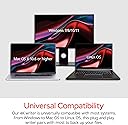
The Verbatim Ultra HD 4K Blu-ray Writer is a slim, lightweight external optical drive featuring USB 3.2 Gen 1 USB-C connectivity for fast data transfer. It supports up to 100GB storage on BDXL discs and comes with a durable brushed metal enclosure ideal for notebooks and ultrabooks. Compatible with both Mac and PC, it includes a free 25GB Blu-ray disc and award-winning Nero software for seamless burning and archiving. Perfect for professionals seeking reliable, high-capacity backup and media creation on the go.


| ASIN | B07MTP9VKX |
| Additional Features | Lightweight, Plug & Play |
| Best Sellers Rank | #50 in External Blu-ray Drives |
| Brand | Verbatim |
| Built-In Media | FREE 25GB Verbatim Blu-ray disc, Nero Burn & Archive Software on CD and Manual on CD, Quick Installation Guide, USB-C to USB-A Cable and USB-A to USB-C Adapter, Ultra HD 4K External Slimline Blu-ray Writer |
| Cache Memory Installed Size | 2 |
| Color | Black |
| Compatible Devices | Mac, PC |
| Connectivity Technology | USB |
| Customer Package Type | Box |
| Customer Reviews | 4.0 out of 5 stars 3,474 Reviews |
| Data Transfer Rate | 5 gigabits_per_second |
| Digital Storage Capacity | 100 GB |
| Enclosure Material | Aluminum |
| Form Factor | Slimline |
| Global Trade Identification Number | 00023942438885 |
| Hardware Interface | USB 3.2 Gen 1 |
| Hardware Platform | Laptop, PC |
| Item Dimensions L x W x H | 5.71"L x 5.24"W x 0.43"H |
| Item Weight | 7.52 ounces |
| Manufacturer | Verbatim Americas LLC |
| Media Speed | 6x |
| Mfr Part Number | 43888 |
| Model Name | External Slimline Blu-ray Writer |
| Model Number | 43888 |
| Operating System | Windows 10 |
| Optical Storage Read Speed | 4x |
| Optical Storage Write Speed | 6x |
| Read Speed | 4 x |
| Special Feature | Lightweight, Plug & Play |
| Specific Uses For Product | Data backup, archiving, and general data management on Mac and PC, particularly for portable use with notebooks or ultrabooks |
| UPC | 023942438885 |
| Unit Count | 1 Count |
| Warranty Description | 2-Year Limited Warranty |
H**X
High Tech and Tiny, Does everything
Works great as a burner, I was able to get it running in Linux as well with 4k Playback and disk burning. A bit loud but thats the form factor, so far seems well built and has a sleak case design obviously a bit fragile given its size, comes with A Blank Blu Ray disk and a Software disk. +++++++++++++++++++++++++++++++ (Does not play 4K Ultra Blu Ray disks, But It can only see the files without the image fix) --Can have the firmware downgraded depending on what model you get so you can rip your 4K Blue Ray disks ****Uses Admin Command Line to flash drive Image from forum**** "C:\Program Files (x86)\MakeMKV\makemkvcon64.exe" f --all-yes -d E: rawflash enc -i "PATH\TO\FIRMWARE.bin" (Replace E: with your drive letter and PATH\TO\FIRMWARE.bin with the firmware file location) --Requires These Files ==MakeMKV (Provides flashing program and tells you what Type of Drive you have to select the right image) ==The all you need firmware pack: (found in makemkv forums, has the images) ++++++++++++++++++++++++++++++++ (Can Play Blu Ray Disks with some work) --Does not need image downgrade for this --Requires these files with some trial and error on sourcing ==VLC Player (Must use a Sudo Install Command not a store for Linux) sudo apt install vlc libaacs0 libbluray2 libbdplus0 ==KEYDB.cfg (In Linux the filename must be exactly KEYDB.cfg in all caps) ==libaacs.dll (Windows only, not needed in Linux) Windows file locations: libaacs.dll --> C:\Program Files\VideoLAN\VLC\ KEYDB.cfg --> C:\ProgramData\aacs\KEYDB.cfg Linux file locations: KEYDB.cfg --> /home/YOUR_USERNAME/.config/aacs/KEYDB.cfg (create folder if needed: mkdir -p ~/.config/aacs) libaacs is installed automatically via: sudo apt install libaacs0 ------------- Playing 4K Ultra disks after imaging using VLC -Set your region -Disable menus
T**K
Works well in MakeMKV after firmware downgrade
I received my five drives today (8/01/2025) and MakeMKV detects the drive as a BU40 (LG) firmware version 1.05. After downgrading the version 1.03 MakeMKV is able to decode UHD discs. So out of the box this drive might not work on UHD discs, but spending one minute downgrading the firmware solved the problem. As for the reviewers complaining about a lack of software.... this is a UHD drive where desktop playback software usually won't work due to a lack of SGX support when playing UHD content. So it would be a waste of time and $ to bundle playback software.
J**R
Terrible! Thanks LG
Seemed like a good option to my terrible Lg drive with its awful “jamless play” feature, only to find out the “verbatim” drive is just a rehoused / relabeled LG Drive. Do not buy! LIAR DRIVE that should never be use for archival work unless you know what you’re doing. Stay away if you don’t want corrupted video!
D**E
Works with 4K MakeMKV
Bought this primarily to back up my purchased 4K bluray disc. Disc-rot is a concern and I have a very large library I would like to have a back up in case things stop working. I already had an old LG bluray drive that did normal blurays but it didn't work with 4K, so I wanted to get this one for my 4K collection. The firmware it ships with is not compatible with MakeMKV but a few google searches and forum posts, you should be able to figure it out. AI can even help... probably. Anyway, works like a charm, does about 6x speed at 25+MBps. little bit noisier than I'd like but it is very slim so noise suppression is hardly a consideration. The drive guts is BU40N which is LG I think. Wide support. I would give it 5 stars but just because of the mild inconvenience of flashing and noise I'd drop it down to 4, but still probably the best and cheapest out there for this purpose.
7**T
The Best Way to Backup your DVDs and Blu-rays
MODEL RECEIVED: BU40N NOTE: Before using MakeMKV, you must downgrade the drive's firmware to 1.03 to get the most out of it. In order to do so, google "makemkv sdftool flasher" for instructions. The process is super easy. You will need to use a Windows computer for the downgrade. I bought three of these based on Reddit recommendations and I have not been disappointed. They are compact, have limited noise, and little to no desk vibration. I stack them on top of one another to save space. I've been backing up some of my physical DVDs, Blu-rays, and 4K Blu-rays so I don't have to pay for streaming subscriptions or rebuy them for digital usage. Once you downgrade the firmware, the read speed is unlocked and the ripping is FAST. Via MakeMKV, I was able to rip my 4K Blu-ray of Casino, which is 84GB, in a little over an hour. I have attached a video showing the duration. To expedite the ripping, I connected all three of the drives to my Mac mini and opened three instances of MakeMKV. When simultaneously ripping three Blu-rays of the TV series Lost, it only took about 30 minutes total for all three to finish. If you do this, make sure you enable "Ask for single drive" in MakeMKV's settings under the IO section. ISSUES I had some issues with the drive not reading some of my discs, but it was because they had some smudges on them. After I wiped them down with a microfiber cloth, the lasers read them. MAC COMPATIBILTIY The drive is definitely plug and play with Apple computers, but you cannot downgrade the firmware on a Mac. You'll have to use a windows PC. If you encounter an IPC error in MakeMkv, that means that there may be insufficient power going to the drives. Make sure you use the correct ports on your Mac and if you have a dock, make sure that any usb slots can power the drive. Satechi, for instance, sometimes mentions that USB ports cannot power disc drives.
D**G
Good solution for archiving data for long term storage
Works well with my Macbook Air running Sonoma OS. I've successfully burned 75+ GB worth of archive data on Verbatim M DISC BDXL 100GB media. I used the slowest writing speeds to reduce the chance of writing errors. The drive itself is very slim, and I find the build quality to be acceptable. It doesn't seem cheap. It has a USB-C connector in the back, and a USB-C to USB-A cable in the box. Also included is a USB-A to USB-C adapter, which I used to complete the connection to my Mac. For archiving the data files, I used the OSX native burn feature in Finder - no 3rd party software was required. The drive is not quiet, but that's not what I need or expected. I just want it to work and it does.
M**S
I missed this!
So many PCs dont have a discount drive anymore. I didn't realize how much I missed it! This one works great. And if you want to burn or rip content, look no further. Plug and play.
N**N
10/10
Works flawlessly! I wish all Blu-ray drives worked like this.
P**A
Ideal para Libredrive.
Muy bueno. Ideal para flashear y respaldar tu información y videos hasta 4K. Lo compré en Amazon México.
T**Z
Dobry napęd optyczny.
Napęd sprawuje się bardzo dobrze, nie testowałem go jeszcze z płytami HD/UHD więc nie mogę się na ten temat wypowiedzieć. Używam go głównie do zgrywania płyt audio cd i tu spisuje się całkiem nieźle, w trybie secure kopiuje nośniki z którymi nie radziły sobie moje poprzednie napędy (dvd-rw Pioneer i Optiarc). Posiada natomiast pewien niespodziewany feler, otóż w trakcie zgrywania płyt napęd ze względu na swoją niewielką wagę "wędruje" po powierzchni na której leży. I nie pomaga tu podklejenie gumowymi podkładkami. Po prostu przesuwa się i trzeba uważać by nie położyć go blisko jakiejś krawędzi lub zapewnić mu jakąś przeszkodę na której się zatrzyma. Poza tym drobiazgiem nie widzę póki co wad. Egzemplarz który kupiłem ma w środku napęd Pioneer BDR-UD04, 1.14.
D**E
Lovely little Blu-Ray drive that works with MakeMKV!
This Blu-Ray drive is tiny, yet feels robust and inspires confidence in its durability with its metal chassis and general build quality. It’s very lightweight, and it’s quite quiet as well. I used it to rip 4K UHD discs with MakeMKV and it worked perfectly (even though it required downgrading its firmware first, which was an easy and painless process). I was able to watch Alien in glorious 4K for the first time in my life thanks to this product. Highly recommend!
D**V
Fantastic player
Bought this to play all disc types on a new PC. It's plug-and-play for CD and DVD. Very easy and very reliable. Occasionally an old disc won't read but I just eject and reinsert it and it usually works fine then. Unfortunately, Windows 11 doesn't have in-built 4k and bluray playing capability so even though the drive is perfectly capable of reading the discs you have to jump through hoops to get the PC and programs like VLC to cooperate with the drive. Once I did that, it was set for playing everything whenever I wanted and it's been brilliant, no issues. Feel like someone who wasn't confident with tech might be better off with a player for their TV though. Haven't tried writing anything with it though, just reading/playing.
G**4
Le lecteur VERBATIM (PIONEER) Génial, suite logiciel NERO juste sauvegarde et Ergonomie avant 2000.
Reconnu sous Windows 11 à jour sans aucun problème (HP spectre 360). J'ai pris ce produit parce que le lecteur graveur Blu-Ray est un Pioneer et donc de qualité. Il fait parfaitement le job. Par contre la suite NERO est toujours aussi nulle. Ergonomie de la fin du siècle dernier, elle est orientée seulement sauvegarde, mais il y a mieux. Quand à la lecture de DVD Blu-Ray (film) n'y pensez pas, il faut acheter un autre logiciel, je l'ai testé avec PowerDVD de Cyberlink, aucun problème mais payant. En conclusion : Lecteur VERBATIM Super!!! Dommage que l'image soit ternie par NERO. Il vaudrait mieux vendre le lecteur seul.
Trustpilot
1 month ago
4 days ago