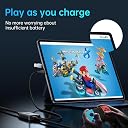
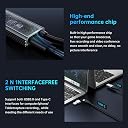
🎥 Capture the Moment, Share the Game!
The XIIXMASK USB 3.0 Video Capture Card is a cutting-edge device designed for gamers and streamers, offering high-resolution video capture up to 1440P at 30fps and 1080P at 60fps. With its 100W Power Delivery fast charging capability, it ensures your devices stay powered during intense gaming sessions. Compatible with a wide range of devices and platforms, this capture card is perfect for live streaming, video recording, and more, making it an essential tool for both casual and professional users.


| ASIN | B0DF6KC6Y8 |
| AV Output | HDMI |
| Antenna Location | Gaming Live Broadcast, Video Recording |
| Best Sellers Rank | 4,305 in Computers & Accessories ( See Top 100 in Computers & Accessories ) 8 in External TV Tuners & Video Capture Cards |
| Box Contents | [Capture Card, NO: Cables, NO: Remote, NO: Software CD/DVD, NO: Manual, NO: Batteries] |
| Brand | XIIXMASK |
| Brand Name | XIIXMASK |
| Compatible Devices | Laptop, Tablet, PlayStation 4, PlayStation 5, Nintendo Switch, Camera, TV Box |
| Customer Reviews | 4.1 out of 5 stars 641 Reviews |
| Hardware Interface | USB |
| Hardware interface | USB |
| Item Weight | 0.04 Kilograms |
| Manufacturer | XIIXMASK |
| Manufacturer Part Number | MS2130 |
| Minimum System Requirements | Computer system with one of the following operating systems: Windows 7 or later, MacOS, Linux, Android or iPadOS 17+ |
| Model Name | XIIXMASK-MS2130 |
| Model Number | MS2130 |
| Number of Items | 1 |
| Number of Packs | 1 |
| Operating System | [MULTIPLE] |
| Operating system | [MULTIPLE] |
| Other Special Features of the Product | PD 100W Fast Charge |
| Platform | Linux |
| Product Warranty | 2 year manufacturer |
| Recommended uses for product | Gaming Live Broadcast, Video Recording |
| Special feature | PD 100W Fast Charge |
| Tuner Type | DVB-T2 |
| UPC | 757611381744 |
| Unit Count | 1.0 count |
| Video Capture Resolution | 1080p, 1440P@30Hz |
| Video capture resolution | 1080p , 1440P@30Hz |
C**S
Excellent Capture Card – Check Your Broadcast Settings Before Blaming the Hardware!
I’ve been genuinely impressed by this capture card, especially considering the price. Setting it up in OBS was fairly straightforward, and once I had everything configured correctly, both the picture and sound quality were excellent. I had read reviews complaining about delayed sound or an echo, and I initially experienced it too. However, the capture card wasn’t the problem it was caused by the audio-monitoring configuration in OBS. Under Advanced Audio Properties, I had the source set to “Monitor and Output,” which meant I was hearing the audio through more than one route. Changing Audio Monitoring to “Monitor Off” immediately removed the delayed echo, and the recorded sound was crystal clear, even better than my previous card! It is also worth checking that OBS isn’t capturing the same audio device twice, such as having it enabled globally while also adding it as a separate source. OBS includes useful audio filters as well, including noise suppression, a compressor, an expander and a limiter. When used properly, these can clean up background noise, control sudden volume spikes and make commentary sound much more polished. The picture quality has been amazing. I purposely checked and haven't seen any ghosting or distracting visual issues, and it has handled 4K 60, 1440p 60 and 1080p 60 without giving me any trouble in other words, I experienced no latency when recording or dual streaming, which I do. Gameplay looks clean, sharp and smooth, which is exactly what I wanted for recording and broadcasting. My advice to anyone experiencing problems is to take a closer look at the settings in OBS, or whichever broadcasting software you use before assuming the capture card is faulty. Audio routing and monitoring settings can easily create echo or delay, even when the hardware is working perfectly. For the price, this capture card absolutely rocks. It delivers excellent picture quality, clean audio when configured correctly and reliable performance across several resolutions. I’m extremely happy with it and would happily recommend it to anyone looking for an affordable capture card for gameplay recording or streaming. An VERY easy five stars from me.
D**D
Spot on ⭐️⭐️⭐️⭐️⭐️
Used it for GTA VI. Works amazing to connect it from my PS5 to my PC. Streaming has no delay and quality is solid. 60 fps no probs.
E**N
Works for GTA 6 frame gen.
Works for GTA 6 frame gen. Latency isn't on par with the Elgato card, but it's £200 cheaper. Still very much playable
G**K
Inexpensive option to more expensive capture cards!
After receiving this about 2 weeks ago, I can confidently say that this is a perfectly inexpensive alternative to a capture card like Elgato. At first I had bought a secondhand Elgato HD60, and it wasn’t working for me for whatever reason, lots of hoops to jump through for my PC to even identify it. So, this product was a second option for me. Works perfectly! The setup is so easy, it was a relief to see my Switch screen appear up on OBS compared to the hassle I had previously with the Elgato. I don’t think it could’ve been any easier honestly. The video quality is amazing, not perfect but that is more likely the Switch itself. Nothing to be done about that, but seeing it close-up on a monitor VS a TV probably points out the Switch’s quality flaws more. Nothing to do with the capture card itself lol. No lag whatsoever if you follow the instructions! One issue, and quite an unimportant one for this price, is that the audio does begin to lag behind the video at around the 40 minute - 1 hour mark. Nothing major, but pausing the game and closing + opening OBS again solves it quickly. Not a big deal to me, but could be to others! I am also unsure if it does this WITHOUT my method to share the game audio on Discord too (seen below), so this may not affect it if you are using the instructions included in the box. Note: If you are planning to stream on Discord like I am, there is a roundabout way to have people on the other end hear the game audio too. Firstly, ignore the instructions on the paper included in this product. Specifically the instructions regarding the audio options when adding a new video capture source. Leave it on default. Next, add an audio capture input(? I think it’s called that) and make sure it is this capture card. Go into your PC settings -> System -> Sounds, scroll to the bottom to the Appvolume and device preferences. Mute the capture device but leave OBS unmuted! It should now be playing audio for whoever is on the other end of your screenshare on Discord :) Remember to close OBS and reopen it when the audio starts lagging too!
E**E
Its OK
I am using this box to capture a 4k feed from my camera to my PC for live streaming DJ sets. This picture is good, however it does show a very small amount of lag with really rapid movements. I have seen others complain about the audio not working. I use a separate audio feed so have not tried this. Easy to set up, could have done with a longer cable, but I had a USB C extension. Seems pretty solid and robust, not dropped it yet. Definitely a budget item. probably gonna save up for the Elgato version
D**N
Does everything you need
Perfect on quest 3s
L**Y
Didn't work
Difficult to work, unreliable
J**O
FALSE ADVERTISEMENT!!
If you plan on buying this for the Switch 2. Go elsewhere, because this card doesn't support it. I wanted a cheaper version of the Elgato, and two of the main reasons I want a capture card are to capture gameplay on the PlayStation 5 and the Switch 2. It worked fine with the PS5, but not for the Switch 2. It clearly stated in the description that this card supports the Switch 2 and that's a lie. Plus, this card isn't terrible buy the visual quality isn't that great. But I paid for what I got, I guess. Anyway, I'm sending this back dor a refund and I'm biting the bullet and getting the elgato 4K S.
S**E
NO LATENCY finaly
i bought another one from ugreen cause i think ugreen is better but this one is way better. iam not an expert but it works great on my ipad 5th gen and my quest 3. no latency than i can notice and th inclusion of the usb c port on it makes it greath for charging your ipad at the same time
L**D
Spendi di piu ma stai tranquillo!!!!
Prodotto davvero pessimo va a scatti e blocca tutto male male
A**O
Fácil de usar para streaming - Muy recomendable
Esta capturadora XIIXMASK es perfecta para grabar o transmitir video de consolas o cámaras vía HDMI directamente a la PC por USB 3.0. Soporta entrada 4K y salida estable en 1080p a 60Hz, con baja latencia, y su función PD de 100W permite alimentar el dispositivo fuente mientras capturas. Ventajas Plug & play sin drivers: Se reconoce al instante en software como OBS Studio, ideal para streamers principiantes o youtubers que quieren empezar rápido. Calidad y fluidez: Graba en Full HD 1080p a 60fps con poco retraso, compatible con PS5, Xbox o PC, y pasa audio sin problemas. Puerto PD de 100W: Mantiene la consola o portátil alimentado durante sesiones largas, evitando cortes de batería. Desventajas No graba en 4K real (solo entrada passthrough), la salida máxima es 1080p, lo que limita para ultra alta definición. Puede requerir ajustes en OBS para optimizar FPS según tu PC, y en cables largos ocasionalmente hay interferencia menor. En general, por su precio asequible, simplicidad y rendimiento sólido para streaming o grabaciones básicas, es una opción excelente. ¡Vale la pena!
B**U
Funziona alla grande con Fire Stick e OBS – comodissima!
Ho acquistato questa scheda di acquisizione HDMI della XIIXMASK principalmente per una cosa: collegare la mia Amazon Fire Stick al PC e usarla tramite OBS Studio. E posso dire che ha fatto esattamente quello che volevo, e pure meglio del previsto. Facilissima da configurare L’ho collegata a una porta USB 3.0 del PC, ho connesso la Fire Stick all’ingresso HDMI, e in pochi secondi OBS Studio ha riconosciuto il segnale video e audio. Niente driver, niente sbattimenti. Veramente plug & play. Usare il telecomando come se fossi sulla TV Quello che mi ha fatto dire “wow” è la possibilità di controllare la Fire Stick normalmente col suo telecomando, senza dovermi loggare da browser su Prime Video, Netflix o altri servizi. Tutto gira fluido, il segnale è stabile e la qualità a 1080p 60fps è perfetta per vedere contenuti in streaming. Compatibilità ampia e versatile Anche se il mio uso principale è con la Fire Stick, questa scheda è compatibile con tantissimi dispositivi – console, fotocamere, visori VR, Switch – e supporta anche la ricarica rapida PD da 100W, utile per tablet o telefoni. Non mi serve ora, ma è un bel plus. In sintesi: ✅ Subito riconosciuta da OBS Studio ✅ Funziona perfettamente con Fire Stick (comando remoto incluso) ✅ Qualità 1080p fluida, bassa latenza ✅ Nessun software da installare ❌ Output massimo 1080p, ma è chiaro fin dall’inizio Se cercate una soluzione economica ma efficace per acquisire segnale HDMI su PC, specialmente per godervi i contenuti streaming senza complicazioni, questa fa proprio al caso vostro. Stra-consigliata.
A**I
يستحق الشراء و أنصح فيه
أستخدمته يوم تقريباً و ممتاز أعطاني 4 كي 60 هرتز و 1080 مع 120 هرتز على البلايستيشن 5 و شاشتي و جربت البث على التيكتوك و عطاني 1080 مع 60 هرتز لم يسخن و الألوان جميله عيبه الوحيد لايدعم vrr و hdr ولكن خيار جداً مناسب للمبتدأين و كثير ناس لاتهتم ب hdr و vrr و تكتفي ب 4 كي هذا خيار ممتاز جداً جداً جاني بتغليف ممتاز و البوكس فخم و تحس القطعه من ماركه غاليه يجي في الكارتون كابل usb و hdmi يعني ما تحتاج شي إضافي تشتريه
Trustpilot
2 months ago
2 weeks ago