Review: I use it brutally every day. - I use this device every day. It runs nonstop in a harsh environment and hasn't died yet. I run all the following through it at all times: 1 43" 4K TV 2 1080p monitors 2 7-port USB 3.0 hubs 1 external microphone 1 audio out to my stereo 1 high end keyboard USB-C power in USB-C laptop in The USB 3.0 hubs often have up to 9 external HDDs attached, a game controller and other random items. I have not put an SSD hard drive in it yet, but I intend to. Issues: Few. Occasionally when I am REALLY poring it to the device with massive data transfers between numerous devices (IE: 3+ 100GB+ database or ISO transfers simultaneously) the device will choke and reset it's connections. It seems to recover properly about 90% of the time. Of the remaining 10%, about 90% of those times, restarting my laptop is enough. The rest require restarting the device which involves unplugging it and plugging it back in. Doesn't happen often. Would definitely recommend and buy again. Review: High Quality, perfect HD video quality, and great support - I got this for a docking station for my MacBook Pro running MacOS Big Sur. This listing seemed very professional and I felt it would be likely to be high quality and well engineered. It has so many ports, that half the ports are on one side, and the other half are on the other side of this docking station (see photos). It also has a compartment for a M.2 SSD drive to expand the storage of my laptop. My laptop SSD is full so this was a critical feature. It avoids more cables and clutter. It comes with some very thick and heavy duty usb cables (thicker than the usb-c power cable that came with the Mac), a usb-c to usb-c, and a usb-c to USB cable. I plugged the usb-c cable from my Mac's power adapter into the PD port of this docking station, Then I plugged the included cable into the usb-c host port of the docking station and the other end into my MacBook. The docking station now supplies power to the laptop as well as expands the single usb-c port into the 15 different ports including the M2. SSD drive. The docking station comes with a really cook card that provides support info, lifetime technical support, as well as a built-in flash drive. The first test of this drive was to plug in this flash drive into the docking station. This caused a browser to pop up with support and documentation, and a link to the online displaylink drivers to download. These drivers are needed to get the HDMI ports to work. I followed the instructions and set the settings according to the instructions, After that was done, then my HDMI monitors came alive and it all worked perfectly. I also plugged in my USB dongle for my wireless mouse and keyboard. It all worked the first time. I had no issues with the HDMI port sync'ing to my monitor like I've had with other cheaper products. I also tried some other ports like the memory card, DP, and connected the ethernet port to my model. In summary, this box seems well built, sturdy, even the packaging box and cables it came with are all very high quality. Much better than the cables I have ordered from desertcart before. Also, the life time support card is very assuring and shows they stand behind their products. They obviously want to make sure you are satisfied and build a brand name known for quality.
| ASIN | B08Y5N1PF2 |
| Brand | UtechSmart |
| Brand Name | UtechSmart |
| Customer Reviews | 3.8 out of 5 stars 229 Reviews |
| Hardware Interface | USB Type C |
| Item Weight | 0.79 Pounds |
| Item Weight Unit of Measure | 0.79 Pounds |
| Model Number | Triple Display (HDMI+DP) |
| Number of Ports | 15 |
| Total HDMI Port | 2 |
| Total HDMI Ports | 2 |
| Total USB Ports | 4 |
| UPC | 850004875346 |
| Wattage | 100.00 |
G**L
I use it brutally every day.
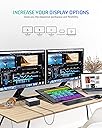
I use this device every day. It runs nonstop in a harsh environment and hasn't died yet. I run all the following through it at all times: 1 43" 4K TV 2 1080p monitors 2 7-port USB 3.0 hubs 1 external microphone 1 audio out to my stereo 1 high end keyboard USB-C power in USB-C laptop in The USB 3.0 hubs often have up to 9 external HDDs attached, a game controller and other random items. I have not put an SSD hard drive in it yet, but I intend to. Issues: Few. Occasionally when I am REALLY poring it to the device with massive data transfers between numerous devices (IE: 3+ 100GB+ database or ISO transfers simultaneously) the device will choke and reset it's connections. It seems to recover properly about 90% of the time. Of the remaining 10%, about 90% of those times, restarting my laptop is enough. The rest require restarting the device which involves unplugging it and plugging it back in. Doesn't happen often. Would definitely recommend and buy again.
W**B
High Quality, perfect HD video quality, and great support
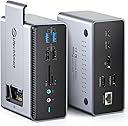
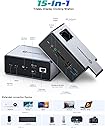
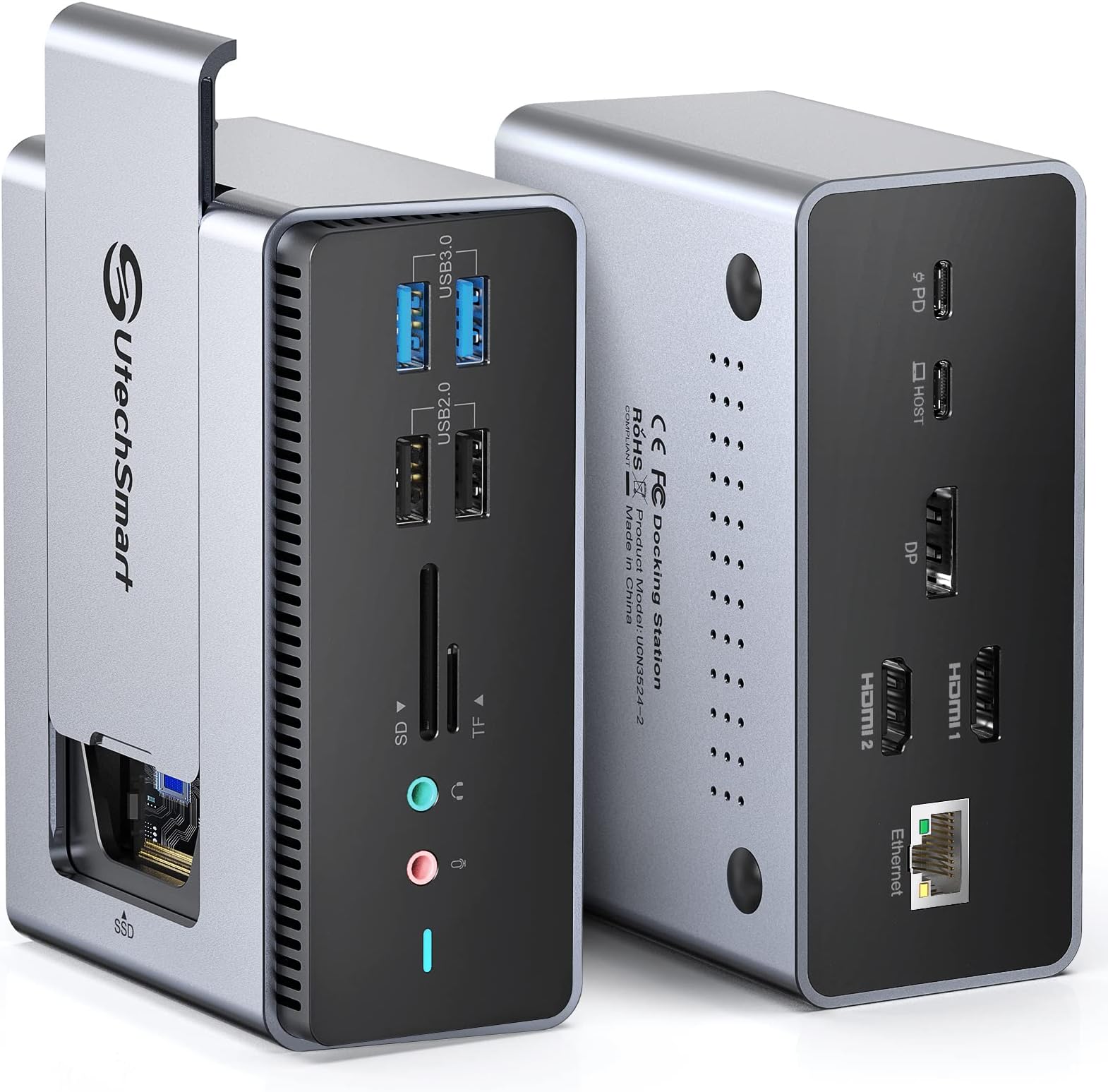
I got this for a docking station for my MacBook Pro running MacOS Big Sur. This listing seemed very professional and I felt it would be likely to be high quality and well engineered. It has so many ports, that half the ports are on one side, and the other half are on the other side of this docking station (see photos). It also has a compartment for a M.2 SSD drive to expand the storage of my laptop. My laptop SSD is full so this was a critical feature. It avoids more cables and clutter. It comes with some very thick and heavy duty usb cables (thicker than the usb-c power cable that came with the Mac), a usb-c to usb-c, and a usb-c to USB cable. I plugged the usb-c cable from my Mac's power adapter into the PD port of this docking station, Then I plugged the included cable into the usb-c host port of the docking station and the other end into my MacBook. The docking station now supplies power to the laptop as well as expands the single usb-c port into the 15 different ports including the M2. SSD drive. The docking station comes with a really cook card that provides support info, lifetime technical support, as well as a built-in flash drive. The first test of this drive was to plug in this flash drive into the docking station. This caused a browser to pop up with support and documentation, and a link to the online displaylink drivers to download. These drivers are needed to get the HDMI ports to work. I followed the instructions and set the settings according to the instructions, After that was done, then my HDMI monitors came alive and it all worked perfectly. I also plugged in my USB dongle for my wireless mouse and keyboard. It all worked the first time. I had no issues with the HDMI port sync'ing to my monitor like I've had with other cheaper products. I also tried some other ports like the memory card, DP, and connected the ethernet port to my model. In summary, this box seems well built, sturdy, even the packaging box and cables it came with are all very high quality. Much better than the cables I have ordered from Amazon before. Also, the life time support card is very assuring and shows they stand behind their products. They obviously want to make sure you are satisfied and build a brand name known for quality.
E**R
DP not 1080P as advertised + poor Customer Service
I'm excited for the product but it didn't meet my expectation as its DP didn't work as expected. I have an HP Notebook/Laptop (AMD A8-7410 APU w/ AMD Radeon R5), ASUS VH242H and Samsung SyncMaster 226aw Monitors. Installed and followed instructions and even used on my other laptop (HP Intel) and interchanged the monitors and the output is the same: DP outputs 640x480 and labels No Monitor I tried using the laptops HDMI and everything works well, outputs max resolutions of the monitors... to mean that this product added only 1 monitor as the 640x480 output is not that usable. I will definitely return this soon if the UtechSmart can't resolve this, and will buy a mini-PC with AMD Ryzen 7, at least it will definitely display the expected output of the monitors. I will update this review after 2 weeks as I will also email the UtechSmart support regarding my situation. 11/14/2022 for updates, DP->DVI cable arrived Nov13... worked temporarily and came back to 640x480. Tried uninstall and reinstall DisplayLink Manager... worked temporarily and back to 640x480 again. See Print Screen pic, it represents screen size... the smallest is No Monitor (Samsung), right is Asus and bottom is HP Laptop screen. In terms of Customer Service, they are very good in asking questions but no action or solution was provided... my cable arrived earlier than their reply or solution. Overall, I will not recommend to buy this product as it didn't worked as advertised and Customer Service is very poor. We are lucky as Amazon have return policy... else we are definitely scammed by this supplier so I will return it as soon as I can.
S**T
Use every day
Been using this every day for the past year. Itโs been great no lag no issues with dual monitors
A**1
Not Fully Compatible with M1 Max and Monterey
I just received a new MacBook Pro with an M1 Max (running Monterey), and purchased this dock to pair with it -- primarily to reduce wires while allowing the MBP to drive two external 1080p monitors (27" Samsung CR50 monitors). I was also pretty excited about the internal M.2 SSD slot, as I hadn't seen that in any other dock, and was planning to put a P5 2TB card in there. But I never made it that far. My plan was to connect the dock to the MBP via Thunderbolt 3, and the monitors to the dock via HDMI-HDMI cables. I used a high-quality, 100W-rated USB-C to USB-C power+data cable, but the MBP was unable to see the external monitors in that configuration. So I purchased an Anker 100W Thunderbolt-4 cable; still no joy. The problem seemed to be that the MBP wasn't enabling the Thunderbolt interfaces for full-speed data, so I called Apple Support -- and spent nearly two hours with Tier-2 support (and Tier-3 support in the background) trying to troubleshoot this problem. As part of the troubleshooting, I swapped out the Utechsmart dock for an Anker PowerExpand 13-in-1 dock, which I use with my work laptop. Ethernet speeds (Ookla Speedtest) jumped from ~70Mbps with the Utechsmart to ~350Mbps with the Anker. In addition, the MBP was able to drive the two external monitors via the Thunderbolt-4 cable. So then I popped open a new 4URPC MacBook Pro dock that I'd purchased for a different machine, and figured I'd give it a try -- and that one worked great, right out of the box -- the MBP can drive both monitors via the dock, and ethernet throughput is >300Mbps. So, at the end of the day, the problem was not the Thunderbolt ports on the Mac, but the Thunderbolt ports on the Utechsmart. Note that I was using both of the HDMI ports to connect the external monitors to the Utechsmart, not the Display Port. Although I was really looking forward to using the internal SSD feature of the Utechsmart dock, I actually like the port arrangement on the 4URPC dock a little more -- all of the ports I need to use are on the back of the dock, which leaves the front uncluttered (and, hence, the desk is less cluttered). The 4URPC comes with its own dual-Thunderbolt cable, which seems to work great. With a 100W power supply connected to the 4URPC dock, it can fully power the 16-inch MBP via the Thunderbolt cable, so I don't need to connect the Apple-provided power supply. In addition to the Utechsmart, the parts that I referenced in this review are below: Anker PowerExpand 13-in-1 dock: https://www.amazon.com/gp/product/B088F7SY6S 4URPC MacBook Pro dock: https://www.amazon.com/gp/product/B08K2P634G Anker 100W Thunderbolt-4 cable: https://www.amazon.com/gp/product/B095KSL2B9 100W USB-C charger (to power the dock(s)): https://www.amazon.com/gp/product/B089FC1TRF Enjoy....
Trustpilot
1 month ago
3 days ago