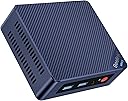
Desertcart purchases this item on your behalf and handles shipping, customs, and support to Seychelles.
๐ Compact Power, Big Impact โ Your Deskโs New MVP
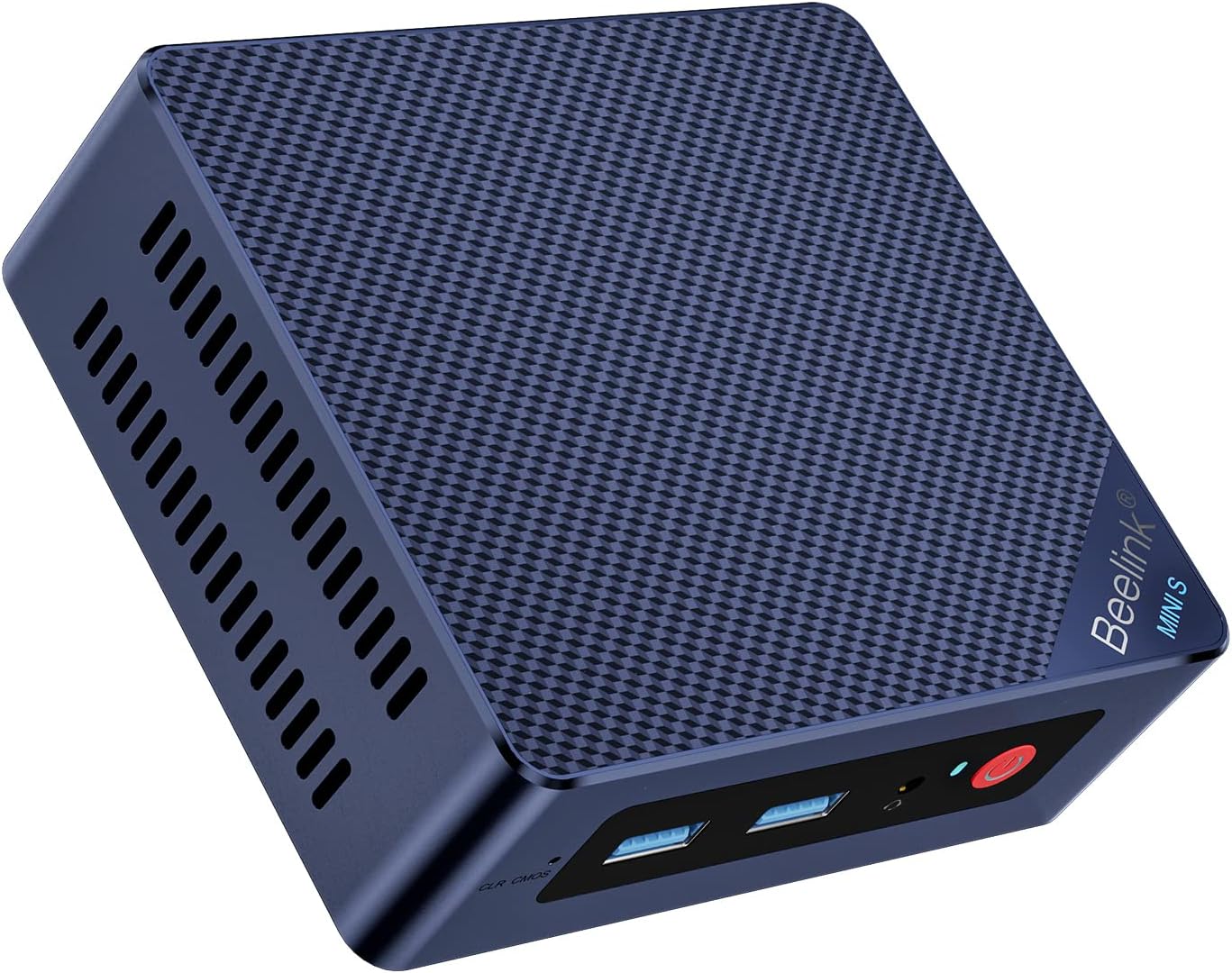
The Beelink Mini PC MINI S12 is a compact desktop powerhouse featuring Intel's 12th Gen Alder Lake-N95 processor clocked up to 3.4GHz, 8GB DDR4 RAM, and a 256GB M.2 SSD. It supports dual 4K displays via HDMI 2.0 ports, offers ultra-fast 2.5G LAN alongside WiFi 5 and Bluetooth 4.2 connectivity, and operates quietly with energy-efficient design. Certified with CE and backed by a 3-year warranty, itโs tailored for professionals seeking a sleek, reliable mini PC for everyday work and entertainment.


| ASIN | B0DPJ1X2N8 |
| Aspect Ratio | 16:9 |
| Available Memory Slots | 1 |
| Best Sellers Rank | 8,296 in Computers & Accessories ( See Top 100 in Computers & Accessories ) 32 in Desktop PCs |
| Box Contents | Beelink Mini PC |
| Brand | Beelink |
| Brand Name | Beelink |
| CPU Model Number | Intel Processor N95 |
| CPU Model Speed Maximum | 3.4 GHz |
| CPU model | Intel N95 |
| CPU speed | 3.4 GHz |
| Cache Memory Installed Size | 6 MB |
| Cache size | 6 MB |
| Colour | Blue |
| Cooling Method | Air |
| Country of Origin | China |
| Customer Reviews | 4.4 out of 5 stars 299 Reviews |
| Display Type | LED, LCD, OLED |
| Graphics Card Interface | Integrated |
| Graphics Card Ram | 8 MB |
| Graphics Coprocessor | Intel UHD Graphics 4K UHD Dual Display |
| Graphics Description | Integrated |
| Graphics Ram Type | DDR4 SDRAM |
| Graphics card description | Integrated |
| Hard Disk Description | SSD |
| Hard Disk Interface | PCIE x 2 |
| Hardware Interface | 3.5mm Audio, Ethernet, HDMI, USB 3.2 Gen 2 |
| Human Interface Types | Buttons |
| Manufacturer | Beelink |
| Maximum Display Resolution | 4096 x 2160@60Hz Pixels |
| Memory Clock Speed | 3200 MHz |
| Memory Speed | 3200 MHz |
| Memory Storage Capacity | 8 GB |
| Model Name | MINI S12 |
| Model Number | MINI S12 |
| Model Year | 2024 |
| Native Resolution | 4096 x 2160@60Hz Pixels |
| Network Connectivity Technology | 3.5mm Audio, HDMI x 2, LAN(2.5G) x 1, USB3.2 Gen2 x 4 |
| Operating Systems | Windows 11 Home |
| Operating system | Windows 11 Home |
| Personal Computer Design Type | Mini PC |
| Power Consumption Size | 25 Watts |
| Power Plug Type | Type G |
| Processor Brand | Intel |
| Processor Count | 4 |
| Processor Series | Intel N95 |
| Processor Socket | Intel Processor N95 |
| Processor Speed | 3.4 GHz |
| Product Warranty | 3 Year |
| RAM Memory Installed | 8 GB |
| RAM Memory Technology | DDR4 |
| RAM Type | DDR4 SDRAM |
| Ram Memory Maximum Size | 16 GB |
| Resolution | 4096 x 2160@60Hz |
| Specific Uses For Product | Everyday Use |
| Specification Met | Energy Star |
| Style Name | Minimalist |
| Total Expansion Slots Quantity | 1 |
| Total HDMI Port | 2 |
| Total USB Ports | 4 |
| Total Video Out Ports | 2 |
| UPC | 810180170604 |
| Unit Count | 1.0 count |
| Video Output | HDMI1.4 x 2 |
| Video Output Interface | 3.5mm Audio, Bluetooth 5.2, HDMI x 2, LAN(2500M) x 1, USB3.2 Gen2 x 4, Wi-Fi 6 (802.11ax) |
| Video Processor | Intel |
| Wireless Compability | 802.11ax, Bluetooth |
| Wireless Network Technology | Wi-Fi |
| Wireless Technology Type | Bluetooth, Wi-Fi |
B**S
Power-Packed Performance in a Compact Package
I've been on the lookout for a mini PC that doesn't compromise on performance, and, well, the Beelink MINI-S12 Pro exceeded my expectations. In my experience, compact devices often come with the trade-off of reduced power, but this one just kind of demolished that notion. With its 12th Gen Intel Alder Lake-N100 Processor, it smoothly handles multiple applications at once, which is exactly what I needed for my home office setup. Setting it up was pretty straightforward, and I was pleasantly surprised by how seamlessly it integrated with my existing monitors; the HDMI connectivity was a breeze. The 16GB RAM combined with the 500GB SSD means I'm not twiddling my thumbs waiting for files to load or apps to openโeverything's just snappy and responsive. I was particularly impressed with the WiFi 6 capability. It's something I didn't initially consider a necessity, but, actually, the enhanced speed and lesser congestion have made my workflow noticeably more efficient. Plus, with Bluetooth 5.2 and Wake-on-LAN features, it feels like Beelink thought of everything to make connectivity and usability top-notch. A little story to shareโjust a few days into using it, I had what I call a 'gadget geek's joy moment.' You know, those little victories where everything works together beautifully? That's when I decided to add an external drive for my media files, and, honestly, the transfer speeds just blew my mind. In my view, this tiny powerhouse supports growth, and it inspires confidence in expanding your setup. In summary, the MINI-S12 Pro is not just about the right specsโitโs about delivering a fantastic user experience housed in a sleek and compact form. If youโre in need of a mini PC that offers a lot more than just the basics, this might just be what you're looking for.
S**E
Quiet and Dependable
Great little mini PC. Seems well built and has plenty of conectivity. I bought this to run Home Assistant and it works perfectly. Quiet when running and stays cool. Recomended
J**.
Tiny and powerful
Simply Excellent. Cant believe something so small can replace a desktop. Excellent little pc, fast and great looking screen. it takes a bit of setting up especially if you're not familiar with the pc ways, nevertheless be patient and you'll have a excellent pc.
R**N
Cheap and does the job
Bought one to replace an old Asus eebox that has become temperamental and is stuck on windows 10 from what I can see. Compared to the Asus , this thing is pretty much silent and runs much cooler. Comes with quite an old version of windows 11 and won't upgrade through windows update, however it was easy to download the newest windows 11 from Microsoft and update using that, licensed automatically via my account having picked up the initial license. Early days but all good so far, the support website seems hit and miss with PM's being used in the forum to distribute various firmware or driver updates but so far I've not needed either. Other than upgrading windows 11 being a bit of a fiddle the only other issue so far is that the screws provided with the mount were too short for my monitor but easily sorted with some others I had.
P**S
Fast and quiet - good value
This was bought to replace an earlier (different model) Mini-PC which had suddenly failed, refusing to boot. Amazon gave me a refund even though it was out of warranty, for which I was grateful. Comes complete with Windows 11 Pro, 16gb memory, and a 500gb (476 actual) SSD. There is a spare memory slot. For its spec, it runs very well. It doesn't have a problem running Visual Studio - not as fast as a 'real' development system, but perfectly usable. It is also used to remote into remote systems using Remote Desktop - it is perfect for this. According to HD Tune Pro, disc performance averages 405 MBS with an access time of .236 MS. I am very happy with the system, and think it is good value for money.
A**R
Fast, efficient, quiet, and a breeze to set up..
There is nothing to dislike about this amazing mini PC. Picture showing the old and the new! I have not rated it for gaming because that's not my thing. I stream 4K UHD media so graphics resolution is highly important to me and this Beelink is the Bees-Knees. Every-day computing does not disappoint either. The power supply in the old PC was rated at 750 Watts equivalent to a one bar fire. At only 36 Watts, this one can stay on 24/7. Setting up was simple. I fitted my old Win 10 hard drive in a caddy, connected with a USB3.2 cable and copied all of my Apps, Programs, Media and Registry Data from the C & D drives to the Beelink. Job done in record time without having to re-install individual Apps! Now running my old PC on Win 11 very nicely.
M**.
Very disappointing experience
I wasn't able to successfully get Windows installed. There is a pop-up window to set the PIN for login, except you can't see it. If you press ALT+TAB you can see it - I thought I was able to set the pin by switching to that pop-up, even though I couldn't see it. Once rebooted after setup, Windows was stuck as login screen and wouldn't accept the PIN. I bought this computer to run Windows and use a virtual machine for home automation. I was not able to do this. To get it working, I've had to install a different operating system. It's a shame, as the hardware seems good and the issue is a software problem which is a Windows issue, but if you can't set it up as intended then it's not fit for purpose. This comes from someone who has built their own computers for decades and is very knowledgable.
A**R
Fantastic
Love this, have a number of services run on here
Trustpilot
3 weeks ago
2 months ago