We remain fully operational. Our teams are working around the clock to ensure your deliveries continue safely.

DOWNLOAD THE APP


Customer Services
Copyright © 2025 Desertcart Holdings Limited
DOWNLOAD THE APP
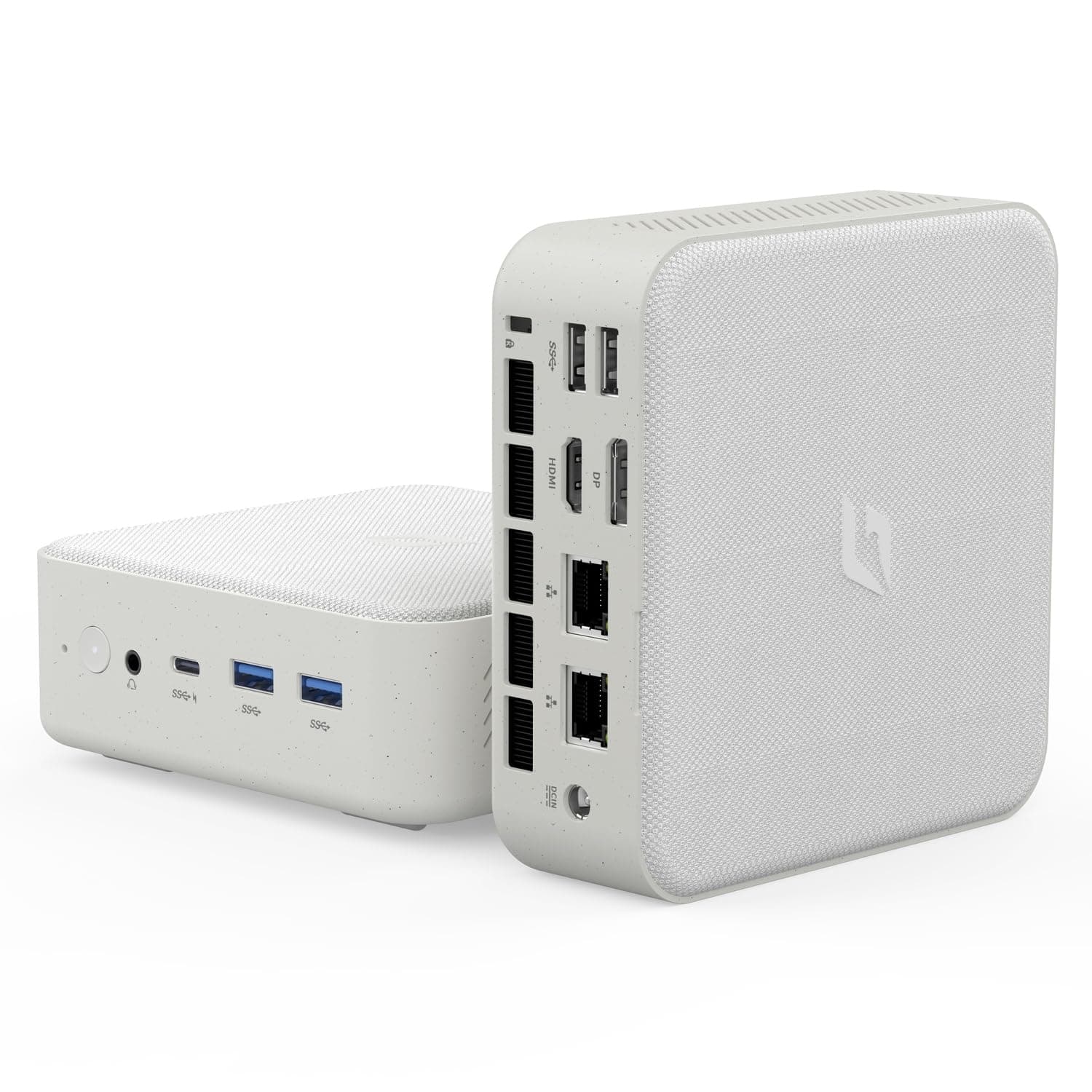

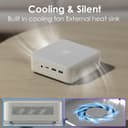
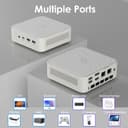

🚀 Mini PC, Mega Power — Own your workspace like a pro!
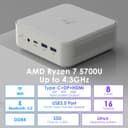
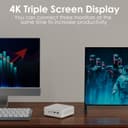
The CyberGeek Mini Linux Computer packs AMD Ryzen 7 5700U’s 8-core/16-thread power with turbo speeds up to 4.3GHz into a compact 4.39x4.88x1.67 inch chassis. It supports triple 4K displays via HDMI, DisplayPort, and Type-C, and offers up to 32GB DDR4 RAM and 2TB PCIe SSD storage. Designed for professionals and gamers alike, it features advanced WiFi 802.11ac, Bluetooth 5.0, dual LAN ports, and multiple USB connections. Its lightweight, eco-friendly design includes a waterproof fabric top and VESA mount for a clutter-free, stylish setup. Runs Linux Ubuntu 22.04 for smooth, lag-free operation.


| ASIN | B0CTCS88XH |
| Additional Features | Mini pc |
| Aspect Ratio | 16:9 |
| Best Sellers Rank | #11,949 in Computers & Accessories ( See Top 100 in Computers & Accessories ) #414 in Mini Computers |
| Brand | CyberGeek |
| Built-In Media | RGB Lighting |
| CPU Model Number | 5700U |
| CPU Model Speed Maximum | 4.3 GHz |
| Color | White |
| Compatible Devices | External Storage Drive, Game Controller, Headphone, Keyboard, Monitor, Mouse, Printer, Projector, Speaker, Television |
| Connectivity Technology | Wi-Fi |
| Cooling Method | Air |
| Customer Reviews | 3.6 3.6 out of 5 stars (43) |
| Display Resolution Maximum | 4096 x 2160 |
| Display Type | LED |
| Graphics Card Interface | Integrated |
| Graphics Card Ram | 16 GB |
| Graphics Coprocessor | AMD Radeon Graphics |
| Graphics Description | Integrated |
| Graphics Ram Type | SODIMM |
| Hard Disk Description | SSD |
| Hard Disk Interface | Solid State |
| Hardware Interface | Ethernet, HDMI, USB 3.0 |
| Human-Interface Input | Keyboard, Mouse |
| Item Dimensions | 5.12 x 5 x 1.77 inches |
| Keyboard Description | QWERTY |
| Keyboard Layout | QWERTY |
| Manufacturer | CyberGeek |
| Memory Slots Available | 2 |
| Memory Speed | 3200 MHz |
| Memory Storage Capacity | 256 GB |
| Model Name | Nano-L1 |
| Model Number | Nano-L1 |
| Model Year | 2024 |
| Native Resolution | 3840 x 2160 |
| Number of Component Outputs | 4 |
| Operating System | Linux |
| Personal Computer Design Type | Mini PC |
| Power Plug Type | Type A - 2 pin (North American) |
| Processor Brand | AMD |
| Processor Count | 8 |
| Processor Series | AMD Ryzen 7 |
| Processor Socket | FP6 |
| Processor Speed | 4.3 GHz |
| RAM Memory Installed | 16 GB |
| RAM Memory Technology | DDR4 |
| RAM Type | SODIMM |
| Ram Memory Maximum Size | 16 GB |
| Resolution | 3840 x 2160 |
| Specific Uses For Product | Personal |
| Style Name | 5700U |
| Total Number of HDMI Ports | 1 |
| Total Usb Ports | 5 |
| UPC | 797725071896 |
| Video Output | HDMI, DisplayPort |
| Video Output Interface | HDMI, DisplayPort |
| Video Processor | AMD |
| Wireless Compability | 802.11ac |
| Wireless Network Technology | Wi-Fi |
| Wireless Technology | Wi-Fi |
A**G
Amazing power for price, versatile, great for compiling
The one with the Ryzen 7 5700U is amazing. Great Linux support, Ubuntu seemed to run fine but I removed it in favor of Gentoo. Had some troubles getting GRUB installed because the motherboard doesn't seem to support EFI variables, but installing grub with the removable option to /EFI/BOOT/BOOTX64.efi worked. Compiles very well with 16 threads, and the 32gb model I got is very stable at -j16 jobs. Would highly recommend to anyone, as it was only like $377 and delivers compilation power comparable to my $1.4k r9 laptop, especially if you're in the professional/softdev sector and don't need a dGPU.
D**C
Does not supprt a clean OS re-install
The product worked out of the box as advertised, but when I tried to wipe the computer and re-load Ubuntu it would not take the reload due to a firmware error. Then when I tried to contact customer support (using the e-mail at the bottom of the unit, I get no response. Here is some details of the issue - maybe they will reply to this as there seems to be no other way to get support. I have a CyberGeek L1 (Nano L1), serial number L1USP2406L1051. The BIOS version is L1 1.03, Build Data 11/27/2023 15:51:52, EC Version 0.16. It is an AMD Risen 7 5700U with Radeon Graphics 1.8 GHz. This weekend I tried to load a clean version of Ubuntu. After several painstaking hours it appears I have a BIOS firmware issue, particularly with UEFI. After several attempts to install and configure Ubuntu, I encountered problems that related to how the BIOS firmware handles UEFI and secure boot settings. Despite setting the system to UEFI mode in the BIOS, disabling secure boot, re-keying the system, and taking out the battery, there were issues related to mounting the EFI system and writing/loading boot configurations that could not be resolved. This points to a BIOS bug. I am writing to find out if you have a firmware patch and instructions for how to install the firmware to resolve this issue, or if you can provide me with other means to resolve the issue.
B**N
Awesome little PC but displayport not working in Ubuntu. Adapter needed for triple monitor!
This little PC runs basic everyday stuff like browsing with multiple browsers, email, spreadsheets, full screen video, all great! It is also very quiet even when the fan is on high. Can hardly hear it from 3 feet away, and that is only in a very quiet room. Ubuntu Linux has come along way also. The last time I tried Linux was over 15 years ago. It is kind of awesome now. It is fast and has everything you need. The only issue I have had is the displayport. It just doesn't work. HDMI works fine and came with displylink already installed and working for a USB-C to HDMI cable to monitor. I had to get a USB-C hub that had two HDMI out ports, along with the PCs HDMI to get triple monitors working. But that DID work just fine. Not sure if the issue is a hardware problem or a Linux problem. It might work in windows, I did not try that yet. I might someday. But for now it's running 3 monitors great(with the added hub). Overall I am pretty happy with the mini PC. Nice to say goodbye to windows! Update: I installed Windows 11 today to see if the Displayport would work in there. It did NOT. Not sure what the problem is. I will reach out to CyberGeek support tomorrow as it is a holiday here today.
G**Y
Has Exceeded My Expectations
I really hope I’m not jinxing myself by leaving this review. I purchased my CyberGeek Mini with Ubuntu in October 2024, and as of January 24, 2026, I’ve had absolutely no issues. I really hope I’m not jinxing myself by leaving this review. I purchased my CyberGeek Mini with Ubuntu in October 2024, and as of January 24, 2026, I’ve had absolutely no issues. My unit came equipped with 16 GB of RAM, an AMD Ryzen 7 5700U with Radeon Graphics, and a 500 GB SSD. It also includes a Wi-Fi card capable of monitor mode (RTL8821CE), which has worked as expected for my use case. In terms of real-world performance, this mini PC has performed just as reliably and smoothly as my built-to-order HP Victus laptop purchased in Spring 2023, despite the difference in form factor. I’ve had no stability, heat, or performance concerns during regular use. Overall, it has been a solid, dependable system and has exceeded my expectations.
M**N
Mostly works well
First off, the system does work as expected. There are some caveats, however. In my case I was having trouble getting output to the second monitor (via the DisplayPort connection). At first I thought it was due to the KVM switch. However, with some more digging I found that even connecting the monitor directly to the DP connection (via a DP/HDMI cable) there was still no output to the monitor. I know the monitor and cable both work as I have used them both with a different PC. So the problem is with the port on this PC. I haven't heard back from the vendor yet about whether there is a way to diagnose the issue. In the meantime, I have ordered a USB-C/HDMI adapter to use that port to see if I can get the second monitor that way. If that works then I will call it good as I only need two monitors. The other issue I have is that I am using this PC for development. Especially for Android development. One of the things needed for this is to make use of virtual devices for running apps in different environments to see how they work. Unfortunately I had no end of trouble getting this up and running. This is a Ryzen system so it should (and actually does) support virtualization. However, the settings in the BIOS were wrong and it took me a week to find someone who could help me determine which BIOS settings to change. Once I got that done I now have virtualization up and running as I expected. However, the 'customer support' team at CyberGeek were not helpful at all. I was told that this particular model doesn't support virtualization. I wonder if they have anyone that actually understands their own products. Anyway, assuming I get the second monitor going I will be reasonably happy with the system. It is fast with enough memory and disk that I will be able to use this for some time to come.
C**N
Hardware wie beschrieben: i.O. Software : Ubuntu 22.04 OK, ABER ohne Root Passwort. d.H. NUTZLOS. ( Eigene User ist kein sudoer, auch nutzlos ) Cybergeek Service: Nutzlos, Sie können mich nicht helfen, weil sie meine Auftrag nicht finden können. Meine Vermutung ist, dass Amazon.de das Gerät Amazon.com (USA) bestellt hat und Amazon USA hat Cybergeek das Gerät bestellt. So Cybergeek hat keine Ahnung von mir. Lösung: ich habe Debían 12 rein installiert.
L**Y
This is LINUX... but I was able to get it into WIndows for a good price.
Trustpilot
1 week ago
1 month ago