⚡ Upgrade to the future of home Wi-Fi — speed, coverage, and security in one sleek system!
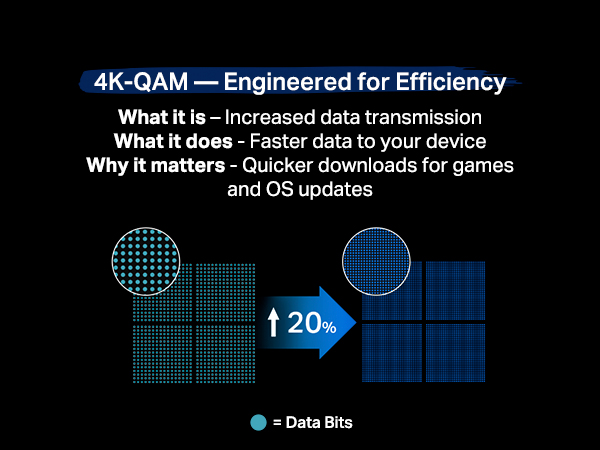
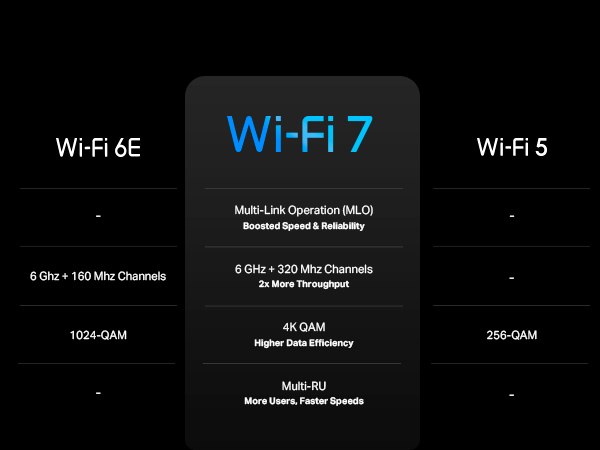
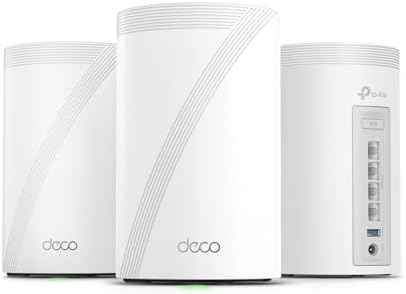
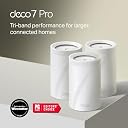
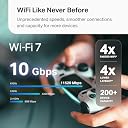
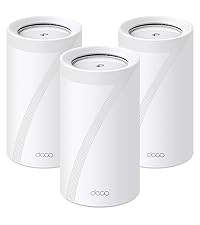
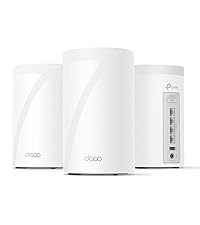
The TP-Link Deco BE10000 is a cutting-edge tri-band WiFi 7 mesh system delivering combined speeds up to 10 Gbps, covering 7,600 sq.ft. with support for over 200 devices. Featuring four 2.5G wired ports, AI-driven seamless roaming, and robust security with HomeShield and VPN support, it’s designed for demanding smart homes and future-proof connectivity. Easy app setup and voice control complete this premium networking solution.










| ASIN | B0CN8QLS4K |
| Antenna Location | Home |
| Antenna Type | Internal |
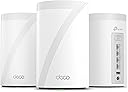
| Box Contents | 1 RJ45 Ethernet cable, 3 Deco BE63 units, 3 Power adapters, Quick Installation Guide |
| Brand | TP-Link |
| Brand Name | TP-Link |
| Colour | White |
| Compatible Devices | Gaming Console, Personal Computer, Printer, Security Camera, Smart Television, Smart Thermostat, Smartphone, Tablet Compatible Devices Gaming Console, Personal Computer, Printer, Security Camera, Smart Television, Smart Thermostat, Smartphone, Tablet See more |
| Connectivity Protocol | Wi-Fi, Ethernet |
| Connectivity Range | 7600 Square Feet |
| Connectivity Technology | Ethernet, Wi-Fi |
| Control Method | Voice |
| Controller Type | App Control |
| Coverage | 7600 square feet |
| Customer Reviews | 4.2 out of 5 stars 1,455 Reviews |
| Data Transfer Rate | 10 Gigabits Per Second |
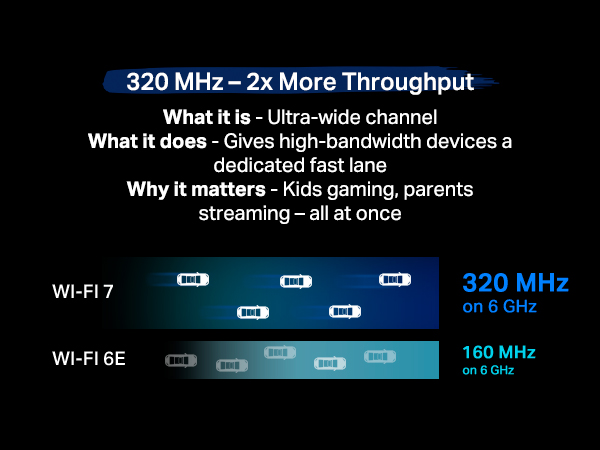
| Frequency | 6 GHz |
| Frequency Band Class | Tri-Band |
| Is Modem Compatible | No |
| Item Dimensions L x W x H | 10.7L x 10.7W x 17.6H Centimeters |
| Item Weight Unit of Measure | 2.26 kg |
| LAN Port Bandwidth | 10 Gbps |
| Manufacturer | TP-Link |
| Manufacturer Part Number | Deco BE63(3-Pack) |
| Maximum Upstream Data Transfer Rate | 1000 Megabits Per Second |
| Model Name | WiFi 7 Mesh System |
| Model Number | Deco BE63(3-Pack) |
| Number of Antennas | 4 |
| Number of Ports | 4 |
| Operating System | Linux |
| Other Special Features of the Product | Access Point Mode, Guest Mode, QoS, Remote Access, WPS |
| Security Protocol | WPA2, WPA3 |
| Special Feature | Access Point Mode, Guest Mode, QoS, Remote Access, WPS |
| UPC | 840030712685 |
| Unit Count | 1.0 Count |
| Wi-Fi Generation | Wi-Fi 7 |
| Wireless Communication Standard | 802.11.be, 802.11ac, 802.11ax, 802.11g, 802.11n |
| Wireless Compability | 802.11.be, 802.11ac, 802.11ax, 802.11g, 802.11n |
E**R
good
Working fine but i cant connect my WIFI 7 devices to this, i mean our android phone is showing WIFI 6e and sometimes WIFI 6 but haven't seen WIFI 7 yet
M**.
Awesome
Love these things. I set these up as a mesh system for the ground floor, which doesn't have any router signal. Just connect one of them by Ethernet, then let the rest repeat off of that. You'll get great coverage for the entire ground floor. Also, setup is super easy as TP-Link has a great app for this. Thinking of buying another pack just to extend coverage even more.
A**A
Fácil de instalar
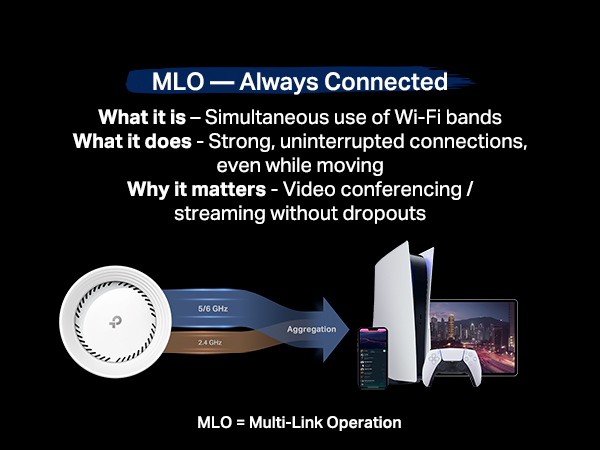
Te permite crear una red de 2.5 a 5GHz, una de 6GHz y una MLO de 5 y 6GHz, además de crear una red para invitados, aislar dispositivos de tu IoT. Con 2 cubre perfectamente 200m² y atraviesa paredes sin tanto problema. Se acabaron mis problemas con la disponibilidad de mis dispositivos.
N**L
Blazing fast, rock solid coverage
Upgraded from an older AX mesh system to the Deco BE63 a few weeks ago and the difference is night and day. Setup was painless — the Deco app walked me through everything in about 15 minutes, from plugging in the main unit to placing the satellite across the house. No tech headaches. Speed is insane. I’m pulling close to gigabit wired and wireless speeds throughout the entire house, even in the back rooms where my old system used to drop to like 80mbps. The 6GHz band on WiFi 7 is a game changer if you have devices that support it — pings are super low, no lag on streaming or gaming. Coverage is excellent with just two units. My house is around 2,500 sq ft and signal stays strong from the garage to the upstairs bedrooms. Handoff between nodes is seamless, no dropouts when I’m walking around on a call. The 2.5G WAN/LAN ports are a nice touch for future-proofing, especially if you have a multi-gig internet plan. App controls are solid too — easy to see connected devices, set up guest networks, and run speed tests. Only downsides: it’s expensive, and some advanced features like more in-depth QoS are locked behind the HomeShield paid tier. The units are also a bit large compared to older Deco models, so factor in shelf space. Overall, if you want top-tier mesh performance and have devices that can take advantage of WiFi 7, this is one of the best systems out right now. Worth the price if you care about speed and reliability.
D**D
Great Router & Mesh System So Far
Replaced an older ASUS mesh system that was a daily headache to deal with for a 4,500 sq ft house on 3 levels. Decided to give this TP-Link Tri-Band WiFi 7 BE10000 Whole Home Mesh System (Deco BE63) a go. Based on my constant problems with my ASUS mesh system, I was expecting this to be a pain from the start. I was dead wrong. This took about 30 minutes (if that) to set up and get going, start to finish, and it works flawlessly in this 3 level house. Whole house is covered, about 70 devices, and it hums right along with no issues. I'm very impressed (and relieved from not having to deal with that ASUS fiasco every day). I've only had this now for a couple of days, but everything is going well so far. PROS: 1. Setup was simple and straightforward via the Deco app 2. It worked perfectly out of the box - no hassles or hiccups 3. Enough flexibility to set your router's address and the DHCP range - if you have a lot of static IP addresses this makes transitioning to the TPLink much easier 4. Speed is great - I haven't benchmarked it, but it no one has noticed any lagging on any devices, multiple 4k TVs, etc. CONS: There are a couple of things - 1. What idiot designed these power adapters? First, they're HUGE. The way it has to be plugged in it takes up 3 outlets on a power strip. There's no reason a power supply has to be that large. Second, the flimsy power cord is way, way too short. Someone really dropped the ball in design of the power supply and cord, particularly for a $450 router. 2. The router has a USB port on it. (in fact each of the 3 units has the same 3 RJ45 and USB ports, but the USB for the main unit (the first one you set up and go through the installation) is the only one that you can hang an external drive off of and access it.)) I plugged an external hard drive into the USB port and was able to share it via the Deco app - the one catch is that you can't just create a share name, such as "backup". The router adds a "G" so that in order to use the share, it must be used as \\your.router.ip.address\G\backup ...not really a big deal, but I have many computers that run backups and I had to go reconfigure them to add the "G" to the network path. Other thoughts - You're forced to use the Deco app on a phone or tablet to manage the network. There is a webpage interface, but it's basic stuff only. That said, I'm pretty impressed with the Deco app itself - seems to have all of the needed features without a lot of stuff I don't really use or need that I had in the ASUS and have seen in other router setups. There is a basic level of security included for free, but TP-Link offers additional tiers of security. I ended up adding the Security+ ... but they also have a tier that includes advanced Parental Controls, VPN, Password Management, and several other things, for more money of course. So far so good on all of my IoT devices too. If you're looking for a router system with great coverage and speed that you don't have to muck around with daily, this appears to be a solid choice. I'll update this review if anything changes.
Trustpilot
3 days ago
5 days ago