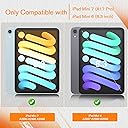
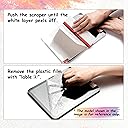
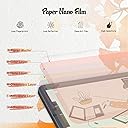
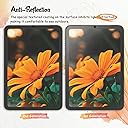
I took a chance on this product because I wanted to use my Apple Pencil for drawing on my iPad Pro and didn’t want to spend a lot of money. I was so impressed that I bought the product for my IPad mini also. Basics It comes with two screen protectors, non-skid pads to rest your iPad on during installation, stickers to act as a hinge for the screen during installation, cleaning supplies, and a squeegee. Installation: Easy Instructions are provided in the package along with a link to the video instructions. Definitely watch the video FIRST and follow them exactly for best results. I’m not good at installing screen protectors on anything larger than a standard iPhone and usually pay someone to install them on an iPad, but I was able to install this product on both an iPad Pro and iPad mini with no issues. The key is using the provided non-slip pads under your iPad and using the included stickers to hold the screen protector onto the iPad at one end, acting like a hinge. Once attached in this manner you clean off the screen and use different stickers to pick up any dust. Then with one hand, you begin peeling off the protective plastic to expose the adhesive to the screen, while using the provided squeegee with your other hand to lay it down and push out any bubbles. Some recommend installing in a bathroom with a hot shower running to reduce dust. Feel It definitely feels like paper. You will go through pencil tips more quickly if you do a lot of shading/coloring. I don’t have anything to compare it to so take that info account, I’m not a professional artist and just draw and color for funsies but I’ve done a fair bit of drawing and coloring lately and am pleased. I’ve only used it for 3 weeks so I can’t speak to its longevity, but with daily use it has held up well. I’m sure it will eventually wear out but it comes with two screens. Look It does make the screen have a matte look vs a glossy look. It isn’t extreme and doesn’t bother me when I watch YouTube videos or play games. It cuts down the glare a lot and makes it easier to use the iPad in sunlight. After using it awhile you will notice streaks or paths from drawing or shading, but cleaning takes these away. Apple Pencil It works great with the Apple Pencil and I’ve had no issues. You will need to replace your tips more frequently than using it on glass, especially if you do coloring or shading. Price I bought it for $7.99. Since it comes with two screen protectors it’s a steal. It’s nice to know that when the first one wears out I have a second one to replace it with. Overall I highly recommend the Paperfeel screen protector for the iPad. It is easy to install and makes the screen feel like paper. It works very well with the Apple Pencil for drawing, writing, and coloring. It cuts glare down significantly and has a nice feel to it. I’ve had it installed about 3 weeks and am very pleased with it. The price makes it an economical option if you don’t want to spend a lot of money or you’re not sure if you’d like a paper feel for your device.