
Desertcart purchases this item on your behalf and handles shipping, customs, and support to Seychelles.
๐ฌ Upgrade your binge game with the smartest remote in the room!
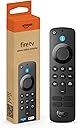
The newest Fire TV Alexa Voice Remote enhances your streaming experience with Bluetooth connectivity, dedicated app buttons for Prime Video, Netflix, Disney+, and Hulu, plus a handy Guide button for live TV navigation. Compatible with most recent Fire TV devices, it also controls your TV, soundbar, and receiver, and comes ready to use with included AAA batteries.
| Size | 38 x 142 x 16 mm |
| Weight | 43.4 g (without batteries) |
| Batteries | 2 AAA (included) |
| Technology | Bluetooth |
| Compatibility | Fire TV Stick Lite, Fire TV Stick (3rd Gen), Fire TV Stick 4K, Fire TV Stick 4K Max, Fire TV Cube (2nd Gen), Echo Show 15 |
| Warranty and service | 90-Day Limited Warranty and service included. Use of Fire TV is subject to the terms found here. |
C**C
Added App Buttons and Channel Guide Button are a nice touch
This is the newest Alexa Voice FireTV remote, for FireTV, FireTV Cube and FireStick devices. *note- Please check the compatibility list in the description, because while this remote works for most of the newer Amazon FireTV devices, it does NOT work with the older 1st Gen FireTV. * PROS: APP BUTTONS: The biggest change is the inclusion of the โPreset App Buttonsโ toward the bottom of the remote. These four buttons automatically launch Prime Video, Netflix, Disney Plus, and Hulu. I tested them out and each seemed to work well, launching the apps quickly. CHANNEL GUIDE BUTTONโ This remote now has a Guide button (shaped like a little TV) to the right of the Volume buttons. We use a FireTV Recast to occasionally watch live TV, and this button pops up the Channel Guide so you can scroll through the live TV channels. After the recent FireTV homescreen menu change, it is pretty easy already to get to the Channel Guide from the Home page, but still, this makes it even easier. CONS: COST: At $30, this remote isn't exactly cheap. It works well, but might not be worth that price depending on your needs. OVERALL: This is a great remote, but I'm not sure if it is worth it to upgrade from a previous generation remote just for the added App Buttons and the Guide Button. We personally have found these buttons to be a nice touch though, as they might save you a second or two of scrolling. If you have an older remote that you were thinking about replacing anyway, then I would definitely recommend getting this one. (Also, keep in mind you CAN add this as a second remote to your FireTV Cube if you want, without getting rid of the first one, and you can use them both. We are currently doing that with one of our TVs, because we tend to misplace the remote anyway and having two that both work seems to be less of a headache.)
B**.
Remote wouldn't pair with Samsung TV and now won't pair with 4k stick
EDIT: soon after posting this review, the remote finally connected to the fire stick and began working. I was then able to easily connect it to my TV. Power, volume, and shortcut buttons are all working fine. The only explanation I can think of is that an update was pushed in the background and took a while to finish (largely while I originally wrote this review!) I was able to pair it to my fire stick 4k using my old remote that is dying, but it would not connect to my Samsung TV to control power and volume (the old remote did). I went through the process of re-adding the TV and pressing the >> button through all 6 options with no luck. After unpairing my old remote, I couldn't even attempt to add my TV as the stick apparently did not recognize this new remote as TV compatible... I've now gone through the process of unplugging the power from my fire stick, waiting 60 seconds, resting the remote with back, menu, and left buttons, taking out batteries, plugging in fire stick, waiting 60 seconds, putting batteries back in, pushing home, and trying to hold home for 10 seconds to put the remote in pair mode. The fire stick just says that it cannot detect a remote. I cannot get this new remote to even connect to the fire stick at all now. I either got a lemon, or their firmware was not good enough on release (despite the update to the remote that was automatically done immediately after I initially paired it). I'll update my review if I get it working. So far, no luck.
N**E
Super handy!
I bought one of the larger echos a couple years ago, I think, and they didn't come with remotes at the time. Makes sense since the intent was voice or touch navigation. Like a lot of people, it seems, I use mine more like a small TV with voice control. A lot of apps were pre-added and I added more, mostly to watch some shows in bed at night with a small screen, low volume and easy voice navigation. It's great for that but the one thing that drove me a little nuts right away was the volume control. There's just no way to get it just right with either voice or touch and the controls on top are actually hard to find and adjust in a dark room and getting out of bed to use them defeats the purpose. This remote solves that issue and several others. The volume control in the lower center is intuitive in the dark and offers much finer control of the volume than any other option. Honestly, I'd buy this just for that reason, I found the volume issues that annoying. But I have found that it makes navigating to various apps a lot easier, there are even some one-touch buttons to navigate to specific apps without a hassle. It's also very helpful for when echo wants to be stubborn about which episode to play when I tell it a show to bring up on amazon prime video. On some shows it seems to be confused about which one to start playing no matter what I tell it and with the remote it's no longer a problem. I can easily navigate down to the correct ep and start playing. Otherwise, I would again be getting out of bed to use the touchscreen and that was never my intended use for the echo device. So the remote just makes total sense and I believe it's now included on the newer models. I have also seen some cases for it that include a small light. It isn't backlit and has no light options built in so that could be handy if you don't find it intuitive to use in the dark but I got used to the controls very quickly and don't see a need for a lighted case. A backlit option would be a great upgrade, though, it's so common in other remotes. As far as installation, I just followed the instructions and had no problems at all. It's such a simple, useful addition to the echo that if I lost mine, I'd be buying another one right away.
C**0
Good customer service, HUGE problem- problem resolved to my satisfaction!
Let's start off with the problem. This is a replacement remote. Why do most remotes need replacing? Because the original remote was misplaced. The directions instruct you to go to the settings on your TV. How am I supposed to do that when my remote can't even turn the TV on because it's NOT YET PAIRED! I called Amazon CS twice and got stuck with 2 reps who were clearly not trained on this replacement remote. In the end, the Rep had me download the Fire TV app. and told me to use that to control myTV.. At first I was excited I could control my TV with my phone. That excitement faded when I realized there were no volume buttons, no mute button, and no way to turn the TV on and off. I Gave it 3 stars because for those still having their original remotes, this replacement remote probably did its job. Me? My money is being refunded, but here a sit without an efficient remote. Not sure what I want to do at this point. UPDATE: I called Amazon again and asked for a Superviser. The Superviser didn't seem to be reading off a script like the other 2 Reps. She had me unplug and plug back in a couple things. I was then able to navigate to settings with my Fire TV app. Now I have a perfectly working remote! I added another a star. I didn't bump it up to five stars because of everything I had to go through to make it work.
S**.
Great product
Super convenient for my sons shows
A**R
Works fine
This was a replacement for a lost remote. No issues with connectivity. Worked perfectly.
N**E
Don't buy it
Wellllllll where to start? First off, this remote does not pair with any TV or Firestick. I have an Insignia FireTV 2nd Gen. My cousin who lives nearby has a new OmniSeries FireTV, and a next door neighbor has a 3rd Gen FireTV Stick. This remote does NOT work as a replacement for ANY of these devices. Trust me, I tried for at least three hours per device. In total, probably eleven hours of my weekend went towards thoroughly trying to figure out/test this device. I don't reccommend spending your weekend doing that. Considering a FireTV stick and remote is $25 and this was $30... I expected a lot more. So after trying for so long, I called customer service who was immediately rude to me. I explained exactly what I had done so far and Sunil (who you should hang up on immediately if you get him) went and said, "Hey, do this" and it was one of the things I'd already tried! He didn't read the thorough explanation of everything I had just tried! He continued to read from his script and then seemed to get irritated with me when I told him that I could NOT navigate to Devices and Controllers on my TV because my Echo was refusing to select it within settings with a voice command and I was unable to pair the replacement remote (this item I'm reviewing) or the FireTV remote app. I did NOT have my old remote and I clearly said that in the customer chat. So he decided: "I'm not gonna deal with this lady and her problems and told me to call Insignia customer service! (I work in IT and this literally means F you in my line of work. I can read between the lines) However, a few more google searches finally told me that this remote should only work with 3rd Gen devices (but if you look at the questions and answers here and read some of the fake reviews, people say it works). However, my neighbor has a 3rd gen device and it doesn't work with hers... So this device doesn't work at all. But the main point of this is I spent an hour talking to Sunil who could've told me off the bat that this remote would never work with my device due to hardware incompatibility! Basically, Amazon customer service is ill-trained to deal with technical issues and do NOT know how their own devices work much less how they're compatible. And I know it's not their fault. They're just given a script and no training. However, Sunil threatened to black list me! Can you believe that? Because I called him out on his BS, he wanted to blacklist me? Not that it's possible but the audacity.... So moral of the story. Don't buy this remote. It does not pair. Not even with the proper compatible device.
M**I
The Remote Works & is Extremely Easy to Set Up.
I needed another remote due to the one that came with the Fire Stick I ordered in April suddenly stopped working. I was looking at off brand remotes along with Amazon's. I wasn't sure if off brand remotes were just as good so I just went with Amazon's to be on the safe side. This remote was extremely easy to set up because the connectivity was automatic when I went to Controllers & Bluetooth Devices in the Settings menu. For the asking price, I wanted an official remote I would have confidence it would work. As for a replacement remote, it does its job.
Trustpilot
2 weeks ago
1 month ago