Buy anything from 5,000+ international stores. One checkout price. No surprise fees. Join 2M+ shoppers on Desertcart.
Desertcart purchases this item on your behalf and handles shipping, customs, and support to Seychelles.
โก Power, speed, and clarity โ dock like a pro, work like a boss.
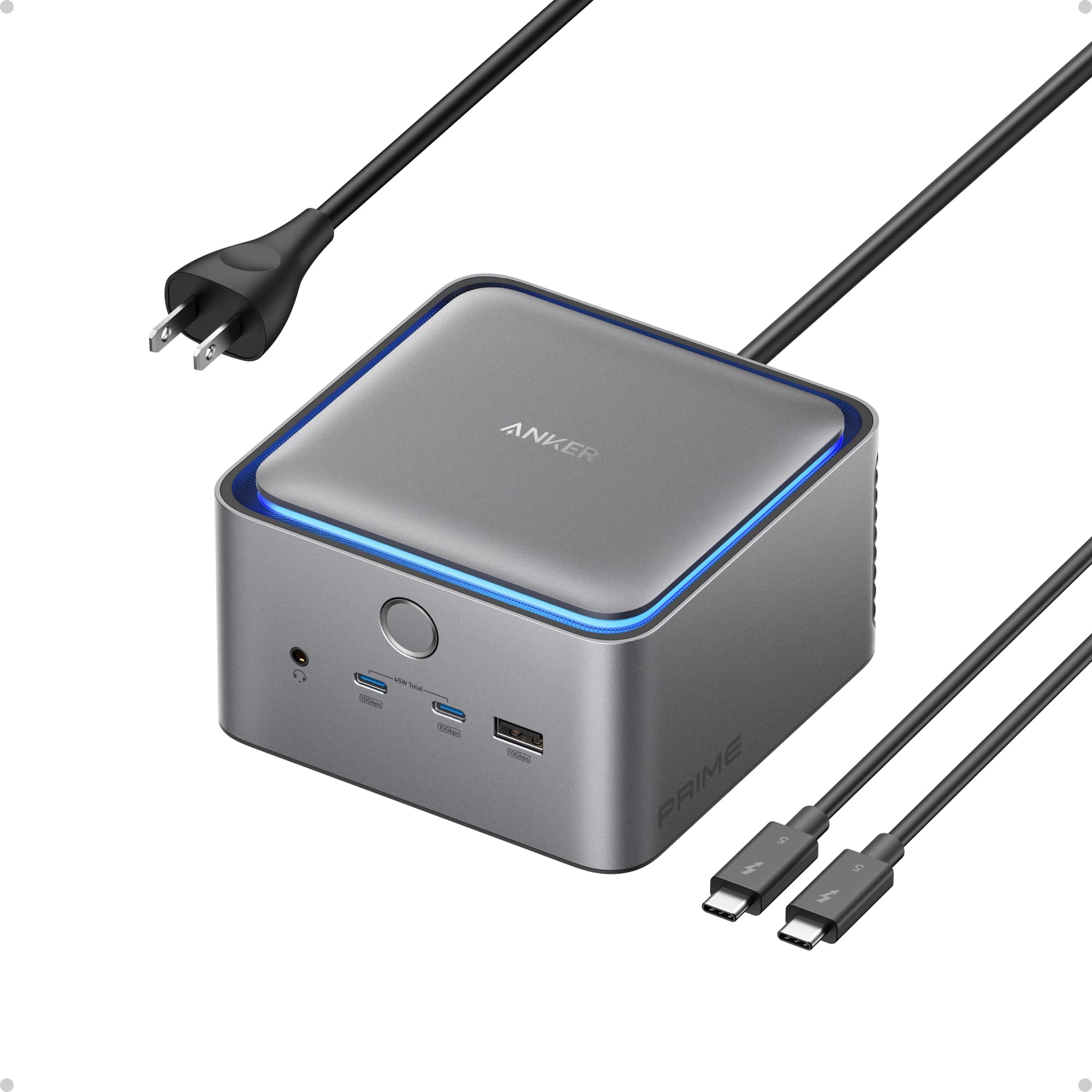
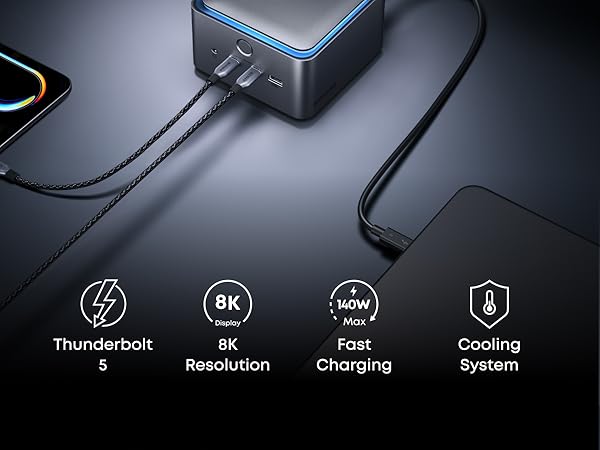
The Anker Prime TB5 Docking Station is a premium 14-in-1 Thunderbolt 5 hub designed for professionals demanding seamless connectivity, ultra-fast 120Gbps data transfer, and dual 8K display support. With 140W max charging, an advanced cooling system, and a comprehensive port array, it transforms any Thunderbolt 4/5 laptop setup into a powerhouse workstation while maintaining a clean, organized desk.


| ASIN | B0DSVVJXK5 |
| Best Sellers Rank | #2,567 in Computers ( See Top 100 in Computers ) #17 in Laptop Docking Stations |
| Brand | Anker |
| Color | Gray |
| Colour | Gray |
| Compatible Devices | MacBook with M4 Standard/Pro/Max; MacBook with M1/M2/M3 Pro/Max; Thunderbolt 5/4 Windows Laptops |
| Compatible devices | MacBook with M4 Standard/Pro/Max; MacBook with M1/M2/M3 Pro/Max; Thunderbolt 5/4 Windows Laptops |
| Customer Reviews | 4.2 out of 5 stars 355 Reviews |
| Hardware Interface | Thunderbolt |
| Hardware interface | Thunderbolt |
| Item Dimensions L x W x H | 11.6L x 11.6W x 7.5H centimeters |
| Item Weight | 2.37 Pounds |
| Manufacturer | Anker |
| Mfr Part Number | A83B51A1 |
| Minimum Required Operating System Version | Mac OS 15 Sequoia |
| Model Number | A83B5 |
| Number of Ports | 14 |
| Product dimensions | 11.6L x 11.6W x 7.5H centimeters |
| Smart Home Compatibility | Not Smart Home Compatible |
| Total Number of HDMI Ports | 1 |
| Total USB ports | 8 |
| Total Usb Ports | 8 |
| UPC | 194644289171 |
| Unit Count | 1 Count |
| Wattage | 140 |
D**E
Fast, Reliable, and Expensive
Iโve gone through a few docks over the years, and the Anker Prime TB5 Docking Station is easily the most capable one Iโve used so far. Setup was straightforward, and it immediately handled everything I threw at it โ dual displays, fast data transfer, and consistent charging without hiccups. If youโre running a modern setup (especially with a newer MacBook or high-end laptop), this dock actually feels like itโs built for it, not something youโre trying to โmake work.โ What stood out most: โข Performance: No lag, no weird display issues โ everything just works โข Ports: Plenty of flexibility without needing extra hubs โข Build quality: Feels premium and solid, not plasticky โข Power delivery: Keeps my laptop charged even under heavy use Also really appreciate how it helps clean up the desk. One cable in, everything connected โ exactly what a dock should do. A couple minor considerations: โข Itโs not cheap, but youโre paying for performance and future-proofing โข Make sure your laptop actually supports Thunderbolt at full capability to get the most out of it Overall, if you want a high-performance, no-compromise dock, this is one of the best options out there right now. Worth it if your setup demands it.
T**R
Solid TB5 dock
Great little device the first month-ish of use so far. Seems like one of the more affordable TB5 docking stations out there at the moment and has enough hubs to let me run my work setup without any real issue with the entire front to spare for plug n play devices.
I**8
More than meets the eye
Iโm new to the Mac world but prefer a dock with a hardwired LAN connection when at my desk. When I initially attached it, I needed to install a driver for full functionality. I used a 4k external monitor through the DisplayPort. The single Thunderbolt 5 connection did the rest. The power button has a few functions that are worth reading about. The first time I pushed it, did not cut off the power as expected. After reading the instructions, I found that a tap of the power button just turns off the blue ring surrounding the top of the adapter. If you hold the power button for 3 seconds, then it cycles the power. The power button will also sleep the laptop, so it is an easy switch to turn everything off. I did connect the Ethernet port to a 2.5Gps LAN and it identified the speed and worked quite well. I have gravitated towards Anker products because every one just works well. A big bonus is the there is not any external power supply or wall wart. Just a simple 2 prong power plug that fits easily into a power strip. I actually bought a second unit for work. I can recommend this product. Its small size is also beneficial. ETA: I wanted to buy Thunderbolt 5 monitor, but pricing prevented it. I did re-purpose a ROG Swift OLED PG32UCDMR which was a gaming monitor but supported the USB-C connection. It immediately connected with the previous 240Hz 4k connection without issue through the Thunderbolt 5 port. The picture is stunning. After spending time on two separate connections with a single laptop, I can say this is an impressive piece of kit. I donโt know how you could do better.
J**N
Very Solid Item
Works as expected, Lots of power and it has completed my mac studio desk setup
D**S
Works well and reliable but expensive and wish there was more
Have been using this TB5 dock from Anker since July with my M2 Max and my wife's M4 air and it has been working flawlessly for us. The pro's: - small and attractive design - able to do triple display for both our Macs with the native laptop screens and 2x 4k 27" Dell monitors via USB C - 2.5 GbE port works well - no issues with ports or card reader slots The Con's: - expensive, and could be offering more for the price - Not enough USB C ports in the back. If you have dual monitors via USB C, it uses up all the USB C ports in the back and you have to use the front ones which is not as elegant looking. Would be nice to have another 1 or 2 USB C ports in the back for TB external SSD drives that are being attached or even a 5 / 10 GbE TB network adapter - speaking of network adapter, the 2.5 GbE is nice but feel like it would have been nicer if it had a 5 or 10 GbE port instead It's defintely a really elegant and solid docking solution, especially when you have multiple monitors and laptops that are using the station so it's easy to plug in and out. For the price, felt like it could offer more. The other alternative is the CalDigit TS5 which is about the same price ulness there is a sale. It has a few extra USB C ports in the back. Didn't see that one at time when I was looking and may have consider that one instead. There's also the CalDigit TS5 plus which is a little more expensive and has a 10 GbE port, but there have been some mix results with relability with the network port. All and all, pretty happy with the Anker for now but hope to see more improvement on their next version.
Trustpilot
2 weeks ago
2 months ago