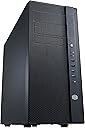
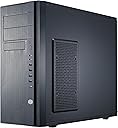
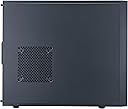
While I love the product, I find it silly that the manufacturer did not include the tool-less drive retention hardware for all the drive bays. The last mid-tower I bought with this quantity of drive bays had the drive latching hardware for all drive bays. This case included latches for only the bays that might be considered "typically" populated, but I bought the case knowing that I wanted to populate quite a few more than this, so now I have to either try to order the hardware separately or use screws despite the fact that one of the selling points I considered was the tool-less design. Getting past this minor complaint though, I have always taken great pains to manage cooling - particularly with respect to maintaining air flow around drives - even though I don't typically buy high end cases. This has to be my best case yet. It included extra fans and definitely will draw air around the drive bays. The absence of plastic panels, etc. is also a bonus, though I do miss the quick disconnect side panel latches that I enjoy on a similar competitor's case in the same price range. In my opinion, the location of the front-mounted USB and audio connectors is superior for my application. The side-mounted connectors on some cases is beyond difficult at times, and the high connectors on many cases in the same class are awkward when the case is on a desktop for easy access, etc. The location of these connectors was very high on my selection criteria. This purchase emphasized to me the importance of seeing a case before buying it. I selected a number of cases "on-line", but I actually visited a brick-and-mortar store before the purchase. Upon seeing the cases with similar attributes and price, it became clear that this case clearly stood head and shoulders above any of the others that I could actually see. Most of the cases felt tinny, had plastic parts, etc. The brick-and-mortar store front, though, had no stock, so I resorted to buying online, but, going forward, I'm certain I will never buy a case without looking at one first. I'm not a big fan of the large top grill on the case as I tend to stack several towers in my tight environment where I have multiple systems, but I have no regrets either. I'd rather have cooling options than nit-pick this point. In fact, a comment below shows that this is probably a key feature that I want to have even though I'm not used to the top of a tower case being open. A plus about this case was that the cooling apertures all have screen filters. Dust is a problem in my environment - to the point that I periodically clean the insides of systems every so often. While the filters aren't likely as effective as the filters on my to-date favorite case, these filters are definitely going to be easier to remove/clean, and are less likely to trap the dust in a way that detracts from the black finish. The presence of the filter screens also mitigate risk of dropping small items into the case from the vents along the top. A key selling point for me on this case was that the cooling apertures are such that they do not emphasize "show off" vanity lighting inside the case. I feel that many cases built to show of the inside of the case are unattractive when this is not a goal for the build - particularly when the system is going to have a lot of internal cabling, cards, and so on. The front grille is nice and open, but not so much that empty bays will detract from the system appearance. This is the first tower case I've built that uses a bottom mounted power supply. At first I was somewhat skeptical about losing use of the power supply fan to draw heat off the top of the case, but upon further consideration it is clear the design is well thought out. The power supply cooling is maximized, and the top case venting will prevent hot air from pooling at the top of the tower. Furthermore, I find that cable routing in this configuration is superior. Whereas I've always had to contend with cabling that crosses over the CPU, memory, etc., in top-mounted power supply configurations, it's going to be a pleasure to route cables in this case. A slight downer on this design is that mounting removable optical drives in the 5.25" bays will break the continuity of the front vertical bar that houses the switches, indicators and connectors. I think that will detract from the appearance of the case when a drive is mounted there. Thumb screws for side panel removal are vanity items that add no functional value. They are decorative and attractive (black and textured), but I find that they are decidedly not tool-less thumb screws. They are so small and the threading so tight that one must use a screwdriver. Bottom-line: I am happy to have this case. The price was right, I found the case in a brick-and-mortar store so I could review it before buying it, and I doubt I'd want to spend the time to hunt down a competing case to avoid the few nit-picks I have against it. Of the cases I saw, this was by far and away the one that best fit my criteria... cooling options being paramount on that list. The things I would change about this case that would make it perfect: drive mount hardware for all drive bays, quick-open latches for the side panels.