Desertcart purchases this item on your behalf and handles shipping, customs, and support to Seychelles.
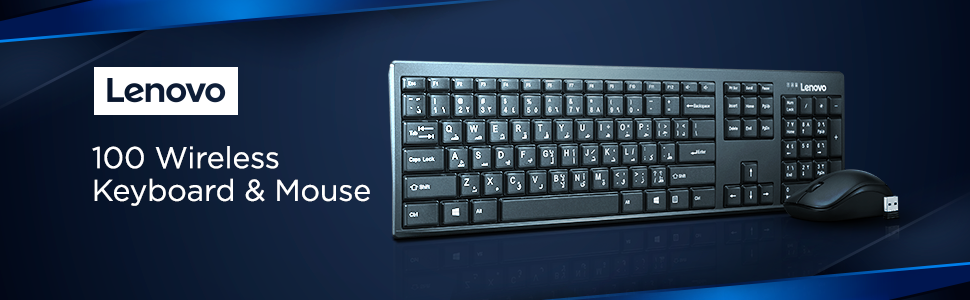
โจ๏ธ๐ฑ๏ธ Work sleek, work smart โ the Lenovo 100 Wireless combo that means business.
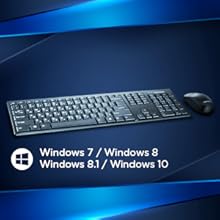
The Lenovo 100 Wireless Keyboard and Mouse Set offers a sleek, ultra-slim keyboard with spill-resistant keys paired with an ambidextrous 1000 DPI optical mouse. Featuring reliable 2.4 GHz wireless connectivity via a nano USB dongle and up to one year of battery life, this combo is designed for professional multitaskers seeking durability, comfort, and style in a compact footprint.


| ASIN | B01N2ZWDUL |
| Are Batteries Required | Yes |
| Best Sellers Rank | #15,043 in Computers & Accessories ( See Top 100 in Computers & Accessories ) #181 in Keyboard & Mouse Sets |
| Box Contents | Mouse, Keyboard and Battery |
| Brand | Lenovo |
| Brand Name | Lenovo |
| Colour | 100 Wireless Keyboard & Mouse Combo |
| Compatible Devices | Personal Computer,Laptop |
| Connectivity Technology | Usb |
| Country of Origin | China |
| Customer Reviews | 4.0 out of 5 stars 8,079 Reviews |
| Global Trade Identification Number | 00193124735849 |
| Hand Orientation | Right |
| Importer Contact Information | Lenovo, Ferns Icon, Level, 2, Outer Ring Rd, Doddanekundi, Mahadevapura, Bengaluru, Karnataka 560166 |
| Item Type Name | Lenovo 100 Wireless Keyboard & Mouse Combo, Ambidextrous 1000 DPI Mouse Optical Sensor, upto 3M clicks, Ultra slim water resistant keyboard, 2.4 GHz Wireless Nano USB, upto 1yr battery life GX30L66303 |
| Item Weight Unit of Measure | 461 Grams |
| Keyboard Backlighting Color Support | Single Color |
| Keyboard Description | Membrane |
| Keyboard Layout | QWERTY |
| Manufacturer | G.Tech Technology Ltd. No.21, Jinding Industrial Park, West Jinfeng Road, Tangjiawan Town, Zhuhai, Guangdong, China, Lenovo |
| Manufacturer Contact Information | G.Tech Technology Ltd. No.21, Jinding Industrial Park, West Jinfeng Road, Tangjiawan Town, Zhuhai, Guangdong, China |
| Manufacturer Part Number | GX30L66303 |
| Minimum Required Operating System Version | Windows 10 |
| Model Number | KN-100-K |
| Movement Detection | Optical |
| Network Connectivity Technology | Usb |
| Number of Batteries | 2 AAA batteries required. (included) |
| Number of Keys | 106 |
| Operating System | windows 7/8/10linux |
| Other Special Features of the Product | Wireless |
| Packer Contact Information | Lenovo Information Products ShenZhen) CO. Ltd, #30 Taohua Road,futian free trade zone, ShenZhen, China |
| Power Source | Battery Powered |
| Special Feature | Wireless |
| UPC | 193124735849 889488163595 |
| Unit Count | 3 Count |
| Warranty Description | 3 Years |
S**I
Very pleased first impression
I was looking for a slim sleek and basic keyboard for my โbusy accounting softwareโ where function keys and numpad is very important. I previously ordered zebronics 107 but that was a horrible experience as it was poorest quality and even anti slip stickers were not there to grip the keyboard. So i searched for many keyboard but my eyes stopped on this lenovo 100 wireless combo set which looked pretty decent and not too pricey, like logitech dell hp etc were 3-400 extra, today i recieved the product and used it full day and trust me it is very satisfying. The build quality the ergonomics, the key placements and the raised key typing experience is awesome and feels like typing on a real classic keyboard, unlike other laptop style keyboards, mouse is little small but also very nicely build and works very nice for me it serves perfectly as my desk space is small and very little mouse work required, but for gamers i dont think the mouse will be handy, will update long term review after using it
A**R
Awesome
Awesome
P**N
Good
Good
R**K
Lenovo wireless keypad caps lock and num lock red color indicators donโt work!!!
My Lenovo wireless keypad and mouse came on time and is working. Only problem is the caps lock, num lock battery indicators donโt work! The red light comes and goes off. With no red light indicator you donโt know if the caps lock or num lock is on of off!! I have to type and find out if the lock is on or off. Itโs irritating and frustrating. I even changed the battery that Lenovo had supplied but even that did not work!!! Obviously there is a hardware problem. Will Amazon and Lenovo help or am I stuck with this defective key pad, I wonder.
A**M
The key spacing is perfect to my linking and typing on it feels very ...
Here's my detailed product review (also testing out the keyboard as I type this!). Delivery from Amazon took less than 24 hours. Although the product comes in a see through packaging from Amazon so the original Lenovo carton is visible when you receive the product. Nothing that one should be worried about though. The keyboard: The keyboard is adequately sized. The key spacing is perfect to my linking and typing on it feels very smooth with no clicking sound from the keys. It features three LED indicators for caps lock, num lock and what appears to be a low battery indicator. Keep in mind though that the indicators don't stay on - they go off after a few seconds so it is difficult to tell if the caps/num lock key is ON by looking at the indicators. They do however clearly indicate that the key was pressed or released. Not really a pain point. The keyboard uses a single AAA cell that comes in the box. The physical appearance of the keyboard is alright - nothing very fancy. The keys have a frosted "top" with white lettering and the key edges have a glossy black finish. Stand out feature- it has a volume control keys on the top row!! The mouse: I have been using the Logitech m235 wireless mouse for the last two years and have grown used to it so the one thing that I notice with this mouse is the speed. I have had to bump up the mouse pointer speed setting under windows to the maximum with almost any mouse that I have used. For this one I feel I may have to lower that setting. Having said that the precision and accuracy is really good for my work (I don't do any graphic/CAD design though so I wouldn't know if this suits those requirements). It runs off a AA battery that comes in the box and has a recess underneath to house the USB receiver in whenever you're not using it. It is also provided with an ON/OFF slider switch. Compared to the keyboard I find that the appearance of the mouse is better than the keyboard's with a neat glossy black trim wrapping around the mouse with matt black finish on top with the Lenovo branding. Bottom line: If you're looking for a basic wireless keyboard and mouse, you should go for it . Even without being a full multimedia keyboard it has Volume control keys that is a real plus point. I got it from Cloudtail for 999 as a lightning deal.
B**I
Lightweight, but keyboard and mouse are not good
Oct24: This keyboard is definitely not as good as that of Logitech. Keystrokes has to be in only one direction, otherwise it will all be failed strokes. Logitech keyboard accept keystrokes from any direction. Having a hard time in typing. Too early to comment on the mouse and there are some minor issues. Not sure what's causing that , but I reserve commenting at the moment. Reviewed in Aug25: Dissatisfied with overall performance - don't buy it. Not only for the earlier reason above, but also observe the mouse is not as sensitive & resilient to work on all surfaces like that of Logitech. Hard to control to the cursor movement. Logitech beats this hands down!!
P**A
Nice
Good item
W**I
Ok
Ok
A**S
Best choice...
Perfect!
H**N
Nice
Really happy with the product .
E**A
Perfect
Perfect one
I**.
Nice ๐
Good
M**A
ุฌูุฏ
ุฌูุฏ
Trustpilot
3 days ago
2 days ago